OperationInstruction_Vsision XP.pdf - 第150页
Page 142 V ISION XP+ V AC 5 Software 5.7 The Maintenance Menu Operating Instructions V ersion 1.5 5.7 The Mai ntenance M enu V arious maintenance messages can be set up an d edited with th e fun ctions included in the ma…
VISION XP+ VAC Page 141
5 Software
5.6 The Protocol Menu
Operating Instructions
Version 1.5
5.6.4 Import / Export Report
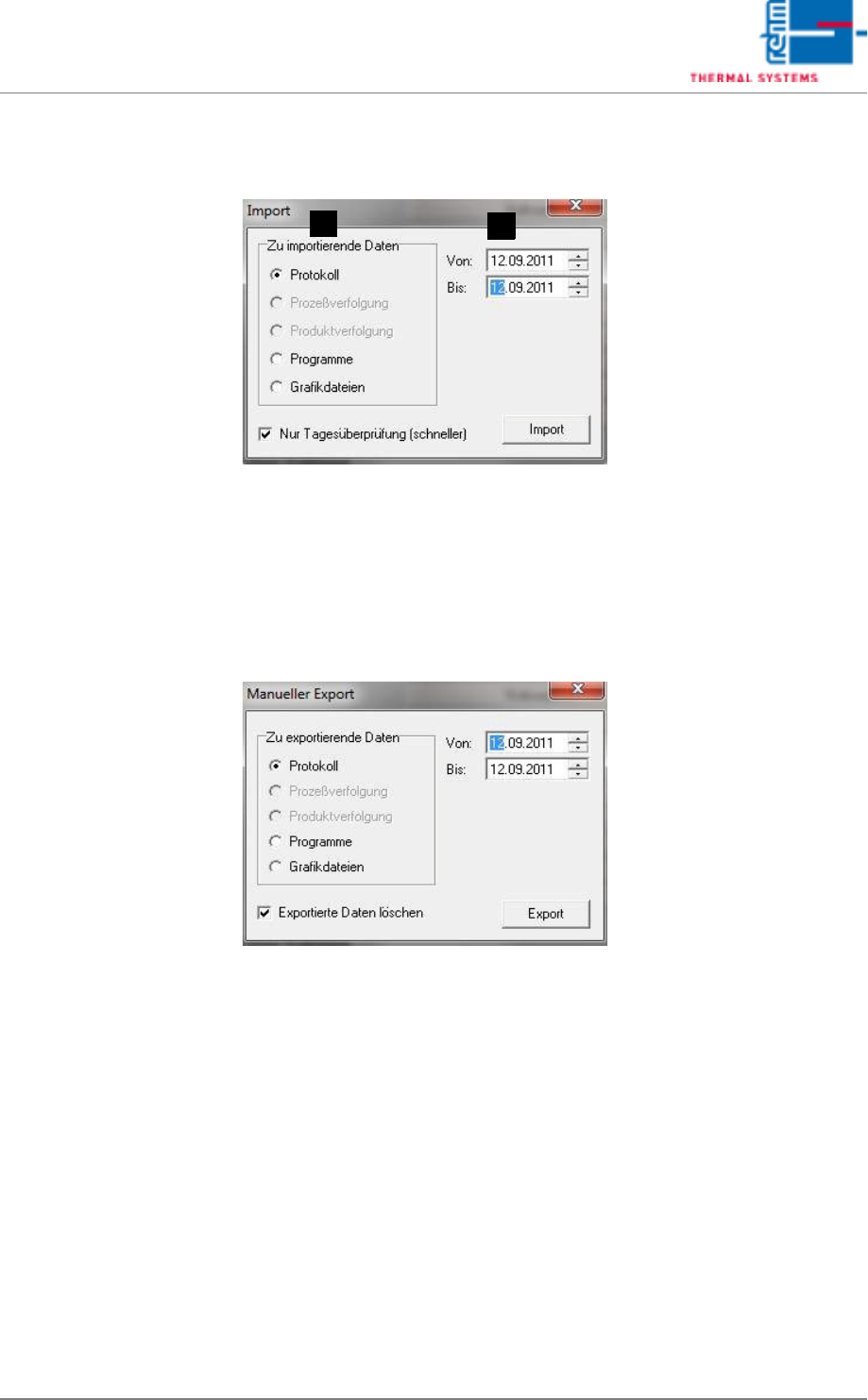
Fig.5-66: Import Report
Import:
The desired period can be selected under Point A in the opened Import win-
dow. The file type is selectable under Point B. Select the protocol file type in
this case. The desired data are loaded in the background by pressing the
“Import” key. For reading out, open the Protocol display and set the desired
period.
Fig.5-67: Export Report
Export:
As with Import, first specify the desired period. The file type Protocol should
be selected. The exported data are simultaneously deleted in the current re-
cord by placing a tick at the bottom edge of the window. These data can then
be viewed again only after re-importing.
B
A
Page 142 VISION XP+ VAC
5 Software
5.7 The Maintenance Menu
Operating Instructions
Version 1.5
5.7 The Maintenance Menu
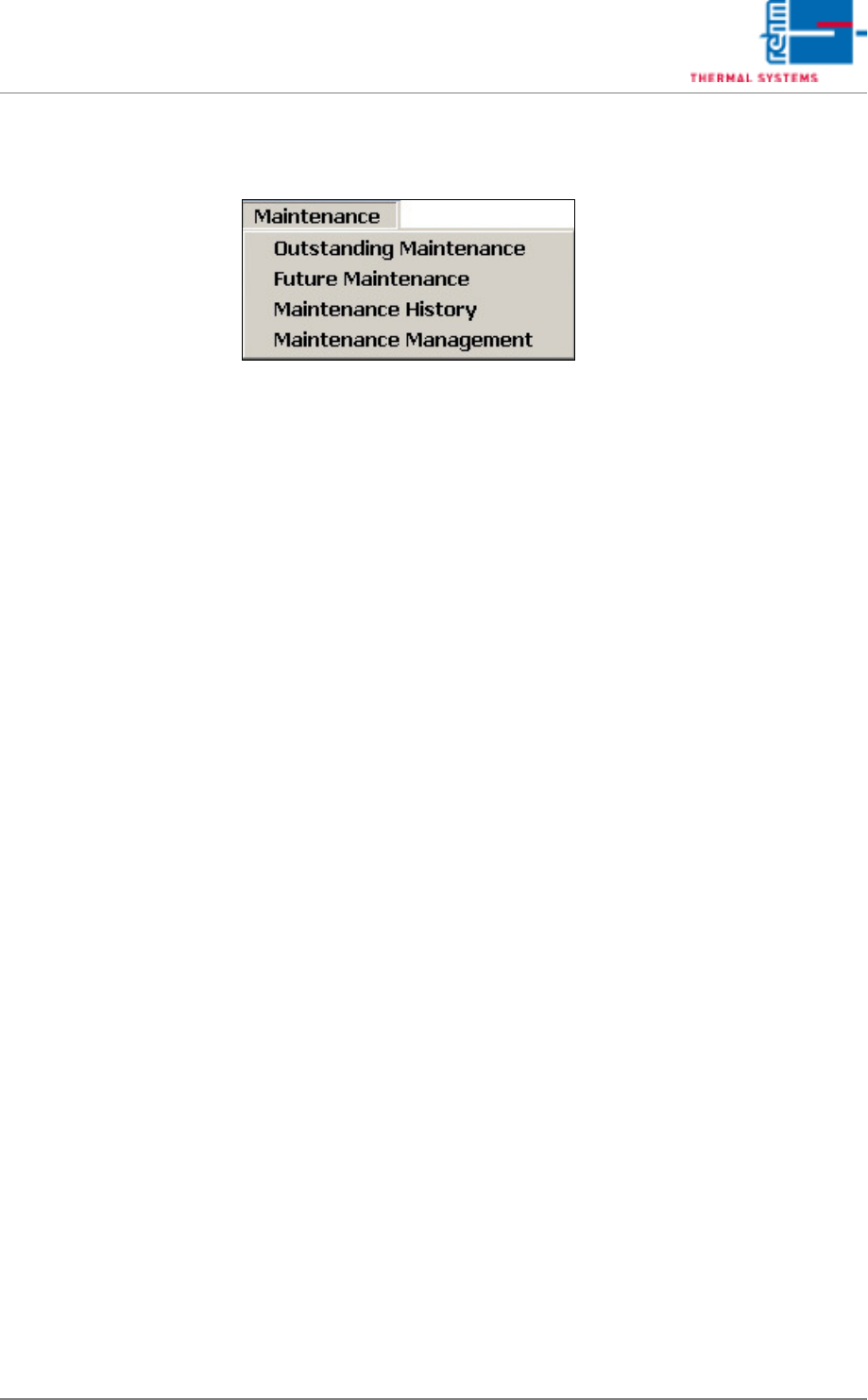
Various maintenance messages can be set up and edited with the functions
included in the maintenance menu.
VISION XP+ VAC Page 143
5 Software
5.7 The Maintenance Menu
Operating Instructions
Version 1.5
5.7.1 Display of Open Maintenance Messages
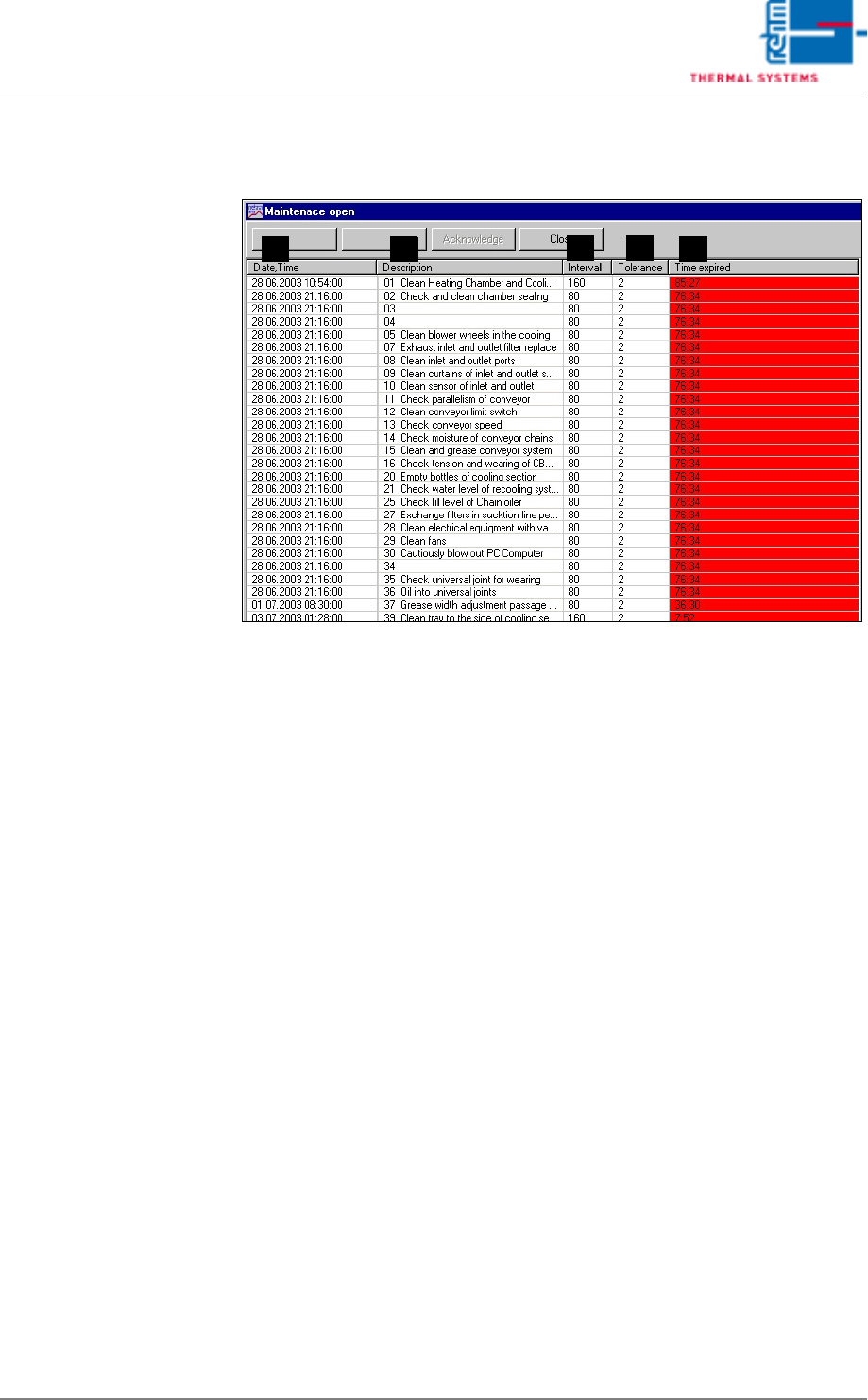
Fig. 5-68 Open Maintenance Messages
Open maintenance messages are displayed here.
A) Date/Time
Point in time at which the maintenance message was generated.
B) Description
Type of maintenance task.
C) Interval
The interval at which a given maintenance task must be repeated.
D) Tolerance
Specified time between generation of the maintenance message and
acknowledgement by the operator
E) Timexpired
Time elapsed since generation of the maintenance message.
If anything has been saved in conjunction with the maintenance message, it
can be selected with the Link 1 and Link 2 buttons.
After maintenance tasks have been completed, the respective messages
can be acknowledged by selecting the appropriate line and clicking the
Acknowledge button. The software prompt is then displayed. Enter the
correct password and acknowledge by clicking the OK button.
If you do not possess the required authority, click the Abort button. The
maintenance message remains open in this case.
The maintenance interval starts again from the beginning after correct
password entry.
A
DC
B E