OperationInstruction_Vsision XP.pdf - 第149页
V ISION XP+ V AC Page 141 5 Software 5.6 The Protocol Menu Operating Instructions V ersion 1.5 5.6.4 Import / Export Report Fig.5 -66: Imp ort Repor t Import: The desired period can be s elected under Point A i n the op …
Page 140 VISION XP+ VAC
5 Software
5.6 The Protocol Menu
Operating Instructions
Version 1.5
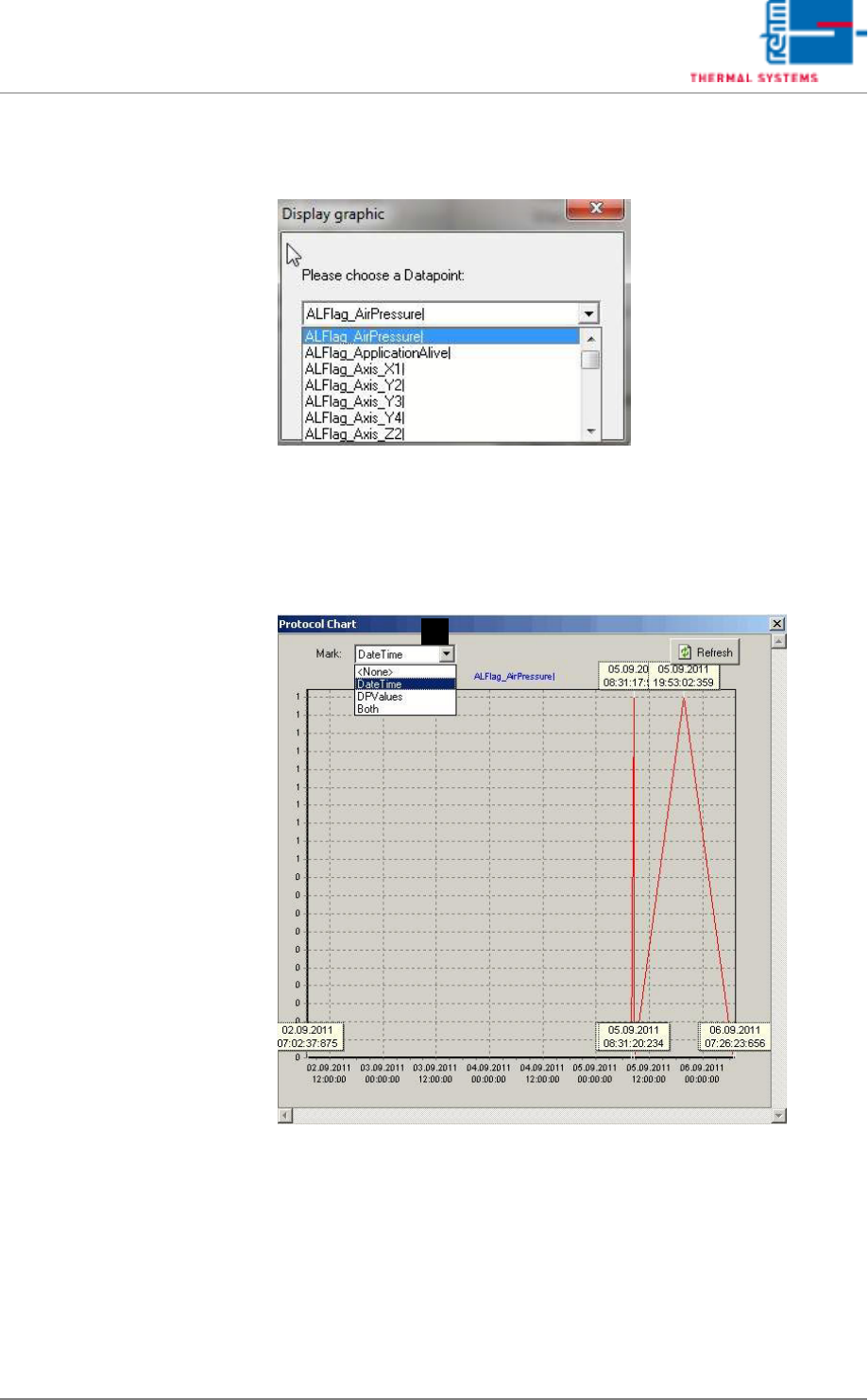
5.6.3 Graphic protocol display
Abb. 5-64 Graphic Protocol display
By selecting the submenu item “Graphic protocol display”, alarm status
changes can be graphically displayed in chart form, over a certain time.
Each status change is shown as 0 or 1, connected by a line. Various data
points may be selected.
Abb. 5-65 Protocol Chart
The exact time can also be shown in the graphic chart. Select “Date Time”
under Point A for this. Or only the “DPValues” data point might be displayed.
Or both together.
A
VISION XP+ VAC Page 141
5 Software
5.6 The Protocol Menu
Operating Instructions
Version 1.5
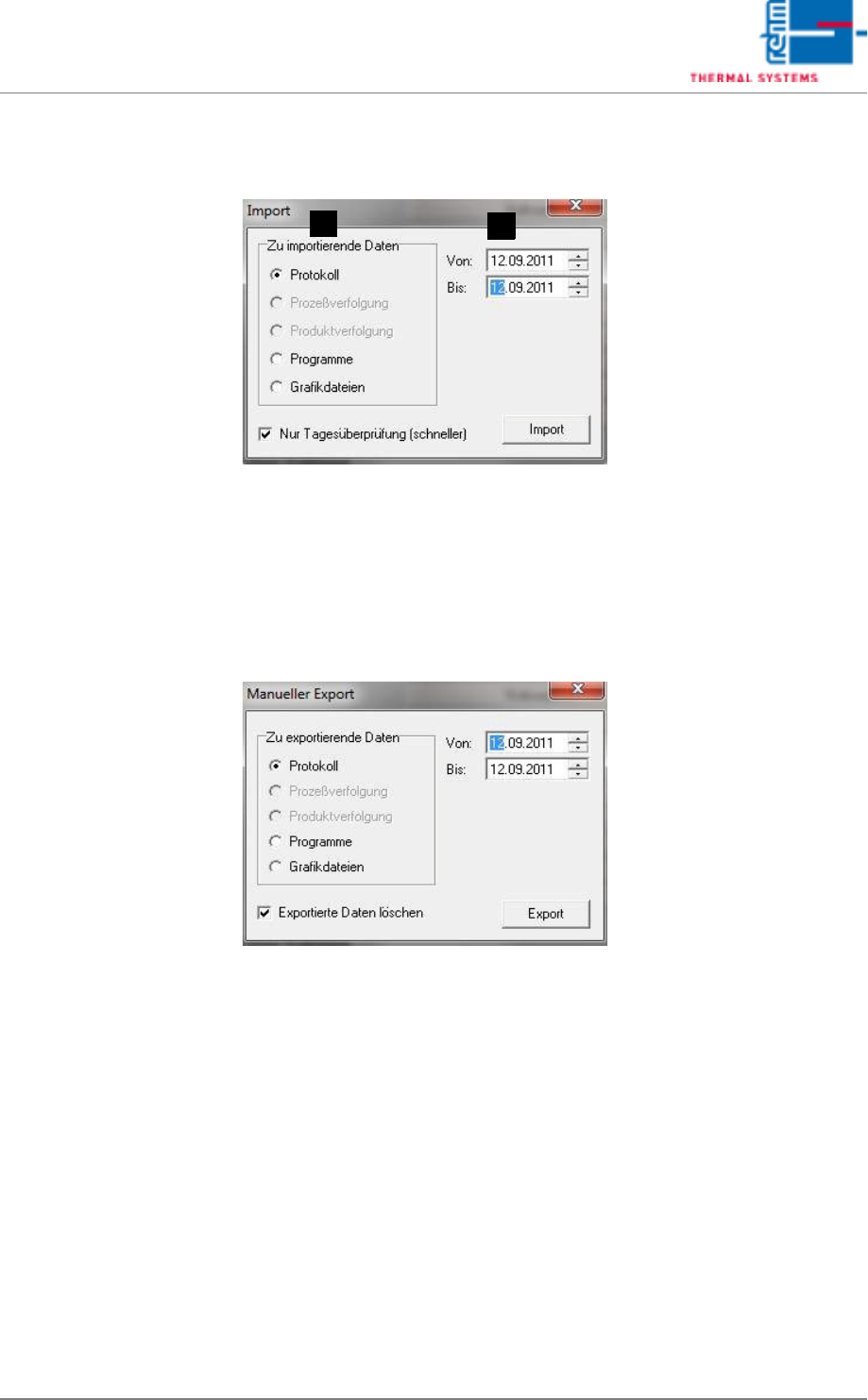
5.6.4 Import / Export Report
Fig.5-66: Import Report
Import:
The desired period can be selected under Point A in the opened Import win-
dow. The file type is selectable under Point B. Select the protocol file type in
this case. The desired data are loaded in the background by pressing the
“Import” key. For reading out, open the Protocol display and set the desired
period.
Fig.5-67: Export Report
Export:
As with Import, first specify the desired period. The file type Protocol should
be selected. The exported data are simultaneously deleted in the current re-
cord by placing a tick at the bottom edge of the window. These data can then
be viewed again only after re-importing.
B
A
Page 142 VISION XP+ VAC
5 Software
5.7 The Maintenance Menu
Operating Instructions
Version 1.5
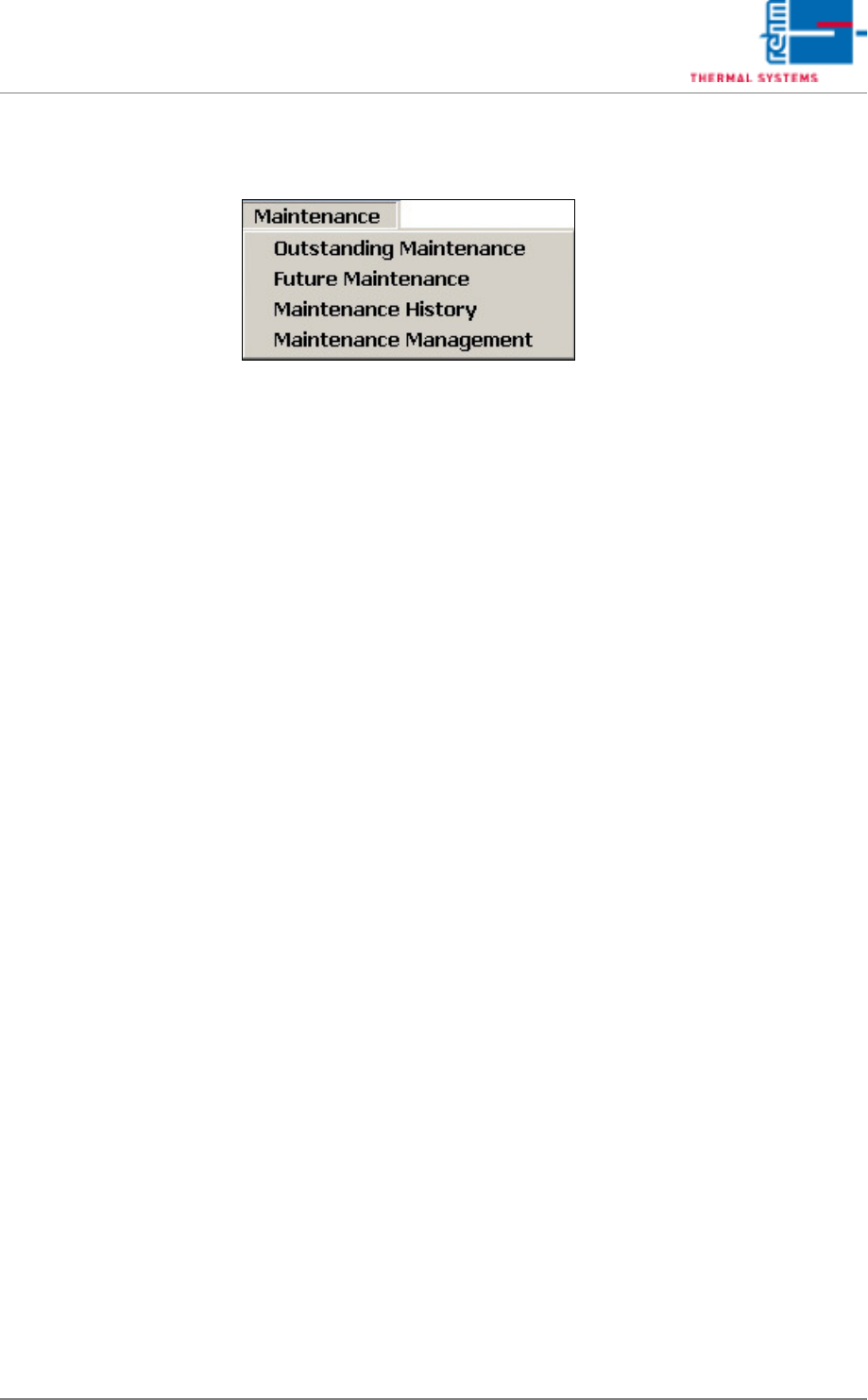
5.7 The Maintenance Menu
Various maintenance messages can be set up and edited with the functions
included in the maintenance menu.