OperationInstruction_Vsision XP.pdf - 第153页
V ISION XP+ V AC Page 145 5 Software 5.7 The Maintenance Menu Operating Instructions V ersion 1.5 5.7.3 M aintenance History Fig. 5-7 0 Main tenance History Completed, a cknowledged main tenance tasks are dis played here…
Page 144 VISION XP+ VAC
5 Software
5.7 The Maintenance Menu
Operating Instructions
Version 1.5
5.7.2 Pending Maintenance Tasks
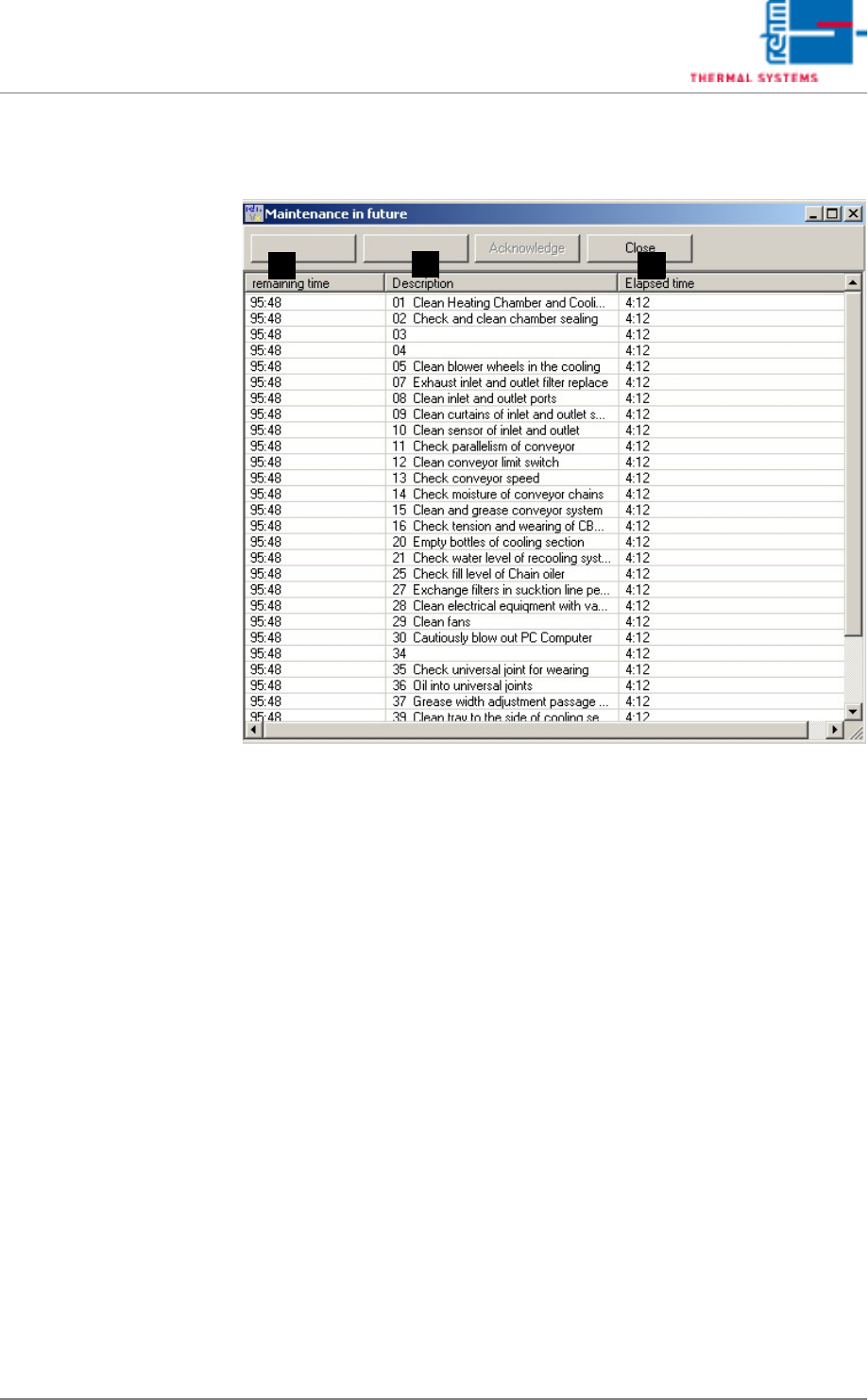
Fig. 5-69 Pending Maintenance Tasks
Maintenance tasks which will soon become necessary are displayed here.
Each respective maintenance task can be executed ahead of schedule or
reset. The Acknowledge button must be clicked to this end.
A) Remaining Time
Remaining time until maintenance is required.
B) Description
Type of maintenance task.
C) Elapsed Time
Time elapsed since the maintenance interval was last reset.
If anything has been saved in conjunction with the maintenance message, it
can be selected with the Link 1 and Link 2 buttons.
A C
B
VISION XP+ VAC Page 145
5 Software
5.7 The Maintenance Menu
Operating Instructions
Version 1.5
5.7.3 Maintenance History
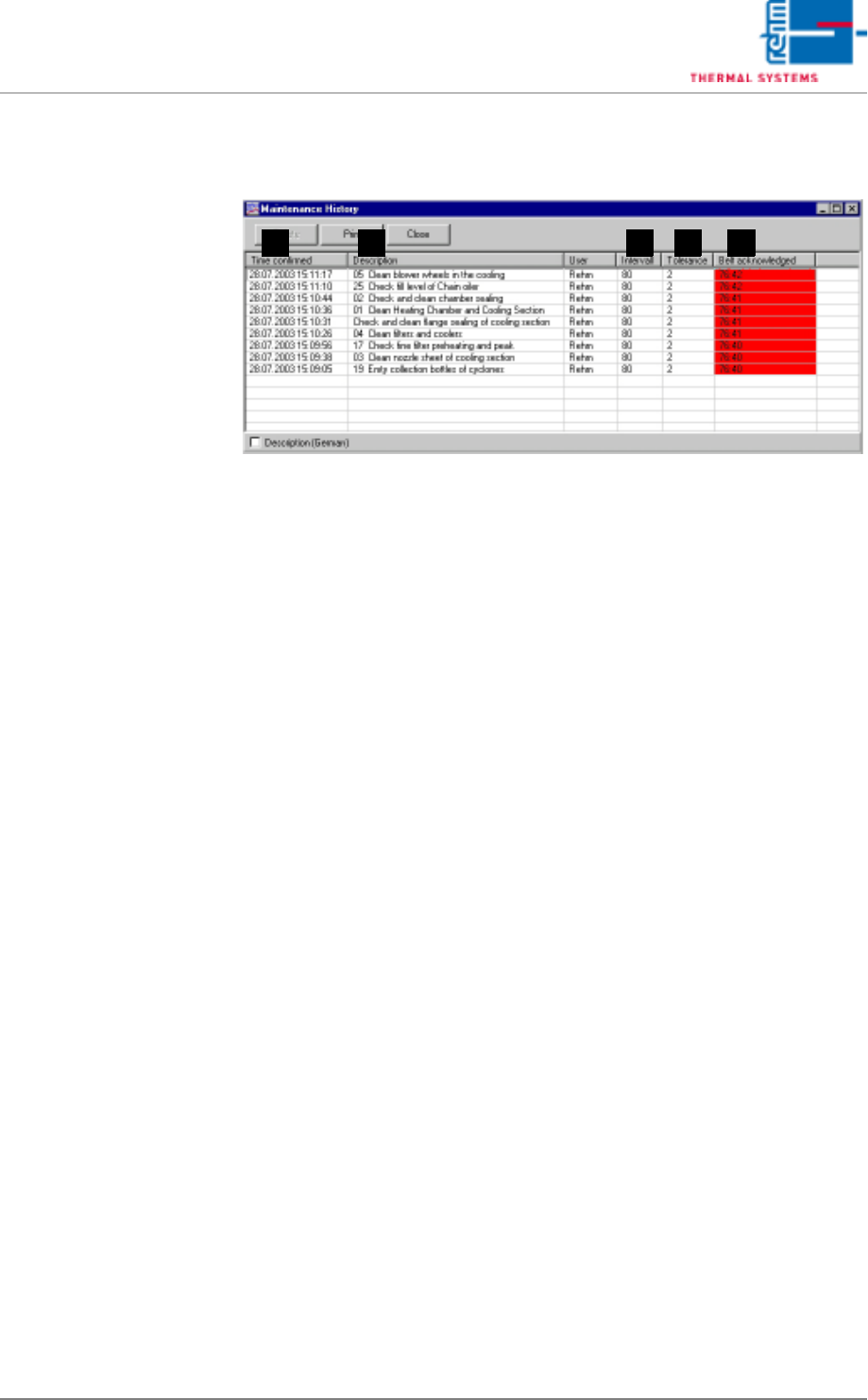
Fig. 5-70 Maintenance History
Completed, acknowledged maintenance tasks are displayed here.
A) Date/Time
Point in time at which the maintenance message was acknowledged.
B) Description
Type of maintenance task.
C) Interval
The interval at which a given maintenance task must be repeated.
D) Tolerance
Specified time between generation of the maintenance message and
acknowledgement by the operator.
E) Belt acknowledged
Time span from display of the maintenance message to acknowledge-
ment by the operator.
The maintenance list can be printed out by clicking the Print button.
If one or more messages have been selected (highlighted in blue), they can
be deleted by clicking the Delete button.
The window can be exited without making any further changes by clicking
the Exit button.
A DCB E
Page 146 VISION XP+ VAC
5 Software
5.7 The Maintenance Menu
Operating Instructions
Version 1.5
5.7.4 Maintenance Management
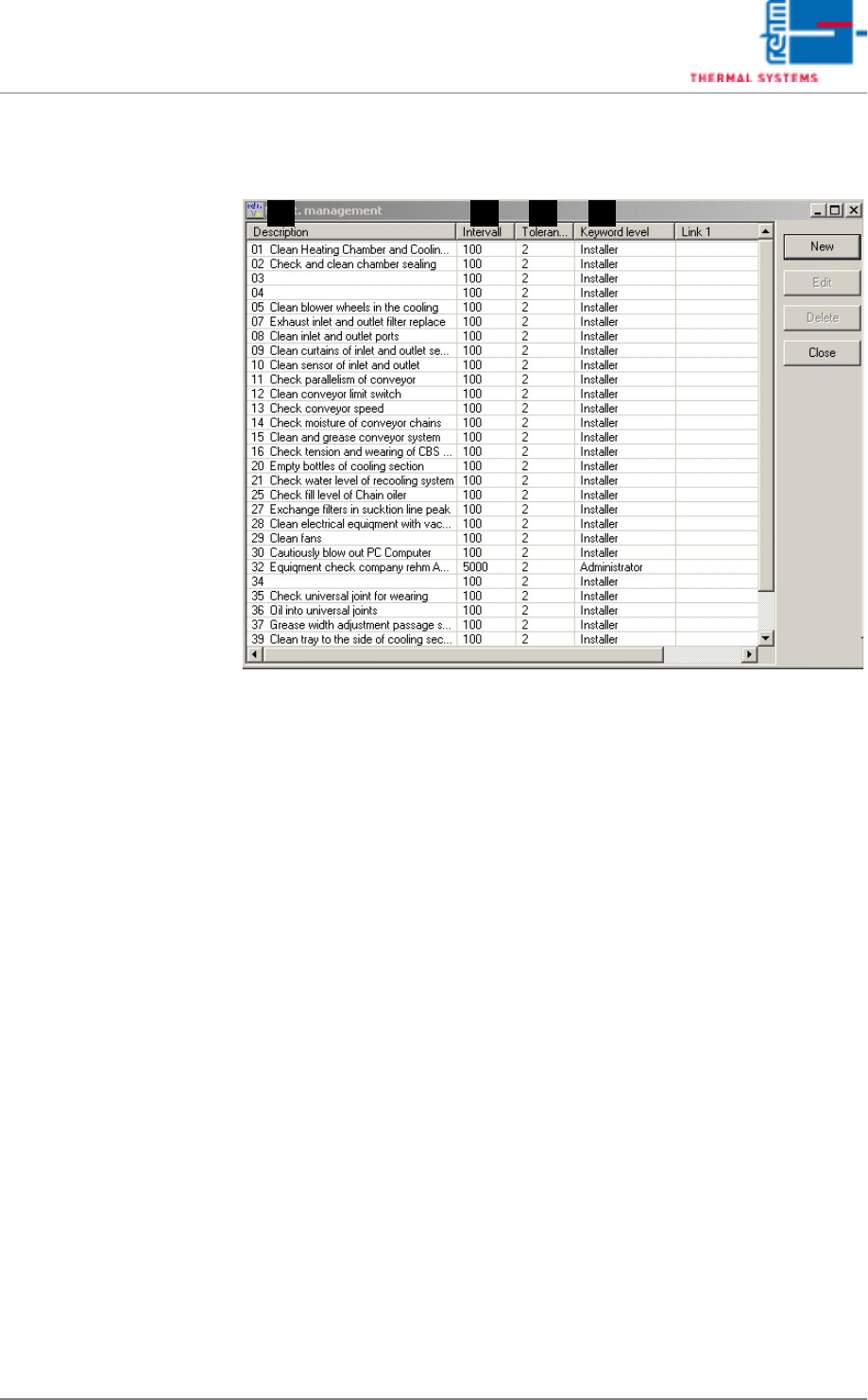
Fig. 5-71 Maintenance Administration
This window provides an overview of all scheduled maintenance tasks.
Scheduled maintenance tasks can be deleted or edited. New maintenance
tasks can be created.
A) Description
Maintenance message text.
B) Interval
Specified time between maintenance task repetitions.
C) Tolerance
Time between generation of the maintenance message and
acknowledgement by the operator is entered here.
D) Keyword Level
Specifies which operators are permitted to acknowledge the message.
A DCB