OperationInstruction_Vsision XP.pdf - 第113页
V ISION XP+ V AC Page 105 5 Software 5.5 The Masks Menu Operating Instructions V ersion 1.5 5.5.1 A larms Errors and m alfunctions are displ ayed in red here. Fig. 5-3 9 Softwa re Wind ow with Alarm Me ssages A) Button f…
Page 104 VISION XP+ VAC
5 Software
5.5 The Masks Menu
Operating Instructions
Version 1.5
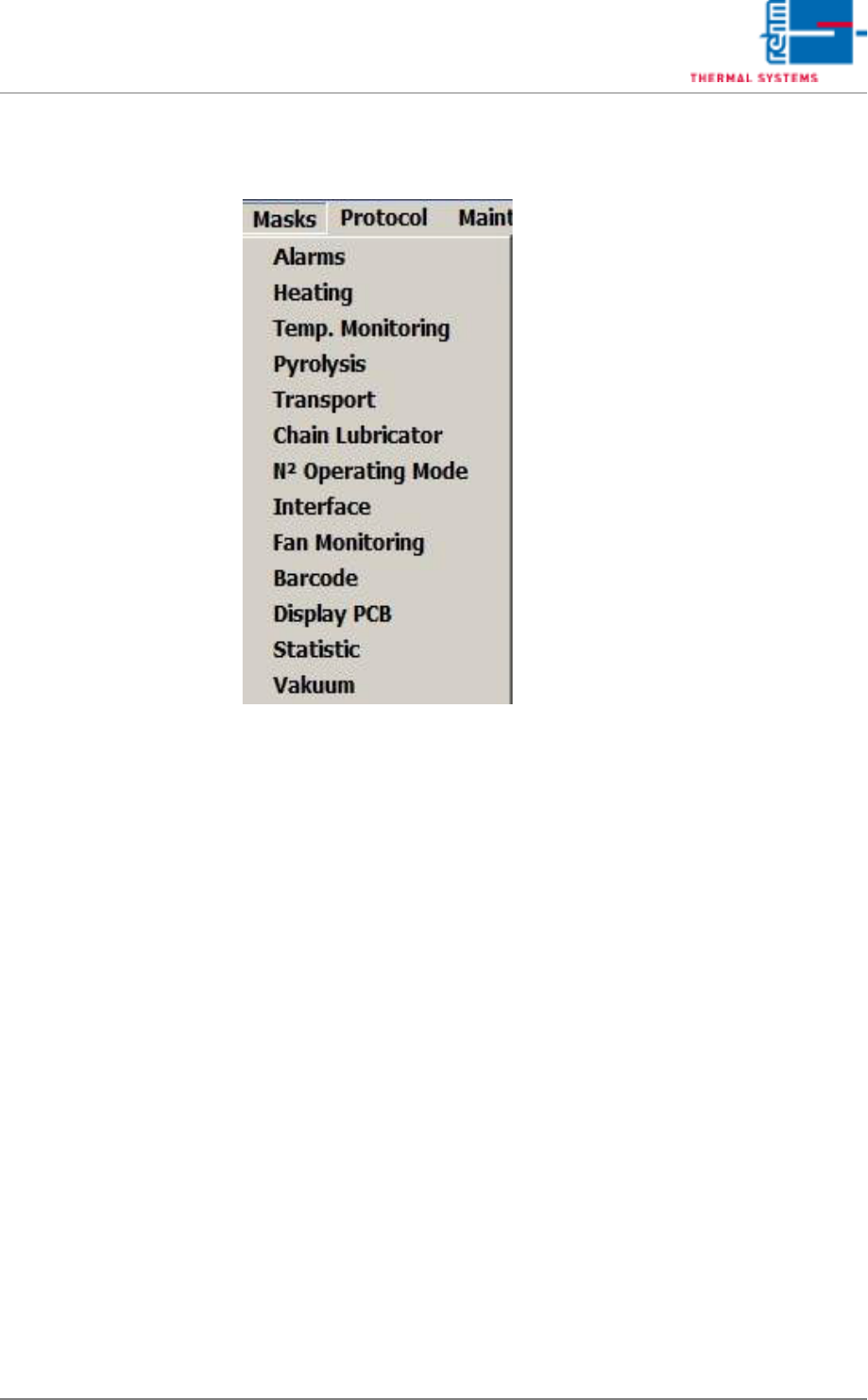
5.5 The Masks Menu
VISION XP+ VAC Page 105
5 Software
5.5 The Masks Menu
Operating Instructions
Version 1.5
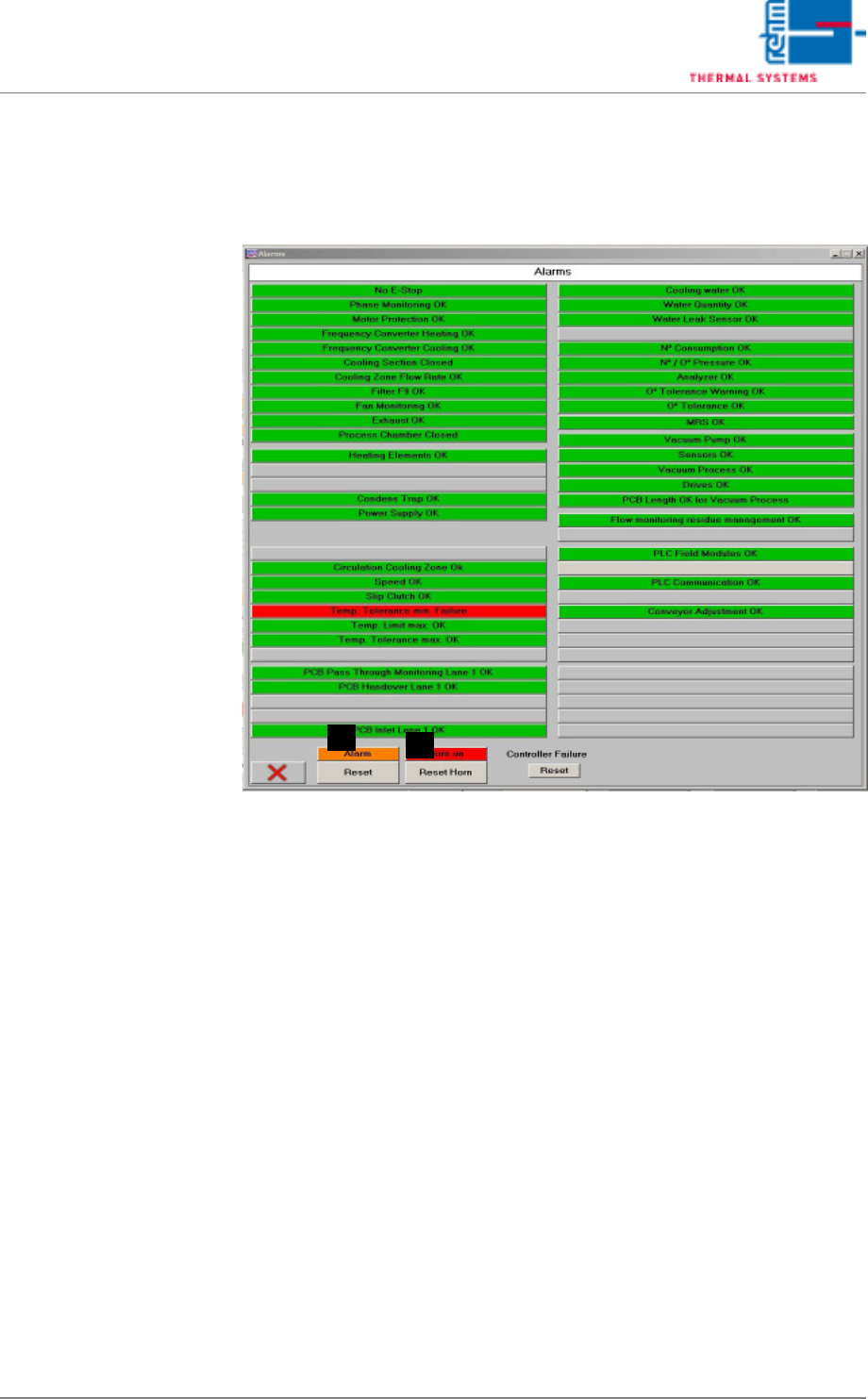
5.5.1 Alarms
Errors and malfunctions are displayed in red here.
Fig. 5-39 Software Window with Alarm Messages
A) Button for switching the horn off. This is the same function which appears
in the main window.
B) Horn Switch
The horn sounds to indicate alarm messages which this switch is turned
on. If, on the other hand, the switch is turned off, alarm messages appear
at the display only. the horn does not sound.
A
B
Page 106 VISION XP+ VAC
5 Software
5.5 The Masks Menu
Operating Instructions
Version 1.5
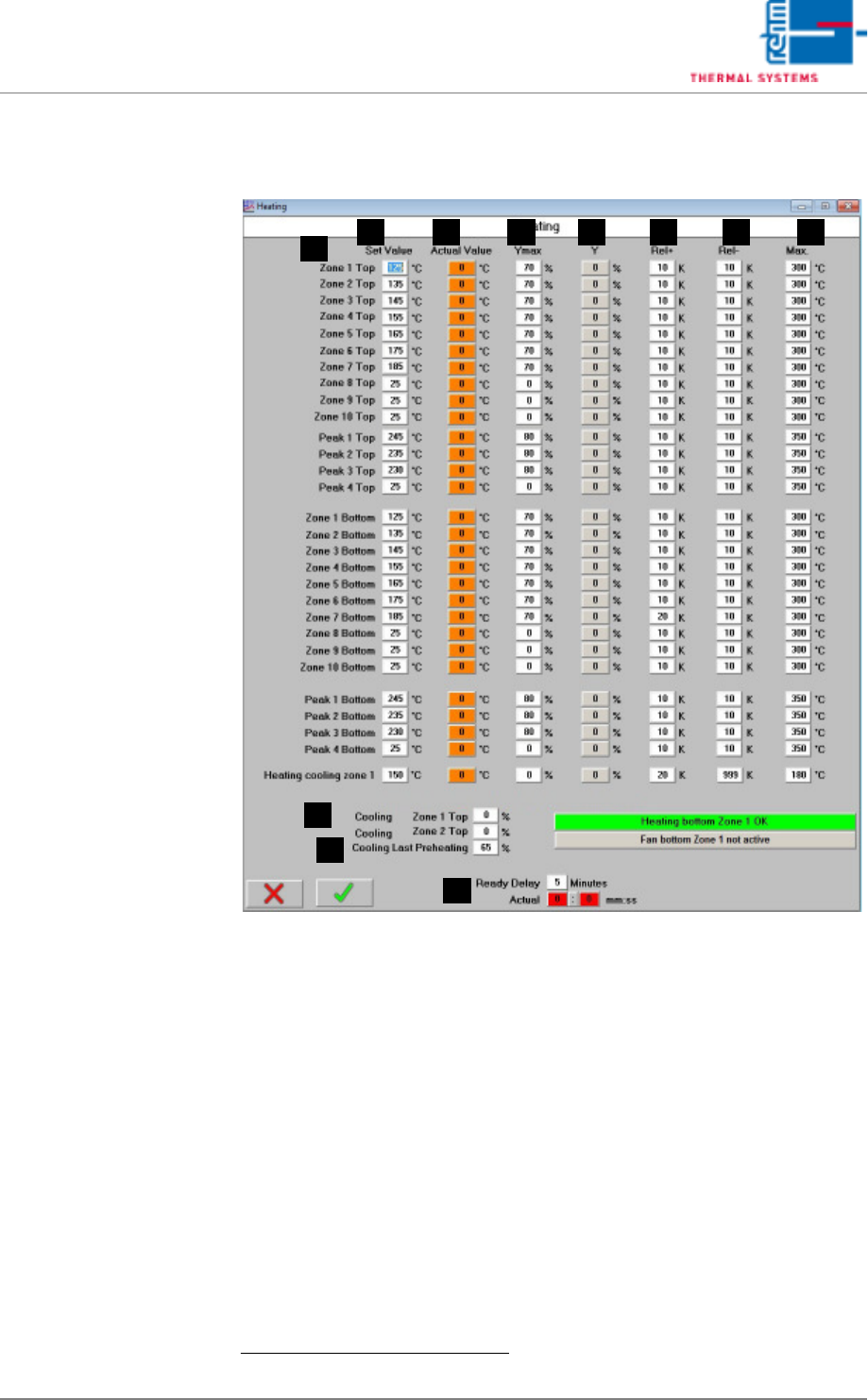
5.5.2 Heater - Value Settings
Fig. 5-40 Heater - Value Settings
Setpoints can be entered and actual values can be displayed in this window.
In addition to this, tolerances and limits for manipulated variables can be
specified here for the heaters.
A) Designations of the individual heaters
B) Setpoint
Entry field for temperature setpoints.
1
These fields are identical to those
in the main window.
C) Actual Value
Temperature display for the heaters.
1
These fields are identical to those
in the main window.
D) Ymax (setpoint limiting)
Maximum heating power as a percentage: If set to less than 100%, heat-
ing power is pulsed in order to limit power.
1. See also page 80, “Use of Color” and “Entering Values”.
FE G HB
A
C D
I
J
K