OperationInstruction_Vsision XP.pdf - 第85页
Vision XP+ V AC Page 77 4 Equipment 4.1 1 Uninterruptible power supply VXP+ (option) Operating Instructions V ersion 1.5 4.1 1 Uni nterruptibl e power supply VXP+ (option) 4.12 T ransforme r (option ) Fig. 4-6 3 USV The …
Page 76 Vision XP+ VAC
4 Equipment
4.10 Control Cabinets
Operating Instructions
Version 1.5
Control Cabinet,
Section 3
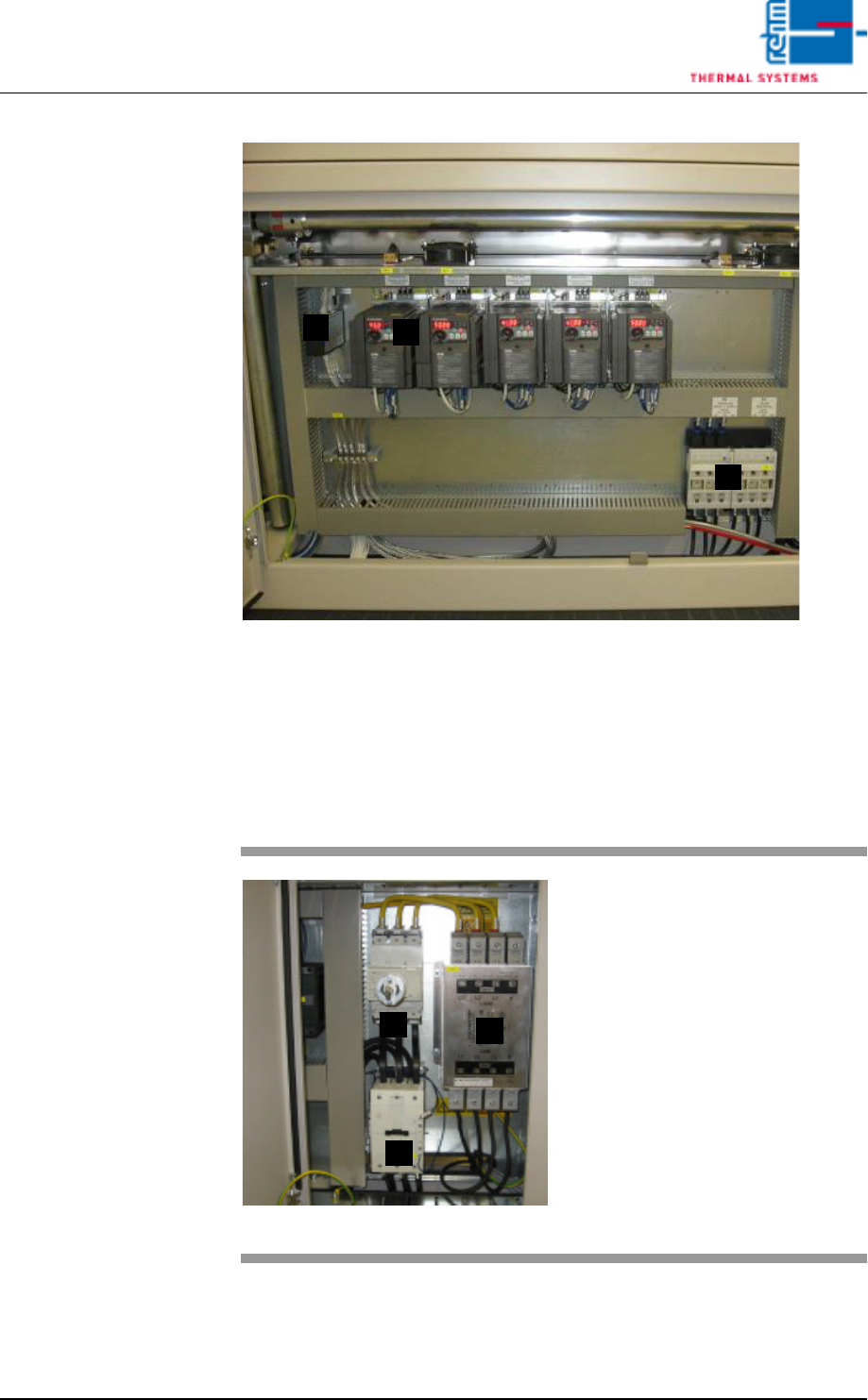
Fig. 4-61 Control Cabinet, Section 3
The third control cabinet houses the following components:
A) Frequency converter bus distributor
B) The frequency converter
C) Load break switch
Control Cabinet,
Section 4
C
A
B
Fig. 4-62 Control Cabinet, Section 4
The fourth control cabinet houses
the following components:
A) The mains switch
B) The heater contactor
C) The line filter
C
B
A
Vision XP+ VAC Page 77
4 Equipment
4.11 Uninterruptible power supply VXP+ (option)
Operating Instructions
Version 1.5
4.11 Uninterruptible power supply VXP+ (option)
4.12 Transformer (option)
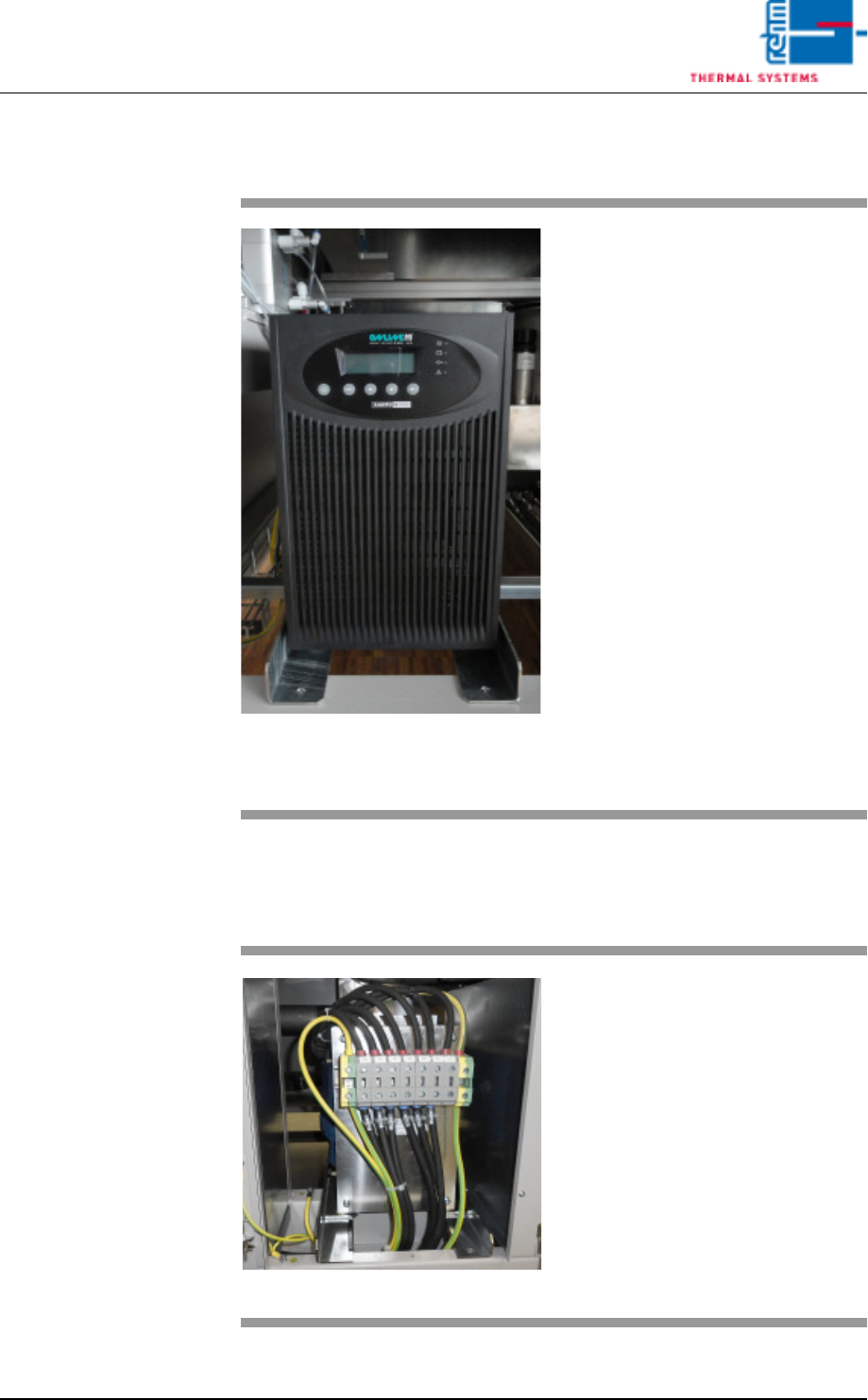
Fig. 4-63 USV
The UPS powers the PC, controller
and transport for approx. 15 min-
utes.
The following components have no
power during a power failure: heat-
er, heating fan, water pump, motor
for opening the chamber and the op-
tional exhaust air fan.
The machine must be switched off
at the master switch should the
power failure last longer than 15
minutes. The PC will autonomously
terminate any active programs.
The PC and UPS will switch off
completely after a certain time.
Note!
The user should not switch off the
PC separately.
The switch-off routine will not other-
wise execute correctly.
Fig. 4-64 Transformer
The transformer will be installed if
there is deviation of the input volt-
age of 230/400 V.
Page 78 Vision XP+ VAC
4 Equipment
4.13 Operating Hours Counter (optional)
Operating Instructions
Version 1.5
4.13 Operating Hours Counter (optional)
4.14 Additional Heat Zone Monitoring (optional)
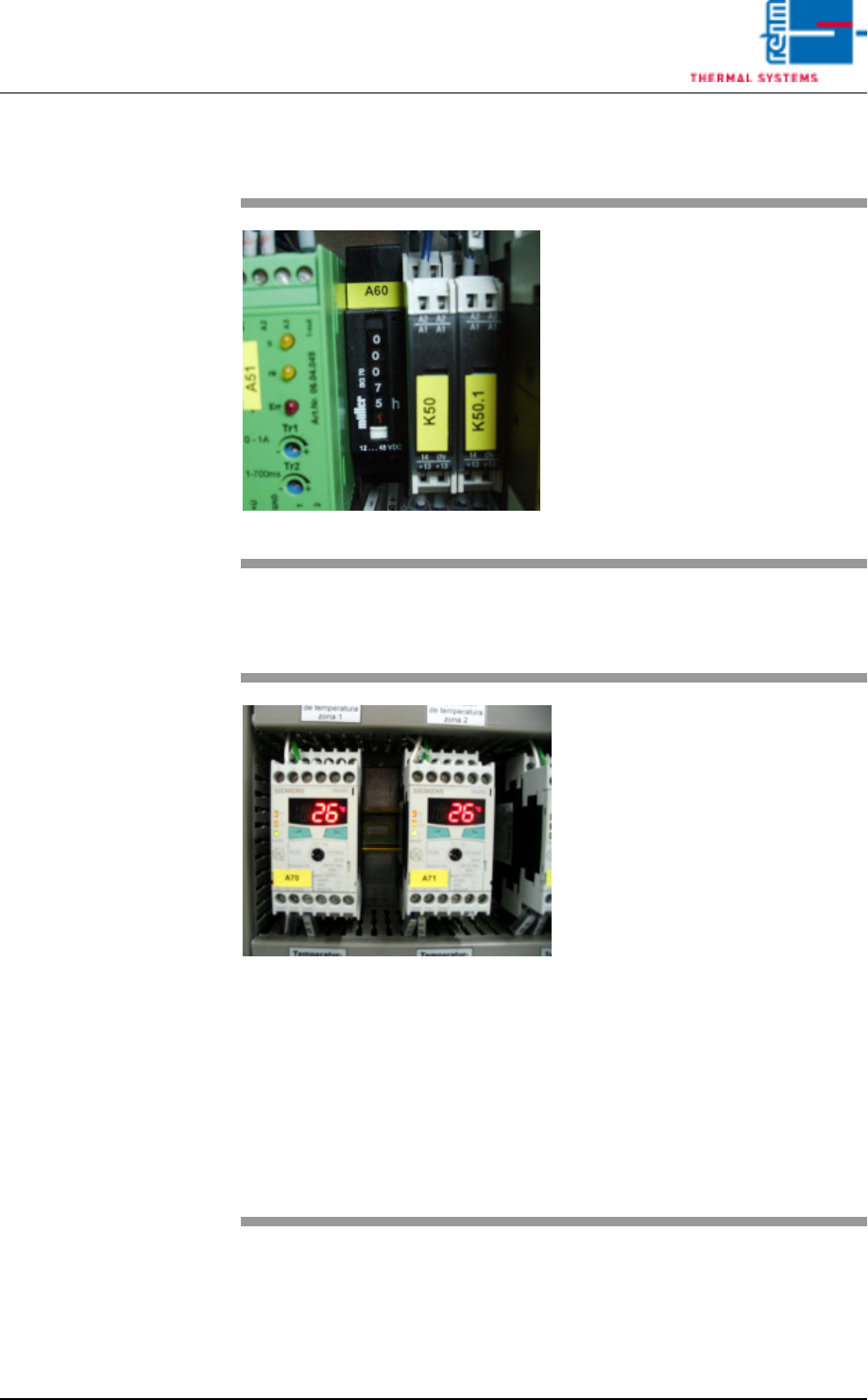
Fig. 4-65 Operating Hours Counter
The operating hours counter is lo-
cated in the second control cabinet.
Operating hours are displayed here,
during which the system has been
operated with the heat switched on.
Fig. 4-66 Additional Heat Zone Monitoring
A separate module can be installed
for each zone for the purpose of
hardware heat zone monitoring.
The module turns the heat off in the
event of an error. Refer to the
included operating instructions from
Siemens regarding settings for ad-
ditional heat zone monitoring.
Default values:
– Value 1: peak zone 360° C, pre-
heating zone 310° C
– Hysteresis: 5° C
– Delay time: 5 seconds
– Current principle:
normally closed
– Temperature mode:
when exceeded
– Sensor type: K