OperationInstruction_Vsision XP.pdf - 第71页
Vision XP+ V AC Page 63 4 Equipment 4.4 The Process Chamber Operating Instructions V ersion 1.5 4.4.13 V olume flow control, cooling section (option) Fig. 4-3 8 Vol ume flow measu rement Fig. 4-3 9 Differentia l pressure…
Page 62 Vision XP+ VAC
4 Equipment
4.4 The Process Chamber
Operating Instructions
Version 1.5
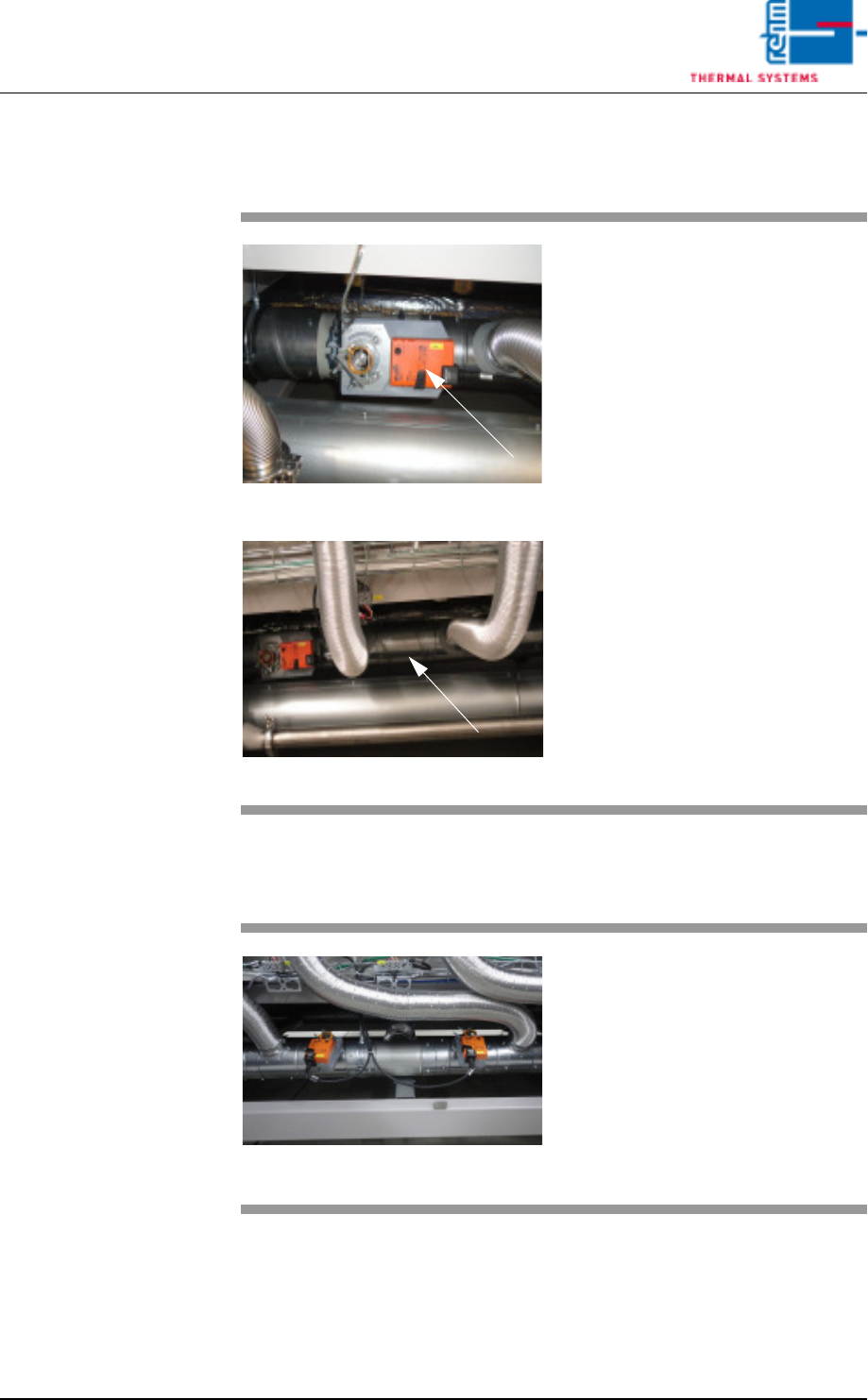
4.4.11 Quick cooling down SSP (option)
4.4.12 Quick cooling SSP+
Fig. 4-35 Quick cooling down SSP
Fig. 4-36 Quick cooling down SSP
For the option cooling down an ad-
ditional suction pipe as well as an
electric shut-off valve are used in
the rear part of the machine below
the heating.
This option „Quick cooling down“ is
used for quick cooling down of too
hot zones after program change.
Fig. 4-37 Quick cooling SSP+
The first throttle actuator is for cool-
ing the preheating zones to facilitate
more effective zone separation.
The second throttle actuator is in-
stalled for quick cooling of peak
zones.
Vision XP+ VAC Page 63
4 Equipment
4.4 The Process Chamber
Operating Instructions
Version 1.5
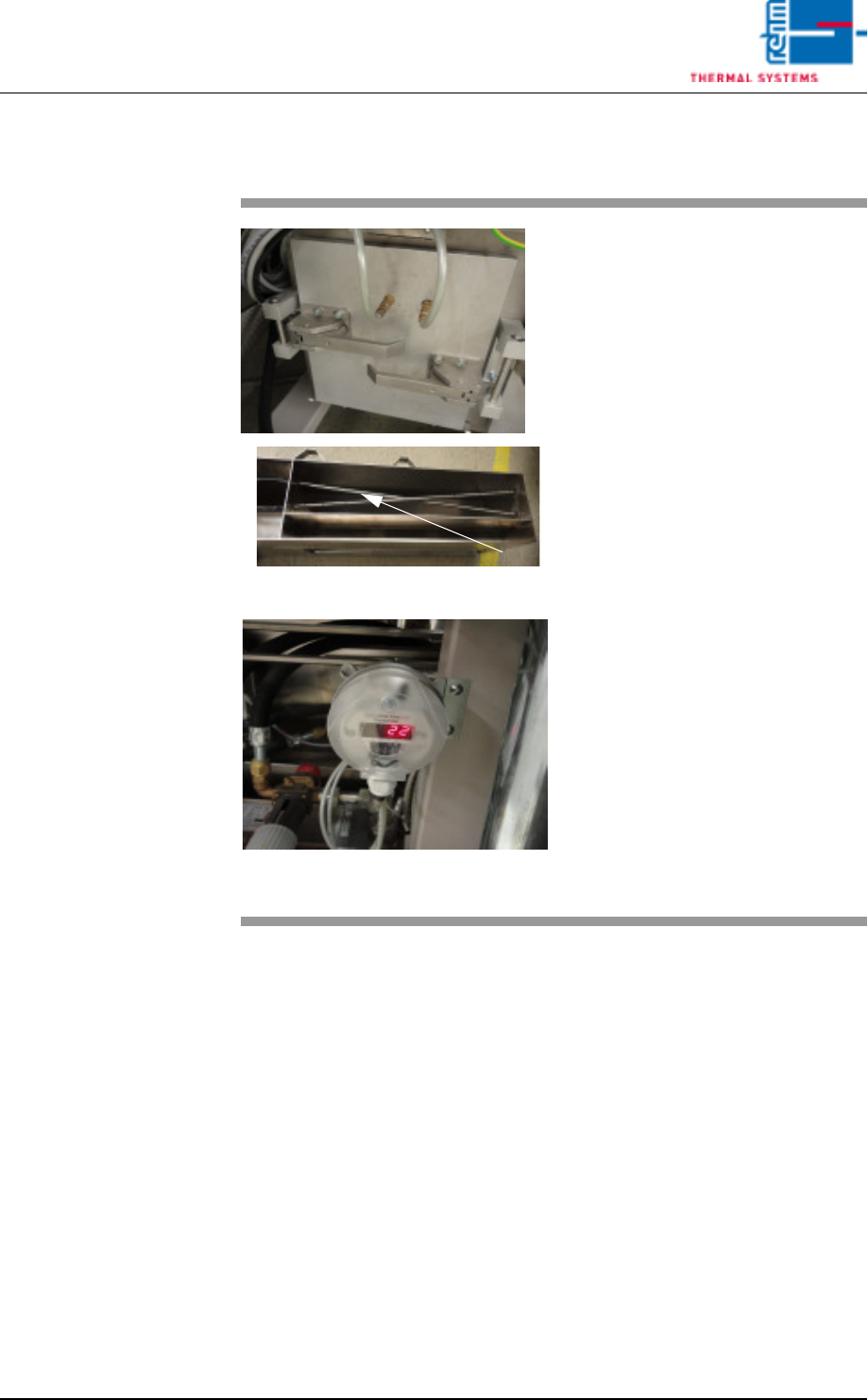
4.4.13 Volume flow control, cooling section (option)
Fig. 4-38 Volume flow measurement
Fig. 4-39 Differential pressure gauge for cvo-
lume flow measurement
The volume flow through the cooling
section is measured via dynamic
pressure drop.
Two dynamic pressure sensors are
to this end integrated at a defined
point in the air duct – as shown on
the right.
The first dynamic pressure sensor
records the total flow pressure.
The second dynamic pressure sen-
sor records the static pressure.
The differential pressure gauge indi-
cates the difference between these
two values.
The volume flow is calculated inter-
nally based on the known cross-
section and the gas temperature.
The actual volume flow is main-
tained by activating the volume flow
control function via the visualisation.
Page 64 Vision XP+ VAC
4 Equipment
4.4 The Process Chamber
Operating Instructions
Version 1.5
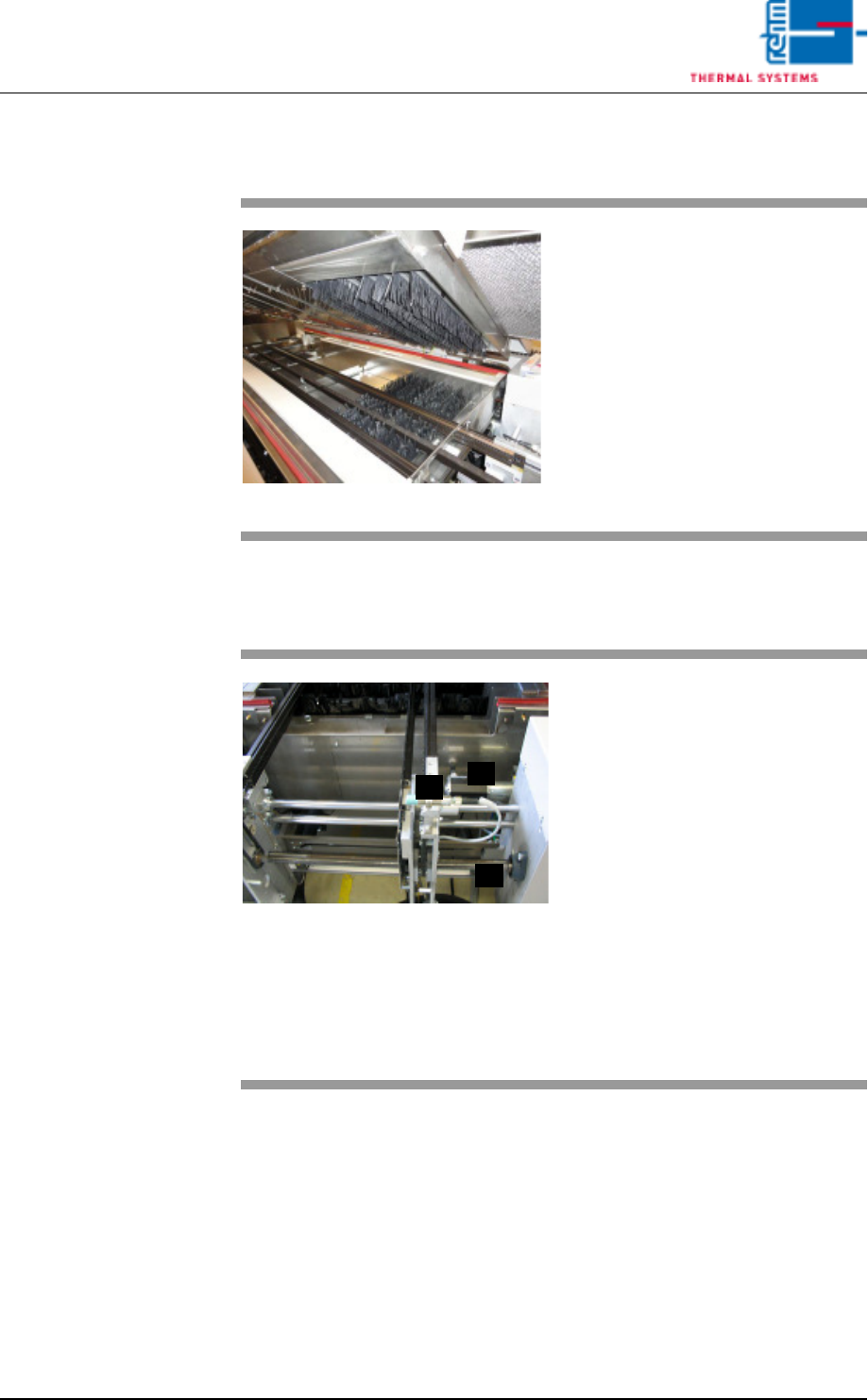
4.4.14 Nitrogen Lock at the Outlet
4.4.15 Outlet Area
Fig. 4-40 Nitrogen Lock at the Outlet
Nitrogen lock separates the cooling
section from outlet area.
It is comprised of flow barriers, and
it improves the oxygen-free state of
the air.
Fig. 4-41 Outlet Area with ultrasonic sensor
The outlet area includes:
A) The sensor for the interfaces and
for counting all PCBs which have
been soldered since the system
was switched on.
B) The drive motor with slip clutch
for the PCB conveyor
C) The adjusting mechanism for the
conveyor system
D) The pulse sensor (located at the
rear of the system)
Escaping soldering vapors are
drawn off into a removable metallic
gauze filter located in the cover.
C
B
A