OperationInstruction_Vsision XP.pdf - 第155页
V ISION XP+ V AC Page 147 5 Software 5.7 The Maintenance Menu Operating Instructions V ersion 1.5 Create or E dit a Maintenanc e T ask Figure 5 - 72 Creat e or Edit a Maintena nce T ask In order to create a new maintenan…
Page 146 VISION XP+ VAC
5 Software
5.7 The Maintenance Menu
Operating Instructions
Version 1.5
5.7.4 Maintenance Management
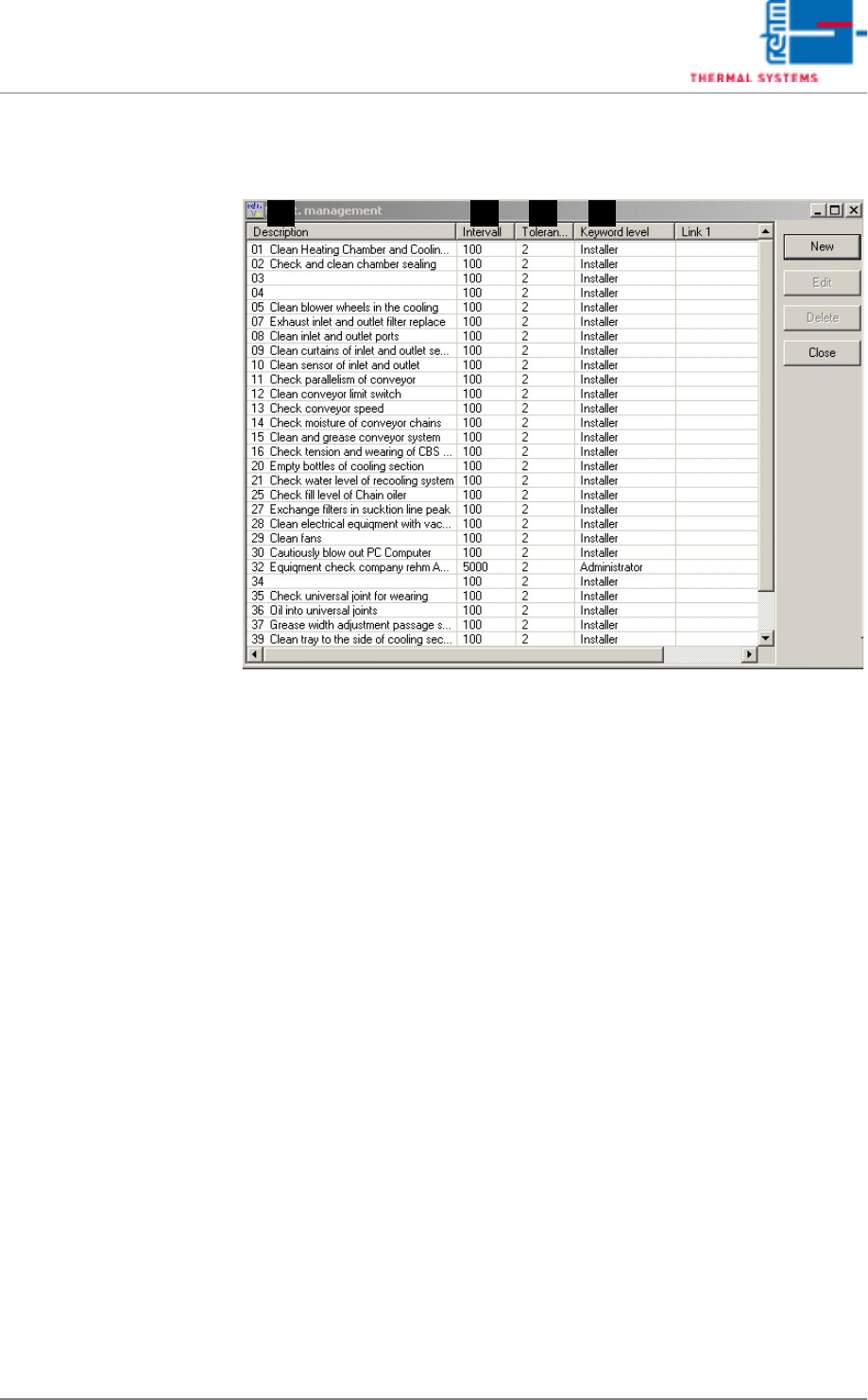
Fig. 5-71 Maintenance Administration
This window provides an overview of all scheduled maintenance tasks.
Scheduled maintenance tasks can be deleted or edited. New maintenance
tasks can be created.
A) Description
Maintenance message text.
B) Interval
Specified time between maintenance task repetitions.
C) Tolerance
Time between generation of the maintenance message and
acknowledgement by the operator is entered here.
D) Keyword Level
Specifies which operators are permitted to acknowledge the message.
A DCB
VISION XP+ VAC Page 147
5 Software
5.7 The Maintenance Menu
Operating Instructions
Version 1.5
Create or Edit a
Maintenance Task
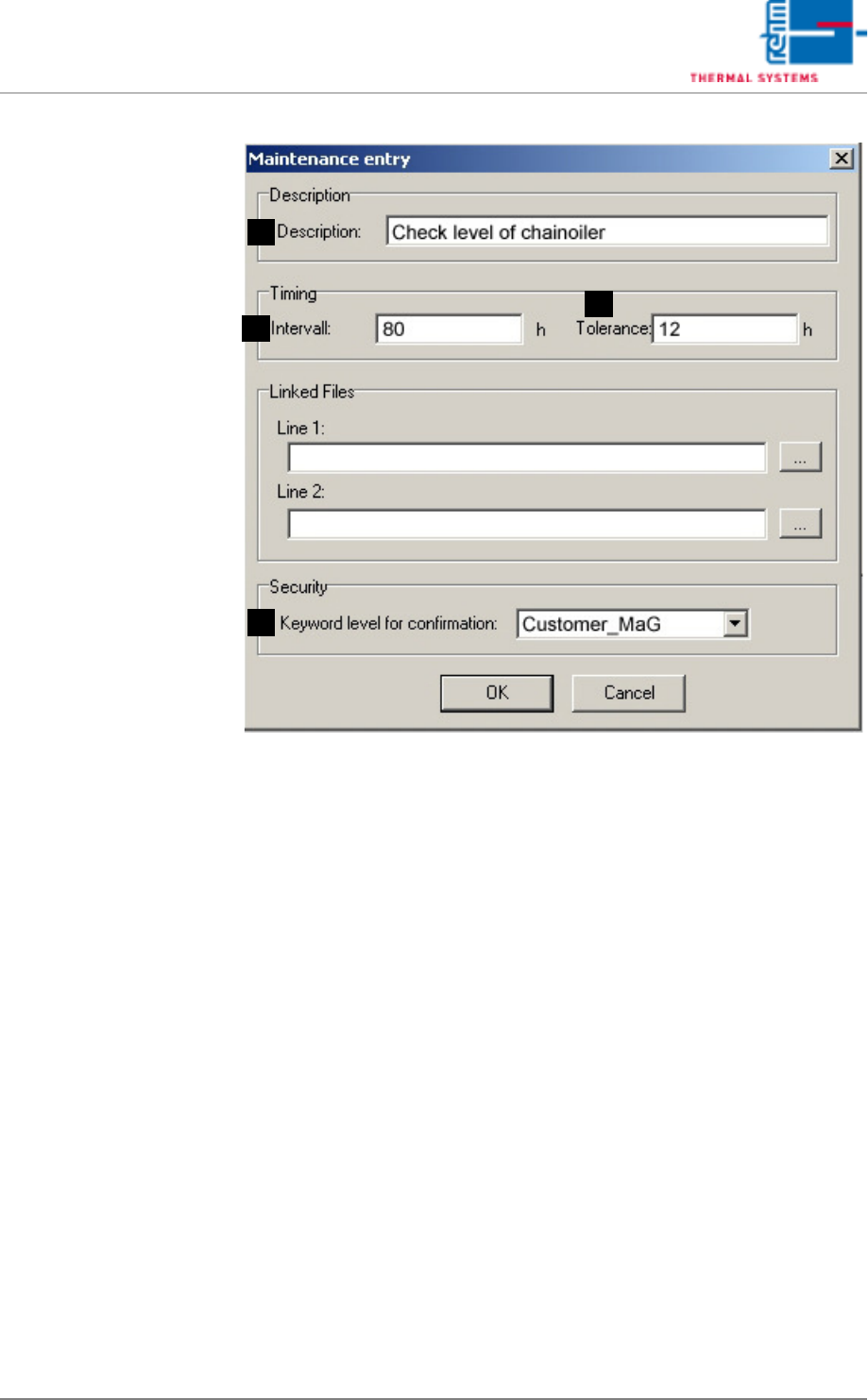
Figure 5 - 72 Create or Edit a Maintenance Task
In order to create a new maintenance task, entries must be made to all of the
fields and acknowledged with OK.
A) Description
Maintenance message text.
B) Interval
Specified time between maintenance task repetitions.
C) Tolerance
Time between generation of the maintenance message and
acknowledgement by the operator is entered here.
D) Keyword Level
Specifies which operators are permitted to acknowledge the message.
A
D
C
B
Page 148 VISION XP+ VAC
5 Software
5.8 The Measurement Menu
Operating Instructions
Version 1.5
5.8 The Measurement Menu
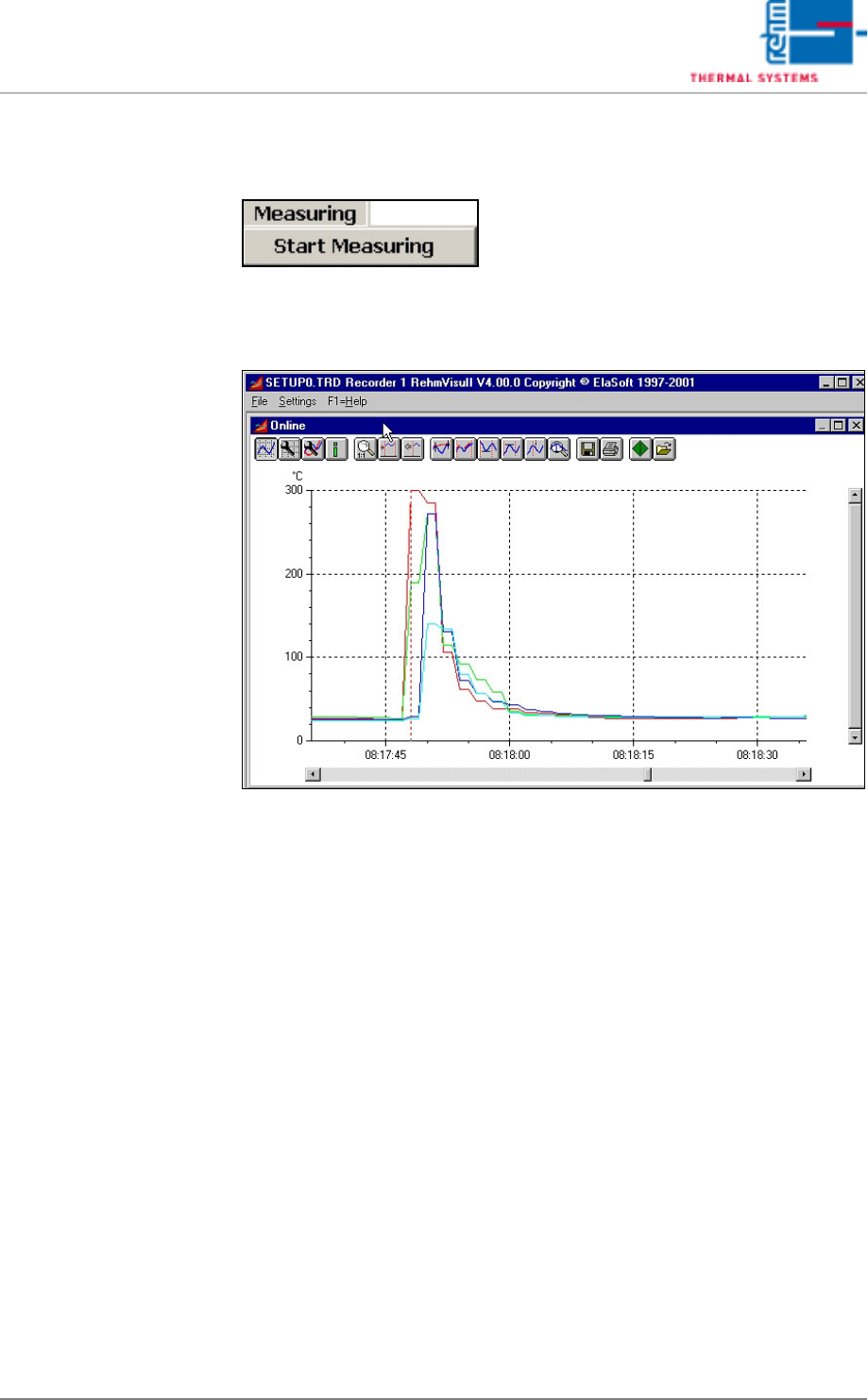
The measuring program (line recorder) can be started with the
Measurement menu.
Fig. 5-73 Line Recorder Graphic
“Recorder.exe” is an independent program for the graphic representation of
measurement curves. The program can be started up to 10 times.
A description of this program is included in chapter .