CP-7-series Verification System Instruction manual(2.0E).pdf - 第100页
1 1. Using the FULL AUTO Mode Edition 2.0 89 CP-7-series V erification System Instruction Manual 1 1.6.2.1.5 Setting Feeders on the Device T able W ith reference to the device comment list, set feeders in the slots (slot…
11. Using the FULL AUTO Mode
Edition 2.0 88 CP-7-series Verification System Instruction Manual
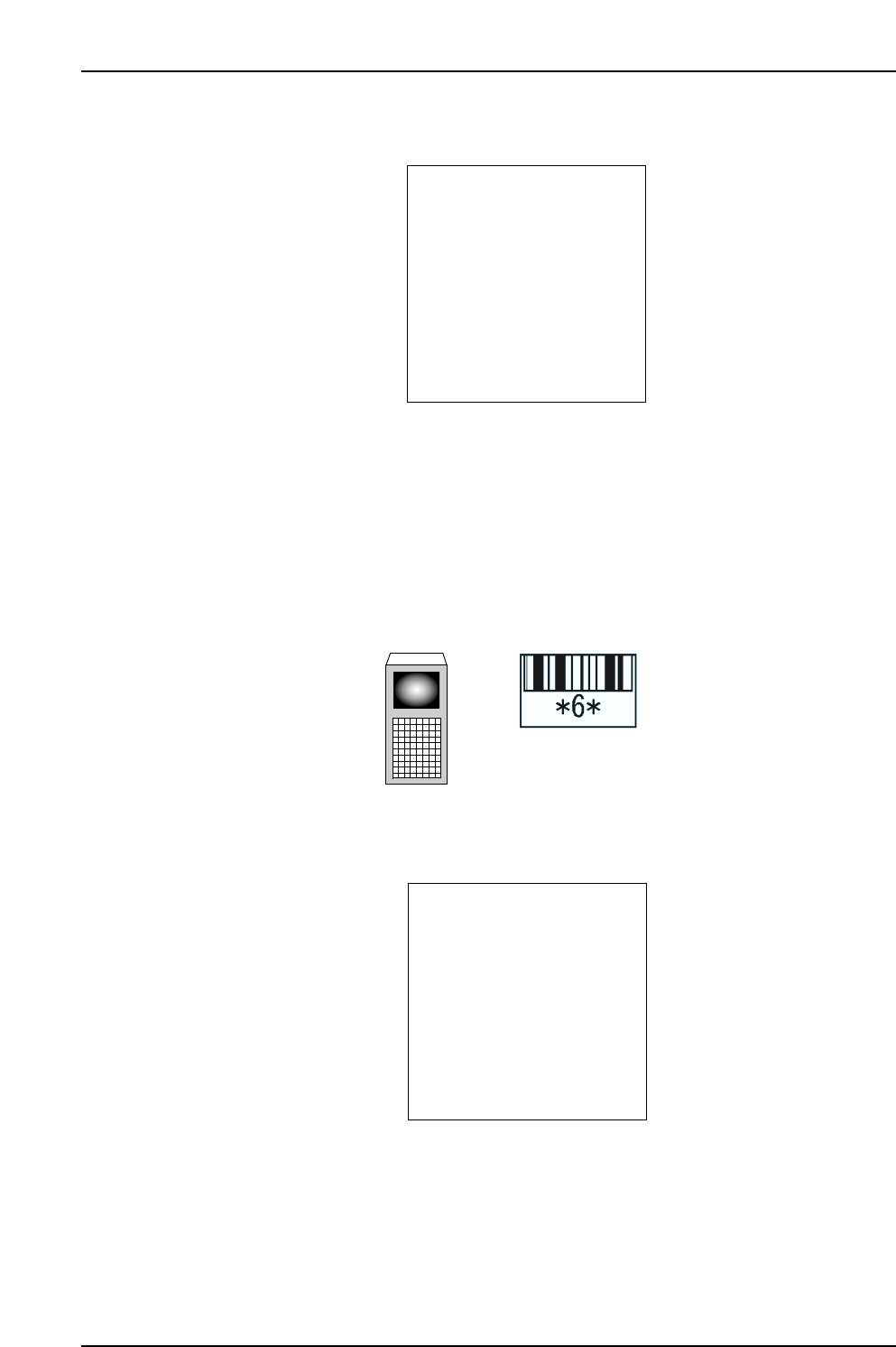
11.6.2.1.4 Device Comment List Display
PDT-3100’s [Device List] Screen
• The displayed list contains the device comments for all slots being used at the
selected Stage.
• Press the [▼] key to display the list content for the next 3 slots.
• Press the [▲] key to display the list content for the previous 3 slots.
• If a slot number is read, device comments display for that slot and the 2 adjacent
slots (slots in use).
PDT-3100’s [Device List] Screen
(When slots 4, 6, and 8 are “used” slots, and slots 5 and 7 are “unused” slots.)
ST: /QUIT:
[DEVICE LIST]
CP7V0059
▲
▲
STAGE1 SLOT4: XXXXXX
XXXXXXXXXXXXXXXXX
STAGE1 SLOT6: XXXXXX
XXXXXXXXXXXXXXXXX
STAGE1 SLOT8: XXXXXX
XXXXXXXXXXXXXXXXX
▼▲
CP7V0084E
If Slot No.6 is read, the list shown below displays
Handy Terminal
Slot ID
ST: /QUIT:
[DEVICE LIST]
CP7V0058
▲
▲
STAGE1 SLOT1: XXXXXX
XXXXXXXXXXXXXXXXX
STAGE1 SLOT2: XXXXXX
XXXXXXXXXXXXXXXXX
STAGE1 SLOT3: XXXXXX
XXXXXXXXXXXXXXXXX
▼▲
11. Using the FULL AUTO Mode
Edition 2.0 89 CP-7-series Verification System Instruction Manual
11.6.2.1.5 Setting Feeders on the Device Table
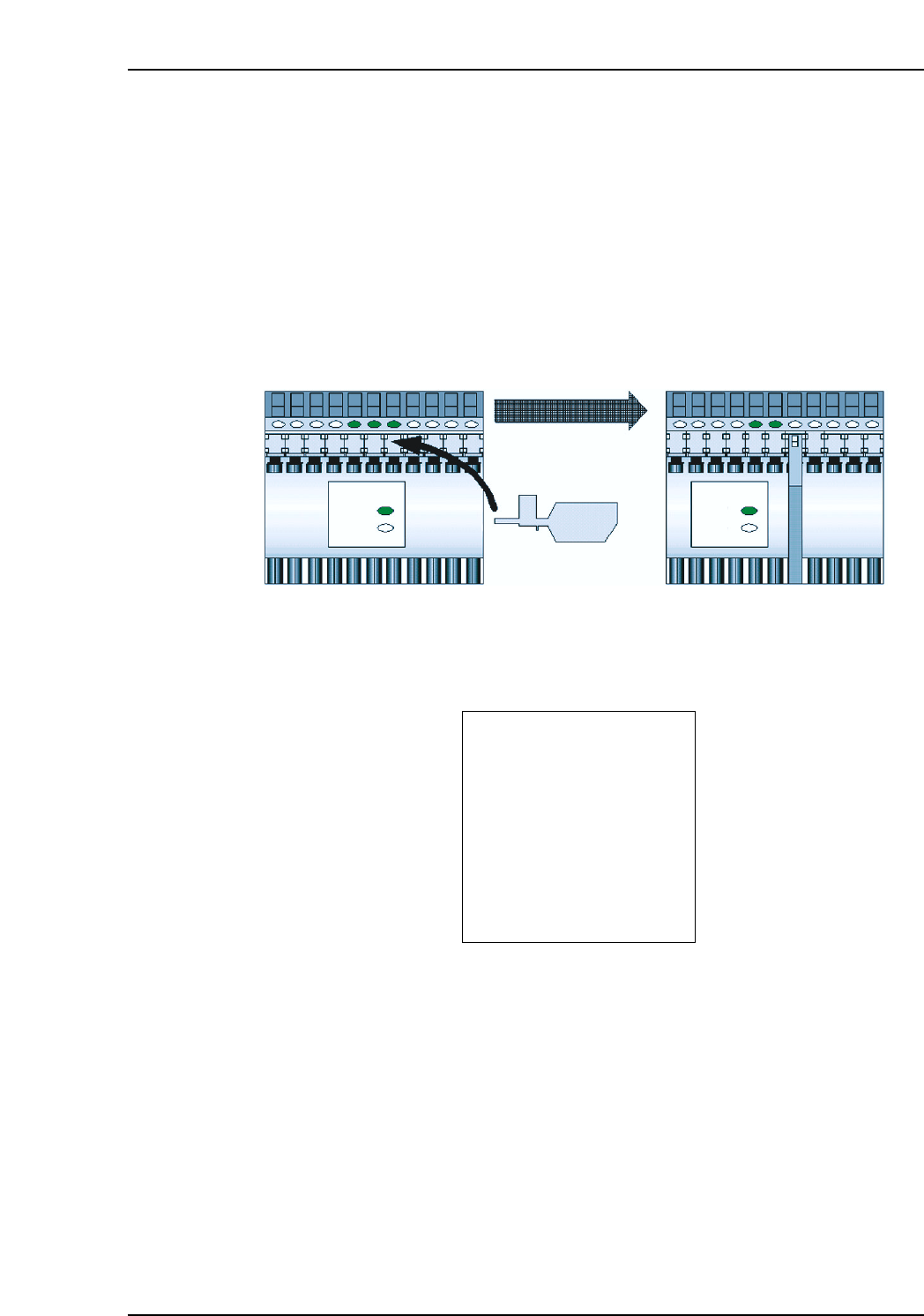
With reference to the device comment list, set feeders in the slots (slots to be verified)
where the LEDs are on.
Note: The device comment list remains unchanged even if a feeder is set in a slot which is to be
verified. Device comments for slots where verification has already been completed are
also included in the device comment list.
11.6.2.1.6 Slot LEDs Switch Off When Feeder is Set
When a feeder is set on the device table, the LED for that slot switches off.
The device status then changes from ”No Feeder” to “Unchecked”.
11.6.2.1.7 Changing the Device Comment List Stage
PDT-3100’s [Device List] Screen
Press the [ ] key at the [Device List] list screen to proceed to the [Select Stage] screen.
See section 10.4.2.4. (Selecting The Device Comment List Stage) for the remaining
procedure.
Note: If FULL AUTO mode operation is to occur at both Stages, the [Device List] for the first
Stage which was verified does not automatically change to the next Stage [Device List].
Therefore, the [ ] key must be pressed at the [Device List] list screen in order to change
to the next Stage [Device List]. It is possible, however, to set feeders on the next Stage
device table and proceed with verification without changing the [Device List] display.
▲
▲
ST: /QUIT:
[DEVICE LIST]
CP7V0058
▲
▲
STAGE1 SLOT1: XXXXXX
XXXXXXXXXXXXXXXXX
STAGE1 SLOT2: XXXXXX
XXXXXXXXXXXXXXXXX
STAGE1 SLOT3: XXXXXX
XXXXXXXXXXXXXXXXX
▼▲
CP7V0060E
LED
ON
OFF
LED
Slot LED switches off
when feeder is set
Feeder is set
ON
OFF
11. Using the FULL AUTO Mode
Edition 2.0 90 CP-7-series Verification System Instruction Manual
11.6.2.1.8 When Feeders Have Been Set in All Relevant Slots
All the slot LEDs switch off when feeders have been set in all the slots which are to be
used.
11.6.2.1.9 Device Check Completion
Preparation for beginning production is completed when feeders have been set in all the
slots which are to be used, and all the slot LEDs are off.
11.6.2.2 Verification Without Using the “Device Check” Command
In the FULLAUTO mode, verification can be performed without executing the “Device
Check” command.
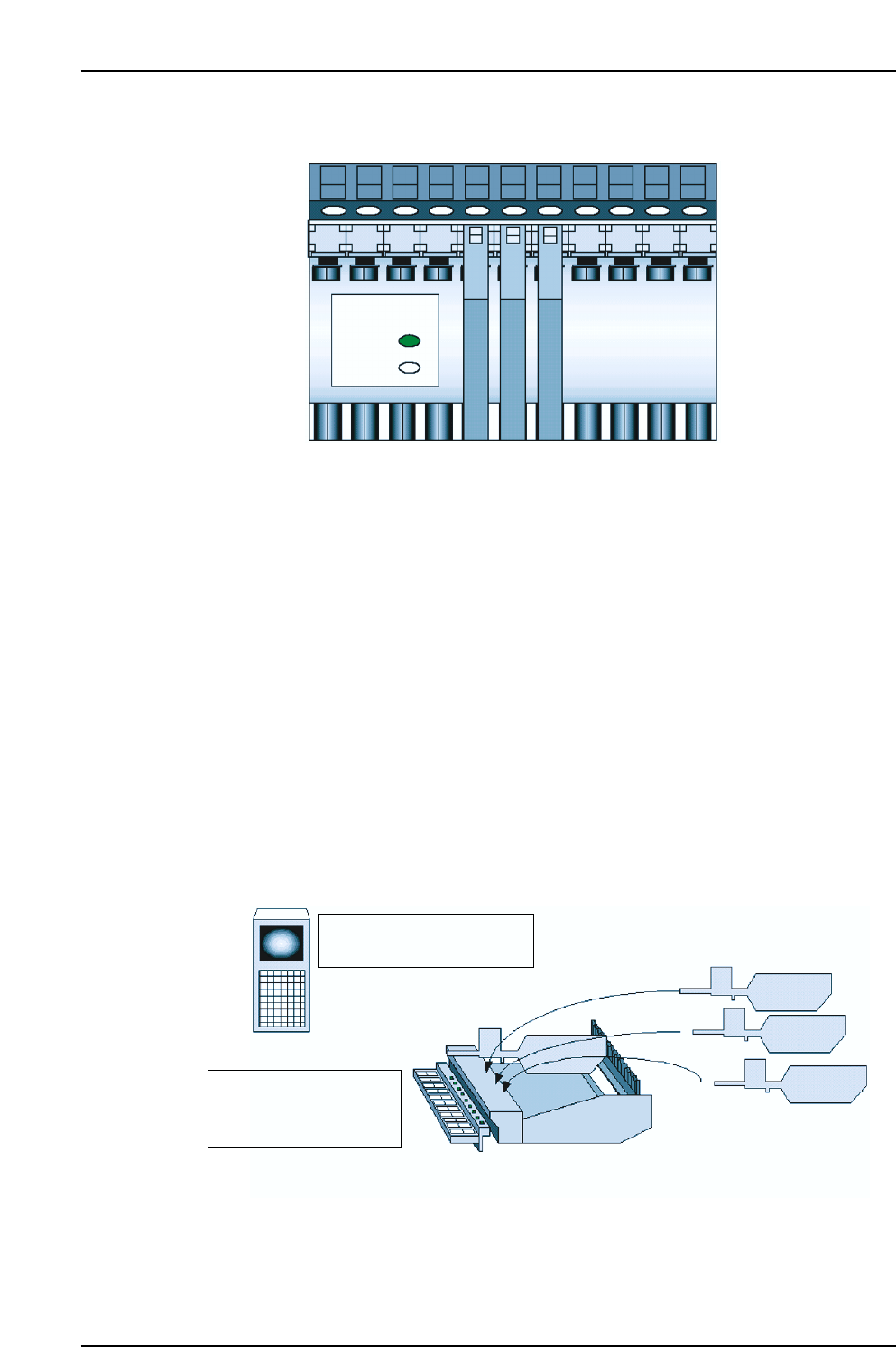
The setup sensor constantly monitors the feeder mount/demount status while the
device table is at the standby position. In the FULLAUTO mode, device setup consists
simply of setting feeders in the slots to be used, and setup can therefore be completed
without displaying the [Device Check] screen.
The only difference between displaying or not displaying the [Device Check] screen
during a setup, is that a device list displays at the PDT-3100 if the [Device Check] screen
is displayed.
CP7V0062E
Device table at standby position
[Device List] screen does
not display at PDT-3100
Set the appropriate
feeders in slots where
LEDs are on
CP7V0061E
LED
ON
OFF