CP-7-series Verification System Instruction manual(2.0E).pdf - 第109页
13. Offline Changeovers Edition 2.0 98 CP-7-series V erification System Instruction Manual 13. Offline Changeovers 13.1 Overview Offline changeovers can be performed to r educe the time requir ed for parts supply and cha…

12. Next Production Verification
Edition 2.0 97 CP-7-series Verification System Instruction Manual
12.4 “Next Production Verification” in FULL AUTO Mode
12.4.1 Overview
Just as in the normal verification mode, “next production verification” of the offline
device table is also possible in the quick verify mode, provided that the device table is in
the “Changeover mode”.
12.4.2 Selecting the Next Production Recipe
Just as in the normal verification mode, the next production recipe can be selected in the
quick verify mode by selecting the [SET VERIFY RECIPE] item at Handy Terminal’s
[Main Menu].
A recipe can only be selected as a next production recipe if its device table is set to the
“Changeover mode”.
12.4.3 Verifying the Next Production Recipe
When using the PDT-3100, verification (quick verify mode) of a next production recipe
can be started by Handy Terminal commands.
As this procedure is identical to that described for the normal verification mode, the
explanation is not repeated here.
When using a Scanner, the procedure is identical to that described in section 11.6.2.2.
(Verification Without Using The “Device Check” Command). Simply set a feeder in the
slot used by the next production recipe.
Note: When using a scanner to verify a next production recipe in the FULL AUTO mode, do not
read the “3” barcode with the [Main Menu] displayed in the Handy Scanner dialog box in
order to begin the next production verification. If the “3” barcode is read, verification of the
next production recipe will occur in the DC AUTO mode.
13. Offline Changeovers
Edition 2.0 98 CP-7-series Verification System Instruction Manual
13. Offline Changeovers
13.1 Overview
Offline changeovers can be performed to reduce the time required for parts supply and
changeovers.
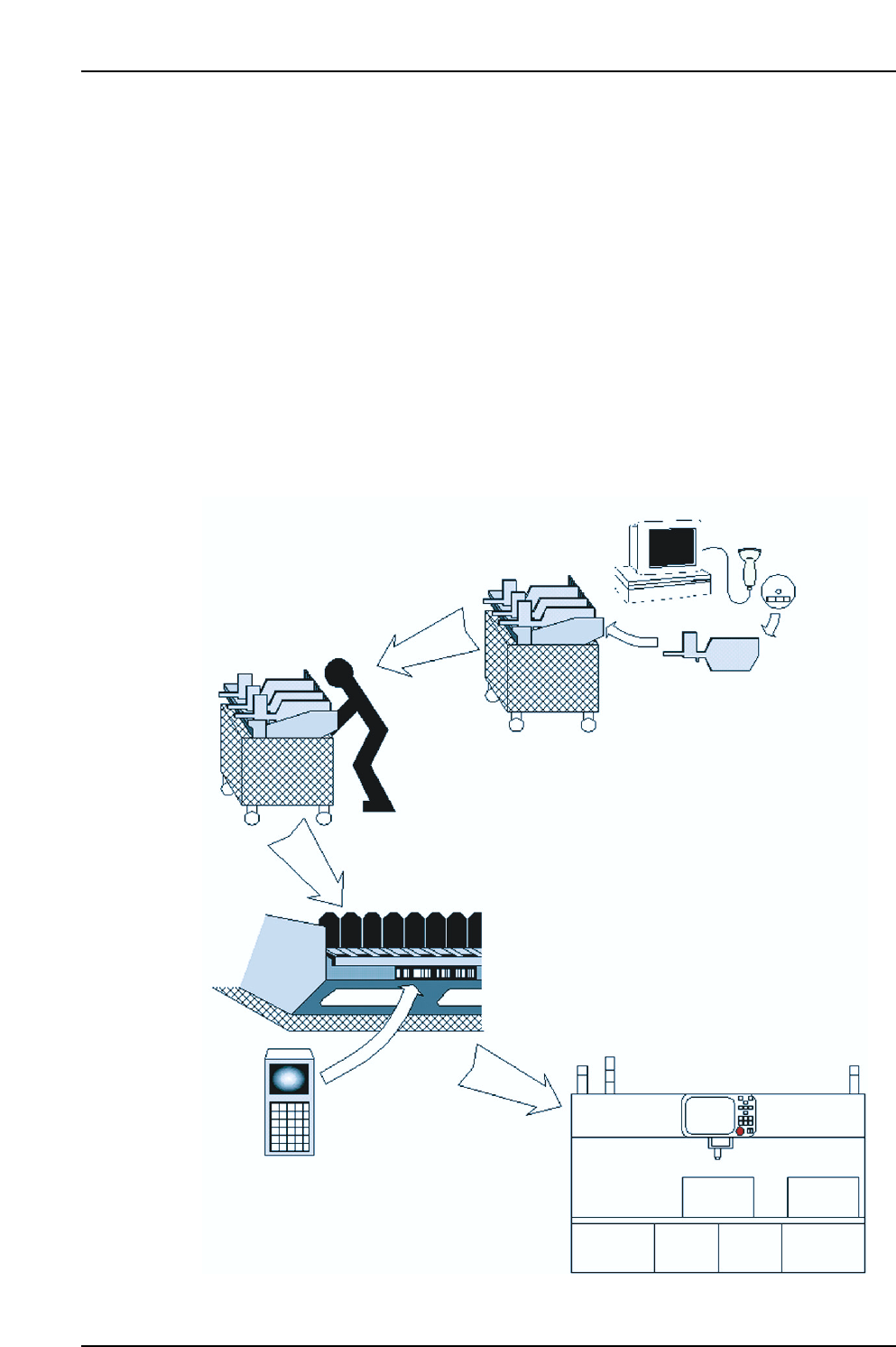
A device table which has been verified (Verification operation) in advance is readied as a
replacement for the device table which is currently being used on the machine, and the
replacement occurs when a parts supply or changeover is required. This eliminates the need
for individual reel maintenance or exchange at parts supply and changeover operations, and
enables the entire setup to be completed simply by replacing the device table, resulting in
faster operation. A verification needs to be performed for the replacement device table by
using the barcode reader connected to Fujitrax Verifier.
When loading this table onto the machine, the operator must use the Handy Terminal to read
the pallet ID which is affixed to the pallet.
The machine checks with Fujitrax Verifier to see if verification has been completed for this ID,
and then proceeds in accordance with the check result.
Verifier
CP7V0024Ea
(1) Verification is performed
using Verifier without
inerrupting production.
(2) Pallet is transported to
the machine
(3) Pallet ID is read by
Handy Terminal
(4) Entire pallet replaced
Handy
Scanner
13. Offline Changeovers
Edition 2.0 99 CP-7-series Verification System Instruction Manual
13.2 Operation Conditions
The following conditions must be satisfied at Fujitrax Verifier in order to mount a verified
device table on the machine without error.
• One of the following part verification system settings must be specifed: [Use Handy
Terminal], [Use Setup Sensor and LED] and [Use Fujitrax Verifier].
• Verification of the pallet must be completed at Fujitrax Verifier.
13.3 Mounting the Device Table
1. Use Fujitrax Verifier to ready a verified (Verification operation) device table.
2. Place the readied device table near the machine.
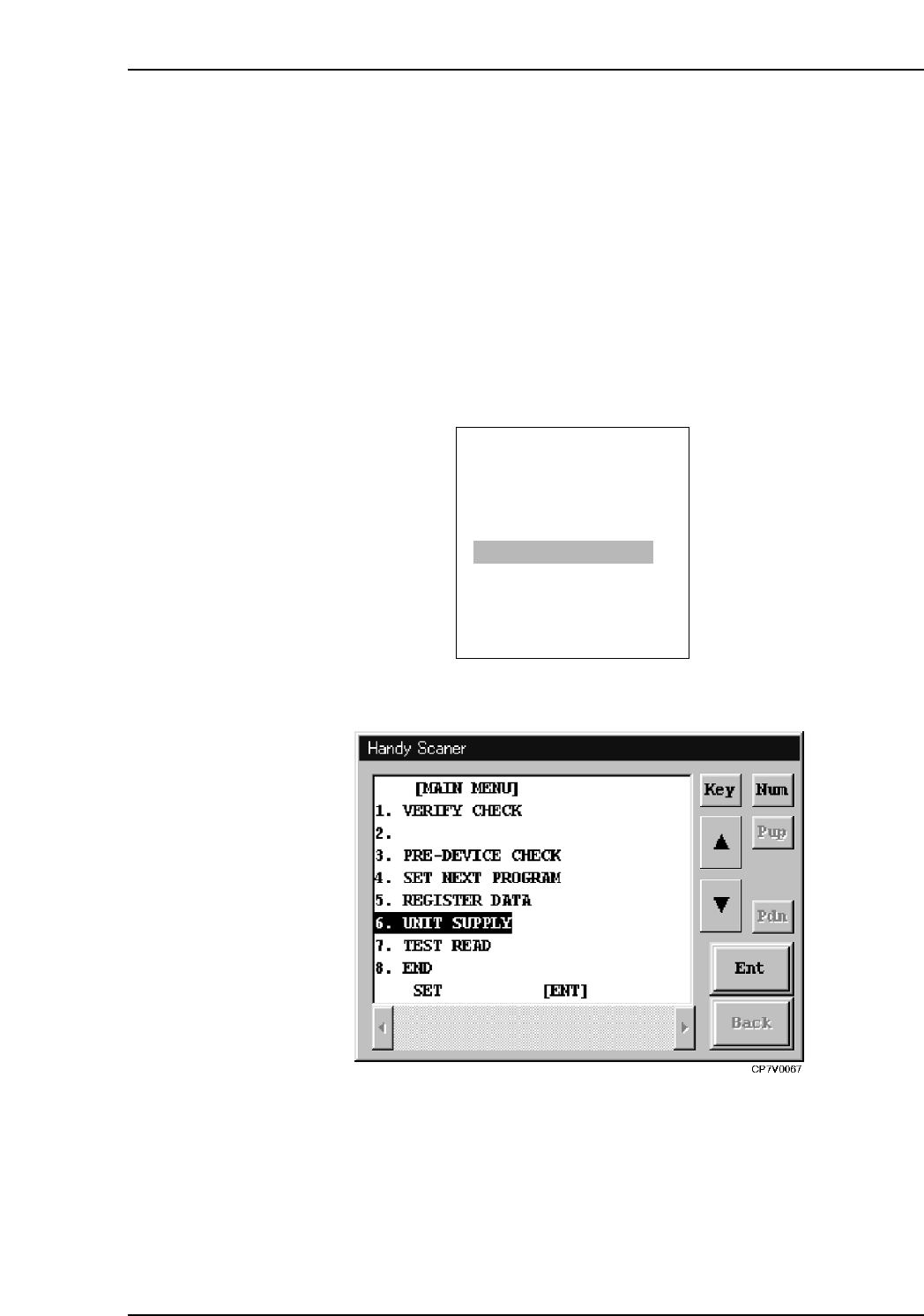
3. At the PDT-3100’s [Main Menu], select [PALLET SUPPLY].
At the Handy Scanner’s [Main Menu], select [UNIT SUPPLY].
PDT-3100’s Main Menu
Handy Scanner’s Main Menu
ENTER
[MAIN MENU]
1. VERIFY CHECK
2. PRE VERIFY CHECK
3. SET VERIFY RECIPE
4. PALLET SUPPLY
5. TEST READ
SELECT NO.=v
▼▲
CP7V0025