CP-7-series Verification System Instruction manual(2.0E).pdf - 第87页
10. Using the DC AUTO Mode Edition 2.0 76 CP-7-series V erification System Instruction Manual Data flow (at verification) The position where the feeder was set and the device comment r ead by Handy T erminal is checked a…

10. Using the DC AUTO Mode
Edition 2.0 75 CP-7-series Verification System Instruction Manual
10.4.2.9 Setting the Feeder
• Set a feeder in the slot to be verified (slot where LED is on).
• The system will not proceed to the next step until a feeder is set in the slot where
the LED is on.
* Note concerning the feeder set timer:
The purpose of this timer function is to prevent the wrong feeder (a feeder other than the one from
which the device comment was read) from being set in the verify subject slot. After the device
comment is read, this function monitors the time which elapses until that feeder is set in the slot.
If a wrong feeder is set in the slot, additional time will have been required to ready that feeder, and
the time which elapses before the wrong feeder is set will therefore be longer than usual. If the
time required to set the feeder is longer than that specified by the feeder set timer, this indicates
that a wrong feeder was set.
If the feeder set timer function is not used, a feeder is simply set in the slot where the LED is on
without regard to the time which elapses, and that device is verified (“Parts Present” displays at
the device check screen).
If the feeder set timer function is used, and if the time which elapses before the feeder is set
exceeds the feeder set timer period, the Verification operation for that slot will end in error even if
the correct feeder was set in the slot (“Unchecked” displays at the device check screen). In this
case, the Verification operation must be performed again.
10.4.2.10 All LEDs On at Stage to be Verified
LEDs for all slots to be verified at the current verify subject stage are on.
10. Using the DC AUTO Mode
Edition 2.0 76 CP-7-series Verification System Instruction Manual
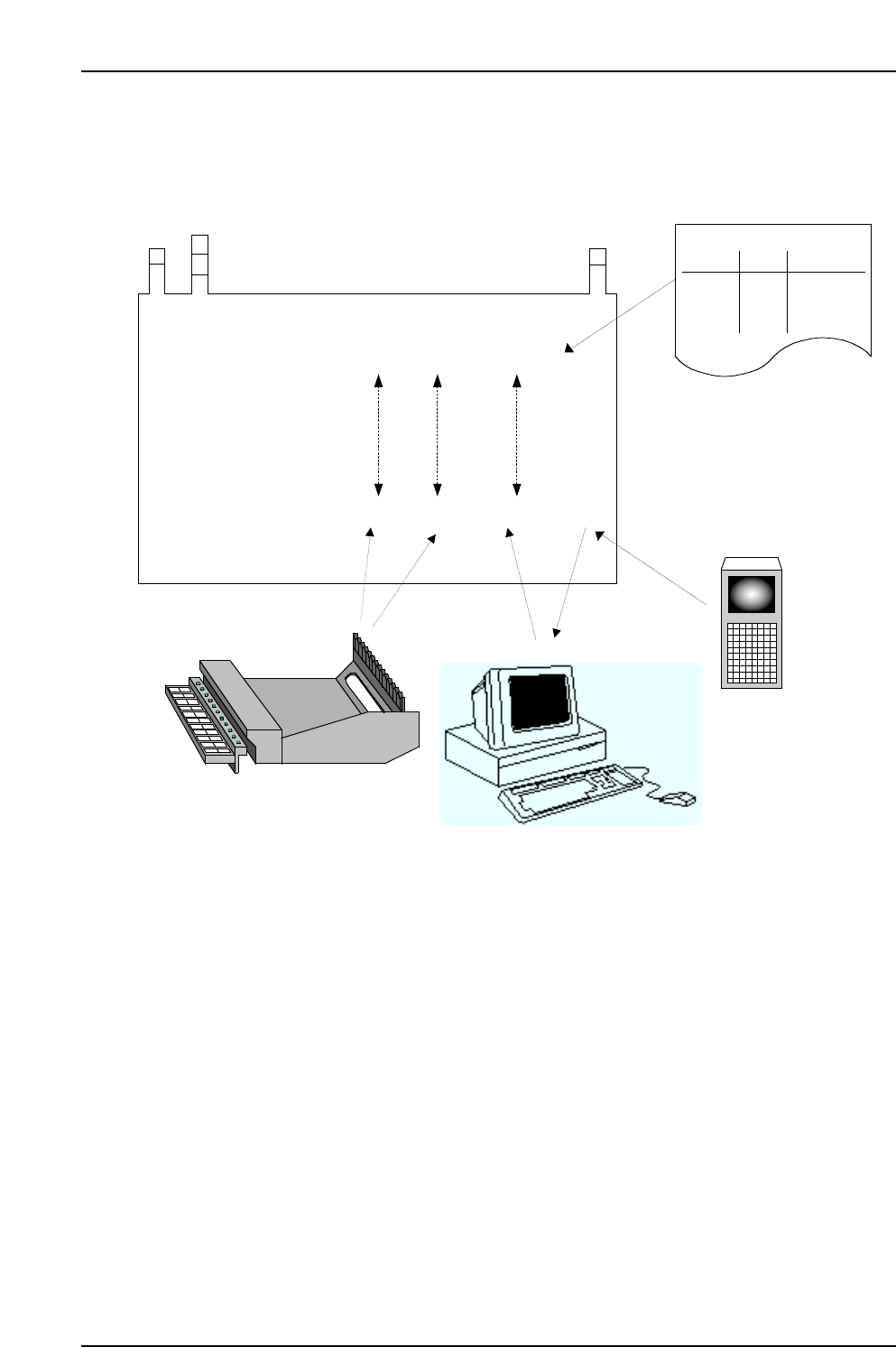
Data flow (at verification)
The position where the feeder was set and the device comment read by Handy Terminal
is checked against the recipe to determine if the data matches.
CC
CC
PP
PP
77
77
Stage Slot Comment DIDFIDL
Stage Slot Comment
CP7V0018Ea
Production Program
Specifications:
Acquired Data:
(6) Comparison
1 1 aaaaa
1 2 bbbbb
2 1 ccccc
2 2 ddddd
Stage
Slot
Comment
Production Program
(1) Production Program Analysis
(2) DID Readings
(4) Device
comment is
returned as a
reply.
(5) Feeder Settings
(3) Device comment
is requested
based on the DID.
Fujitrax-Verifier
10. Using the DC AUTO Mode
Edition 2.0 77 CP-7-series Verification System Instruction Manual
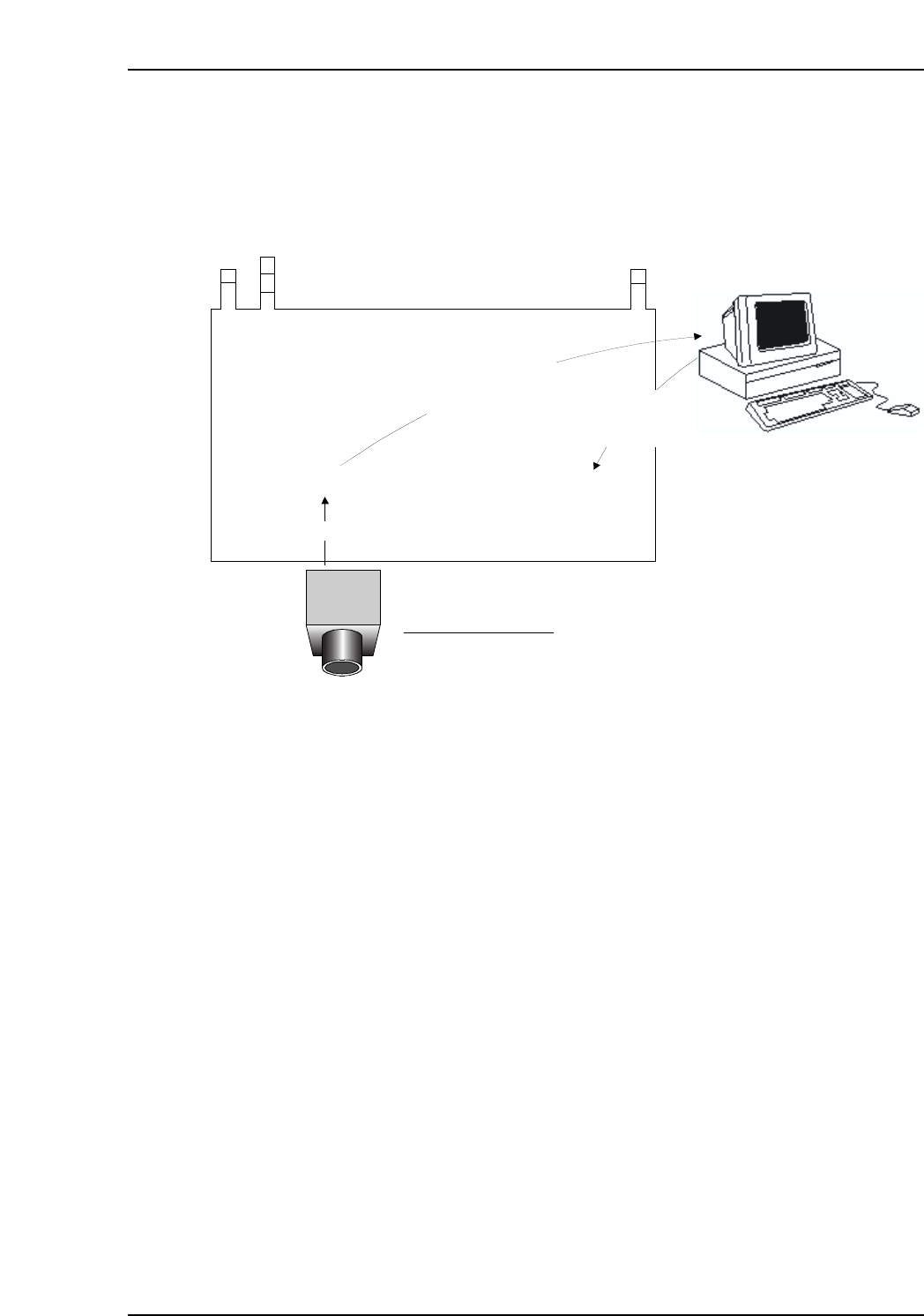
Data flow (after automatic operation start)
The FIDL which was read is used as a key to search the Fujitrax Verifier database in
order to download the required information.
CCPP77
Parts out
warning
value
Feeder ID read system
Stage Slot Comment DID: FIDL
Acquired
Data:
Fujitrax Verifier
(2) Confirmation of
parts information
to the Verifier
(3) Download of parts
out waning values
and other data
(1) Feeder IDs reading