CP-7-series Verification System Instruction manual(2.0E).pdf - 第106页
12. Next Production V erification Edition 2.0 95 CP-7-series V erification System Instruction Manual 3. The selected r ecipe is then established as the next production r ecipe. (The following screen is displayed only at …
12. Next Production Verification
Edition 2.0 94 CP-7-series Verification System Instruction Manual
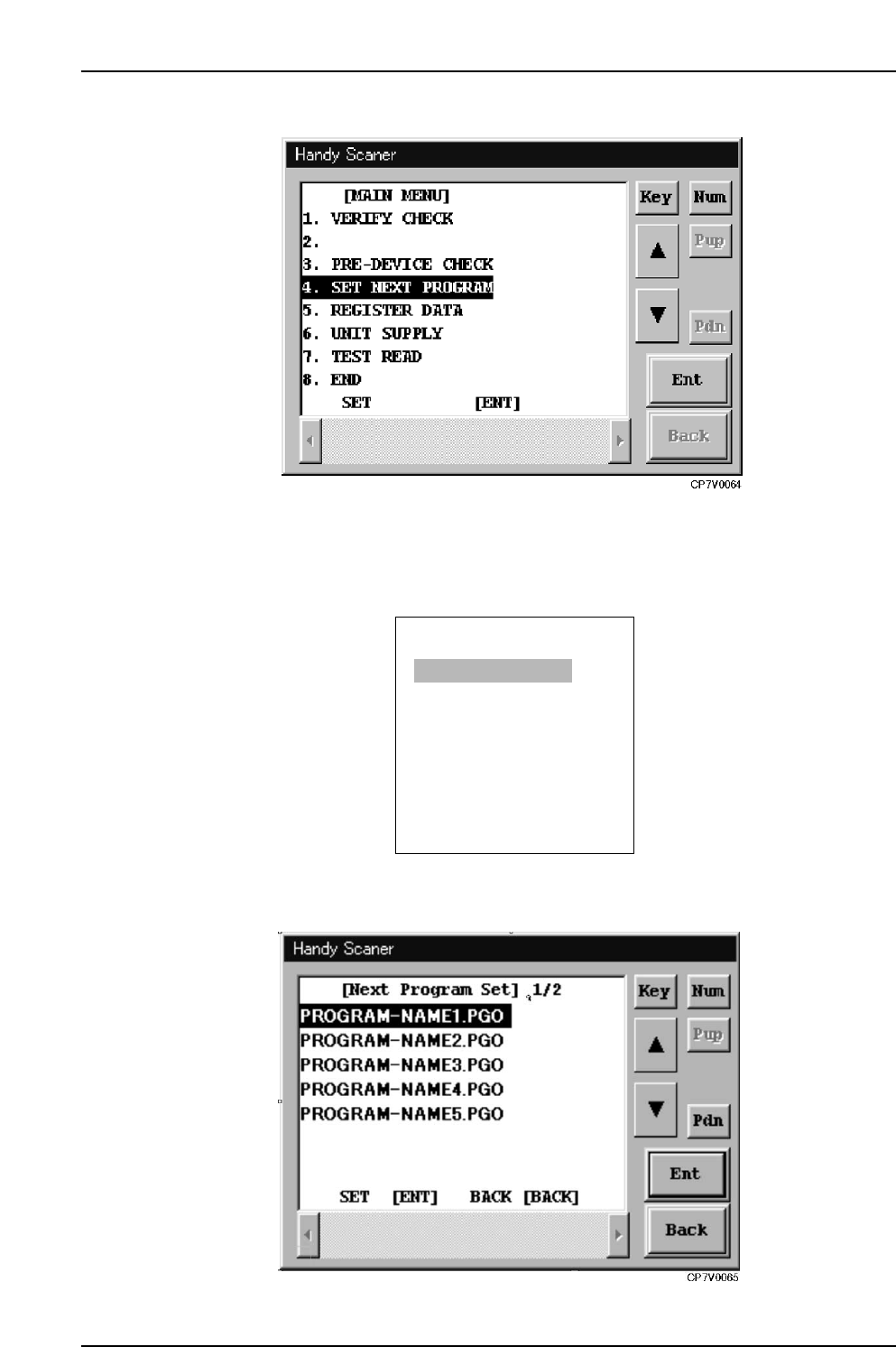
Handy Scanner’s Main Menu
2. A list of recipes currently stored in the machine then displays. Use the [▲], [▼] keys
to move the cursor to the desired item, then press [ENTER].
PDT-3100’s Next Production Recipe Selection Screen
Handy Scanner’s Next Production Recipe Selection Screen
ENTER/QUIT:
[SET VERIFY RECIPE]
program-name1
program-name2
program-name3
program-name4
program-name5
SEARCH=v
▼▲
CP7V0020a
▼
▼

12. Next Production Verification
Edition 2.0 95 CP-7-series Verification System Instruction Manual
3. The selected recipe is then established as the next production recipe.
(The following screen is displayed only at the PDT-3100.)
PDT-3100’s Next Production Recipe Establish Screen
YES: /NO:
[SET VERIFY RECIPE]
YES SEND
PRE VERIFY RECIPE
TO THE MACHINE
CP7V0021
▼
▼
12. Next Production Verification
Edition 2.0 96 CP-7-series Verification System Instruction Manual
12.3 Verifying the Next Production Recipe
12.3.1 Operation Conditions
• Part verification system settings must be specified as "With Handy Terminal".
• Communication with Handy Terminal must be established.
• The device table mode must be set to the "changeover" mode.
• The next production recipe must be selected.
12.3.2 Procedure
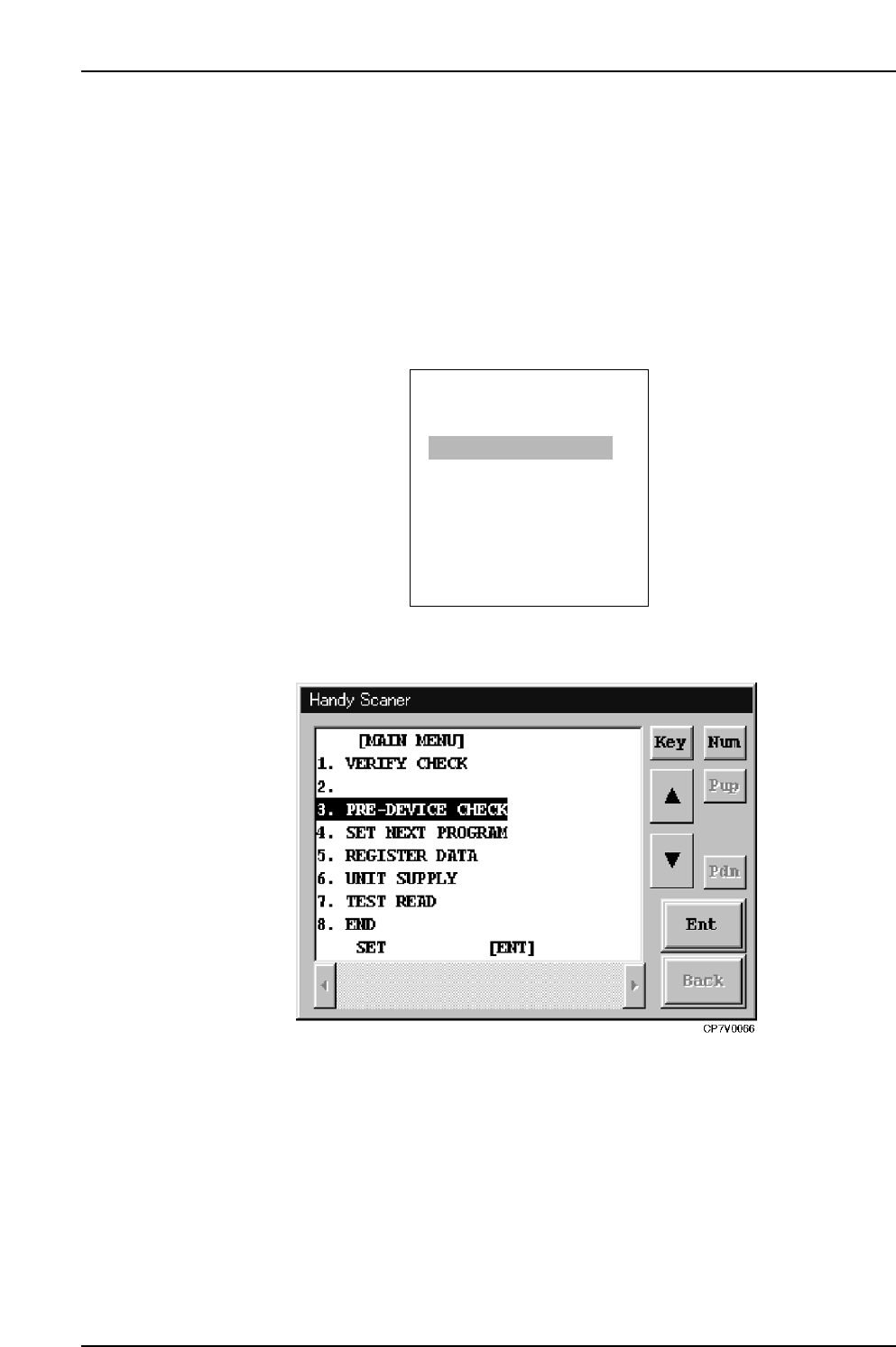
1. At the Handy Terminal's [Main Menu], select [PRE VERIFY CHECK].
PDT-3100’s Main Menu
Handy Scanner’s Main Menu
Because the Verification procedure from this point on is identical to that used for the
current production recipe, the procedure is omitted here.
ENTER
[MAIN MENU]
1. VERIFY CHECK
2. PRE VERIFY CHECK
3. SET VERIFY RECIPE
4. PALLET SUPPLY
5. TEST READ
SELECT NO.=v
▼▲
CP7V0022