CP-7-series Verification System Instruction manual(2.0E).pdf - 第113页
13. Offline Changeovers Edition 2.0 102 CP-7-series V erification System Instruction Manual 6. Use Handy T erminal to read barcode which indicates the stage number , and then specify the stage where the pallet is to be m…
13. Offline Changeovers
Edition 2.0 101 CP-7-series Verification System Instruction Manual
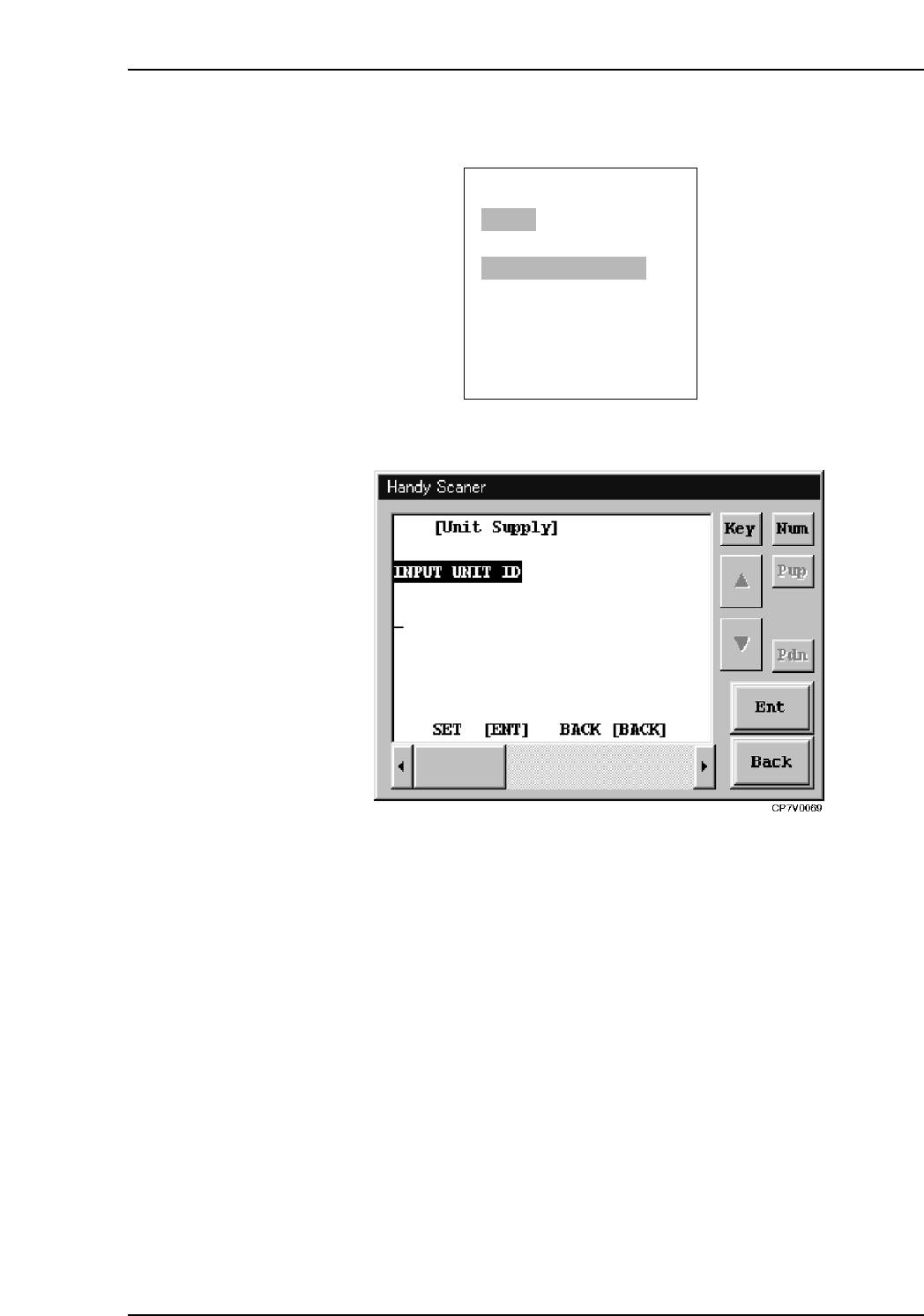
5. Use Handy Terminal to read the unit ID attached to the device table.
PDT-3100’s Unit ID Reading Screen
Handy Scanner’s Unit ID Reading Screen
ENTER/QUIT:
[PALETTE SUPPLY]
Recipe: Recipe1
READ UNIT ID LABEL
UNIT ID=v
CP7V0027a
▼
13. Offline Changeovers
Edition 2.0 102 CP-7-series Verification System Instruction Manual
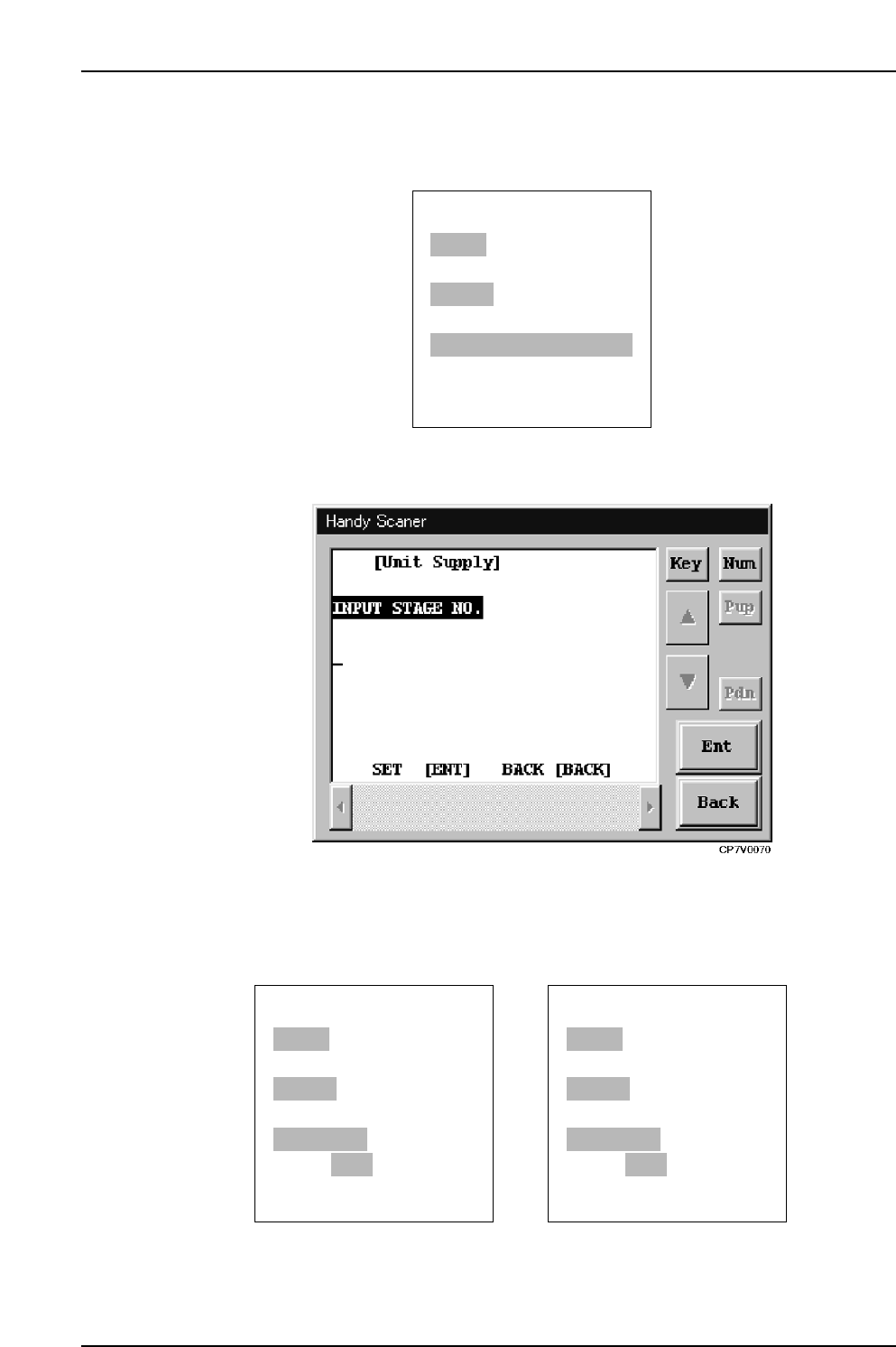
6. Use Handy Terminal to read barcode which indicates the stage number, and then specify
the stage where the pallet is to be mounted.
PDT-3100’s Unit Supply Stage Selection Screen
Handy Scanner’s Unit Supply Stage Selection Screen
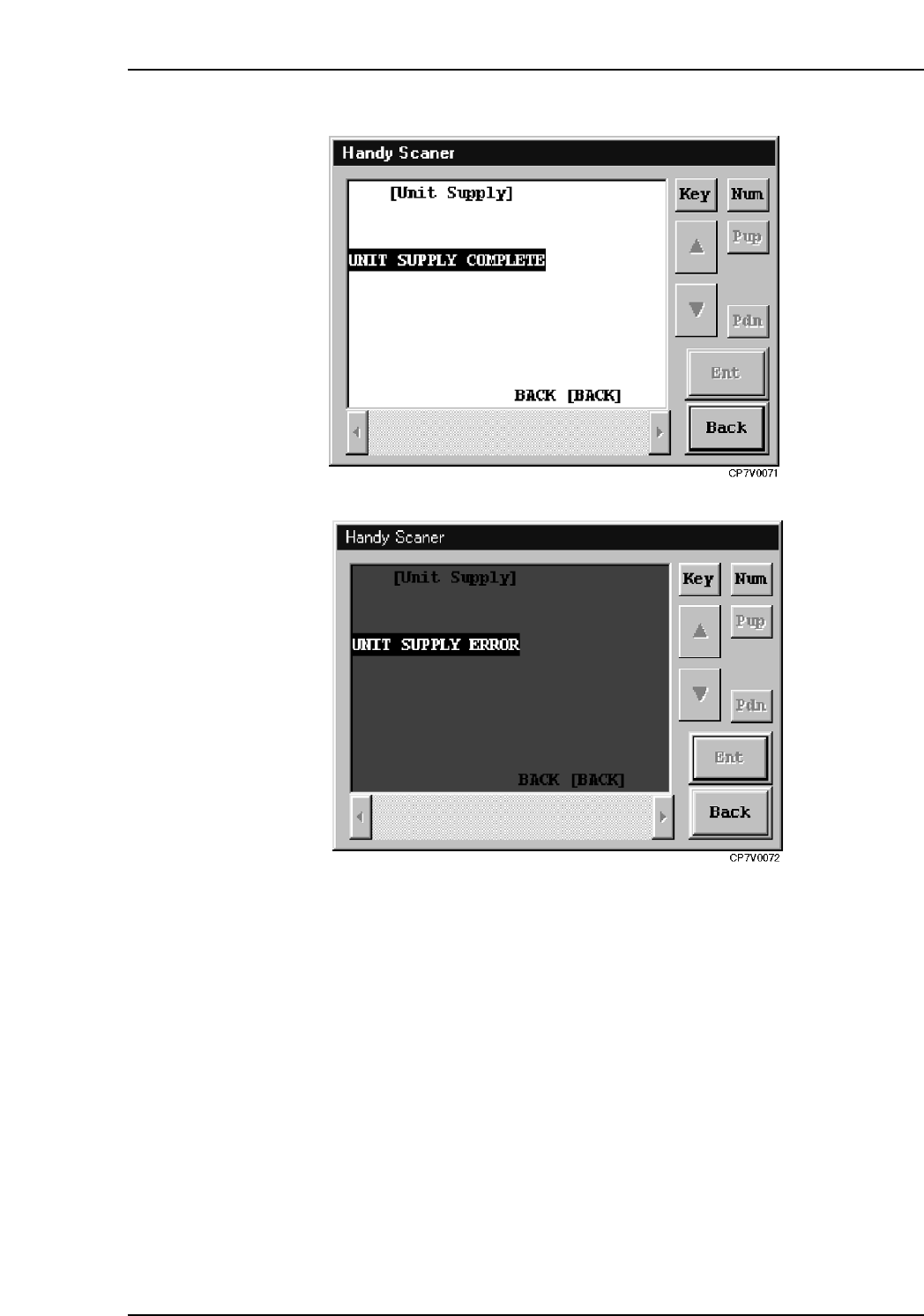
7. The machine checks with Fujitrax Verifier to see if the pallet has been verified
(Verification operation), and the check result displays at Handy Terminal.
PDT-3100’s Unit Verification Complete Screen PDT-3100’s Unit Verification Error Screen
NEXT: /QUIT:
[PALETTE SUPPLY]
Recipe: Recipe1
UNIT ID: Table1
STAGE NO.:STAGE1
Verifier ANS.:OK
CP7V0029a
▼
▼
RESET: /QUIT:
[PALETTE SUPPLY]
Recipe: Recipe1
UNIT ID: Table1
STAGE NO.:STAGE1
Verifier ANS.:NG
▼
▼
ENTER/QUIT:
[PALETTE SUPPLY]
Recipe: Recipe1
UNIT ID: Table1
READ STAGE NO. LABEL
STAGE NO.=v
CP7V0028a
▼
13. Offline Changeovers
Edition 2.0 103 CP-7-series Verification System Instruction Manual
Handy Scanner’s Unit Verification Complete Screen
Handy Scanner’s Unit Verification Error Scren
8. At the [Pallet Change] screen, replace (rewrite) the pallets which have been used up to
this point with the new pallets which have been verified.
13.4 Changeovers in FULL AUTO Mode
The procedure for changeovers in the FULLAUTO mode is identical to that in the normal
verification mode.