CP-7-series Verification System Instruction manual(2.0E).pdf - 第122页
14. Registering Data at Fujitrax V erifier Edition 2.0 111 CP-7-series V erification System Instruction Manual 14.5.5 Complete the part information registration operation Read the "8" barcode to select the &quo…
14. Registering Data at Fujitrax Verifier
Edition 2.0 110 CP-7-series Verification System Instruction Manual
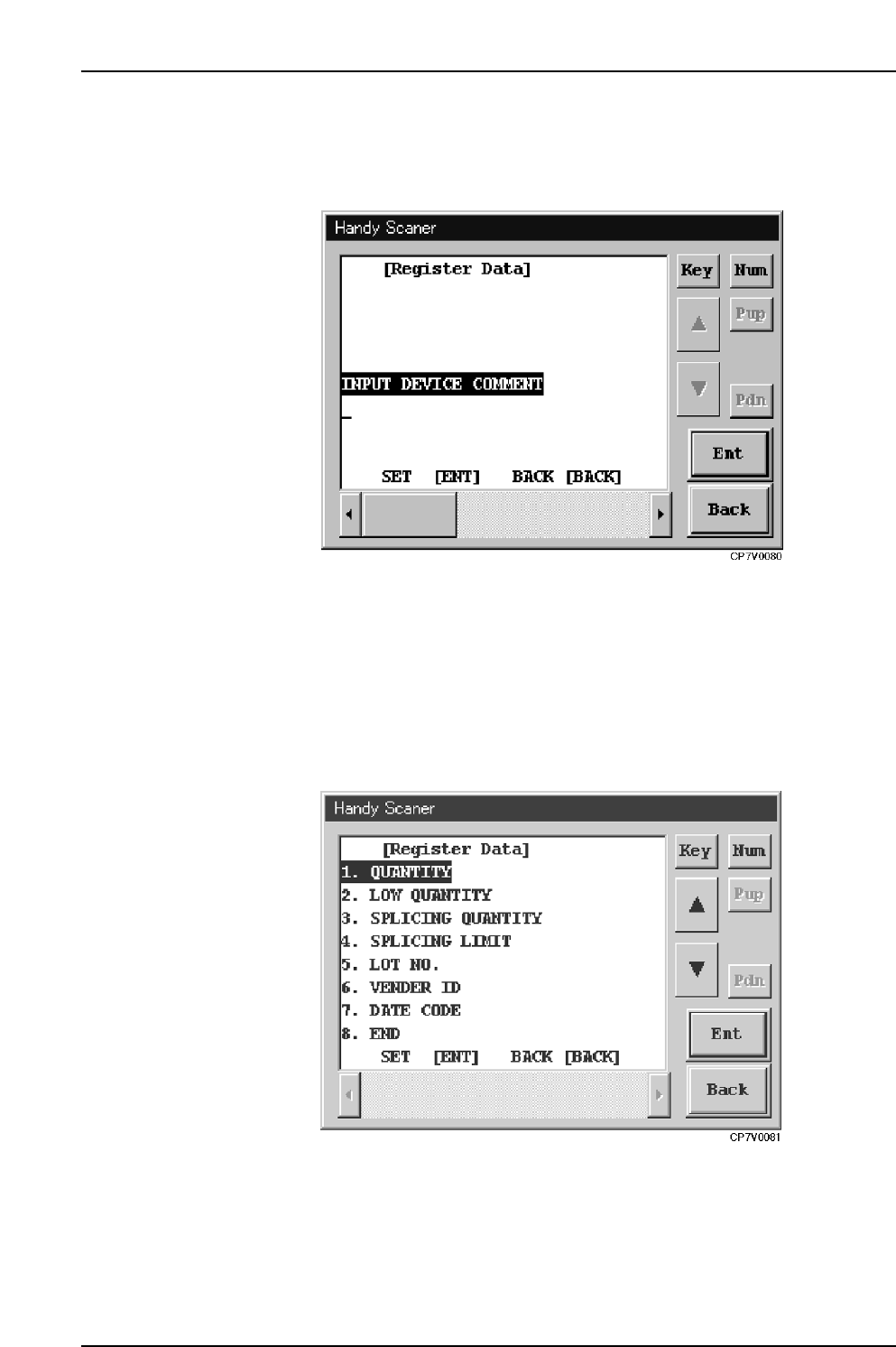
14.5.3 Device Comment Input
After the above step is completed, the “Input Device Comment” screen shown below
displays. Enter the device comment here.
Handy Scanner’s [Input Device Comment] Screen
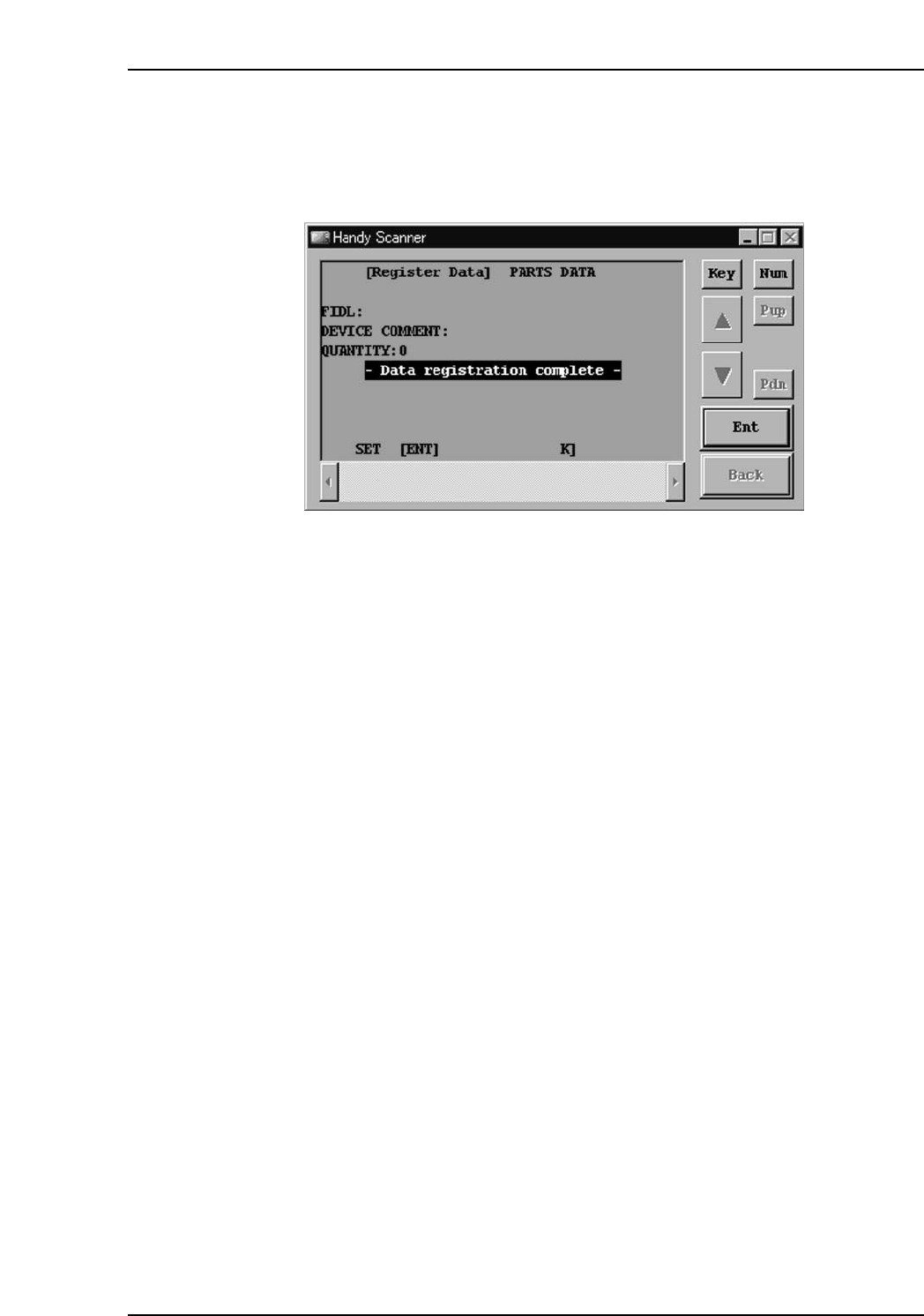
14.5.4 Details Data Registration
After the above step is completed, the screen shown below displays. Read the
appropriate barcode (1~7) for the data which is to be registered. Operation is completed
when the “8” barcode is read.
When data input is completed, the data is transmitted to Fujitrax Verifier where it is
registered.
Handy Scanner’s Registration Data Selection Screen
14. Registering Data at Fujitrax Verifier
Edition 2.0 111 CP-7-series Verification System Instruction Manual
14.5.5 Complete the part information registration operation
Read the "8" barcode to select the "8. Setting Completed" item and complete the part
information registration operation.

15. Explanation of Operation Screens
Edition 2.0 112 CP-7-series Verification System Instruction Manual
15. Explanation of Operation Screens
The machine operation screens used for the Part Verification operation are explained below.
15.1 [Version Up] Screen
Function
Displays the version number and upgrades the version of the control programs in PDT-3100
and setup sensor & LED sequencer.
Screen access
• To display this screen, execute the [Maintenance] - [Version Up]
- [Maintenance for Each Machine] commands.
• The display content of this screen varies according to the part verification system
settings specified at the [Parts Administration System] screen.
When “Use Handy Terminal” is ON:
Only the "Handy Terminal" section displays at the [Version Up] screen.
When [Use Setup Sensor and LED] is ON:
Only the "Feeder monitoring sequencer" section displays at the [Version Up] screen.