CP-7-series Verification System Instruction manual(2.0E).pdf - 第107页
12. Next Production V erification Edition 2.0 96 CP-7-series V erification System Instruction Manual 12.3 V erifying the Next Production Recipe 12.3.1 Operation Conditions • Part verification system settings must be spec…

12. Next Production Verification
Edition 2.0 95 CP-7-series Verification System Instruction Manual
3. The selected recipe is then established as the next production recipe.
(The following screen is displayed only at the PDT-3100.)
PDT-3100’s Next Production Recipe Establish Screen
YES: /NO:
[SET VERIFY RECIPE]
YES SEND
PRE VERIFY RECIPE
TO THE MACHINE
CP7V0021
▼
▼
12. Next Production Verification
Edition 2.0 96 CP-7-series Verification System Instruction Manual
12.3 Verifying the Next Production Recipe
12.3.1 Operation Conditions
• Part verification system settings must be specified as "With Handy Terminal".
• Communication with Handy Terminal must be established.
• The device table mode must be set to the "changeover" mode.
• The next production recipe must be selected.
12.3.2 Procedure
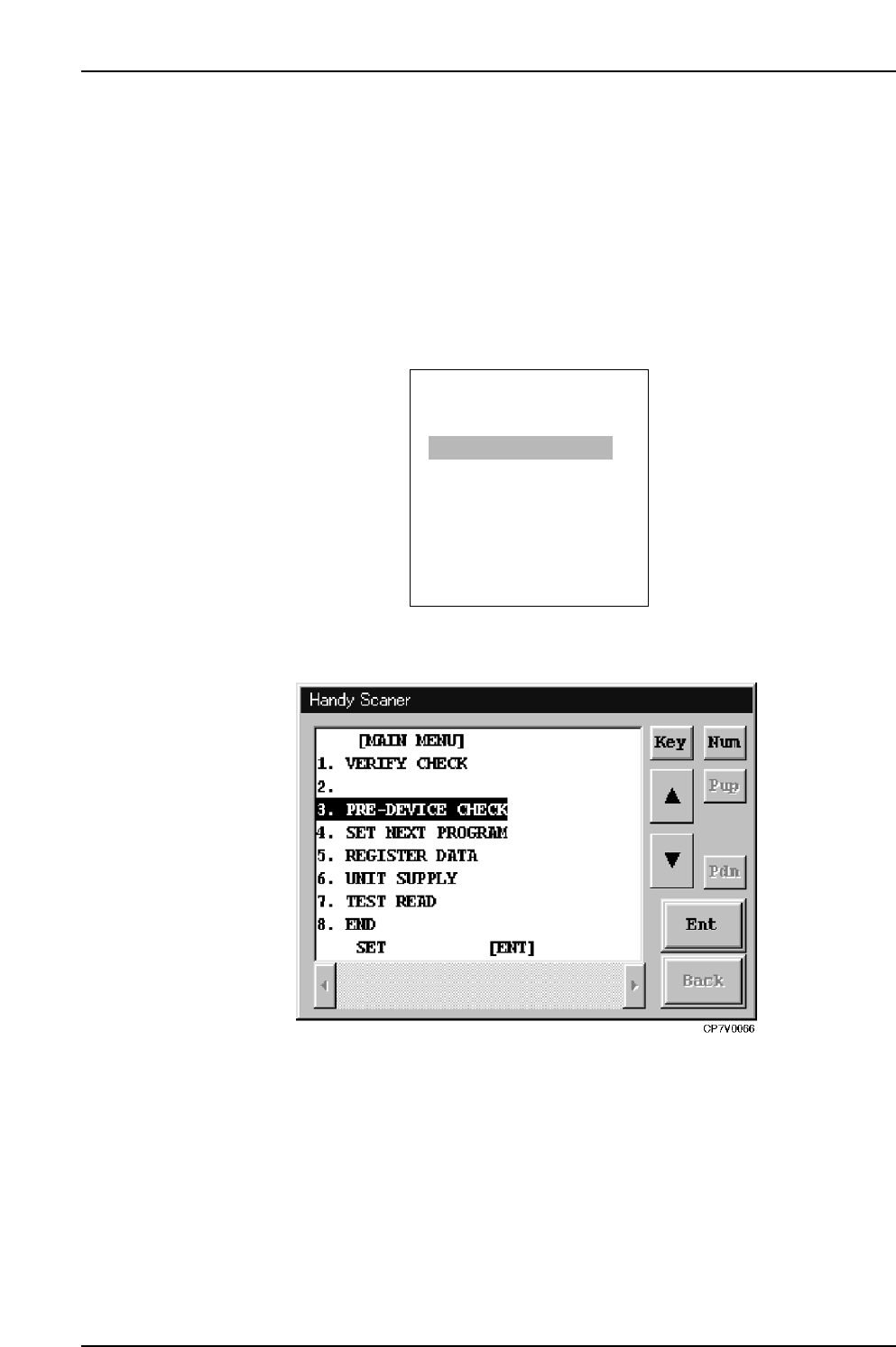
1. At the Handy Terminal's [Main Menu], select [PRE VERIFY CHECK].
PDT-3100’s Main Menu
Handy Scanner’s Main Menu
Because the Verification procedure from this point on is identical to that used for the
current production recipe, the procedure is omitted here.
ENTER
[MAIN MENU]
1. VERIFY CHECK
2. PRE VERIFY CHECK
3. SET VERIFY RECIPE
4. PALLET SUPPLY
5. TEST READ
SELECT NO.=v
▼▲
CP7V0022

12. Next Production Verification
Edition 2.0 97 CP-7-series Verification System Instruction Manual
12.4 “Next Production Verification” in FULL AUTO Mode
12.4.1 Overview
Just as in the normal verification mode, “next production verification” of the offline
device table is also possible in the quick verify mode, provided that the device table is in
the “Changeover mode”.
12.4.2 Selecting the Next Production Recipe
Just as in the normal verification mode, the next production recipe can be selected in the
quick verify mode by selecting the [SET VERIFY RECIPE] item at Handy Terminal’s
[Main Menu].
A recipe can only be selected as a next production recipe if its device table is set to the
“Changeover mode”.
12.4.3 Verifying the Next Production Recipe
When using the PDT-3100, verification (quick verify mode) of a next production recipe
can be started by Handy Terminal commands.
As this procedure is identical to that described for the normal verification mode, the
explanation is not repeated here.
When using a Scanner, the procedure is identical to that described in section 11.6.2.2.
(Verification Without Using The “Device Check” Command). Simply set a feeder in the
slot used by the next production recipe.
Note: When using a scanner to verify a next production recipe in the FULL AUTO mode, do not
read the “3” barcode with the [Main Menu] displayed in the Handy Scanner dialog box in
order to begin the next production verification. If the “3” barcode is read, verification of the
next production recipe will occur in the DC AUTO mode.