CP-7-series Verification System Instruction manual(2.0E).pdf - 第82页
10. Using the DC AUTO Mode Edition 2.0 71 CP-7-series V erification System Instruction Manual 10.4.2.2 Determining the Stage to be V erified • The stage to be verified can be determined in the following four ways. I. If …
10. Using the DC AUTO Mode
Edition 2.0 70 CP-7-series Verification System Instruction Manual
10.4.2.1 Device Check Start
• A device check can be started in the following three ways.
I. By selecting [Device Check] at the machine control panel.
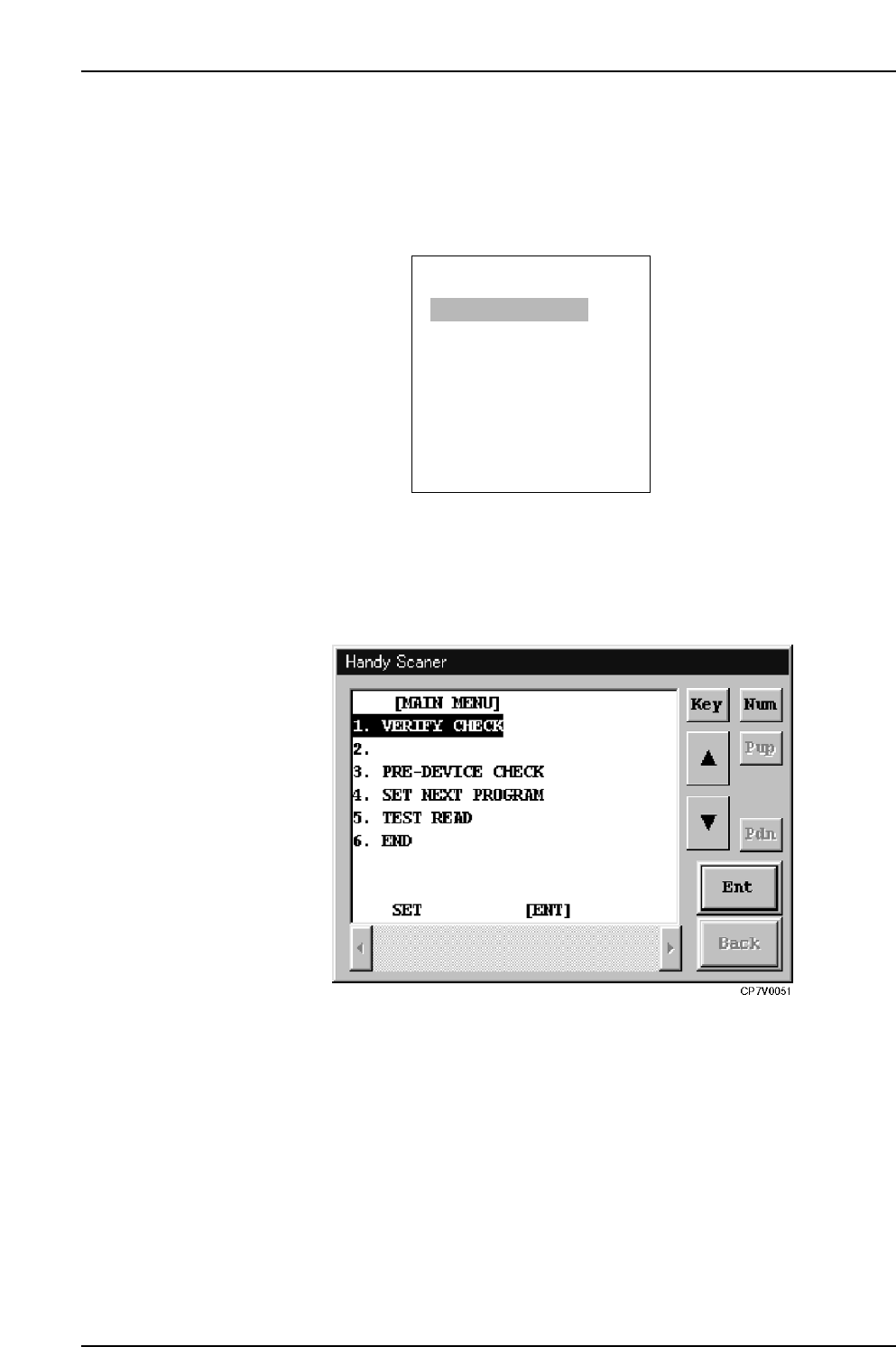
II. At the PDT-3100 [Main Menu], select [1. Verify Check], then press [Enter].
PDT-3100’s Main Menu
III. With the main menu displayed at the Handy Scanner dialog box, read the "1"
barcode, and select "1. VERIFY CHECK".
Handy Scanner’s Main Menu
ENTER
[MAIN MENU]
1. VERIFY CHECK
2. PRE VERIFY CHECK
3. SET VERIFY RECIPE
4. PALLET SUPPLY
5. TEST READ
SELECT NO.=v
▼▲
CP7V0005
10. Using the DC AUTO Mode
Edition 2.0 71 CP-7-series Verification System Instruction Manual
10.4.2.2 Determining the Stage to be Verified
• The stage to be verified can be determined in the following four ways.
I. If a feeder is set in the slot where an LED is on, the stage to be verified can
be determined by removing that feeder (the slot to be verified is also
determined at this time).
II. The stage number barcode affixed to the machine rear can be read to the
PDT-3100.
III. The stage to be verified can be selected from the stage selection screen at the
PDT-3100.
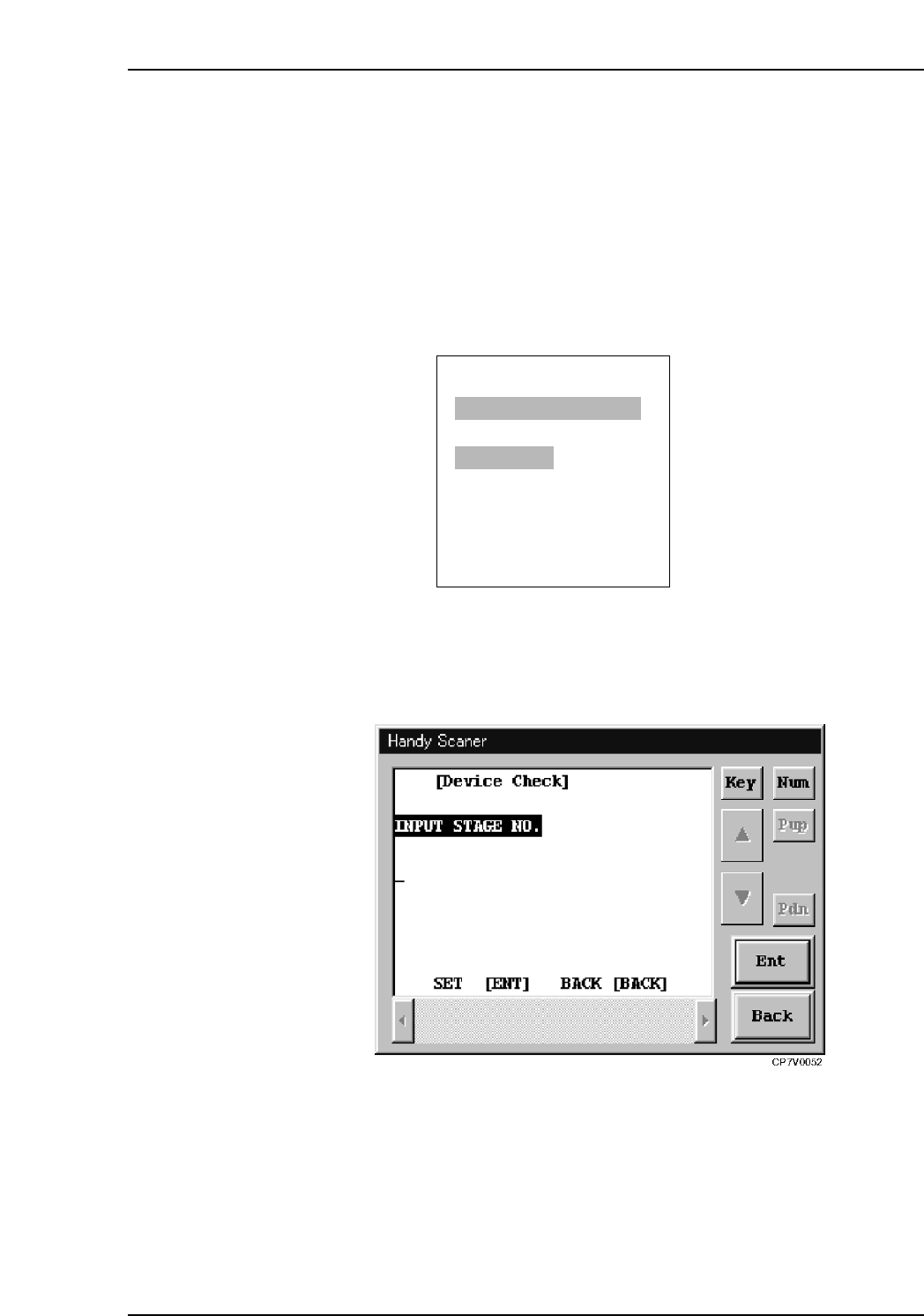
PDT-3100’s Stage Selection Screen
IV. With the “Input Stage No.” item displayed at the Handy Scanner dialog box,
use the scanner to read the Stage number barcode affixed on the machine
rear.
Handy Scanner’s Stage Selection Screen
Notes:
• The Verification operation must be performed for each stage.
• To perform a verification at Stage 2, for example, after Stage 1 has been selected, the
device check must be interrupted, and the verification must be started again.
• When using the Scanner, it is possible to return to the “Input Stage No.” step without
interrupting the device check. This is done by reading the “BACK” barcode.
ENTER/QUIT:
[VERIFY CHECK]
CP7V0006a
▲
SELECT START STAGE
1. STAGE1
2. STAGE2
SELECT STAGE NO.=v
▼▲
10. Using the DC AUTO Mode
Edition 2.0 72 CP-7-series Verification System Instruction Manual
10.4.2.3 Determining the Slot to be Verified
• If the stage to be verified was determined by removing a feeder, this step can be
skipped because the slot to be verified will also have been determined at that time.
• The slot to be verified can be determined in following three ways.
I. If a feeder is set in a slot where an LED is on at the verify subject stage, that
slot will become a verify subject if that feeder is removed.
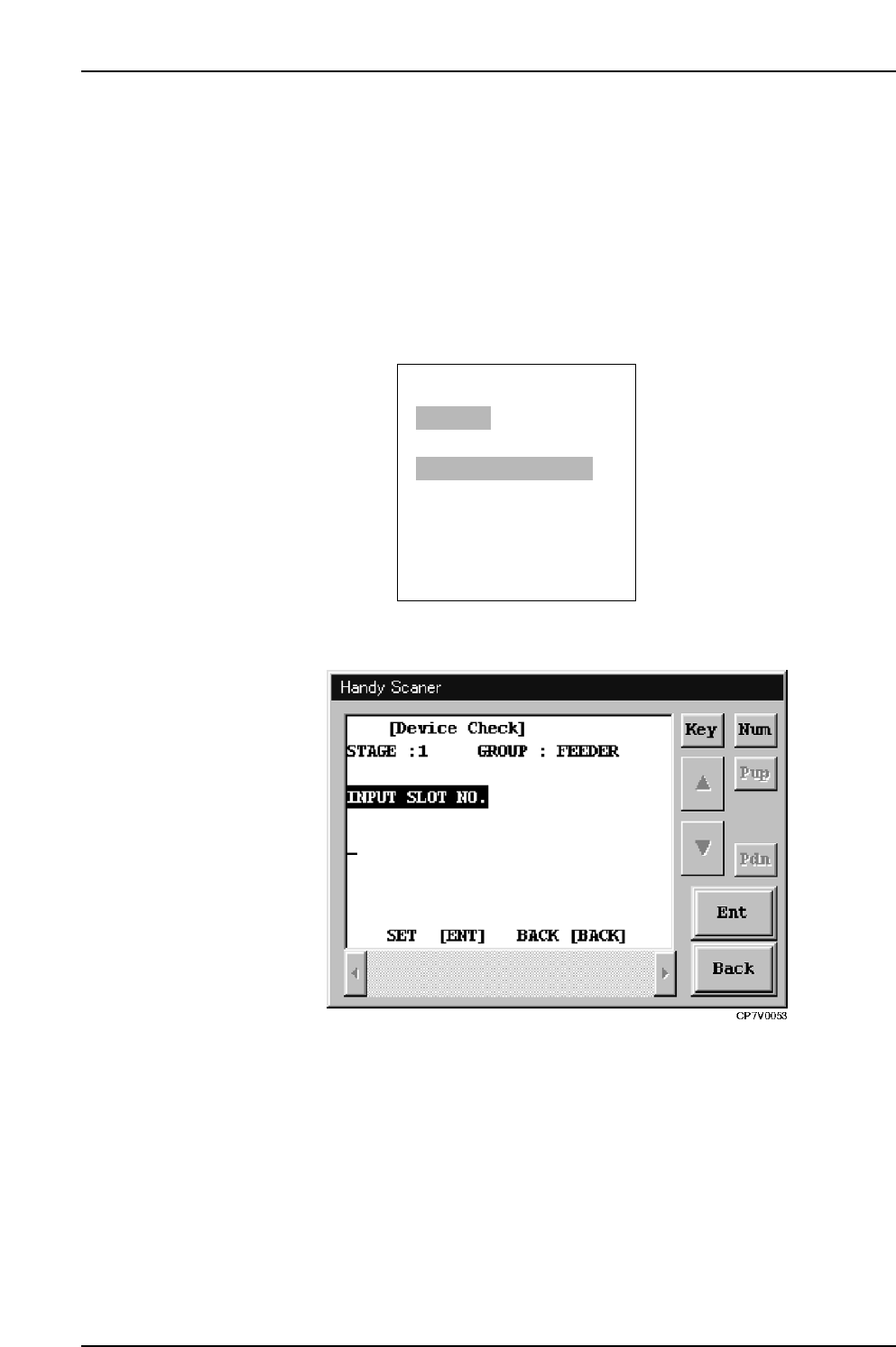
II. By using the Handy Terminal to read the slot number barcodes affixed to
each slot.
III. By keying in the slot number from the PDT-3100’s numeric key pad.
PDT-3100’s Slot ID Reading Command Screen
Handy Scanner’s Slot ID Reading Command Screen
10.4.2.4 LED On at Slot to be Verified
• Only the LED at the slot to be verified is on.
• When subsequently setting feeders, the LEDs indicate which positions those
feeders should be set in.
ENTER/QUIT:
[VERIFY CHECK]
CP7V0007a
▲
STAGE1
READ SLOT ID LABEL
SLOT ID=v