CP-7-series Verification System Instruction manual(2.0E).pdf - 第119页
14. Registering Data at Fujitrax V erifier Edition 2.0 108 CP-7-series V erification System Instruction Manual 14.4.3 Feeder Name Input After the above step is completed, the “Input Feeder Name” screen shown below displa…
14. Registering Data at Fujitrax Verifier
Edition 2.0 107 CP-7-series Verification System Instruction Manual
14.4 Feeder Data Registration
14.4.1 Feeder Data Registration Start
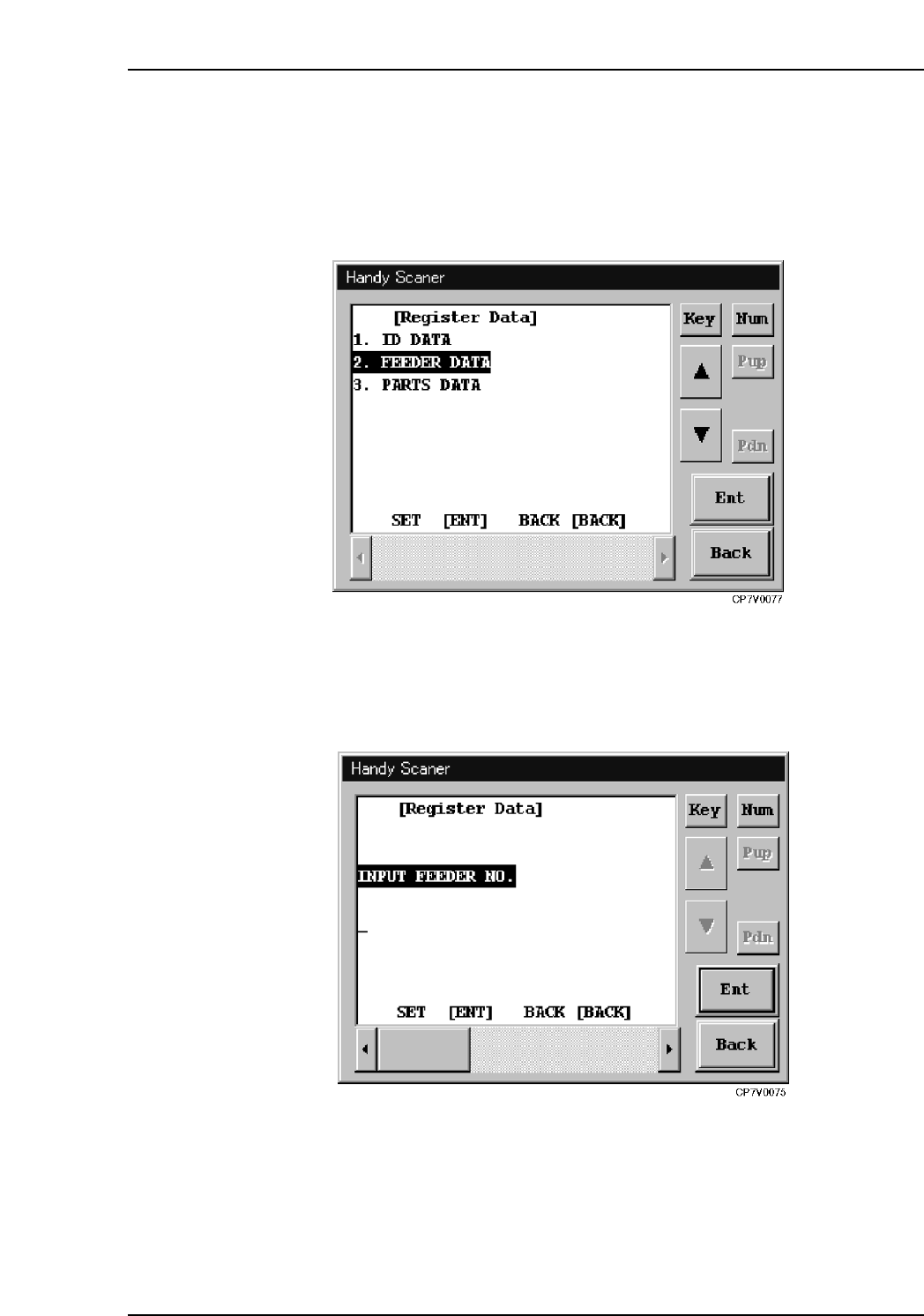
To register feeder data, read the "2" barcode shown on the screen below to select the "2.
FEEDER DATA" item.
Handy Scanner’s [Feeder Data] Screen
14.4.2 FIDL Input
After the above step is completed, the “Input Feeder No.” screen shown below displays.
Enter the FIDL information here.
Handy Scanner’s [Input Feeder No.] Screen
14. Registering Data at Fujitrax Verifier
Edition 2.0 108 CP-7-series Verification System Instruction Manual
14.4.3 Feeder Name Input
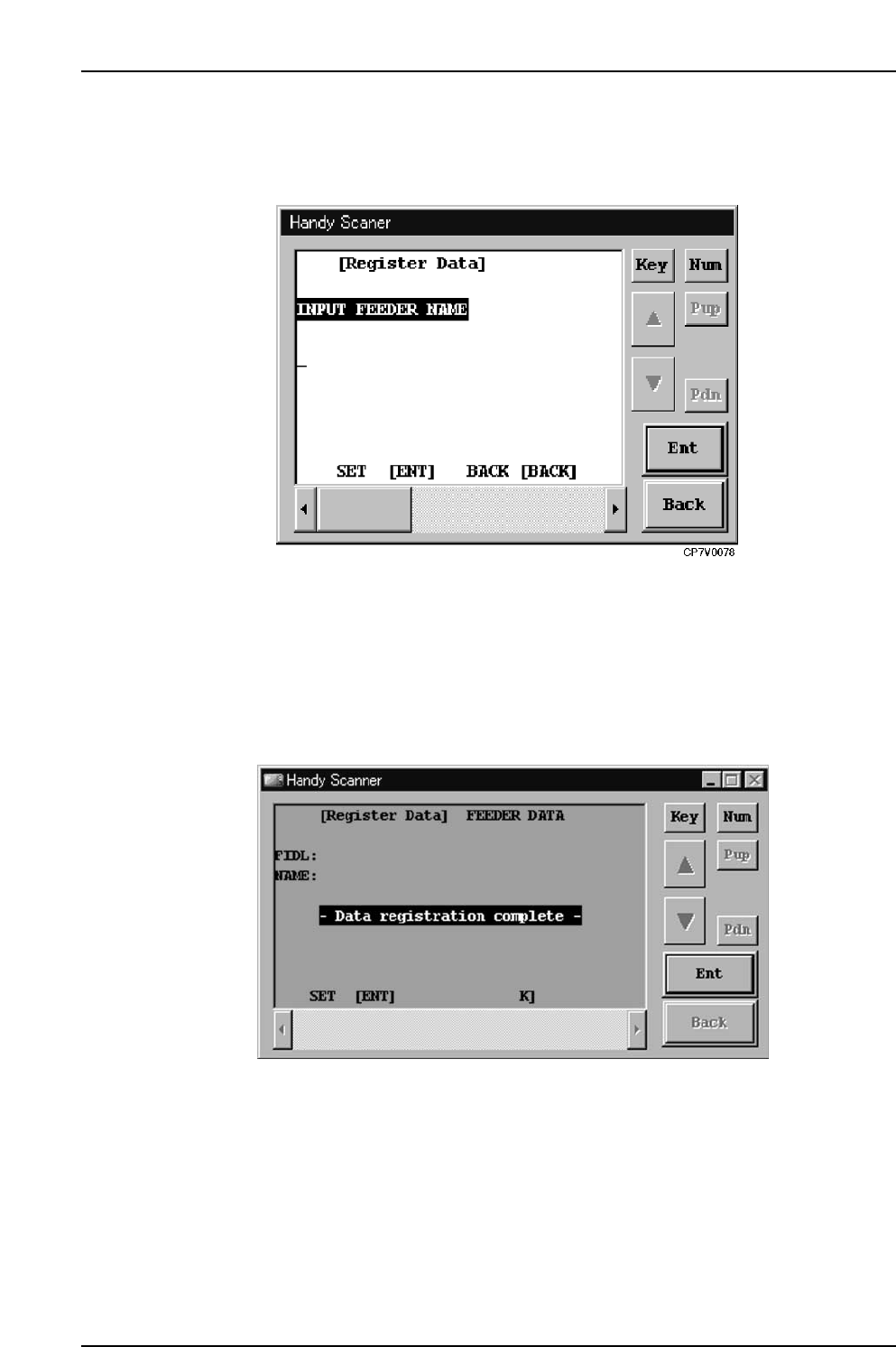
After the above step is completed, the “Input Feeder Name” screen shown below
displays. Enter the feeder name here.
Handy Scanner’s [Input Feeder Name] Screen
14.4.4 Feeder Data Registration Completed
After the FIDL and feeder name has been entered, this data is transmitted to Fujitrax
Verifier where the feeder data is then registered.
14. Registering Data at Fujitrax Verifier
Edition 2.0 109 CP-7-series Verification System Instruction Manual
14.5 Part Data Registration
14.5.1 Part Data Registration Start
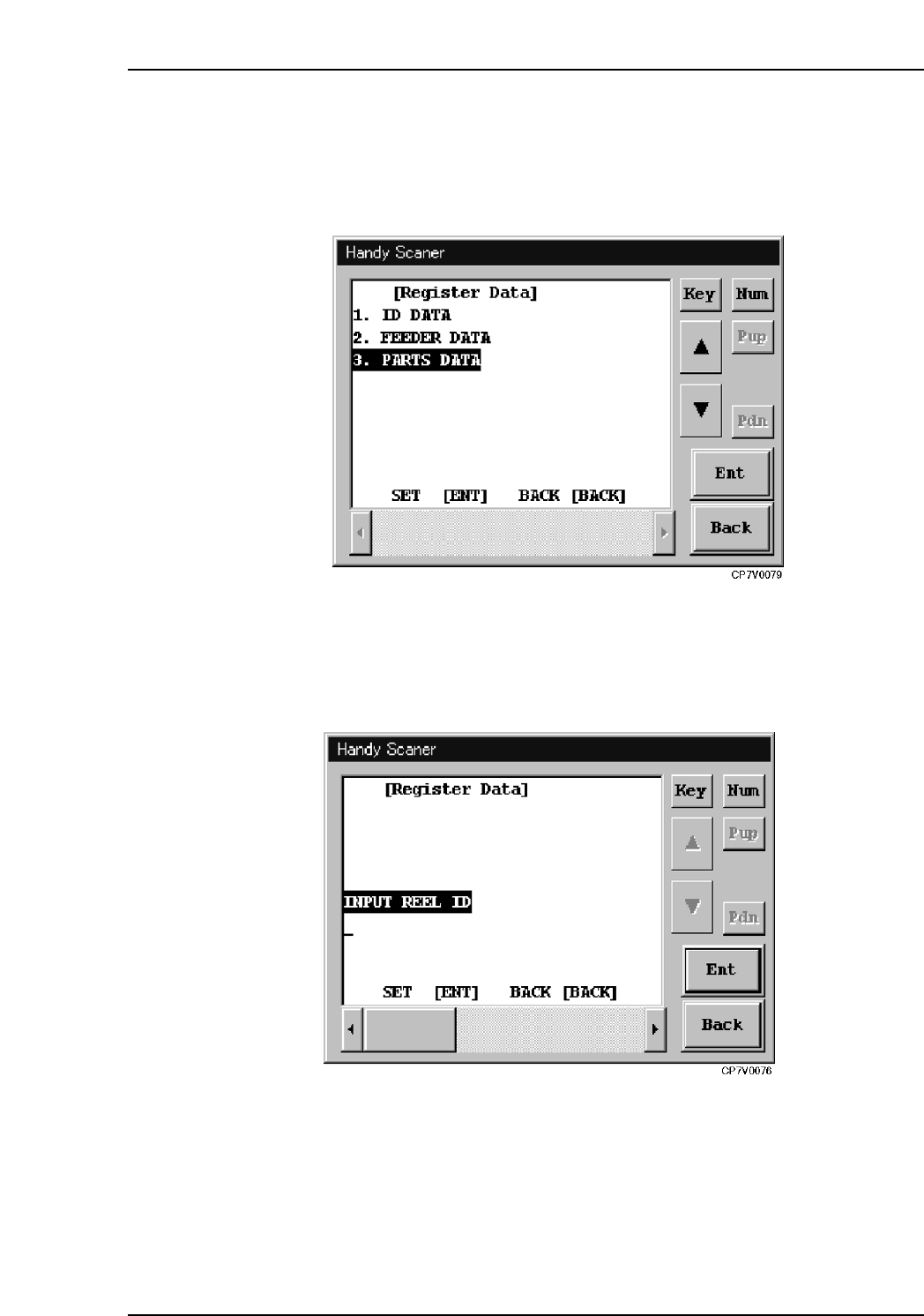
To register part data, read the "3" barcode shown on the screen below to select the "3.
Part Information" item.
Handy Scanner’s [Parts Data] Screen
14.5.2 DID Input
After the above step is completed, the “Input Reel ID “ screen shown below displays.
Enter the DID information here.
Handy Scanner’s [Input Reel ID] Screen