CP-7-series Verification System Instruction manual(2.0E).pdf - 第33页
5. Explanation of Functions Edition 2.0 22 CP-7-series V erification System Instruction Manual 5.3 Setup Sensor & LED Functions 5.3.1 LED Indicators These LEDs provide the operator with an easy visual r eference for …
5. Explanation of Functions
Edition 2.0 21 CP-7-series Verification System Instruction Manual
5.2.5 Reel Barcode Administration
In the verification system, device comments must be affixed to the part reel if Fujitrax
Verifier is not used, whereas DID labels must be affixed if Fujitrax Verifier is used.
The device comment content differs from the DID content. Therefore, if Fujitrax Verifier
was being used, but has been disabled for some reason, the reel barcode must be re-
attached.
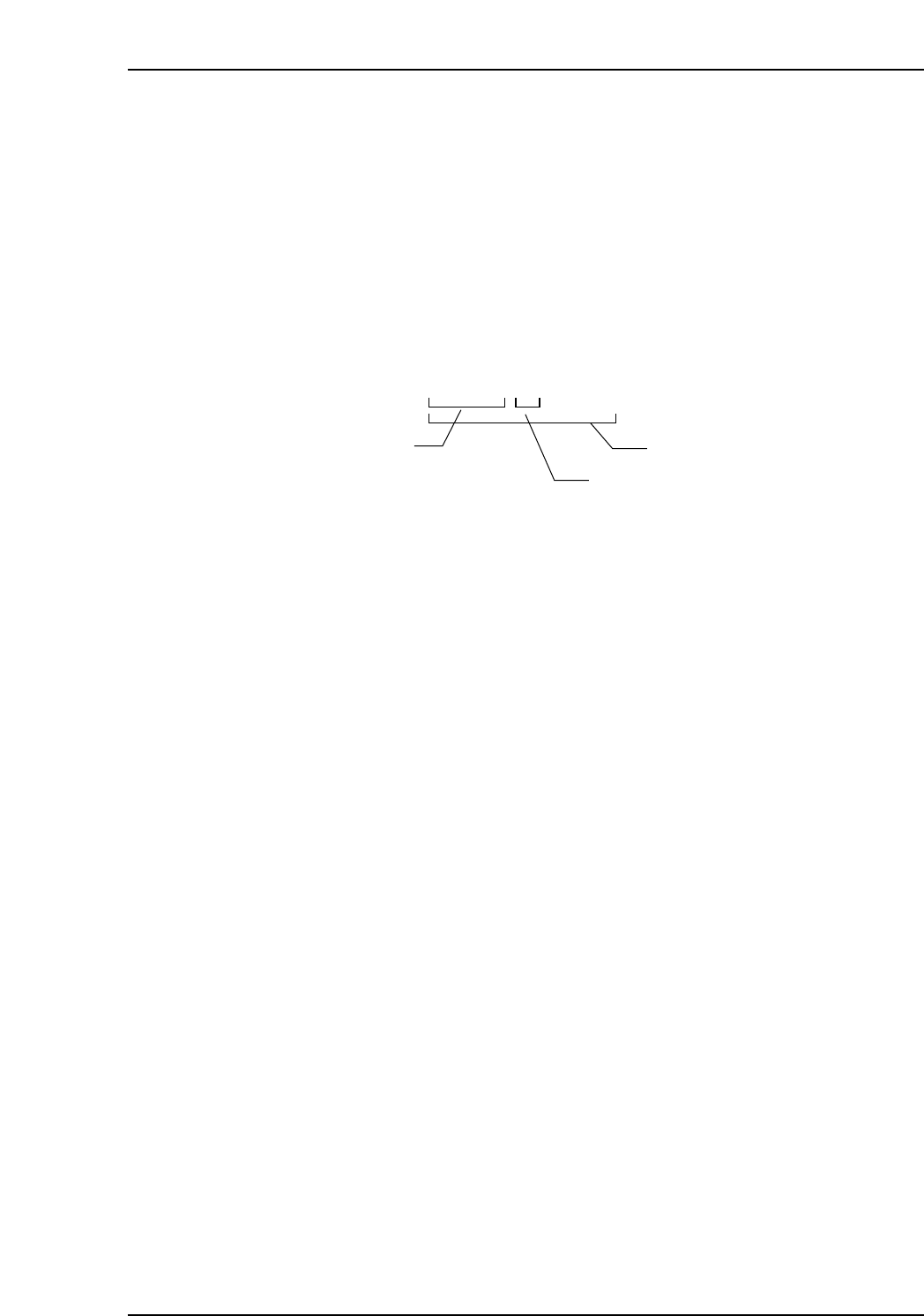
If the following DID character string format is used, however, a “DID Joint Symbol”
setting can simply be specified, eliminating the need to reattach the barcode labels.
Example of DID format
The first part of the above code is the device comment, with a hyphen (-) entered as the
“DID Joint Symbol”, followed by a serial number. The entire code is then handled as a
DID.
Creating DIDs with this format enables the device comment to be recognized as
“ABCDE” even if the barcode is read by the Handy Terminal.
A B C D E — 0 0 0 0 1
Device comment
DID Joint Symbol
DID
CP7V0036Ea

5. Explanation of Functions
Edition 2.0 22 CP-7-series Verification System Instruction Manual
5.3 Setup Sensor & LED Functions
5.3.1 LED Indicators
These LEDs provide the operator with an easy visual reference for identifying slots
where a verification operation is required, or is in progress.
When using a configuration which lacks this LED function, the operator must constantly
refer to the device check screen (or to the Handy Terminal screen) to identify the slots
which require a verification operation, and to identify the slots which require feeders.
The LEDs, on the other hand, allow these slots to be quickly and easily identified by eye.
5.3.2 Feeder Loading and Removal
This function monitors the feeder loading and removal operations when the device table
is in the retract position. For example, if a feeder where a device check has been
completed is removed and then loaded again, the status of that device will change in the
following sequence: [Parts present] - [Feeder absent] - [Unchecked].
Therefore, even if the wrong feeder has been loaded, that feeder will not be used in
production, provided that the device in question has been subjected to verification by
Handy Terminal or Fujitrax Verifier. This eliminates the risk of wrong parts being
placed due to human error.
Because the power supply for the unit which monitors the feeder mount/demount
status is independent of the machine power supply, monitoring of the feeder status
continues even when the device table is retracted and the machine power is OFF.

5. Explanation of Functions
Edition 2.0 23 CP-7-series Verification System Instruction Manual
5.4 Feeder ID Read System Functions
5.4.1 Verify by Feeder ID Reading
The feeder ID serves as the key when accessing Fujitrax Verifier for part-related
information.
This feeder ID must be read in order to use the “remaining parts count administration”
and “off-machine changeover” functions.
5.4.2 Remaining Parts Count Administration
This function displays a warning message when the remaining parts count falls below
the preset “parts out warning” and “parts out” values.
This function can be used in systems with Fujitrax Verifier.
In addition to monitoring the remaining parts count for each machine, Fujitrax Verifier
can also monitor the remaining parts count for an entire line or an entire factory.
5.4.3 Feeder Maintenance Warning
A feeder warning maintenance value (feed count value) can be set in advance so that a
feeder maintenance warning displays when that value is reached. Use of this function
requires that the Fujitrax Verifier system be installed.
5.4.4 Quick Verification
Quick verify mode was designed to achieve shorter changeover and part supply times,
to reduce the operator's work load, and to reduce the machine's down time. The Quick
Verification function consists of the DC AUTO and FULLAUTO modes, and can be used
only in conjunction with Fujitrax Verifier.
In the DC AUTO mode, the device comment obtained from Fujitrax Verifier is compared
with the DID data which was read at the device check. When in the DC AUTO mode,
device comment reading can be eliminated at the device check.
In the FULLAUTO mode, the feeder and reel combinations are registered in advance at
Fujitrax Verifier. The operator simply sets the feeder on the device table, and the
remaining operation occurs automatically. The machine automatically determines if a
loaded feeder contains the most suitable reel.
Before the machine begins production, the feeder ID is read at the "feeder ID reading
system". Using this ID information, Fujitrax Verifier is queried in order to obtain the
device comment for the reel on that feeder. The machine then determines if that reel is
appropriate.