CP-7-series Verification System Instruction manual(2.0E).pdf - 第50页
9. Using The Normal V erification Mode Edition 2.0 39 CP-7-series V erification System Instruction Manual 9. Using the Normal V erification Mode V erification operations vary somewhat, depending on the verification confi…
8. Verification Modes
Edition 2.0 38 CP-7-series Verification System Instruction Manual
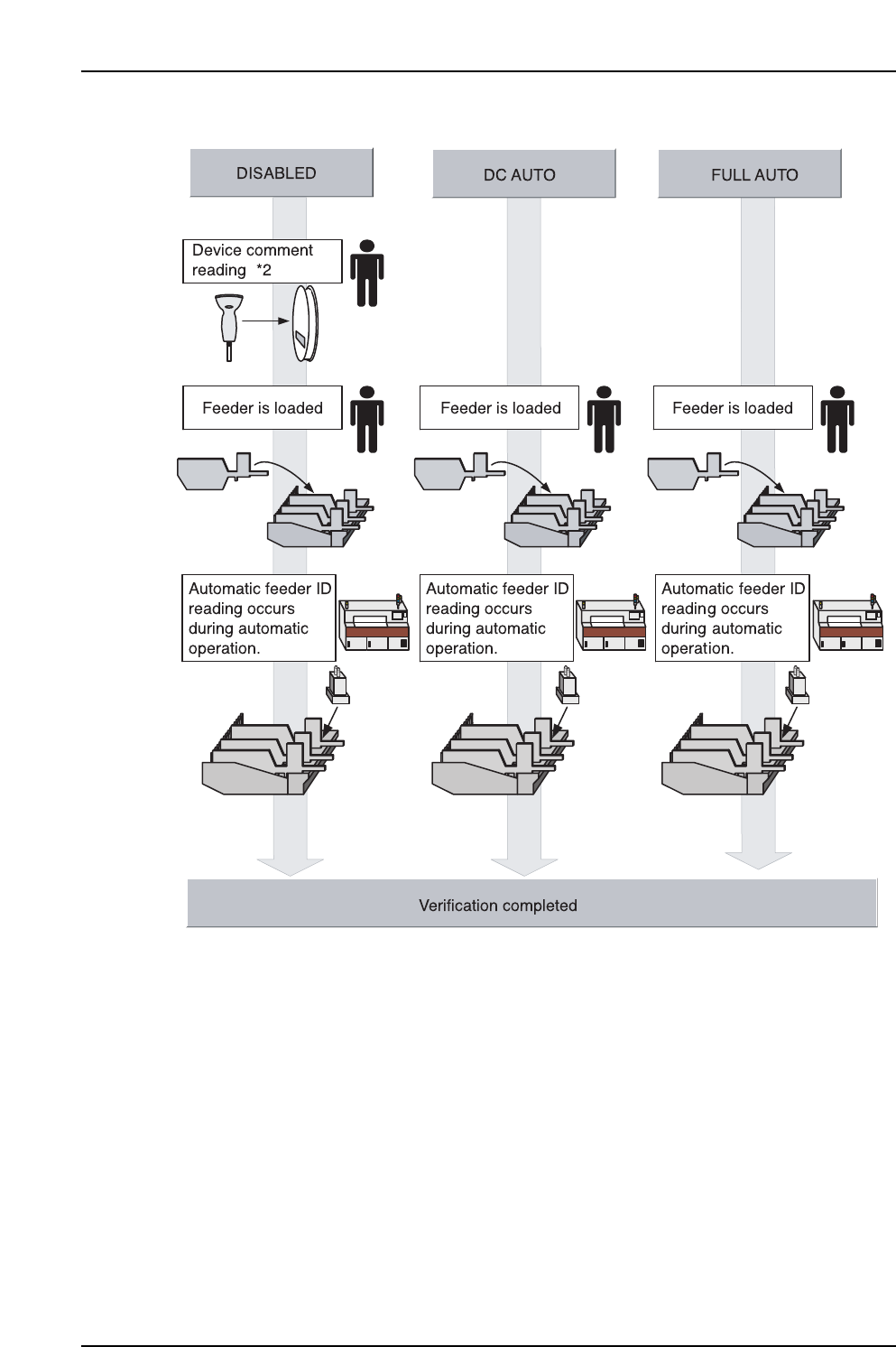
*1: When the slot No. is determined at the Handy Terminal with the automatic position
selection function used, the feeder must be removed in order for DID reading to occur if the
feeder is in the selected slot. Therefore, a loaded feeder should be removed when
determining the slot No.
*2: If a DID which is read contains a DID Joint Symbol, the comparison is performed using the
device comment extracted from the DID, and device comment reading therefore does not
occur.
9. Using The Normal Verification Mode
Edition 2.0 39 CP-7-series Verification System Instruction Manual
9. Using the Normal Verification Mode
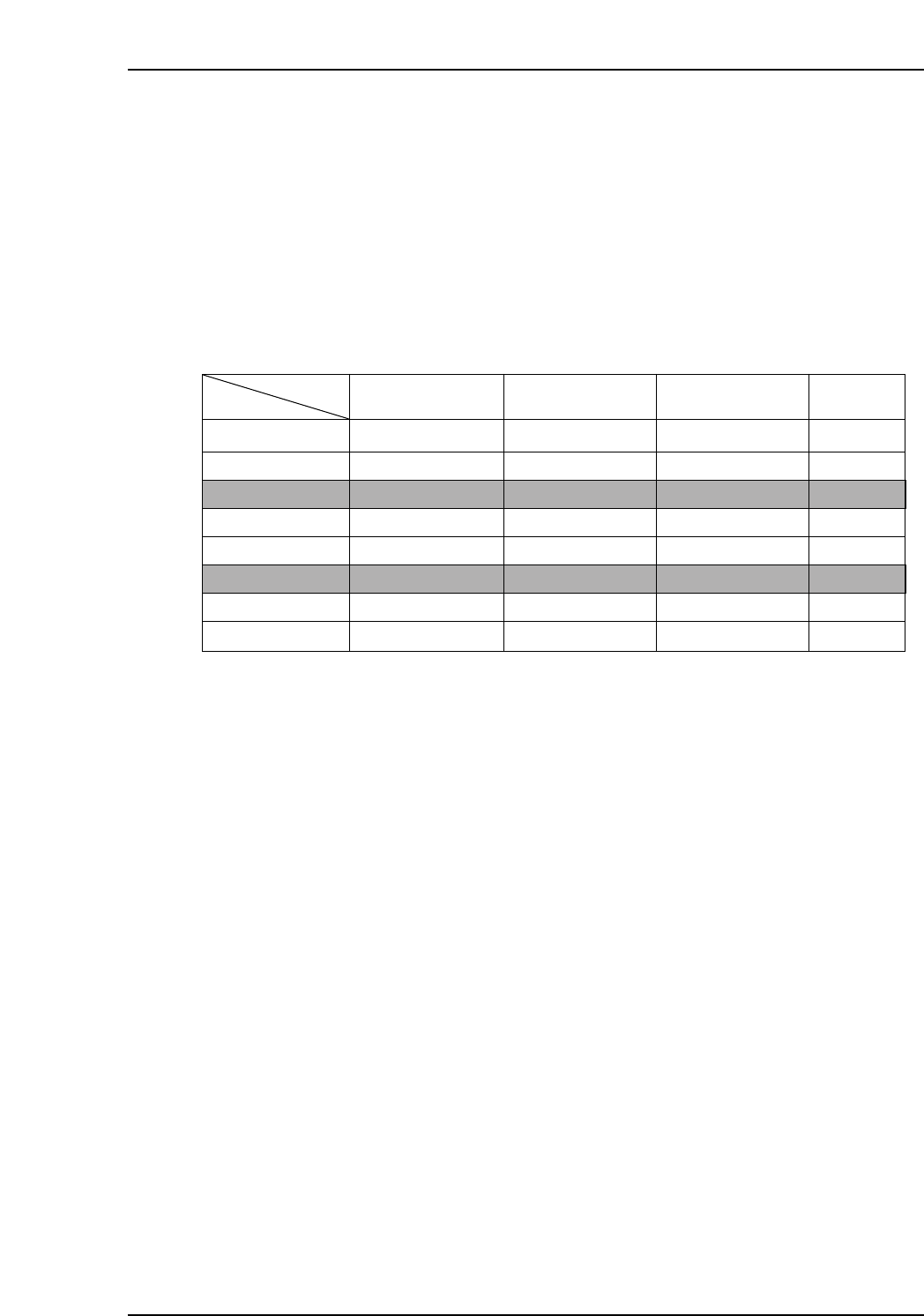
Verification operations vary somewhat, depending on the verification configuration (devices)
used. These devices can be selected at the [Parts Administration System] screen. The
following buttons are used to select the desired devices:
• [Use Handy Terminal]
• [Use Setup Sensor and LED system]
• [Use Fujitrax Verifier]
The table below shows the device combinations and corresponding procedures. Each of these
verification procedures is explained in the following pages.
Note: Configurations 3 and 6 are not yet supported as of January 15, 2002.
Examples of Handy Terminal display screens are shown in the following pages. When using
the PDT-3100 Handy Terminal, these screen images display on the PDT-3100 screen.
When using the “Scanner”, these screen images display at the machine control panel, in the
Handy Scanner dialog box.
9.1 Normal Verification Procedure 1
This procedure is used when none of the verification optional devices are selected. As no
devices are used, this procedure is not explained in this manual.
Configuration
N/A
✔
N/A
✔
N/A
✔
N/A
✔
N/A
N/A
✔
✔
N/A
N/A
✔
✔
N/A
N/A
N/A
N/A
✔
✔
✔
✔
Procedure 1
Procedure 2
Procedure 3
Procedure 4
Procedure 5
Procedure 6
Procedure 7
Procedure 8
Button
Use Handy Terminal
Use Setup Sensor
and LED system
Use Fujitrax-Verifier
Procedure
VT011Ea
Configuration 1
Configuration 2
Configuration 3
Configuration 4
Configuration 5
Configuration 6
Configuration 7
Configuration 8
9. Using The Normal Verification Mode
Edition 2.0 40 CP-7-series Verification System Instruction Manual
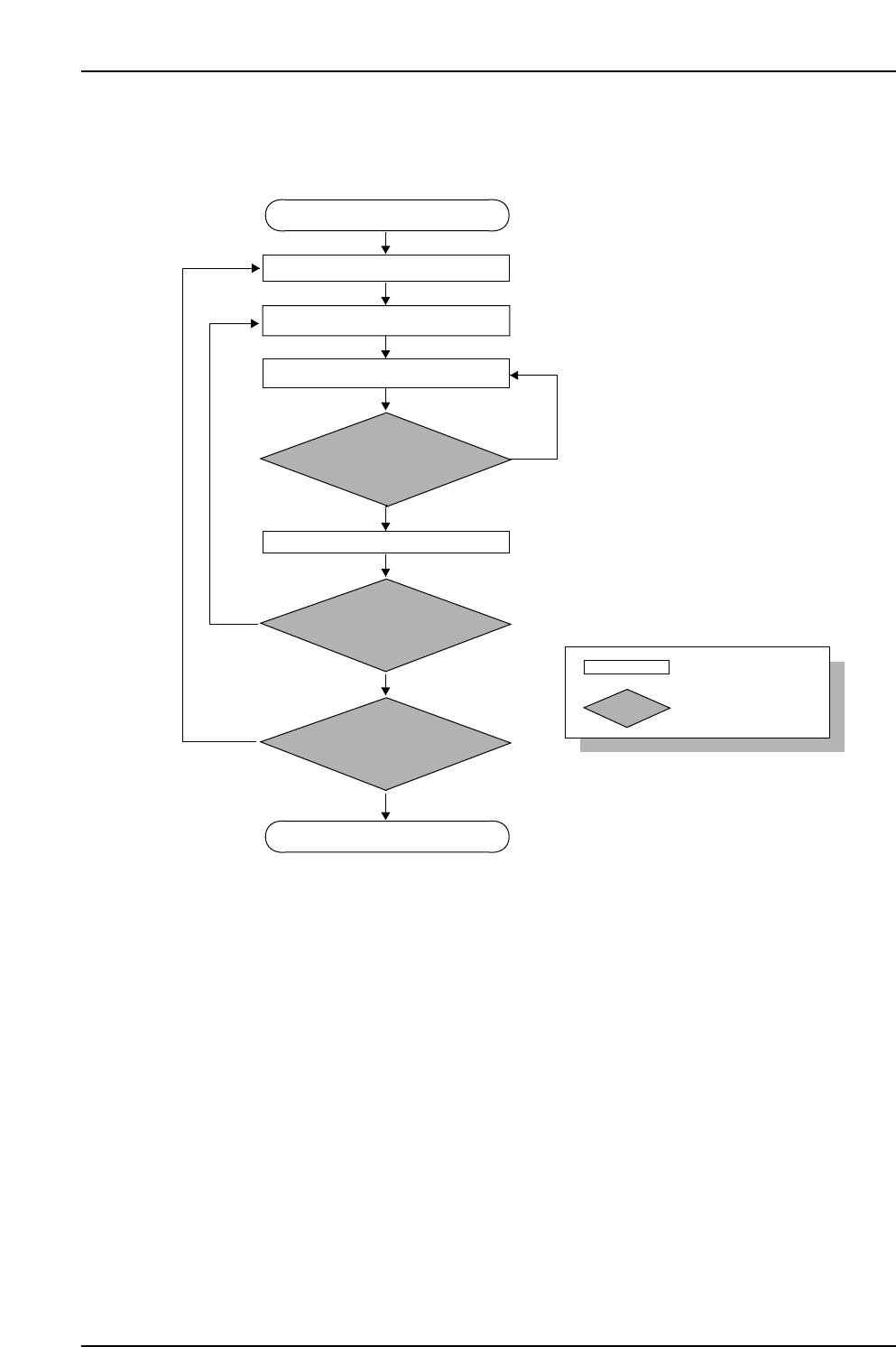
9.2 Normal Verification Procedure 2
Device check start
Stage to be checked is determined
Slot to be checked is determined
Device check completed
Device comment reading
Mismatch
CP7V0004E
Match
No
No
Yes
Yes
ID which was read is
compared with recipe’s device
comment
Feeder set
All device checks completed
at check subject stage?
Device checks completed
on both sides?
: Operator tasks
: Machine processing