CP-7-series Verification System Instruction manual(2.0E).pdf - 第90页
1 1. Using the FULL AUTO Mode Edition 2.0 79 CP-7-series V erification System Instruction Manual 1 1.3 FULL AUT O Mode Operation Procedure V erification procedures vary somewhat, depending on the verification configurati…
11. Using the FULL AUTO Mode
Edition 2.0 78 CP-7-series Verification System Instruction Manual
11. Using the FULL AUTO Mode
11.1 Operation Conditions
A “Use Fujitrax Verifier” setting must be specified at the [Parts Administration System] screen.
11.2 Preparations
11.2.1 Preparing Fujitrax Verifier
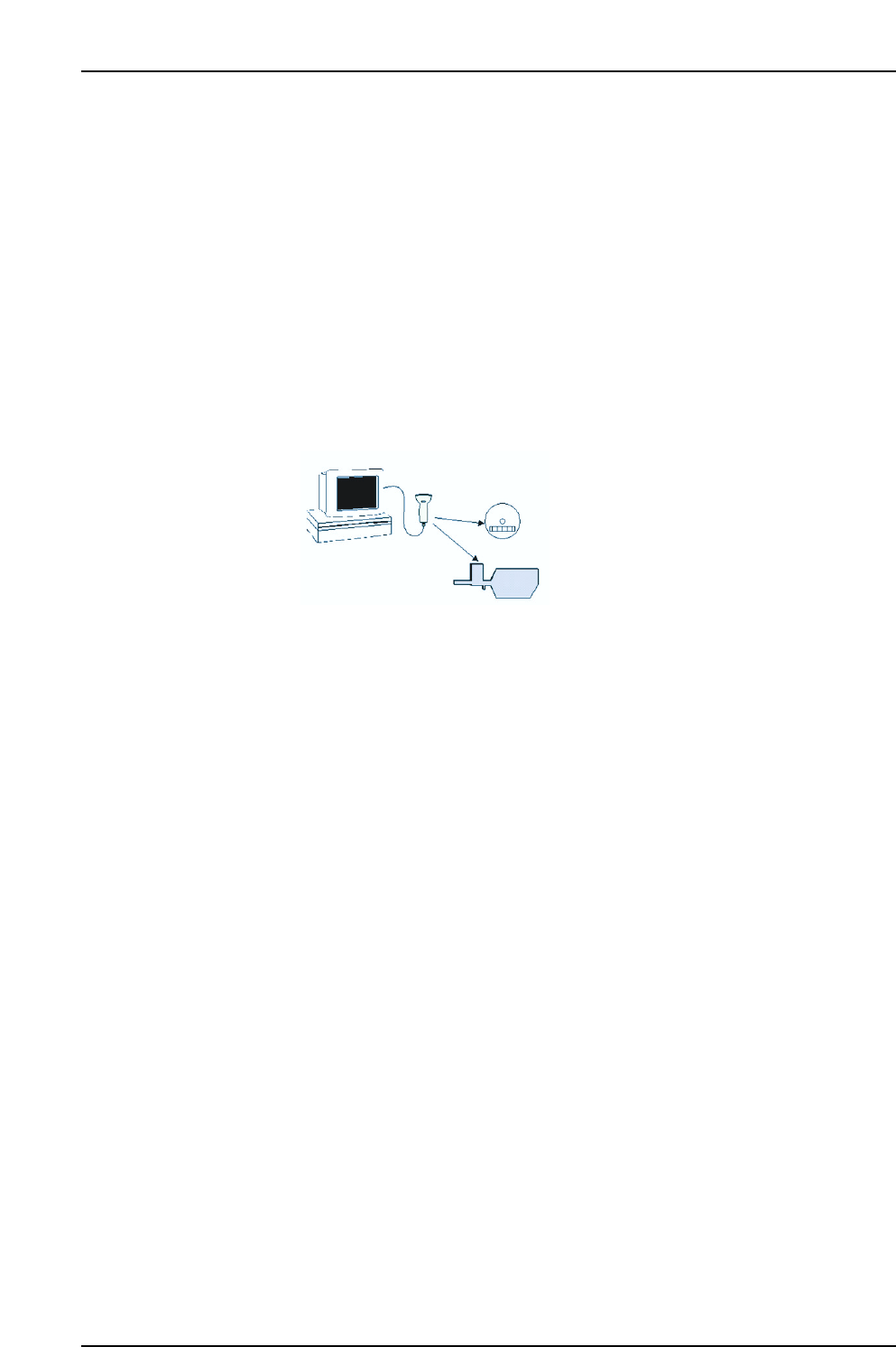
In the FULL AUTO mode, the feeder ID read system reads the feeder ID (FIDL), and the
device comment and DID are then obtained from Fujitrax Verifier based on the FIDL
that was read.
Therefore, the feeder (FIDL) and parts (DID, device comment) combination must be
registered in Fujitrax Verifier in advance.
11.2.2 Settings
At the [Maintenance] - [Configuration] - [Machine Function Settings]
- [Use Fujitrax Verifier] - [Parts Administration System] - [Fujitrax Verifier Settings] tab,
specify the FULLAUTO Quick Verification mode. For details, refer to chapter 6
“Settings” of this manual.
Note: Fujitrax Verifier is used in the FULL AUTO mode. Therefore, the FULL AUTO Quick Verify
mode is only operative when the "Use Fujitrax Verifier" setting are specified.
Fujitrax Verifier
Register the feeder / part combination
at Fujitrax Verifier in advance.
CP7V0055E
Handy
Terminal
11. Using the FULL AUTO Mode
Edition 2.0 79 CP-7-series Verification System Instruction Manual
11.3 FULL AUTO Mode Operation Procedure
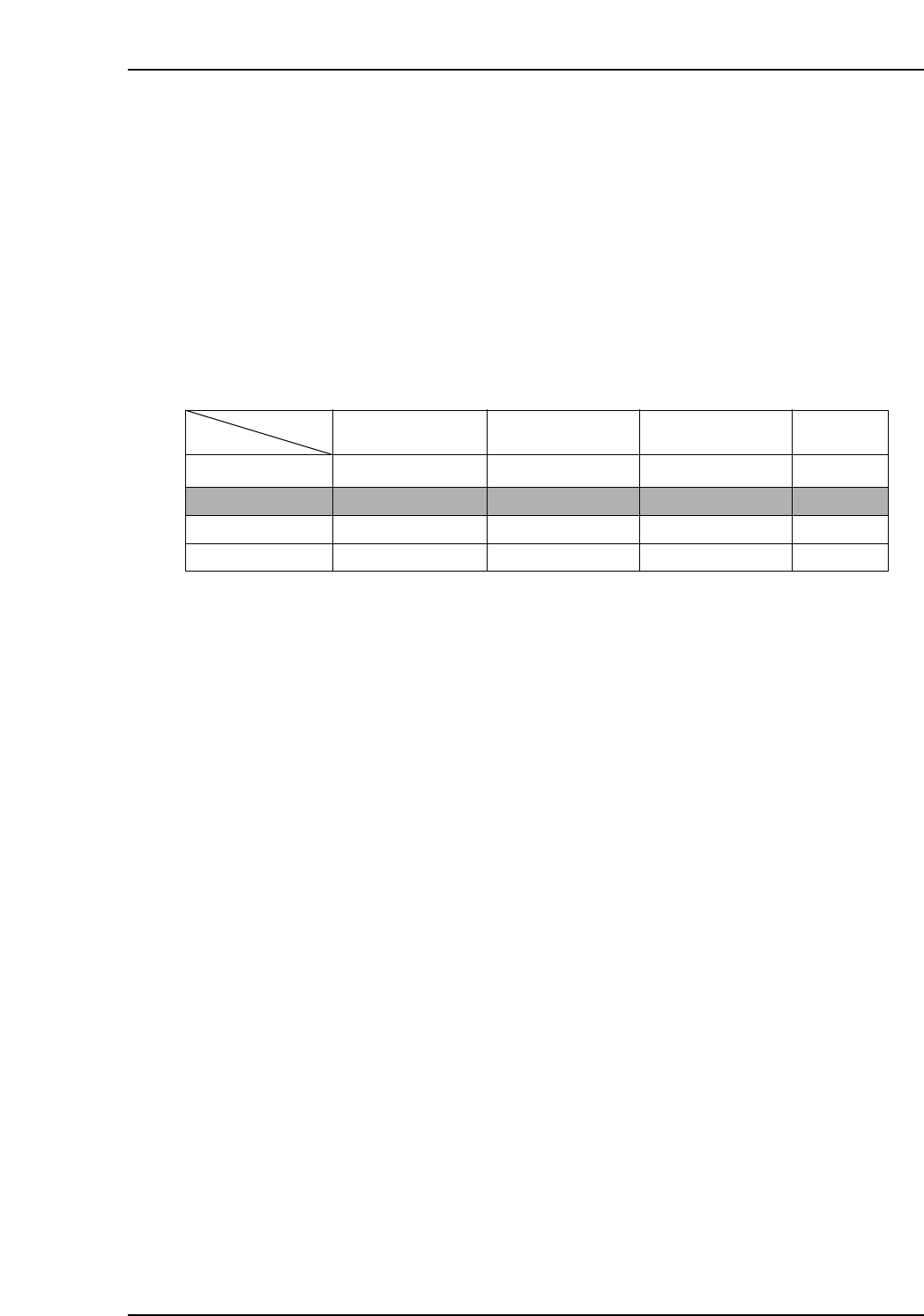
Verification procedures vary somewhat, depending on the verification configuration (devices)
which are used. These devices can be selected at the [Parts Administration System] screen.
The following tabs are used to select the desired devices:
• [Use Handy Terminal]
• [Use Setup Sensor and LED system]
• [Use Fujitrax Verifier]
The verification operation varies according to the above setting combinations. In order to use
the FULLAUTO mode, however, the "Use Fujitrax Verifier" setting is required.
The table below shows the device combinations and corresponding procedures.
Note: Configurations 6 is not yet supported as of January 15, 2002.
Configuration
N/A
✔
N/A
✔
N/A
N/A
✔
✔
✔
✔
✔
✔
Procedure 1
Procedure 2
Procedure 3
Procedure 4
Button
Use Handy Terminal
Use Setup Sensor
and LED system
Use Fujitrax Verifier
Procedure
VT012E
Configuration 5
Configuration 6
Configuration 7
Configuration 8
11. Using the FULL AUTO Mode
Edition 2.0 80 CP-7-series Verification System Instruction Manual
11.4 FULL AUTO Mode Procedure 1
11.4.1 Procedure Flowchart
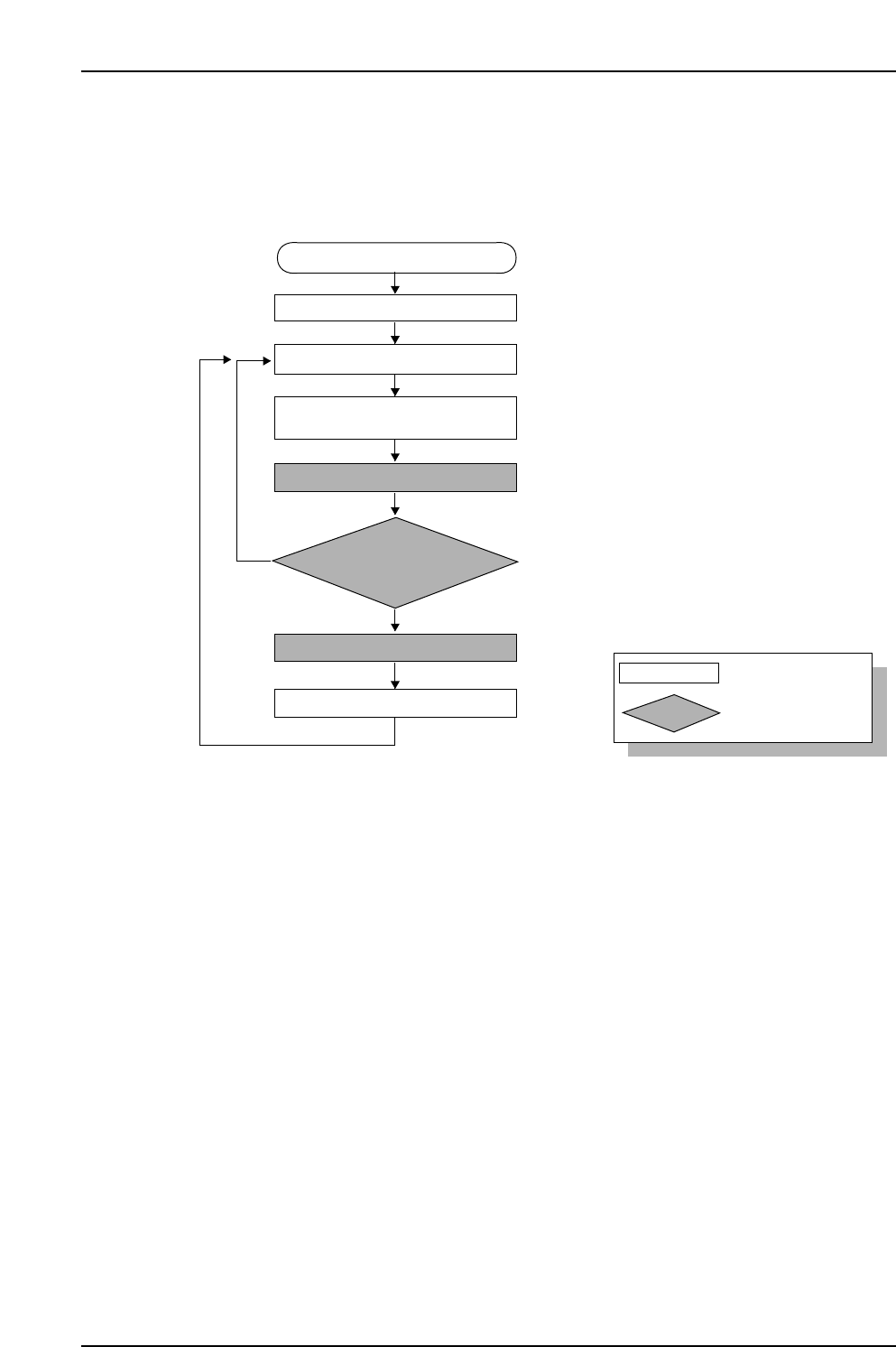
The following flowchart shows the general procedure.
11.4.1.1 Recipe Switching
• The recipe is switched.
11.4.1.2 Device Check
• After displaying the [Device Check] screen and verifying the slots to be used, set
feeders in all those slots.
• If the slots to be used are already known, there is no need to display the [Device
Check] screen.
Note: In the FULL AUTO mode, the above steps may not be required if feeders are set in all
the slots to be used before automatic operation begins. If feeders are set, the machine
automatically reads the feeder IDs, and verifies that the correct parts are being used.
11.4.1.3 Automatic Operation Start
• Automatic operation is started.
CP7V0056E
: Operator tasks
: Machine processing
Unshaded box
Shaded box
Device check start
Recipe switching
Device check
Part supply
Parts out occurrence
Automatic operation start
(START button pressed)
Mismatch
Checked against Verifier database
Feeder ID reading
Production start
Match