CP-7-series Verification System Instruction manual(2.0E).pdf - 第57页
9. Using The Normal V erification Mode Edition 2.0 46 CP-7-series V erification System Instruction Manual 9.2.6 Setting the Feeder • Set a feeder in the slot which is to be verified. Data flow The device comment read to …

9. Using The Normal Verification Mode
Edition 2.0 45 CP-7-series Verification System Instruction Manual
9.2.5 Device Comment Comparison
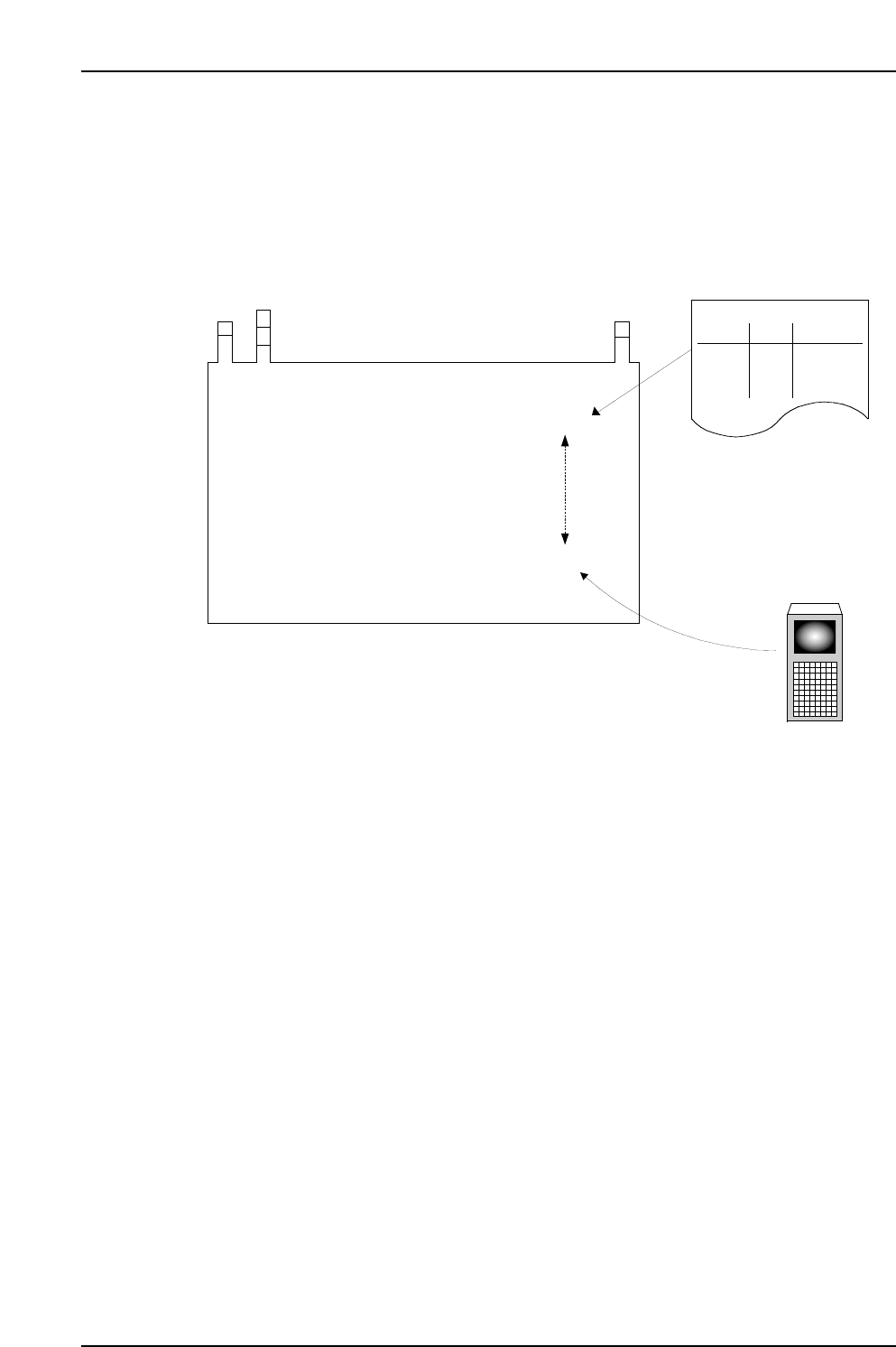
• The machine searches the recipe to determine what device comment should be for
the reel in the slot being verified.
• The machine compares this search result with the device comment which has been
read from the Handy Terminal.
• If the compared device comments do not match, the machine prompts the operator
to read the device comment again.
• When using PDT-3100, if the compared device comments match, the system
proceeds to the verify check results screen.
• If the [ ] key is pressed at the PDT-3100 "Results" screen, or if several seconds are
allowed to elapse, the verification check for the current slot is ended, and a
"Waiting for next verification subject slot selection" status is established.
• If the scanner is being used, the device check result displays, and the new device
status is indicated.
PDT-3100’s Verify Check Results Screen
NEXT:
[VERIFY CHECK]
CP7V0009
▲
STAGE1 SLOT ID:1
DID:01234
DEVICE COMMENT:01234
VERIFY CHECK OK
▲
9. Using The Normal Verification Mode
Edition 2.0 46 CP-7-series Verification System Instruction Manual
9.2.6 Setting the Feeder
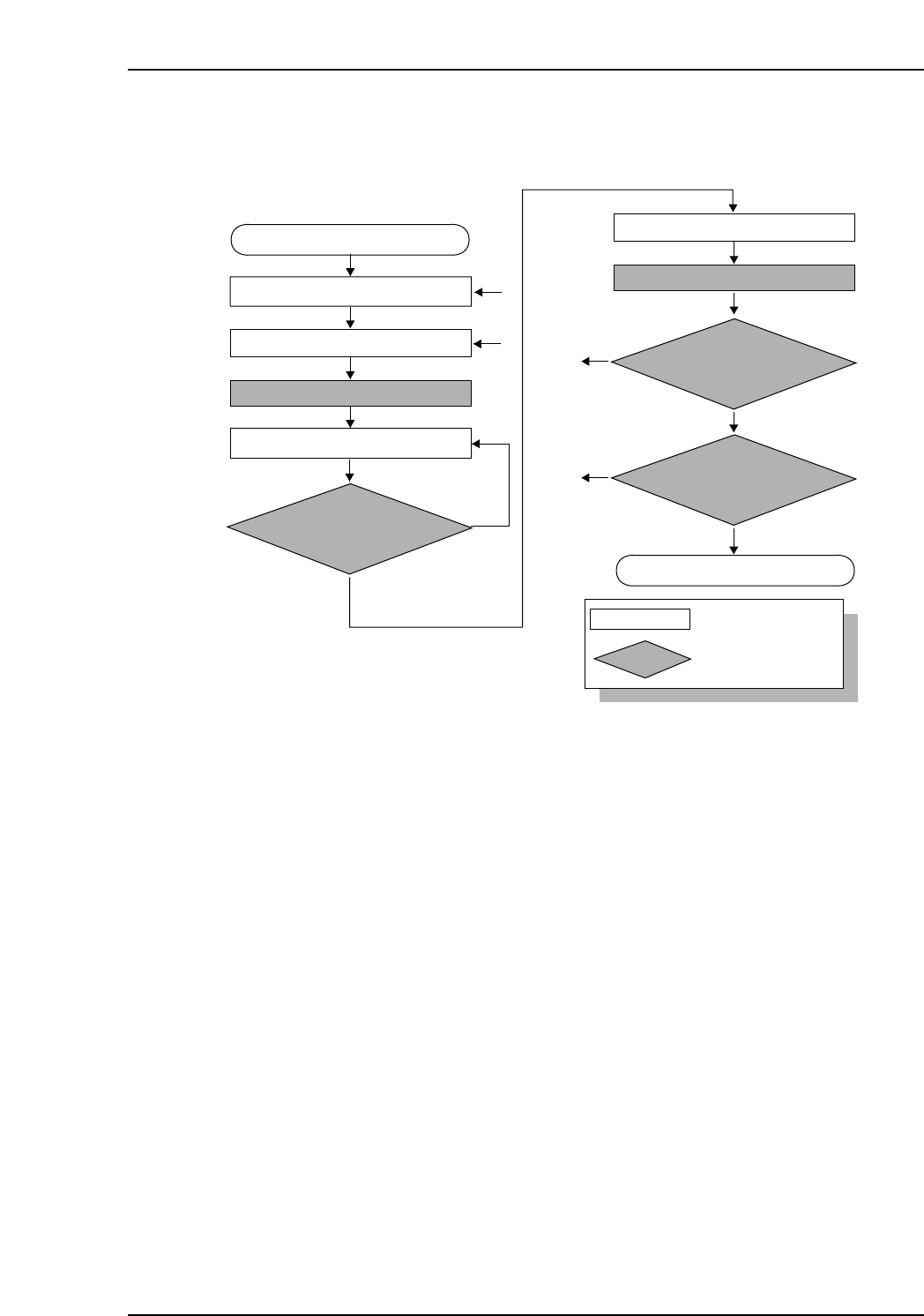
• Set a feeder in the slot which is to be verified.
Data flow
The device comment read to the Handy Terminal is checked against recipe data.
It is the operator’s responsibility to select the slot where the verified feeder is to be set.
CC
CC
PP
PP
77
77
1 1 aaaaa
1 2 bbbbb
2 1 ccccc
2 2 ddddd
Stage Slot Comment
Stage Slot Comment
CP7V0016E
Production Program
Specifications:
Acquired Data:
(3) Comparison
Stage
Slot
Comment
Production Program
(1) Production Program Analysis
(2) Device Comment Reading
9. Using The Normal Verification Mode
Edition 2.0 47 CP-7-series Verification System Instruction Manual
9.3 Normal Verification Procedure 4
Device check start
Stage to be checked is determined
Device check completed
Slot to be checked is determined
Mismatch
No
No
To [1]
To [2]
CP7V0010E
Match
Device comment reading
All device checks completed
at this stage?
ID which was read is
compared with recipe’s
device comment
Device checks completed
at both sides?
: Operator tasks
: Machine processing
LED on at slot to be verified
Feeder is set
LED on at stage to be verified
Unshaded box
Shaded box
[1]
[2]
Yes
Yes