CP-7-series Verification System Instruction manual(2.0E).pdf - 第38页
6. Settings Edition 2.0 27 CP-7-series V erification System Instruction Manual 6.2 Simple Parts Management Settings T ab The settings contained in the [Simple Parts Mgmt. Settings] tab are described below . 10 Enables th…
6. Settings
Edition 2.0 26 CP-7-series Verification System Instruction Manual
6. Settings
6.1 Part Administration System Setting Screen
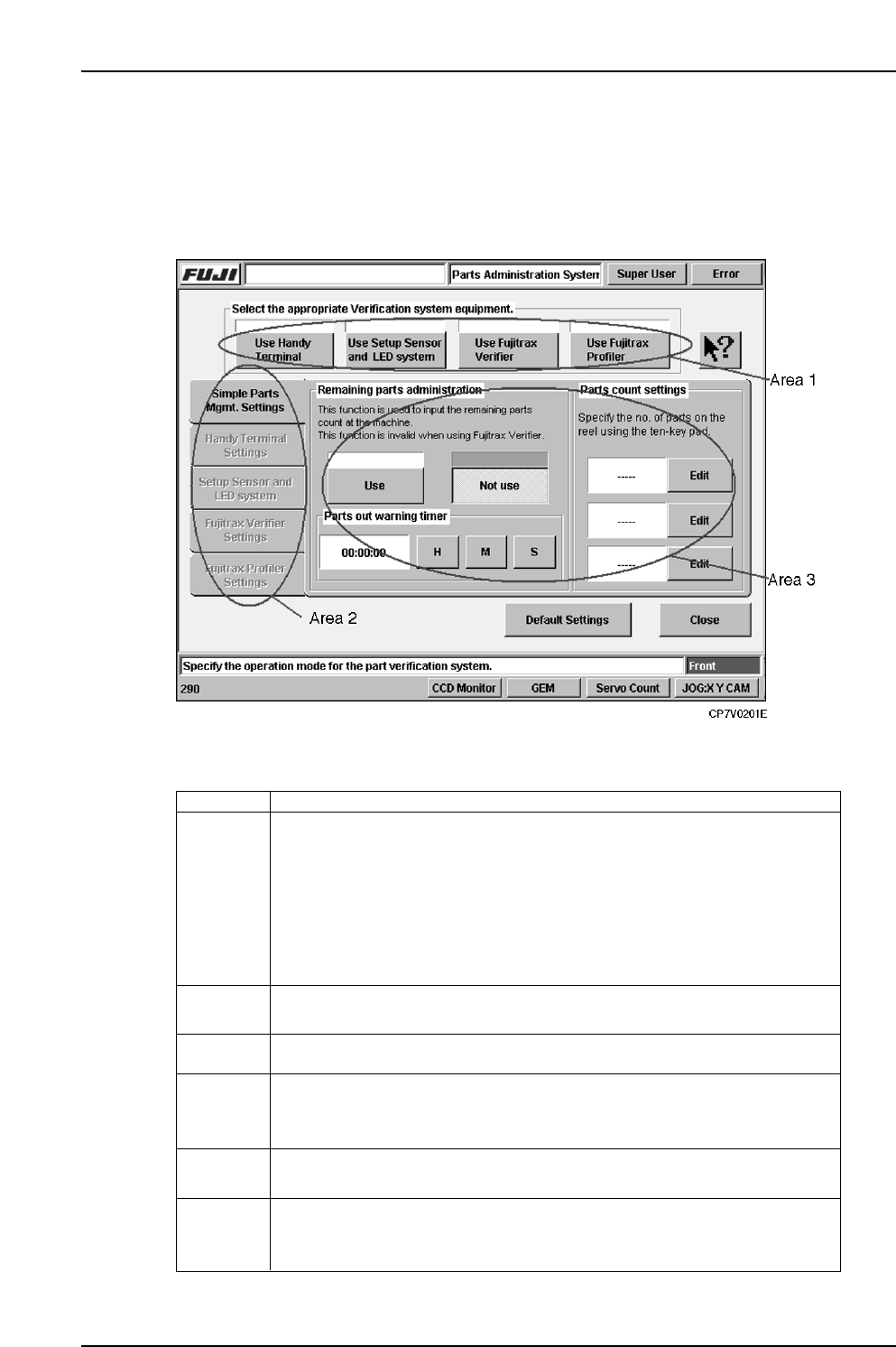
To specify settings related to the Verify operation, execute the following command sequence:
[Maintenance] - [Configuration] - [Machine Function Settings] - [Part Administration System].
★ Explanation of Screen Layout
Area 1
Specifies the configuration of the verification system items to be used.
Pressed buttons remain pressed, and the green indicator at the top of each
button lights.
Note that the use of Fujitrax Profiler requires that Fujitrax Verifier also be
used. When items are selected at Area 1, the tabs in Area 2 become enabled
(grayed out status canceled). Setting changes made in Area 1 become
enabled after the [Close] button is pressed, and the system returns to the
[Machine Function Settings] setting screen.
Area 2 Changes to the tab sheet for Area 3. Select the tab where a setting change
is desired.
Returns some of the setting items to their default values.
Area 3 Displays the setting item for the tab which was selected at Area 2.
Popup Hint Press the Pop-Up Hint button, then press any other button to display an
explanation of that button’s function.
Default
settings
Close Closes the [Parts Administration System] screen. Depending on setting
changes which may have been made, it may take several minutes to return to
the [Machine Function Settings] setting screen.
Explanation
VT004Eb
6. Settings
Edition 2.0 27 CP-7-series Verification System Instruction Manual
6.2 Simple Parts Management Settings Tab
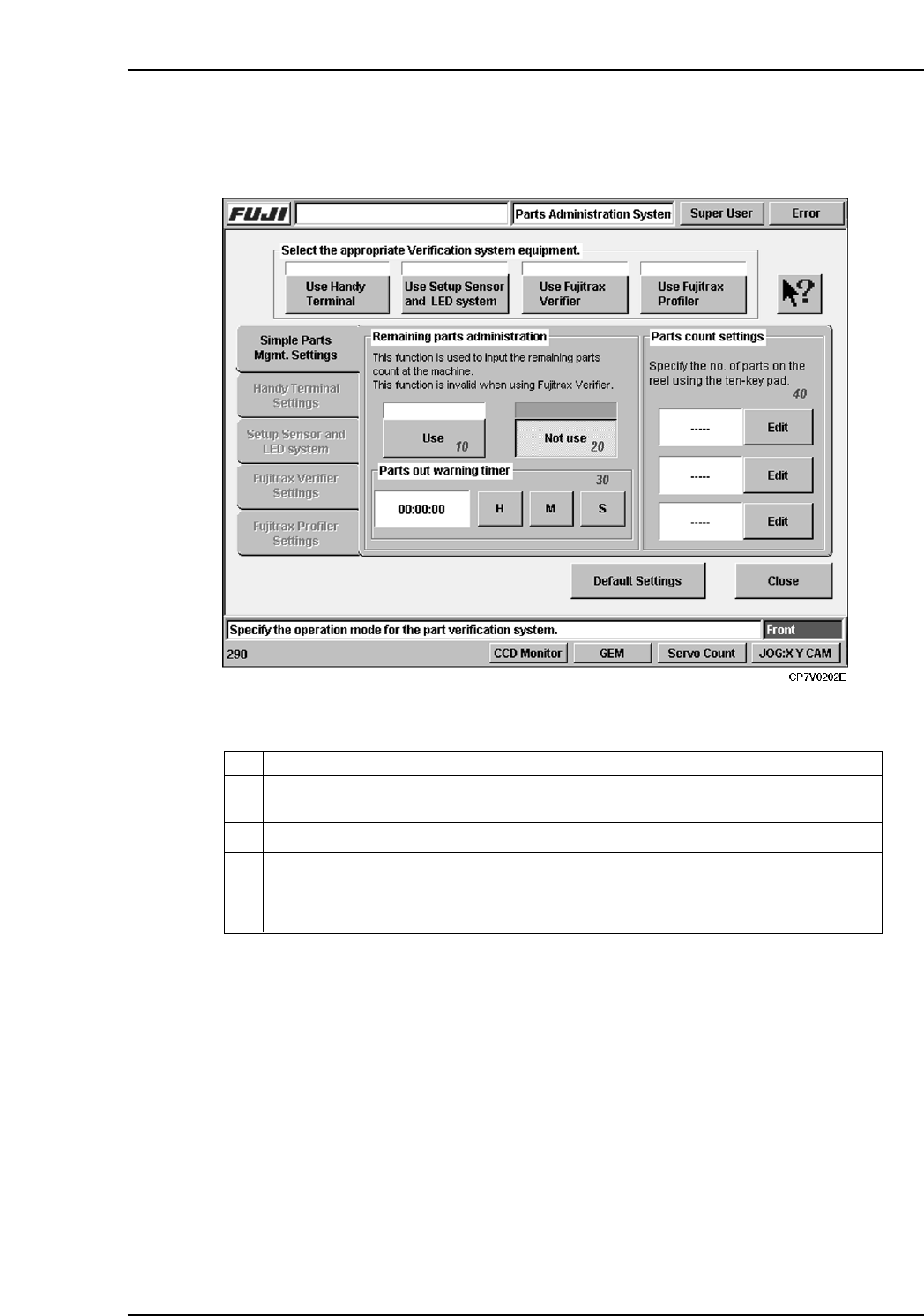
The settings contained in the [Simple Parts Mgmt. Settings] tab are described below.
10
Enables the Remaining parts administration function. This function cannot be used
when using Fujitrax Verifier.
Disables the Remaining parts administration function.20
Make this setting in hours, minutes, and seconds to issue a warning prior to parts
running out.
30
Use this function to manually specify the number of parts left on the reel.
40
ExplanationNo.
VT020E
6. Settings
Edition 2.0 28 CP-7-series Verification System Instruction Manual
6.3 Handy Terminal Settings Tab
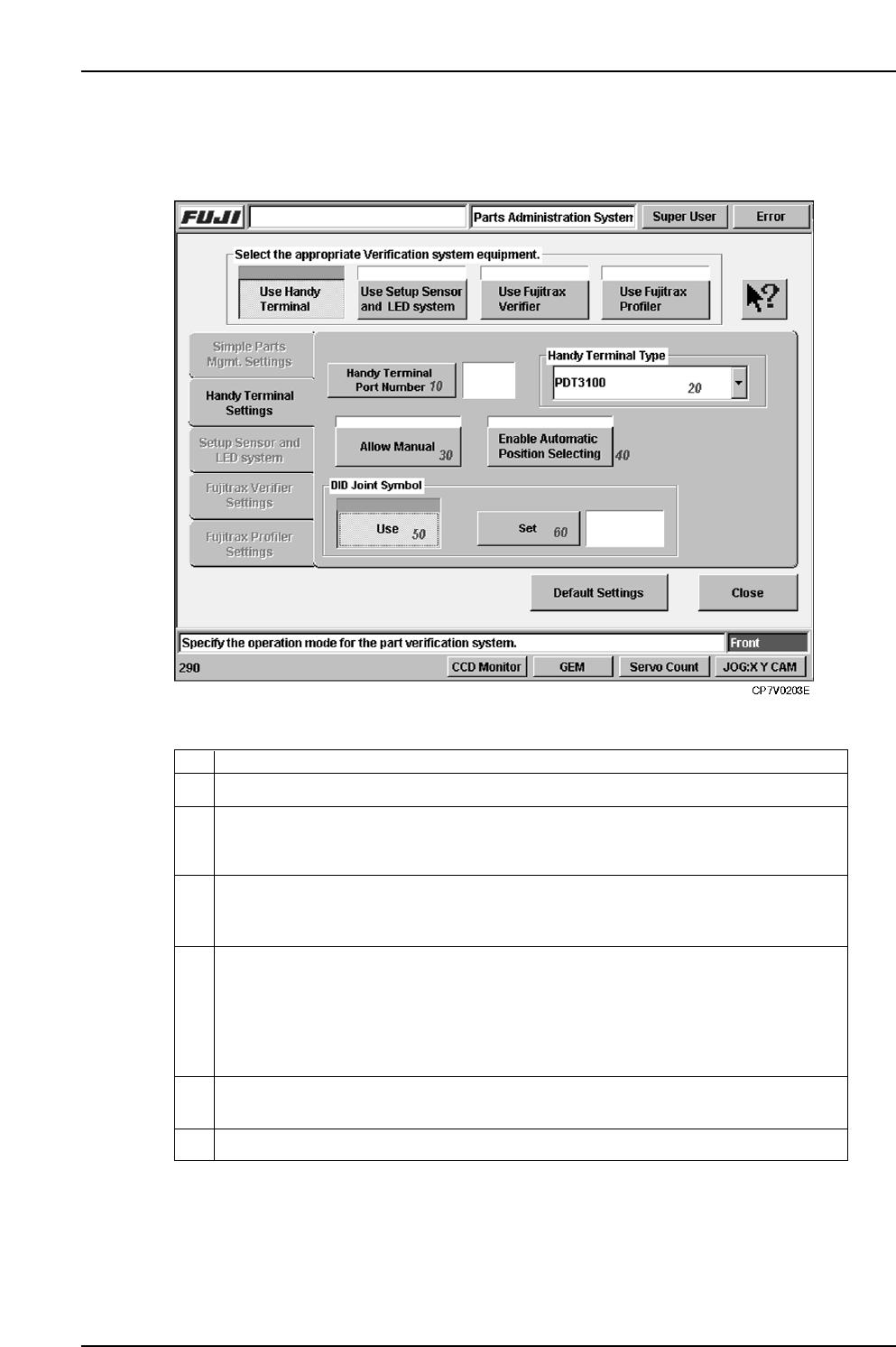
The setting items contained in the Handy Terminal settings tab are described below.
10 Specifies the communication port number to which Handy Terminal is to be connected.
Specifies the Handy Terminal type. Either a Scanner or PDT3100 type can be
selected. Before specifying this setting, check the Handy Terminal in question to
verify its type.
20
This function is used to omit the barcode read operation in the case where it is not
possible to read the using the Handy Terminal, or when feeders or parts are used that
are not administered by Fujitrax Verifier. Select to enable.
In the case where the device comment is included in the DID, specify the DID joint
symbol code to extract the device comment.
30
Specify whether to manually input the position of the device or to automatically set
when a device check is being performed using the Handy Terminal. Select to
automatically set the device positions in ascending order without requiring manual
input by the operator. Deselect when using manual input by the operator. This setting
can also be made at the PDT3100 environment settings when the PDT3100 is being
used.
40
50
60
Use this setting to specify the DID joint symbol.
ExplanationNo.
VT005Eb