CP-7-series Verification System Instruction manual(2.0E).pdf - 第93页
1 1. Using the FULL AUTO Mode Edition 2.0 82 CP-7-series V erification System Instruction Manual 1 1.5 FULL AUT O Mode Procedure 3 1 1.5.1 Procedure Flowchart The following flowchart shows the general procedur e. 1 1.5.1…

11. Using the FULL AUTO Mode
Edition 2.0 81 CP-7-series Verification System Instruction Manual
11.4.1.4 Feeder ID Reading
• The camera at ST1 reads the 2D codes which are affixed to each of the feeders.
• The slots where this barcode reading occurs is determined by the setting of the
[Read only the FIDL of error devices] button at the [Fujitrax Verifier Settings] tab
on the [Parts Administration System] screen.
• When the [Read ID or Error Devices Only] button is “ON”, barcode reading occurs
only at feeders where an error has occurred.
• When the [Read ID or Error Devices Only] button is “OFF”, barcode reading occurs
at all the slots being used.
• A feeder ID reading error occurs and the machine is stopped if a feeder is not set in
a slot which is to be used.
11.4.1.5 Check Against Fujitrax Verifier Database
• Information indicating the parts reel which corresponds to the feeder ID which was
read is obtained from Fujitrax Verifier.
• The device comment included in the obtained reel information is checked against
the recipe.
11.4.1.6 Production Start
• Production is started automatically.
11.4.1.7 Part Supply
• Parts are supplied.
11. Using the FULL AUTO Mode
Edition 2.0 82 CP-7-series Verification System Instruction Manual
11.5 FULL AUTO Mode Procedure 3
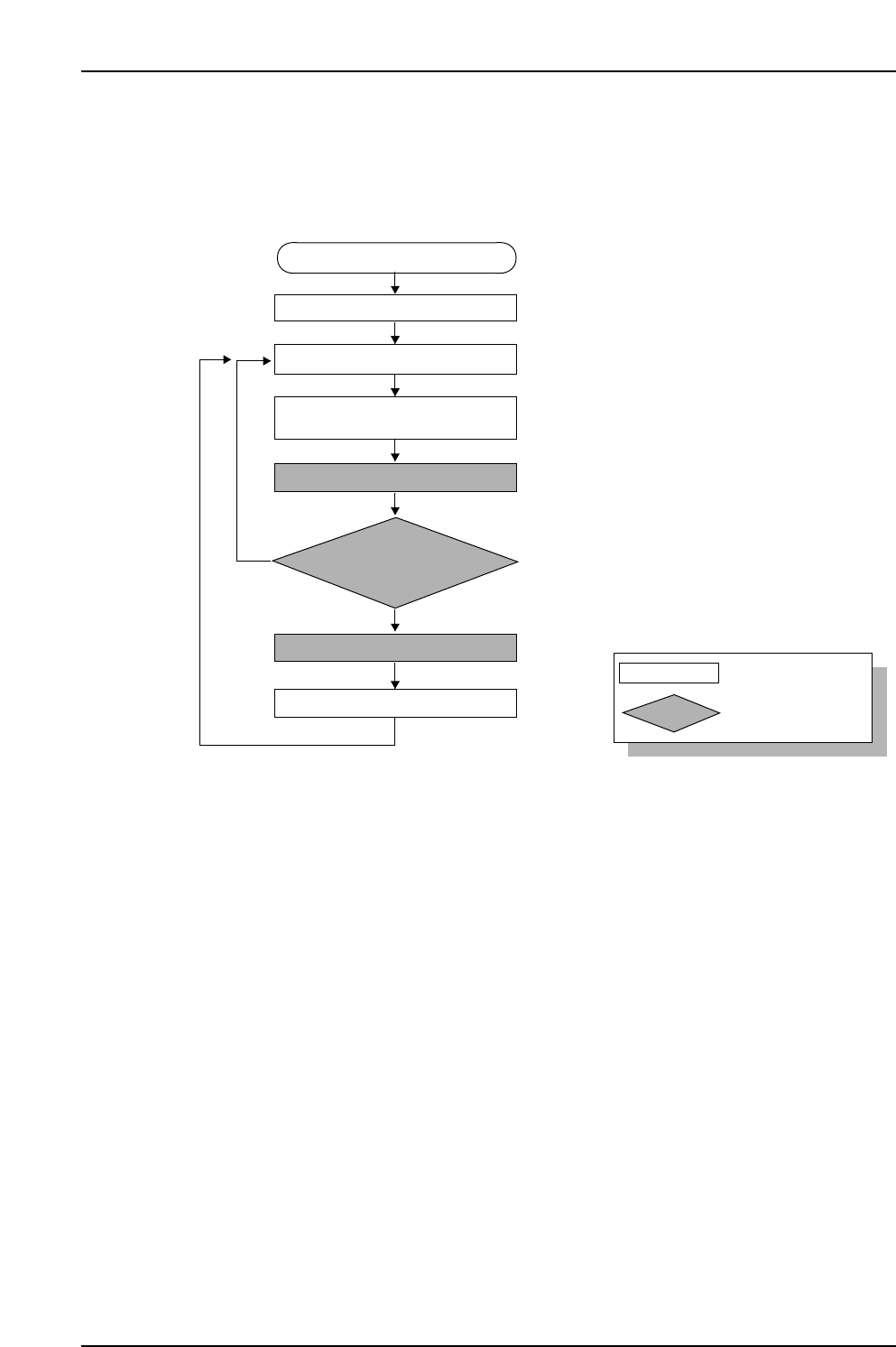
11.5.1 Procedure Flowchart
The following flowchart shows the general procedure.
11.5.1.1 Recipe Switching
• The recipe is switched.
11.5.1.2 Device Check
• LEDs remain on at all slots where feeders have not been set (error slots and slots to
be used). Perform the feeder setup with reference to these LEDs.
• To clear device errors such “pickup errors” and “vision errors”, demount the
feeder, then remount it again.
• Check the setup combination information from Fujitrax Verifier to determine the
correct feeder to mount.
• All slots on the device table are ready for production when all LEDs are off.
• As the LEDs will indicate slots where maintenance in required, there is no
particular need to display the [Device Check] screen except to check status details.
11.5.1.3 Automatic Operation Start
• Automatic operation is started.
CP7V0056E
: Operator tasks
: Machine processing
Unshaded box
Shaded box
Device check start
Recipe switching
Device check
Part supply
Parts out occurrence
Automatic operation start
(START button pressed)
Mismatch
Checked against Verifier database
Feeder ID reading
Production start
Match

11. Using the FULL AUTO Mode
Edition 2.0 83 CP-7-series Verification System Instruction Manual
11.5.1.4 Feeder ID Reading
• The camera at ST1 reads the 2D codes which affixed to each of the feeders.
• This barcode reading occurs at slots where an “Unchecked”,”Part Unverified”, or
”Feeder Unverified” status exists. (Device status can be checked on the [Device
Check] screen.
Note: Because the FULL AUTO Mode operation obtains and verifies the DID and device
comment based on the FIDL, reading will also be required at slots where an
“Unchecked” status exists.
11.5.1.5 Check Against Fujitrax Verifier Database
• Information indicating the parts reel which corresponds to the feeder ID which was
read is obtained from Fujitrax Verifier.
• The device comment included in the obtained reel information is checked against
the recipe.
11.5.1.6 Production Start
• Production is started automatically.
11.5.1.7 Part Supply
• Parts are supplied.