CP-7-series Verification System Instruction manual(2.0E).pdf - 第98页
1 1. Using the FULL AUTO Mode Edition 2.0 87 CP-7-series V erification System Instruction Manual 1 1.6.2.1.2 Device Check Start • A device check can be started in the following two ways. I. Select [Device Check] on the m…
11. Using the FULL AUTO Mode
Edition 2.0 86 CP-7-series Verification System Instruction Manual
11.6.2 Device Check Procedure Using PDT-3100
There are two methods for using the PDT-3100 in FULLAUTO mode operations.
With one method, a device comment list displays at the PDT-3100, and with the other
method, it does not display.
11.6.2.1 Method Where Device Comment List Displays at PDT-3100
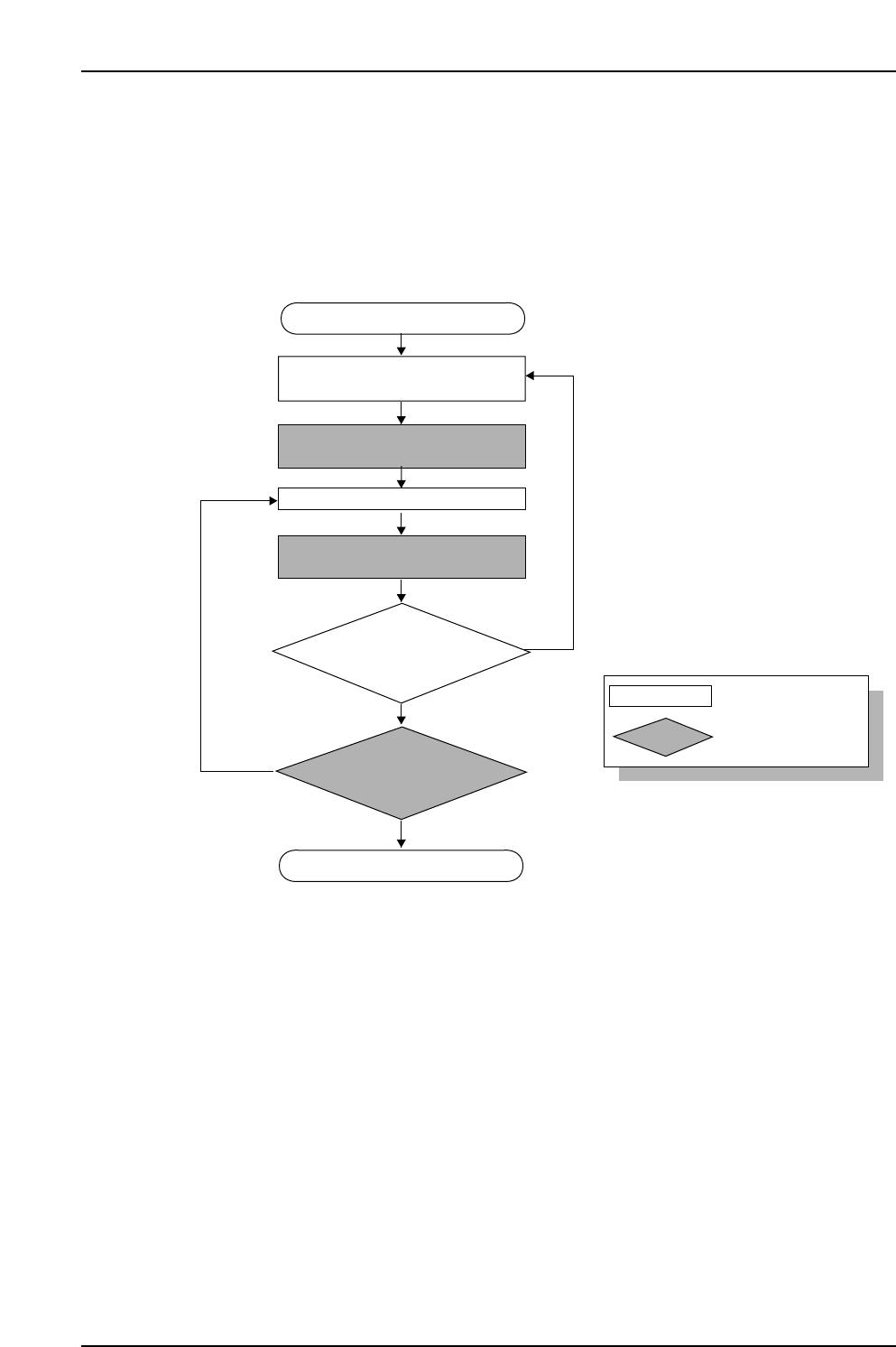
11.6.2.1.1 Device Check Flowchart
Device check start
Stage
for which device comment
list is to display
is determined
Display device comment list at
Handy Terminal
LED switches off at slot where
feeder was set.
Device check completed
CP7V0057E
No
No
Yes
Yes
Set feeder on device table
Change the Stage
for which a device comment list
is to display?
Have feeders
been set in all the required
slots?
: Operator tasks
: Machine processing
Unshaded box
Shaded box
11. Using the FULL AUTO Mode
Edition 2.0 87 CP-7-series Verification System Instruction Manual
11.6.2.1.2 Device Check Start
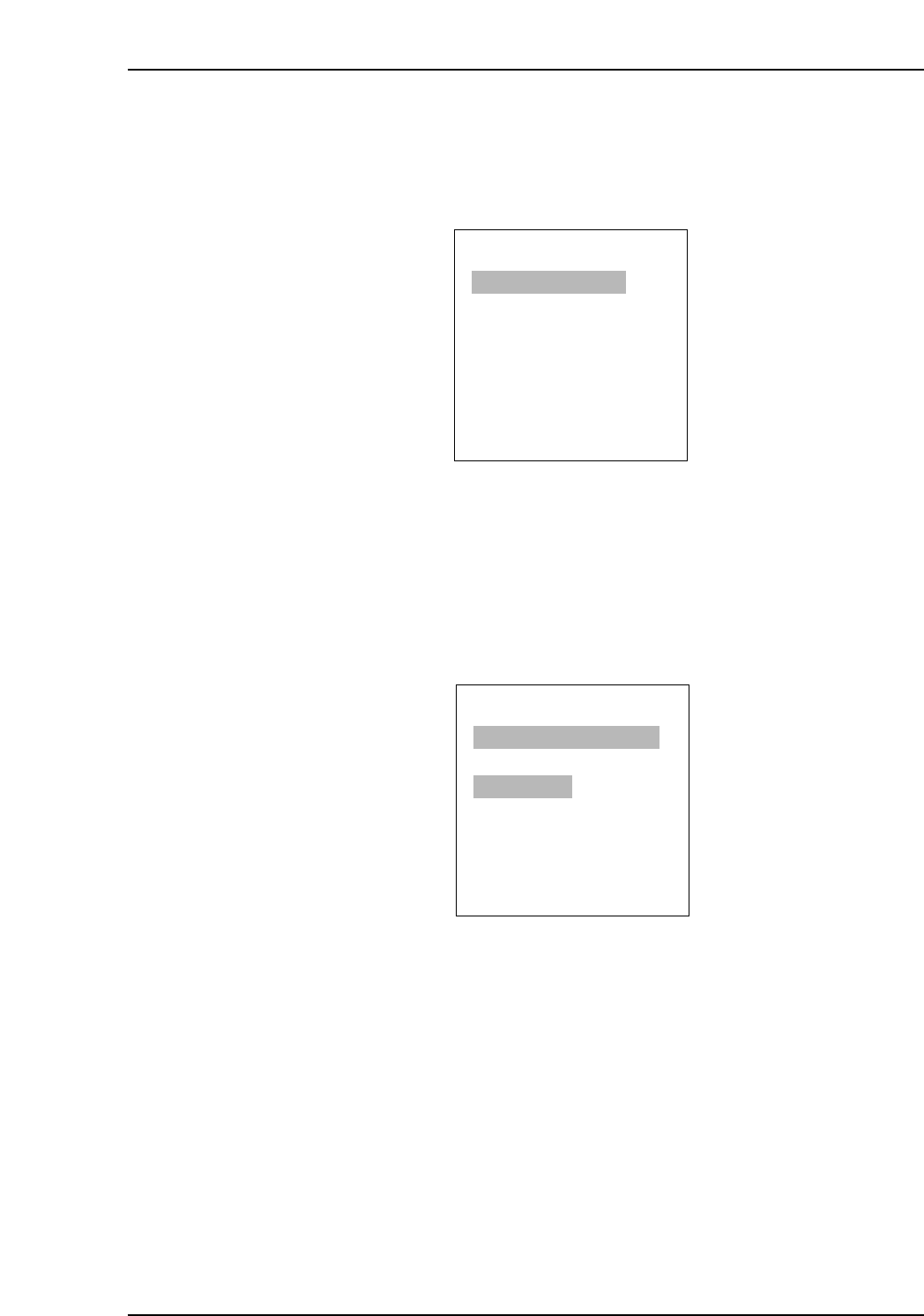
• A device check can be started in the following two ways.
I. Select [Device Check] on the machine control panel.
II. Select [1. Verify Check] at PDT-3100’s [Main Menu], then press [Enter].
PDT-3100’s Main Menu
11.6.2.1.3 Selecting The Device Comment List Stage
• The Stage for which a device comment list displays can be selected in the following
two ways.
I. Use the Handy Terminal to read the Stage number barcode affixed on the
machine rear.
II. Select the desired Stage on the Handy Terminal’s [Select Stage] screen.
PDT-3100’s Stage Selection Screen
Note: In the FULL AUTO mode, the above Stage selection process does not determine
the Stage to be verified, but rather the Stage for which a device comment list
displays. Therefore, the LED on/off status does not change even when a Stage is
selected. Moreover, it is possible to set feeders at the Stage which was not
selected.
ENTER/QUIT:
[VERIFY CHECK]
CP7V0006a
▲
SELECT START STAGE
1. STAGE1
2. STAGE2
SELECT STAGE NO.=v
▼▲
ENTER
[MAIN MENU]
1. VERIFY CHECK
2. PRE VERIFY CHECK
3. SET VERIFY RECIPE
4. PALLET SUPPLY
5. TEST READ
SELECT NO.=v
▼▲
CP7V0005
11. Using the FULL AUTO Mode
Edition 2.0 88 CP-7-series Verification System Instruction Manual
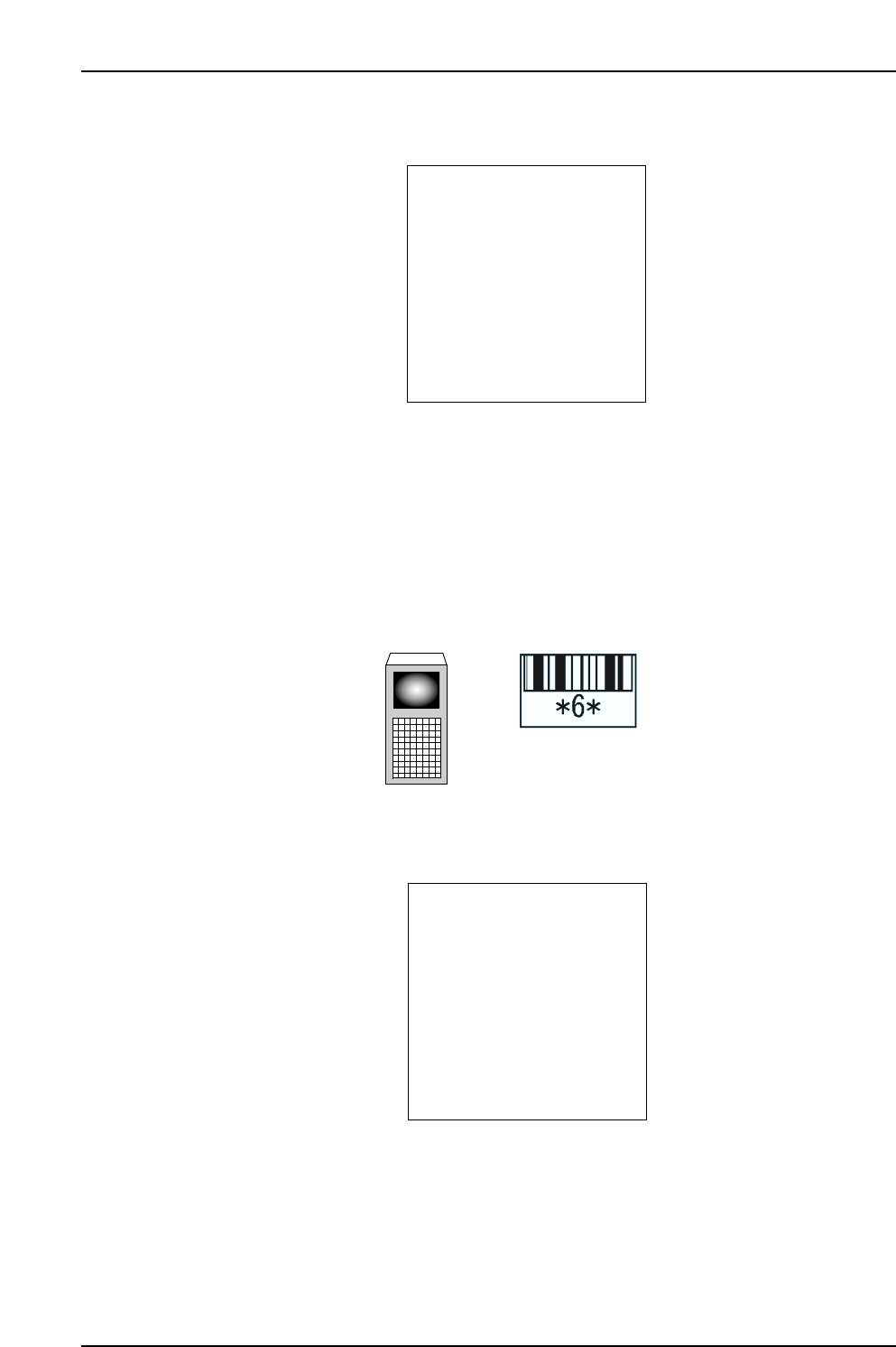
11.6.2.1.4 Device Comment List Display
PDT-3100’s [Device List] Screen
• The displayed list contains the device comments for all slots being used at the
selected Stage.
• Press the [▼] key to display the list content for the next 3 slots.
• Press the [▲] key to display the list content for the previous 3 slots.
• If a slot number is read, device comments display for that slot and the 2 adjacent
slots (slots in use).
PDT-3100’s [Device List] Screen
(When slots 4, 6, and 8 are “used” slots, and slots 5 and 7 are “unused” slots.)
ST: /QUIT:
[DEVICE LIST]
CP7V0059
▲
▲
STAGE1 SLOT4: XXXXXX
XXXXXXXXXXXXXXXXX
STAGE1 SLOT6: XXXXXX
XXXXXXXXXXXXXXXXX
STAGE1 SLOT8: XXXXXX
XXXXXXXXXXXXXXXXX
▼▲
CP7V0084E
If Slot No.6 is read, the list shown below displays
Handy Terminal
Slot ID
ST: /QUIT:
[DEVICE LIST]
CP7V0058
▲
▲
STAGE1 SLOT1: XXXXXX
XXXXXXXXXXXXXXXXX
STAGE1 SLOT2: XXXXXX
XXXXXXXXXXXXXXXXX
STAGE1 SLOT3: XXXXXX
XXXXXXXXXXXXXXXXX
▼▲