CP-7-series Verification System Instruction manual(2.0E).pdf - 第43页
6. Settings Edition 2.0 32 CP-7-series V erification System Instruction Manual 6.7 Wildcard Setting The device comment wildcard character to be used can be specified at the [Basic Configuration] screen which can be displ…
6. Settings
Edition 2.0 31 CP-7-series Verification System Instruction Manual
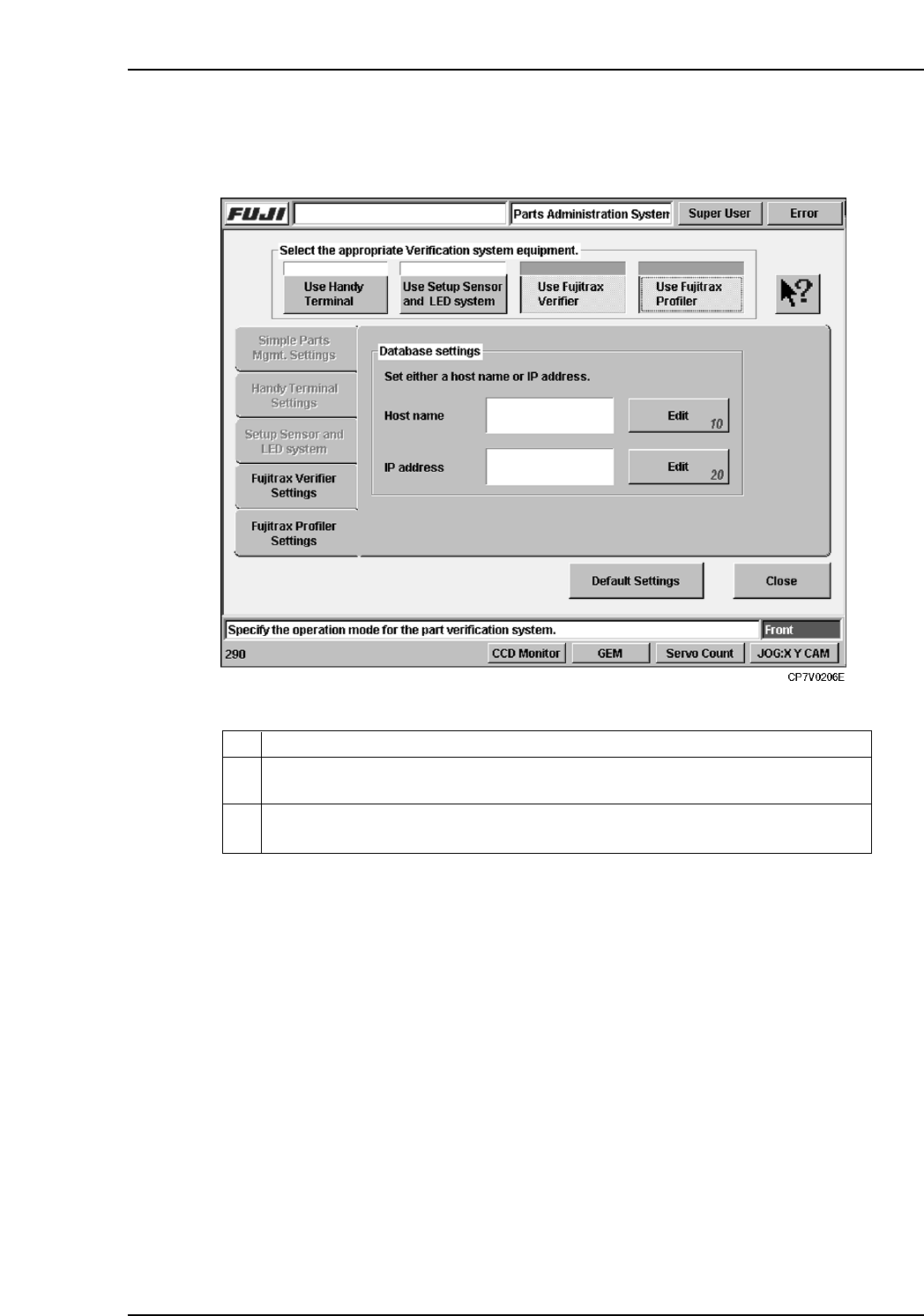
6.6 Fujitrax Profiler Settings Tab
The setting items contained in the [Fujitrax Profiler Settings] tab are described below.
10
Specifies the Fujitrax Profiler host name. Specify either a host name or an IP
address (not both).
Specifies the IP address of the Fujitrax Profiler host. Specify either a host name or
an IP address (not both).
20
ExplanationNo.
VT009E
6. Settings
Edition 2.0 32 CP-7-series Verification System Instruction Manual
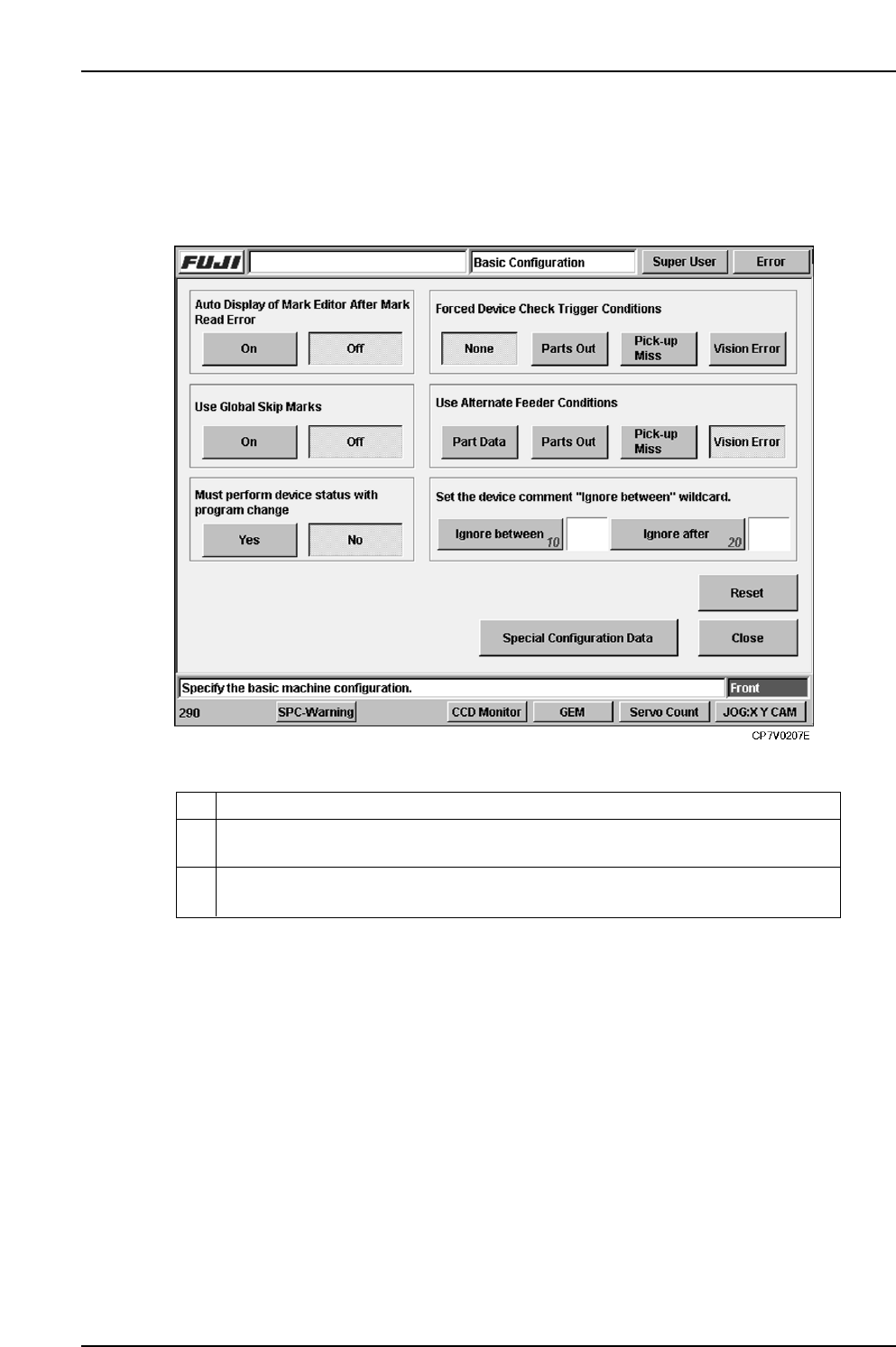
6.7 Wildcard Setting
The device comment wildcard character to be used can be specified at the [Basic
Configuration] screen which can be displayed by selecting the following:
[Maintenance] - [Configuration] - [Basic].
10
Specifies the wildcard character used to enclose a part of the device comment
character string which is to be ignored.
Specifies the wildcard character which indicates that all the subsequent device
comment character string is to be ignored.
20
ExplanationNo.
VT010E

6. Settings
Edition 2.0 33 CP-7-series Verification System Instruction Manual
Wildcard Explanation
Wildcards can be used to enable more versatile handling of device comments. Note that
wildcards cannot be used in DIDs.
The following 4 wildcard types can be used on the Handy Terminal.
?...Expresses one random character.
For example, if a “RECT32160?0” device comment is specified in the recipe, this could
apply to any of the following:
RECT3216060
RECT32160A0
RECT32160-0
*...Expresses a random character string.
For example, if a “RECT*60” device comment is specified in the recipe, this could apply
to any of the following:
RECT3216060
RECTFU59d60
RECTDW07960
Delimiter for ignoring part of comment...Only the characters between a specified
delimiter code are handled as a comment.
For example, if a comment delimiter code such as “/” is specified, and if REC/3216/60
is entered in the recipe as a device comment, a barcode reading of “REC60” will be
accepted (OK).
Delimiter for ignoring comment beyond specified character...All the device comment
character string beyond this delimiter is ignored.
For example, if a comment delimiter code such as “%” is specified, and if REC32%6060
is entered in the recipe as a device comment, a barcode reading of “RECT32” will be
accepted (OK).