CP-7-series Verification System Instruction manual(2.0E).pdf - 第73页
9. Using The Normal V erification Mode Edition 2.0 62 CP-7-series V erification System Instruction Manual 9.6.2.7 Device comment reading • Device comments can be read in the following two ways. I. The device comment barc…
9. Using The Normal Verification Mode
Edition 2.0 61 CP-7-series Verification System Instruction Manual
9.6.2.5 DID Reading
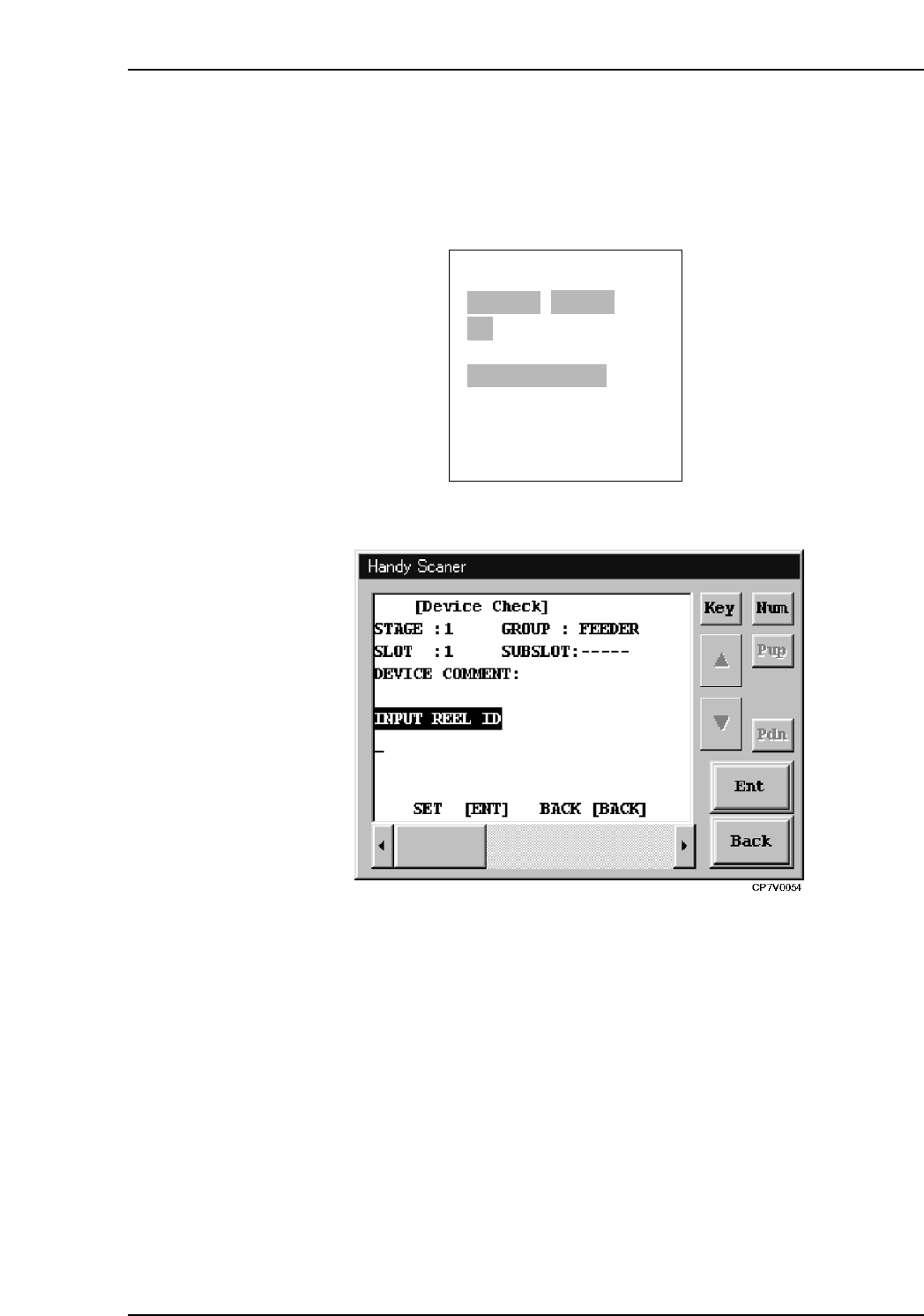
• DID data can be read in the following two ways.
I. The DID barcode attached to the reel can be read to the Handy Terminal.
II. The DID can be entered using the PDT-3100’s alphabetic and numeric keys.
PDT-3100’s DID reading command screen
Handy Scanner’s DID Reading Command Screen
9.6.2.6 Extracting a Device Comment from the DID
• A DID Joint Symbol is used within the DID so that the device comment can be
extracted from the DID character string.
ENTER/QUIT:
[VERIFY CHECK]
CP7V0012a
▲
STAGE1 SLOT ID:1
ST:PARTS END
READ DID LABEL
DID=v
9. Using The Normal Verification Mode
Edition 2.0 62 CP-7-series Verification System Instruction Manual
9.6.2.7 Device comment reading
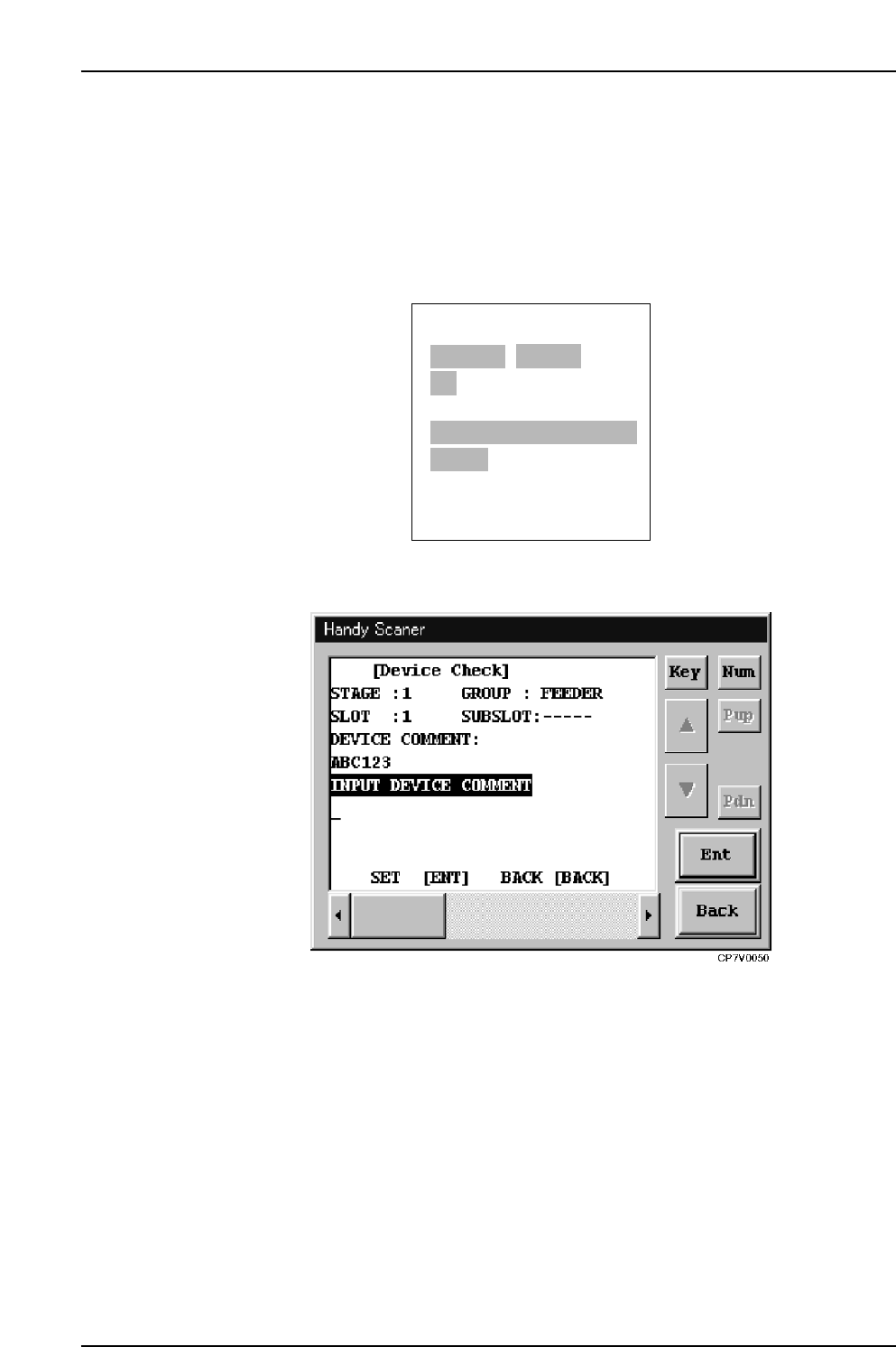
• Device comments can be read in the following two ways.
I. The device comment barcode affixed to the reel can be read to the Handy
Terminal.
II. The device comment can be entered using the PDT-3100’s alphabetic keys
and numeric key pad.
PDT-3100’s Device Comment Reading Command Screen
Handy Scanner’s Device Comment Reading Command Screen
ENTER/QUIT:
[VERIFY CHECK]
CP7V0008a
▲
STAGE1 SLOT ID:1
ST:PARTS END
READ DEVICE COMMENT
LABEL COMMENT=v
9. Using The Normal Verification Mode
Edition 2.0 63 CP-7-series Verification System Instruction Manual
9.6.2.8 Device Comment Comparison
• The machine searches the recipe to determine what the device comment should be
for the reel in the slot being verified.
• The machine compares this search result with the device comment which has been
read by Fujitrax Verifier with the delimiter.
• If the compared device comments do not match, the machine prompts the operator
to read the device comment again.
• When using PDT-3100, if the compared device comments match, the system
proceeds to the verify check results screen.
• If the [ ] key is pressed at the PDT-3100 "Results" screen, or if several seconds are
allowed to elapse, the verification check for the current slot is ended, and a
"Waiting for next verification subject slot selection" status is established.
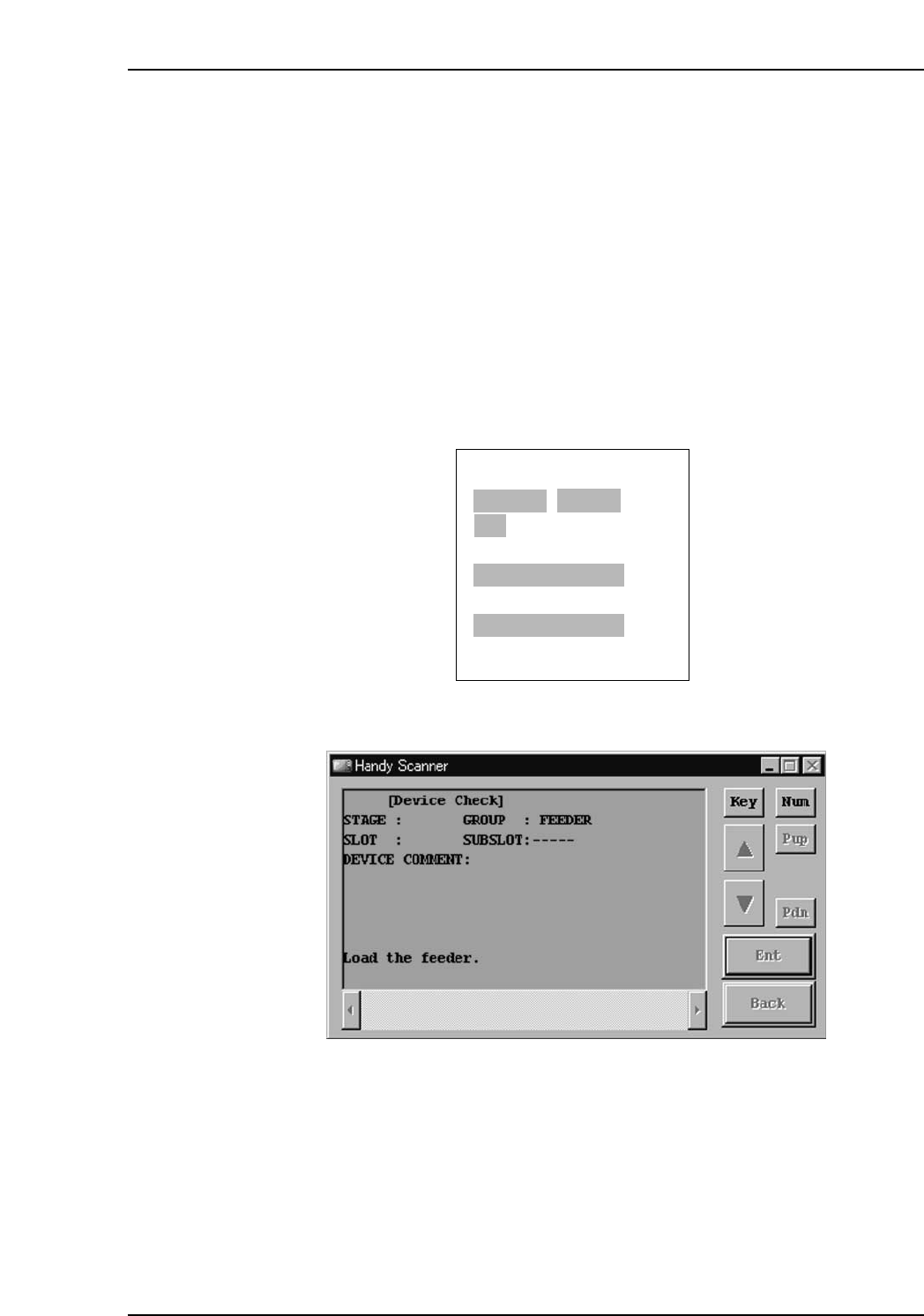
• If the scanner is being used, the system proceeds to the "waiting for feeder loading"
status if the comparison results are a match.
PDT-3100’s Verify check results screen
Handy Scanner's "Waiting For Feeder Loading" Screen
NEXT:
[VERIFY CHECK]
CP7V0009
▲
STAGE1 SLOT ID:1
DID:01234
DEVICE COMMENT:01234
VERIFY CHECK OK
▲