N7201A304E05(1)_0.pdf - 第10页
NPM LNB Page 10 EJM9BE-CT-01L-20 4. MAINTENANCE .............................................. 4-1 4.1 LNB Configuratio n Information ............................................................................. 4-2 4.2 …

NPM
LNB
EJM9BE-CT-01L-20
Page 9
TABLE OF CONTENTS
1. GENERAL DESCRIPTION .............................. 1-1
1.1 Conveyors.............................................................................................................1-2
1.2 Line Configuration ................................................................................................1-3
1.3 System Configuration ...........................................................................................1-4
1.4 Outline of Functions..............................................................................................1-6
1.4.1 LNB......................................................................................................................................................1-6
1.4.2 LWS.....................................................................................................................................................1-6
2. BASIC OPERATIONS ..................................... 2-1
2.1 Operating Instructions of the Main Power Supply Switch at Production Start/End2-2
2.1.1 Operating Units ...................................................................................................................................2-2
2.1.2 Production Start...................................................................................................................................2-2
2.1.3 Production End....................................................................................................................................2-2
2.2 Screen Flow..........................................................................................................2-3
2.3 Operation Flow .....................................................................................................2-5
2.3.1 Initial Introduction ................................................................................................................................2-5
2.3.2 Browsing the Production Management Information ............................................................................2-5
2.3.3 Browsing the Event .............................................................................................................................2-6
2.3.4 Browsing the LNB Configuration Information......................................................................................2-6
2.3.5 Changing the Settings with Easy Setting ............................................................................................2-7
2.3.6 Changing the Settings with Advanced Setting ....................................................................................2-7
2.4 Login/Logout.........................................................................................................2-8
2.4.1 Login....................................................................................................................................................2-8
2.4.2 Logout ...............................................................................................................................................2-10
2.5 Initial Setting .......................................................................................................2-11
2.5.1 LNB Initial Setting..............................................................................................................................2-11
2.5.2 Installing Flash Player .......................................................................................................................2-12
3. TOOL ............................................................... 3-1
3.1 Production Management Information ...................................................................3-2
3.1.1 Browsing the Production Management Information ............................................................................3-2
3.1.2 Explanations of Production Information Names..................................................................................3-8
3.2 Event Information ...............................................................................................3-15
3.2.1 Machine Event Information ...............................................................................................................3-15
3.2.2 LNB Event Information ......................................................................................................................3-18
3.3 Production Machine Screen Print .......................................................................3-20
3.4 Result Information Display..................................................................................3-22
3.4.1 Production Status Monitor.................................................................................................................3-22
3.4.2 Reports..............................................................................................................................................3-28

NPM
LNB
Page 10
EJM9BE-CT-01L-20
4. MAINTENANCE .............................................. 4-1
4.1 LNB Configuration Information ............................................................................. 4-2
4.2 Easy Setting .........................................................................................................4-4
4.3 Advanced Setting .................................................................................................4-6
4.3.1 Production Data Extract Setting ......................................................................................................... 4-6
4.3.2 Security Setting .................................................................................................................................. 4-8
4.3.3 Network Setting ................................................................................................................................ 4-13
4.3.4 Timetable Setting.............................................................................................................................. 4-14
4.3.5 Calculation Method Setting............................................................................................................... 4-15
4.3.6 Host System Setting ......................................................................................................................... 4-18
4.3.7 Reloaded PCB ID Setting ................................................................................................................. 4-19
4.3.8 Time setting ...................................................................................................................................... 4-21
4.4 Setting Information Backup ................................................................................4-22
4.5 Setting Information Restore................................................................................ 4-23
4.6 Update ................................................................................................................4-24
4.6.1 LNB................................................................................................................................................... 4-24
4.6.2 Machine Software............................................................................................................................. 4-26
4.7 Download of Log for Debug................................................................................4-28
4.8 Restore to Factory Defaults................................................................................4-29
4.9 Self-diagnosis ..................................................................................................... 4-30
4.9.1 Connection Check ............................................................................................................................ 4-31
4.9.2 Setting Check ................................................................................................................................... 4-33
4.9.3 Performance ..................................................................................................................................... 4-35
4.10 Parameter Edit.................................................................................................. 4-37
4.10.1 Line Parameter ............................................................................................................................... 4-37
NPM
Safety Precautions
EJM9BE-SF-01N-21 Page S-1
Safety Precautions
Be sure to observe
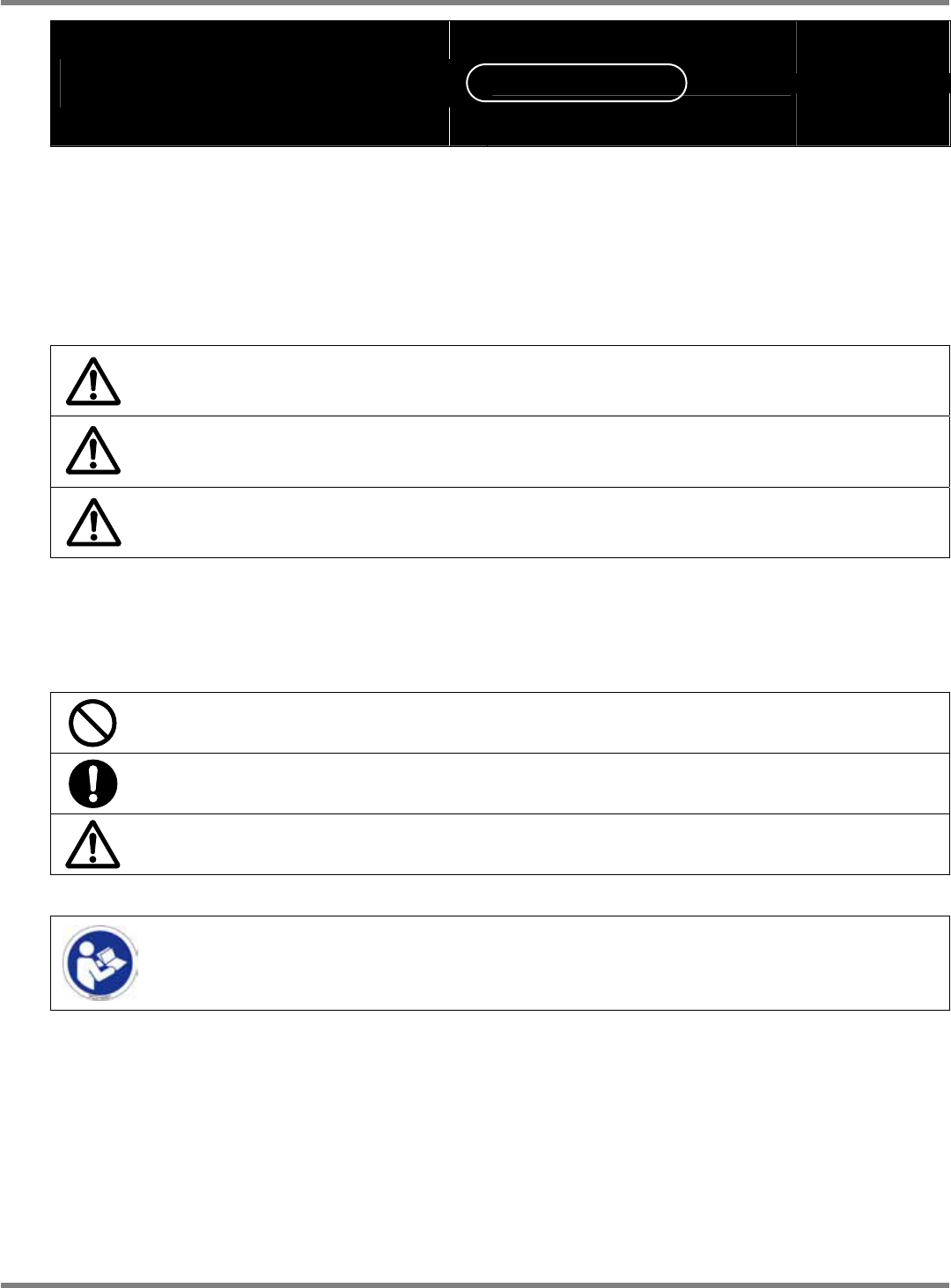
The precautions that shall be observed in order to prevent an injury to the user or the
other persons, and damage to property, are described as follows.
The degrees of danger or injury, resulting from incorrect usage owing to failure to read an
indication, are classified and described as follows.
DANGER
This indication refers to a situation which is considered that there is
imminent danger of death or serious injury.
WARNING
This indication refers to a situation which is considered that there is a
possibility of death or serious injury.
CAUTION
This indication refers to a situation which is considered that there is a
possibility of only injury or physical damage.
The matters that shall be observed are classified by the symbols shown below, and
described.
(The following are the examples of the symbols.)
This kind of symbol indicates an action that must not be carried out.
This kind of symbol indicates an action that must be carried out.
This kind of symbol indicates the matters to which attention must be paid.
This indication requires you to read the instruction manuals.