N7201A304E05(1)_0.pdf - 第162页
NPM LNB 4.9 Self-diagnosis Page 4-32 EJM9BE-MB-04L-20 On-screen contents of connection check This part explains the information di splayed on the conne ction check screen. ③ Production line list Images of DGS and machi…
NPM
LNB
4.9 Self-diagnosis
EJM9BE-MB-04L-20 Page 4-31
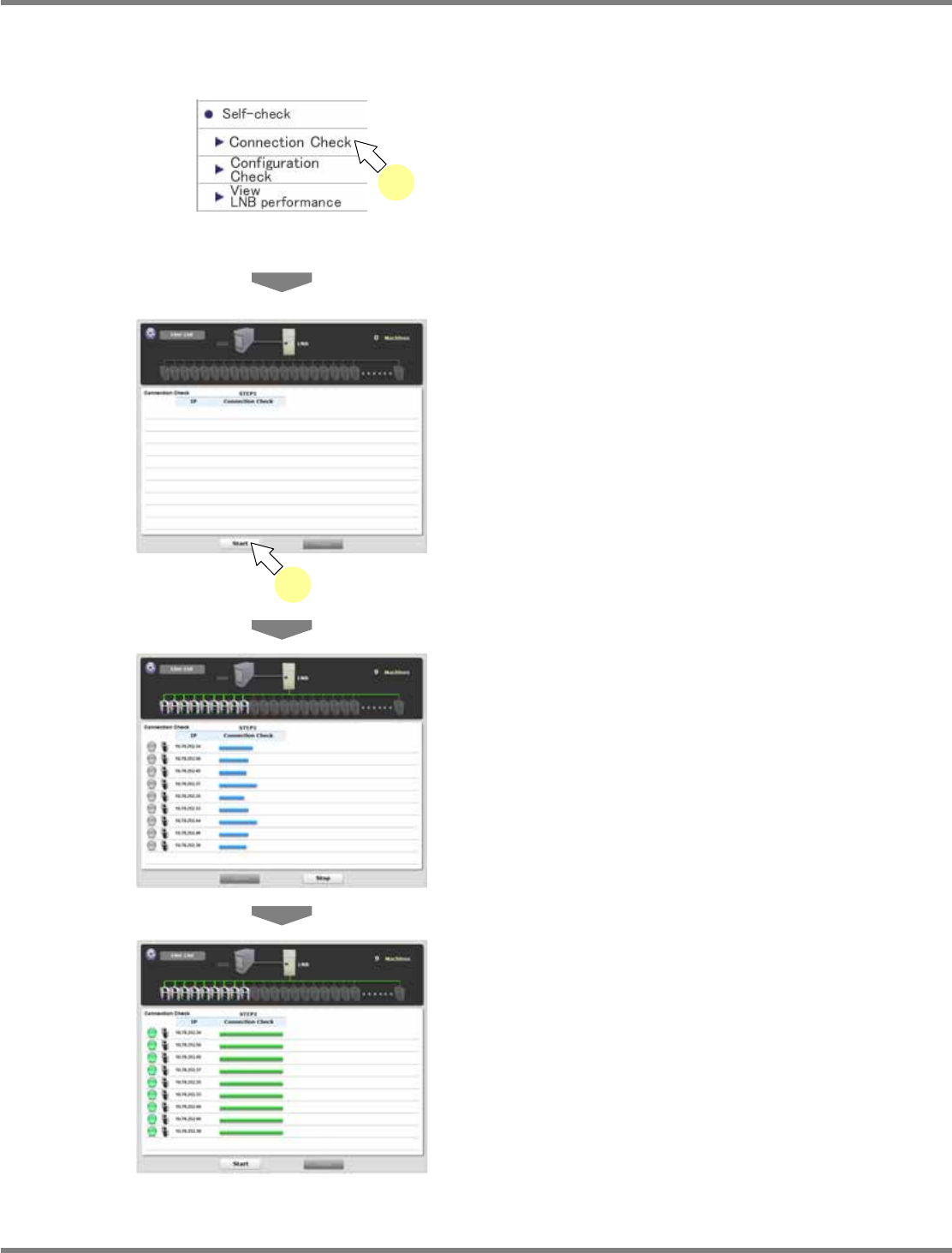
4.9.1 Connection Check
Connection check verifies the connection status of LNB, machines, and DGS.
1
Choose [Connection Check] in
[Self-check] from the menu.
•
The <Connection Check> screen is displayed.
2
Click [Start].
•
Connection check starts.
•
The DGS and machines whose IP addresses
are acquired are displayed, and the progress
bar of connection check starts moving.
•
Connection check is complete.
•
The check result is displayed.
For information about the displayed contents,
e ‘On-screen contents of connection check’
on the next page.
lnb4-9001_e
1
lnb4-9003_e
lnb4-9004_e
lnb4-9002_e
2
NPM
LNB
4.9 Self-diagnosis
Page 4-32 EJM9BE-MB-04L-20
On-screen contents of connection check
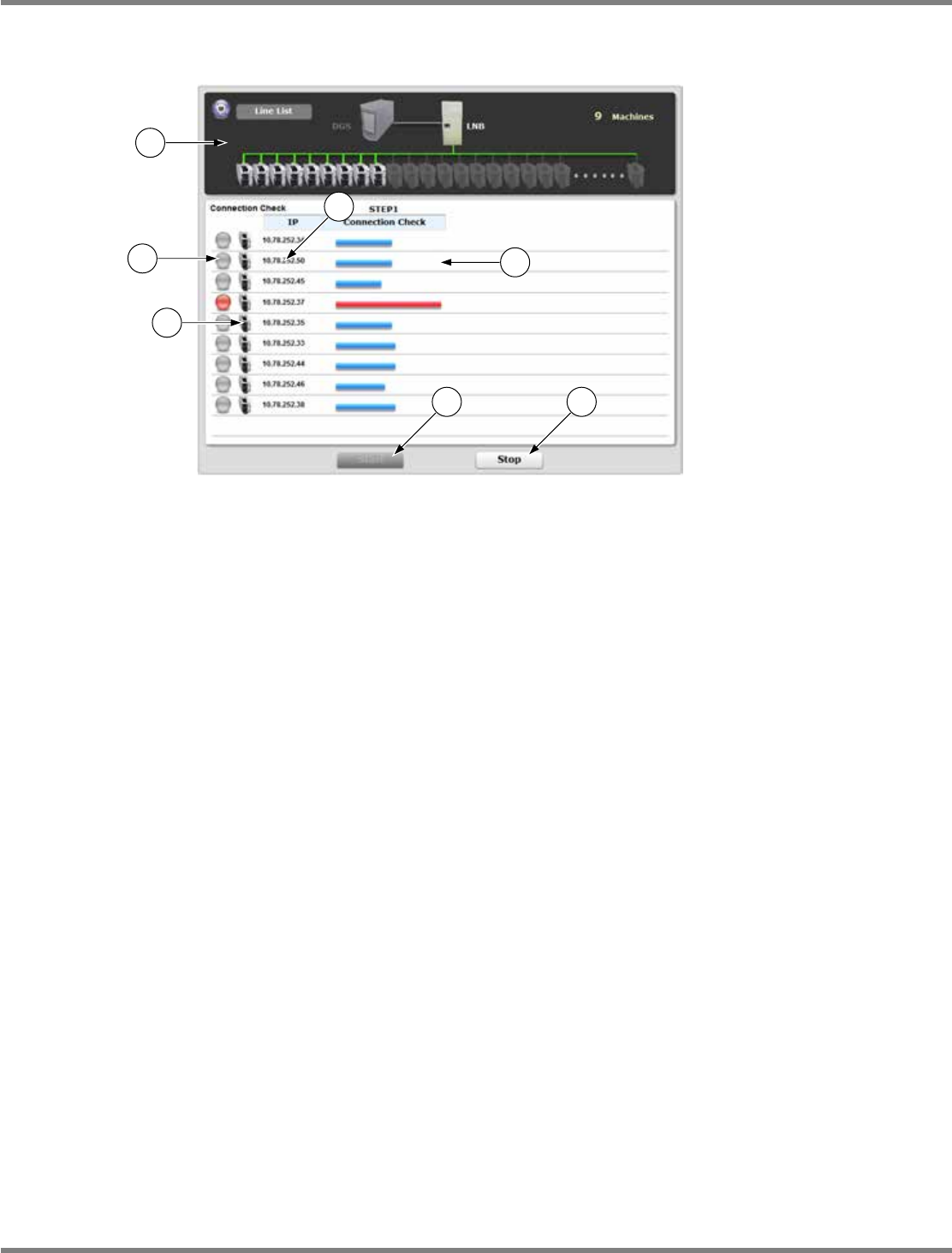
This part explains the information displayed on the connection check screen.
③
Production line list
Images of DGS and machines are displayed. The DGS and machines whose IP addresses are
acquired are colored (they were displayed in gray at startup).
④
Indication lamp
The lamp color indicates the connection check result.
Gray: During connection check / Green: Connection check OK / Red: Connection check NG
⑤
Icon
Images of DGS and machines are iconified.
⑥
IP address
Acquired IP addresses are displayed.
⑦
Progress bar
The progress of connection check is displayed.
The bar color indicates the connection check result.
Light blue: During connection check / Green: Connection check OK / Red: Connection check NG
⑧
[Start]
When this is clicked on, connection check starts.
During connection check, it is displayed in gray and cannot be clicked on.
It becomes active again and can be clicked on when connection check is complete or the check
is aborted by the [Stop] button.
⑨
[Stop]
When this is clicked on, connection check aborts.
It is active and can be clicked on only during connection check.
At startup or when connection check is complete, it is displayed in gray and cannot be clicked on.
lnb4-9005_e
1
2
3
4
5
6 7
NPM
LNB
4.9 Self-diagnosis
EJM9BE-MB-04L-20 Page 4-33
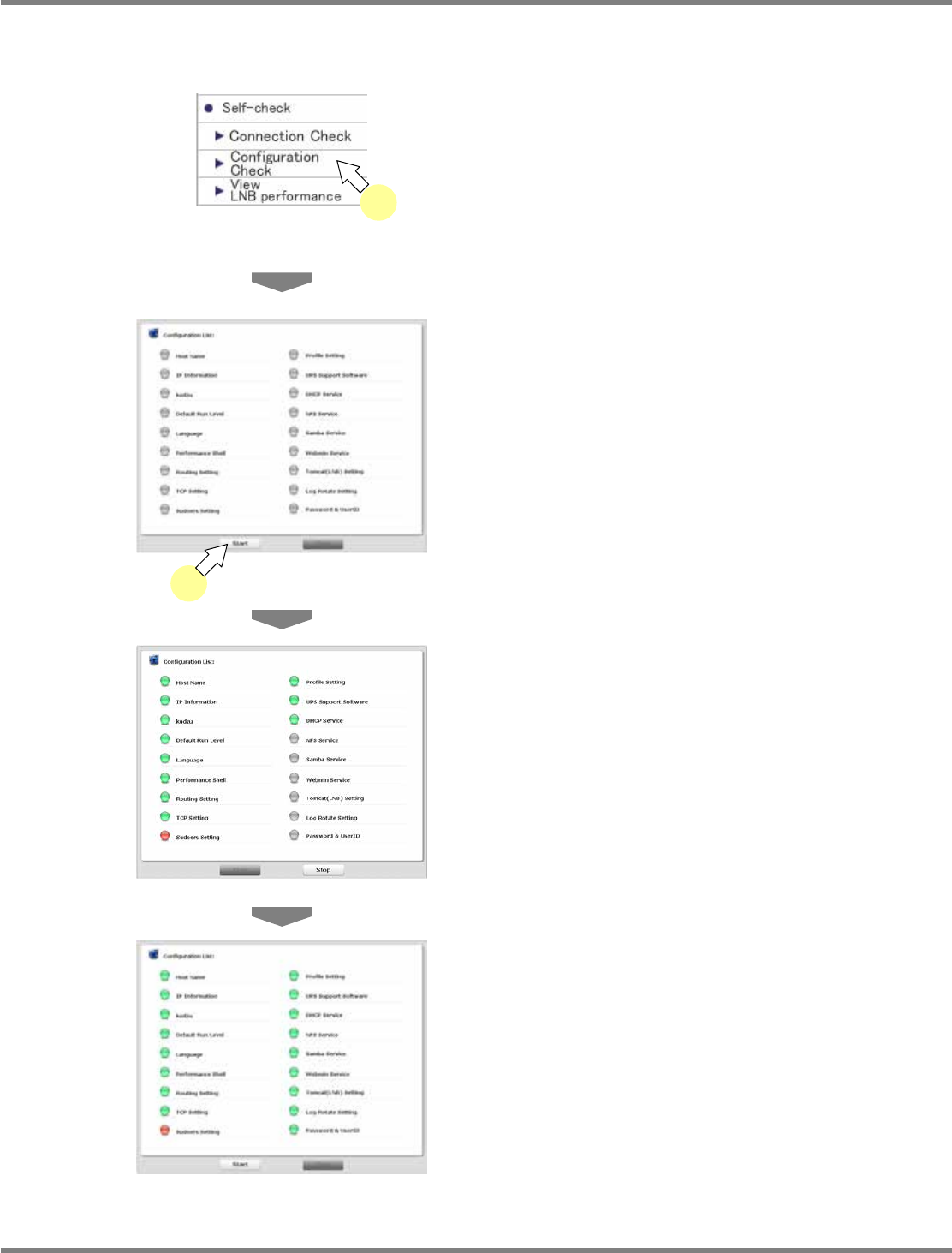
4.9.2 Setting Check
Setting check verifies whether the settings of LNB are correct or not.
1
Choose [Configuration Check] in
[Self-check] from the menu.
•
The <Configuration Check> screen is
displayed.
2
Click [Start].
•
Setting check starts.
•
Setting check is complete.
•
The check result is displayed.
For information about the displayed contents,
see ‘On-screen contents of setting check’ on
the next page.
lnb4-9007_e
lnb4-9008_e
lnb4-9006_e
2
lnb4-9001_e
1