N7201A304E05(1)_0.pdf - 第136页
NPM LNB 4.3 Advanced Setting Page 4-6 EJM9BE-MB-04L-20 4.3 Advanced Setting 4.3.1 Production Data Extract Setting You can set the production data extract function. 1 Choose [Production data extraction] in [Advanced] from…
NPM
LNB
4.2 Easy Setting
EJM9BE-MB-04L-20 Page 4-5
•
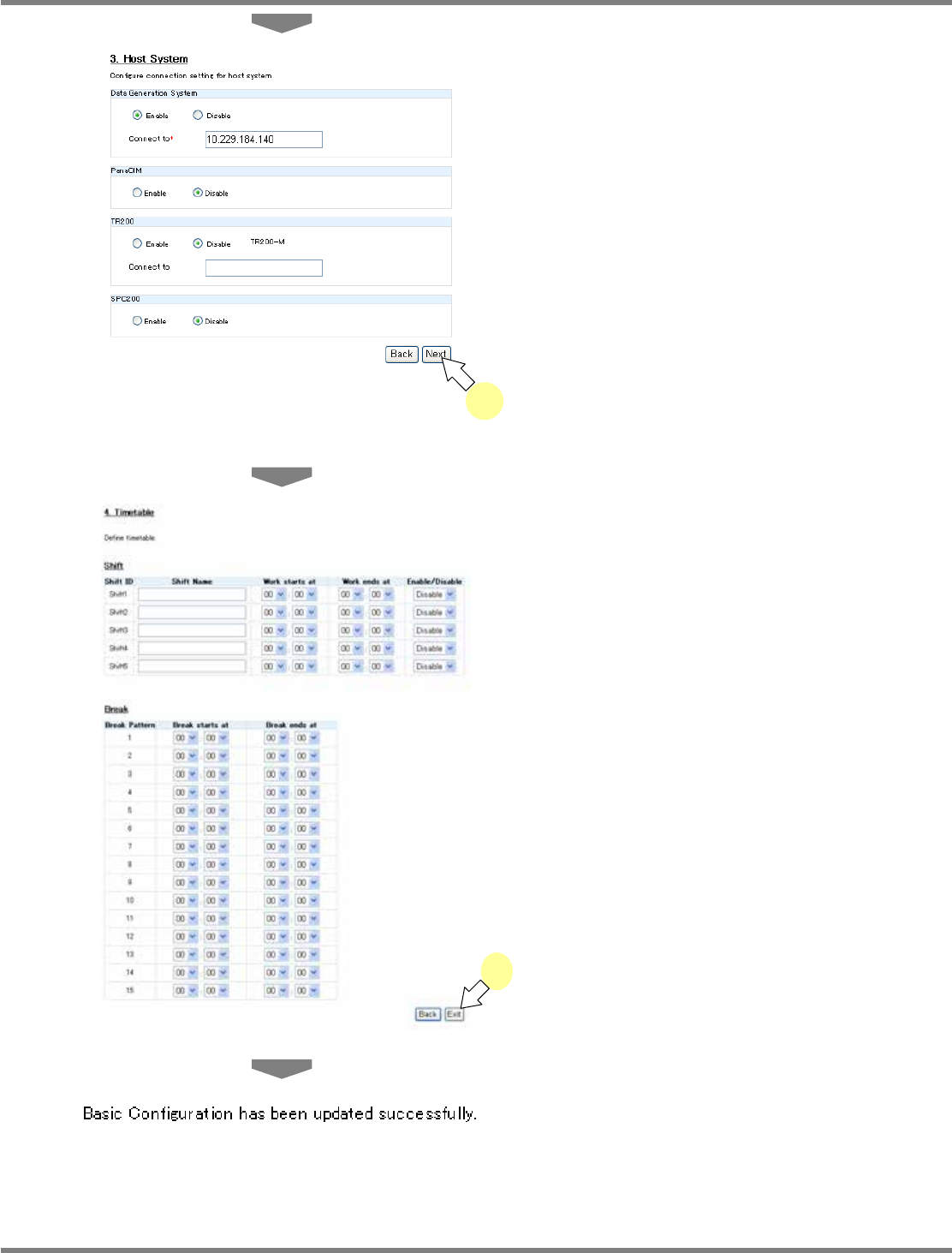
The <Host System> screen is displayed.
4
Enter the data creating system, the
PanCIM setting, the TR200 setting
and the SPC200 setting, and click
[Next].
•
The data creating system, PanaCIM, TR200,
and SPC200 are product names of Panasonic
Factory Solutions Co., Ltd.
∗
To use each host system, you need to register
the license. If the license is not registered, the
message “The license is not registered.”
appears and you cannot configure the
connection settings.
•
The <Timetable> screen is displayed.
5
Configure the shift settings (shift
name, work start time, work end time,
enable/disable) and the break settings
(break start time, break end time), and
click [Exit].
•
The message of easy setting completion
appears.
lnb4-2003_e
4
lnb4-2005_e
lnb4-2004_e
5
NPM
LNB
4.3 Advanced Setting
Page 4-6 EJM9BE-MB-04L-20
4.3 Advanced Setting
4.3.1 Production Data Extract Setting
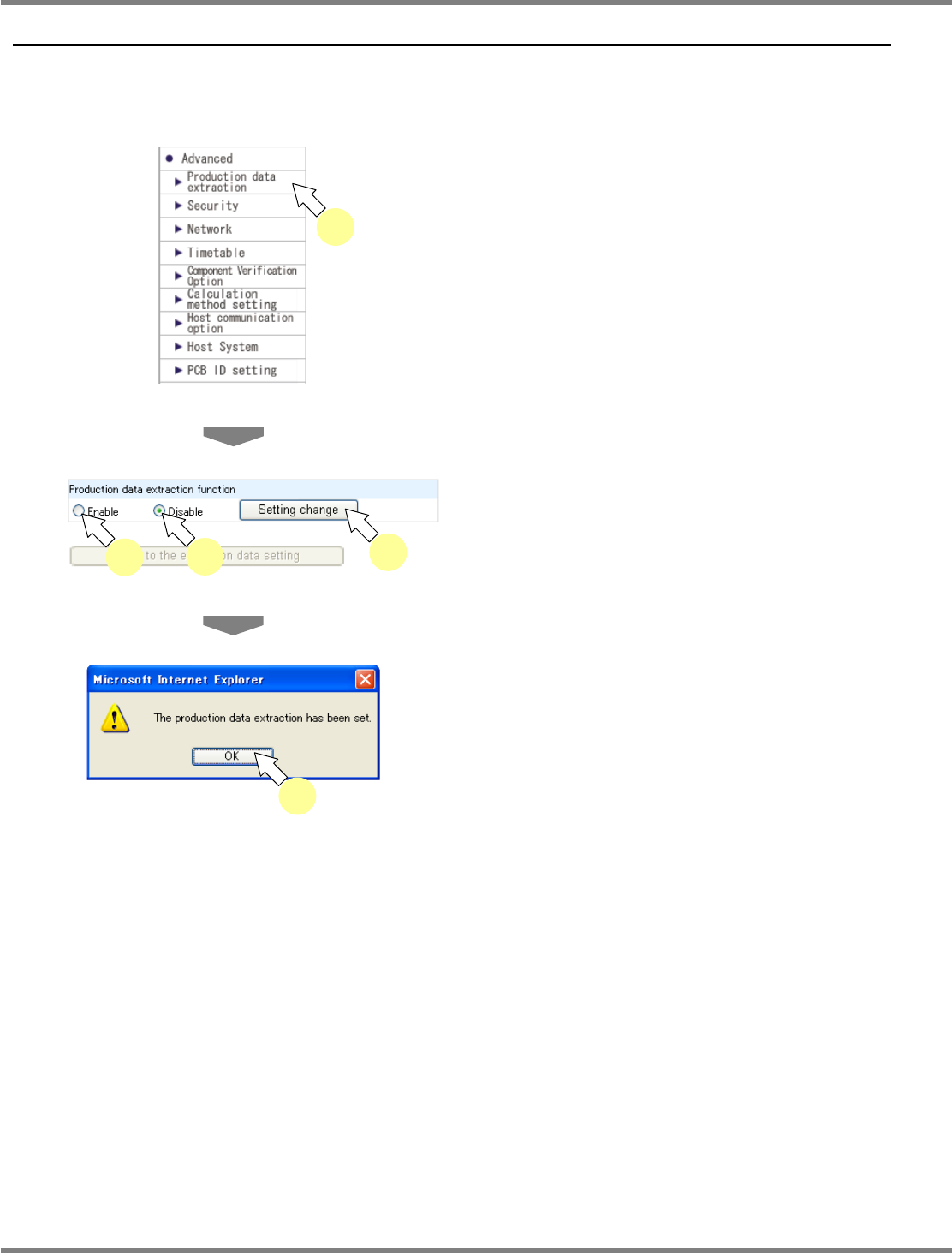
You can set the production data extract function.
1
Choose [Production data extraction]
in [Advanced] from the menu.
•
The <Production data extraction function>
screen is displayed.
2
Select
‘
Enable
’
or
‘
Disable,
’
and click [Setting change].
•
The message of production data extract
setting completion appears.
3
Click [OK].
lnb4-3001_e
1
lnb4-3002_e
2
2
2
lnb4-3003_e
3
NPM
LNB
4.3 Advanced Setting
EJM9BE-MB-04L-20 Page 4-7
Setting the data to extract
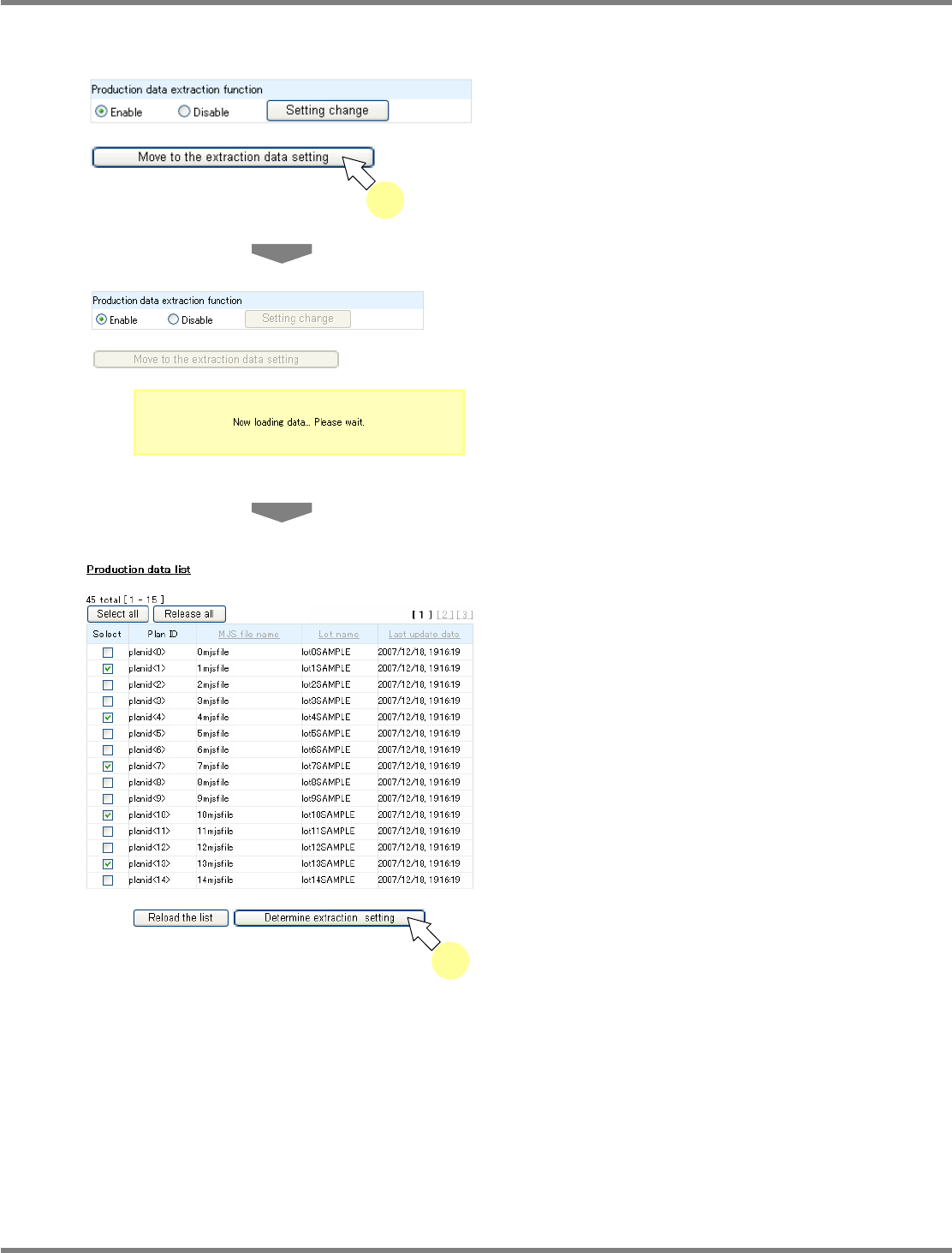
When the production data extract function is enabled, you can set the production data to extract.
1
Click [Move to the extraction data
setting] on the <Production data
extraction function> screen.
•
Only when the production data extract
function is ‘Enable,’ [Move to the extraction
data setting] is active and can be clicked.
•
The message “Now loading data... Please
wait.” appears.
•
The <Production data list> screen is
displayed.
2
Check off the
‘
Select
’
box of the
production data to extract, and click
[Determine extraction setting].
•
When you click [Select all], the select boxes of
all production data are checked off. When you
click [Release all], the select boxes of all
production data are unchecked.
•
When you click [Reload the list], production
data is reacquired.
lnb4-3005_e
lnb4-3004_e
1
lnb4-3006_e
2