N7201A304E05(1)_0.pdf - 第79页
NPM LNB 2.4 Login/Logout EJM9BE-MB-02L-20 Page 2-9 1 Enter your user ID and password, and click [Log In]. • If a user ID unregistered in LNB or a wrong password is used for login, a login error occurs. ∗ In initial intro…
NPM
LNB
2.4 Login/Logout
Page 2-8 EJM9BE-MB-02L-20
2.4 Login/Logout
2.4.1 Login
To use LNB, you need to log in.
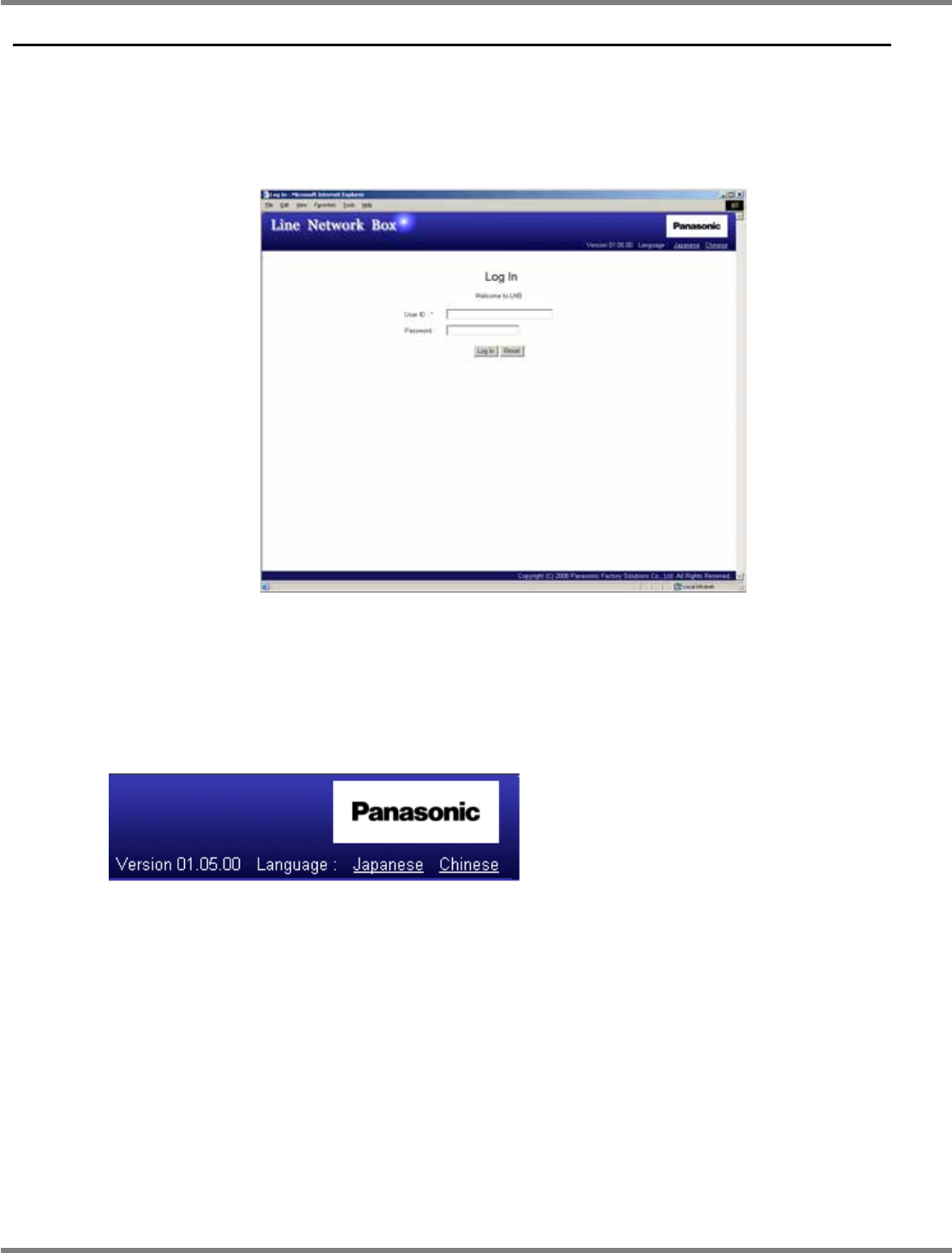
When you type “http://{{{{: 8080/lws/Login.jsp” in the address box of browser (Microsoft
Internet Explorer 6 or later), the following login screen is displayed.
“{{{{” in the above address depends on your network environment. For details, contact your
network administrator.
Moreover, by adding the login screen to “Favorites,” you do not need to type the address
anymore.
Language selection
LNB supports three languages: Japanese,
English, and Chinese.
The default page display is in English.
To select the language, click [Japanese],
[English], or [Chinese] in the upper right of the
screen.
∗
The above picture shows the screen display in Japanese.
The other two languages, “English” and “Chinese,” are displayed.
∗
The language to be displayed can be changed on the login screen only. To change the
language after you have been logged in, log out of the screen first and then change the display
language on the login screen.
The login procedure is as follows.
lnb2-3001_e
lnb2-3004_e
NPM
LNB
2.4 Login/Logout
EJM9BE-MB-02L-20 Page 2-9
1
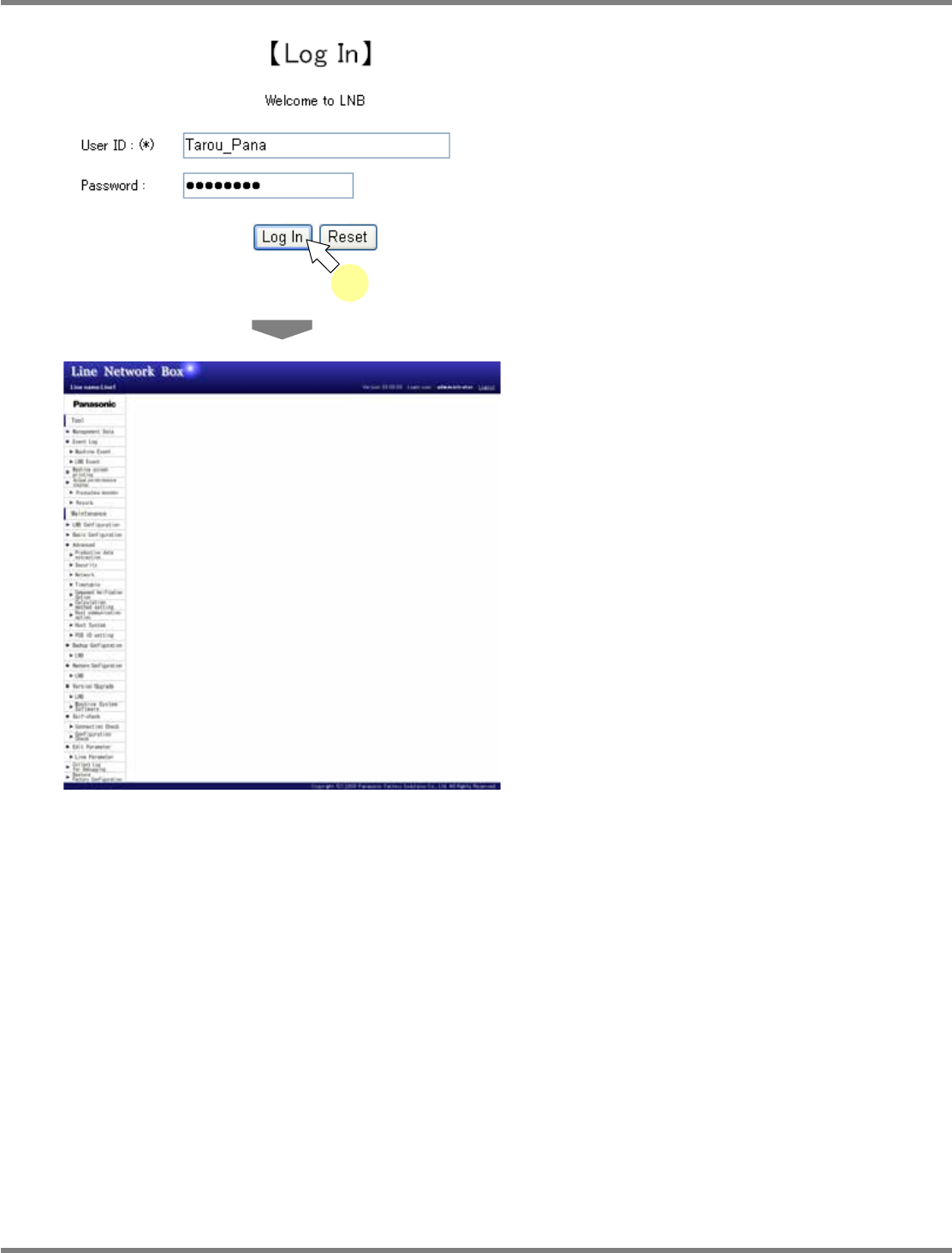
Enter your user ID and password, and
click [Log In].
•
If a user ID unregistered in LNB or a wrong
password is used for login, a login error
occurs.
∗
In initial introduction, you can log in as the
following user.
User ID : administrator
Password : “” (blank)
∗
The main screen (menu) is displayed. The
menu layout varies according to the mode
(the user group of the login user). For details,
see “A) New user registration” in “4.3.2
Security Setting.”
Security precautions
In initial introduction, “administrator” is registered.
Change the password periodically in order to maintain the LNB security.
To change the password, see “C) Referring/Changing user information” in “4.3.2 Security
Setting.”
lnb2-3002_e
1
lnb2-3003_e
NPM
LNB
2.4 Login/Logout
Page 2-10 EJM9BE-MB-02L-20
2.4.2 Logout
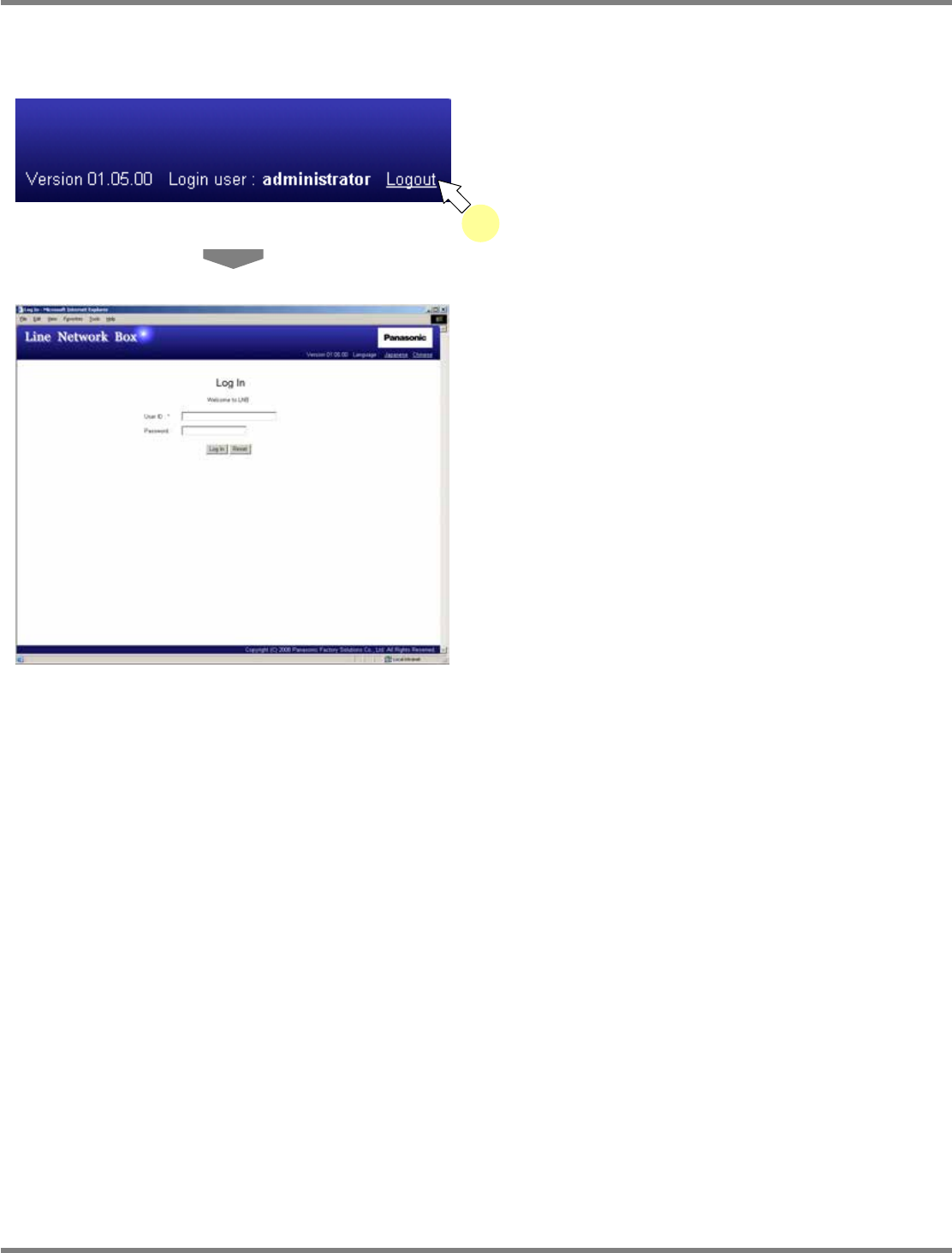
To exit LNB, you need to log out. The logout procedure is as follows.
1
Click [Logout] in the upper right of the
screen.
•
The login screen reopens.
Security precautions
LNB runs on your terminal. Once having logged in, you can operate it in response to your
respective rights until exit. If you step out midway through the work, another person may
potentially use your terminal meanwhile. Therefore, we strongly recommend logging out, locking
the screen, or other measures.
lnb2-3005_e
1
lnb2-3001_e