N7201A304E05(1)_0.pdf - 第121页
NPM LNB 3.4 Result Information Display EJM9BE-MB-03L-20 Page 3-29 A) Time selection section ① Changing the list information In the first startup, the lot list is displayed. 1 Select the information to display. • Select t…
NPM
LNB
3.4 Result Information Display
Page 3-28 EJM9BE-MB-03L-20
3.4.2 Reports
1
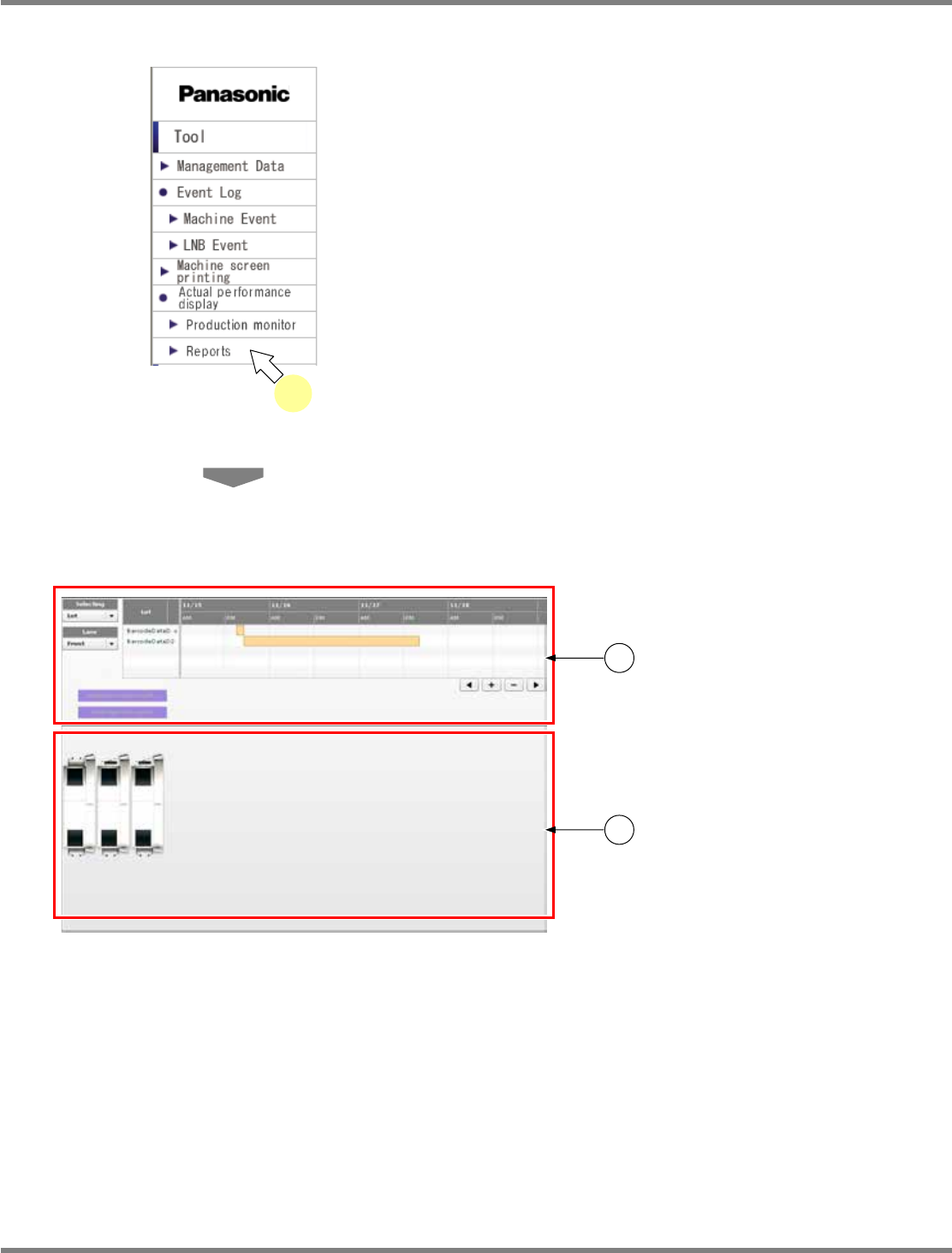
Choose [Reports] in [Actual
performance display] from the menu.
•
The report screen is displayed.
The report screen consists of c “time
selection section” and d “line status monitor
section.”
For information about the displayed contents
and operations, see the explanation on the
following pages.
lnb3-1001_e
1
lnb3-4005_e
1
2
NPM
LNB
3.4 Result Information Display
EJM9BE-MB-03L-20 Page 3-29
A) Time selection section
①
Changing the list information
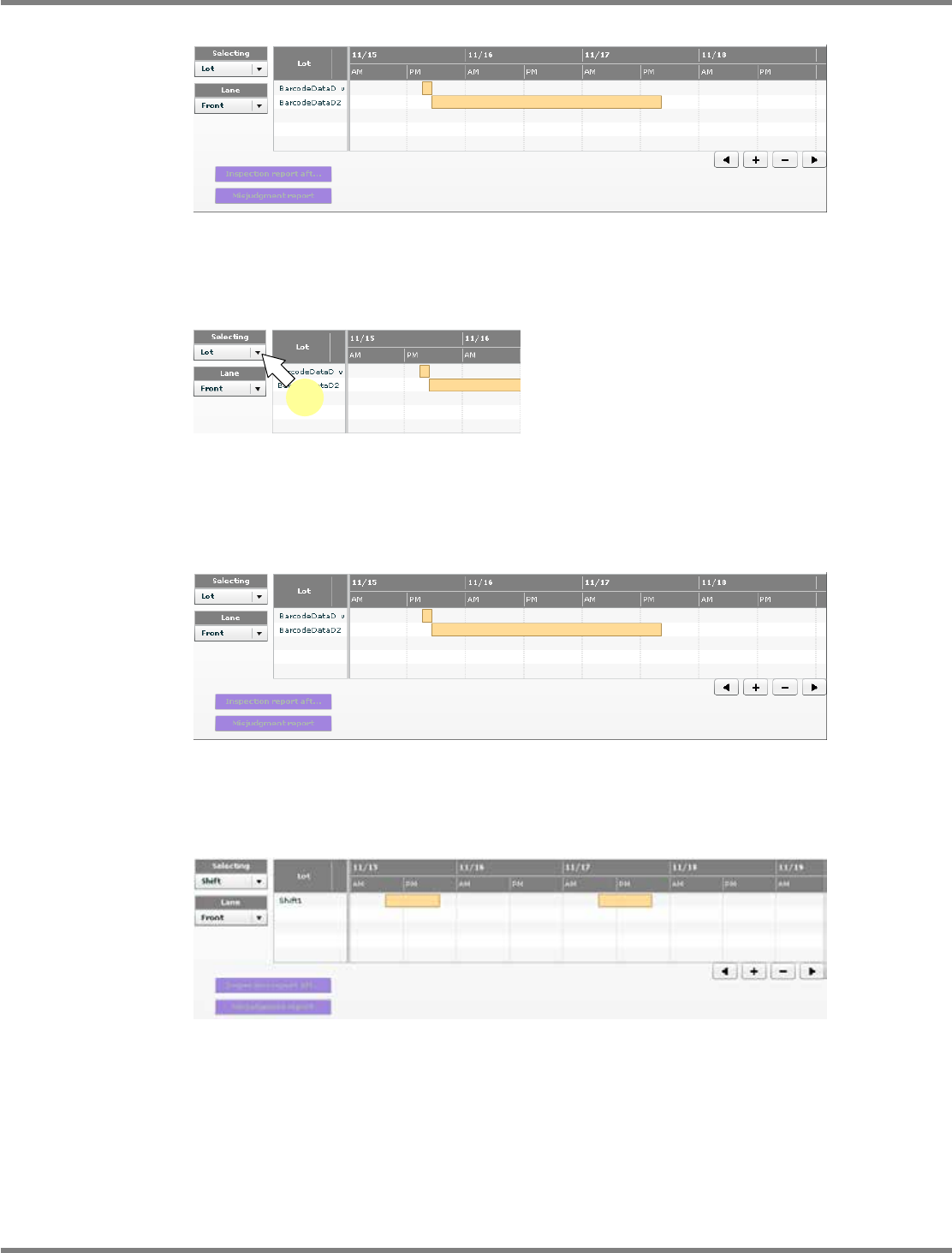
In the first startup, the lot list is displayed.
1
Select the information to display.
•
Select the information to display from the
combo box.
When “Lot” is selected
The lot list is displayed.
When “Shift” is selected
The shift list is displayed.
lnb3-4006_e
lnb3-4007_e
1
lnb3-4008_e
lnb3-4006_e
NPM
LNB
3.4 Result Information Display
Page 3-30 EJM9BE-MB-03L-20
②
Operating the list screen
・
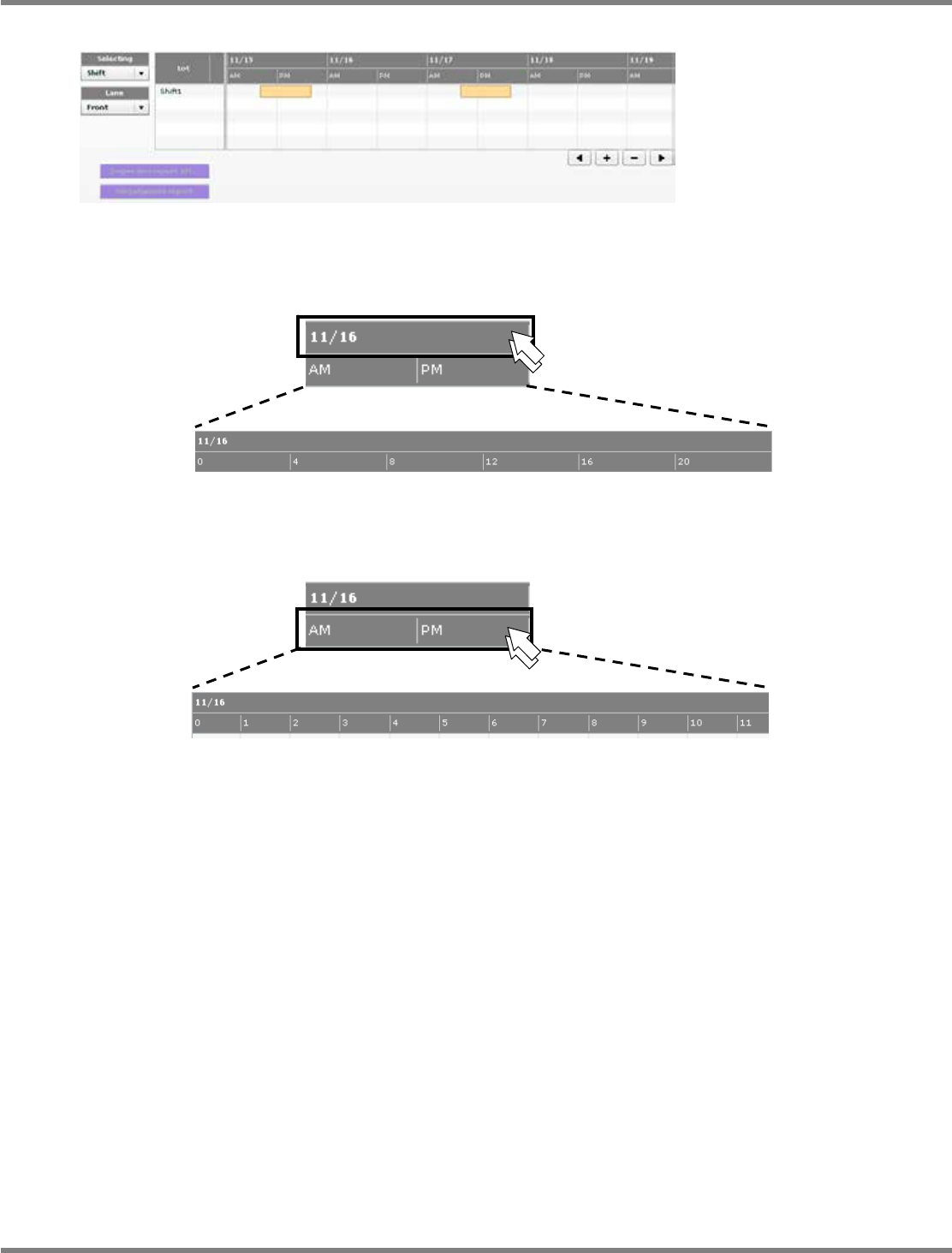
When you double-click the date, every-four-hour cells for 24 hours appear.
・
When you double-click the time, every-hour cells for 24 hours appear.
lnb3-4009_e
lnb3-4010_e
lnb3-4011
_
e
lnb3-4010_e
lnb3-4012_e