N7201A304E05(1)_0.pdf - 第87页
NPM LNB 2.5 Initial Setting EJM9BE-MB-02L-20 Page 2-17 6 Access the Adobe Flash Player license application site. • Enter the following URL in the address bar of browser. “https://www.adobe.com/cf usion/entitlement/in dex…
NPM
LNB
2.5 Initial Setting
Page 2-16 EJM9BE-MB-02L-20
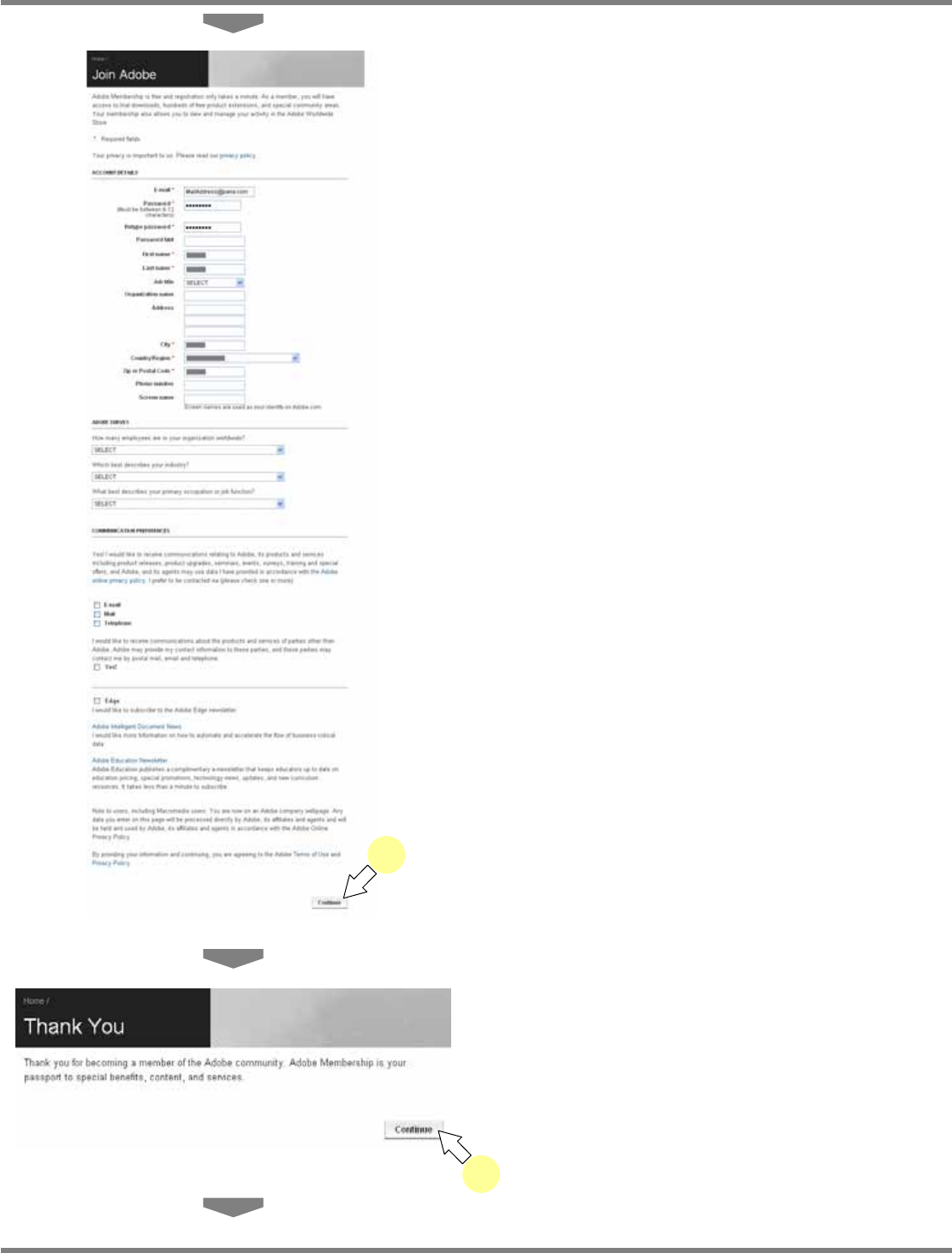
4
Enter the necessary information, and
click [Continue].
•
The message of user registration completion
appears.
5
Click [Continue].
lnb2-4013_e
5
lnb2-4012_e
4
NPM
LNB
2.5 Initial Setting
EJM9BE-MB-02L-20 Page 2-17
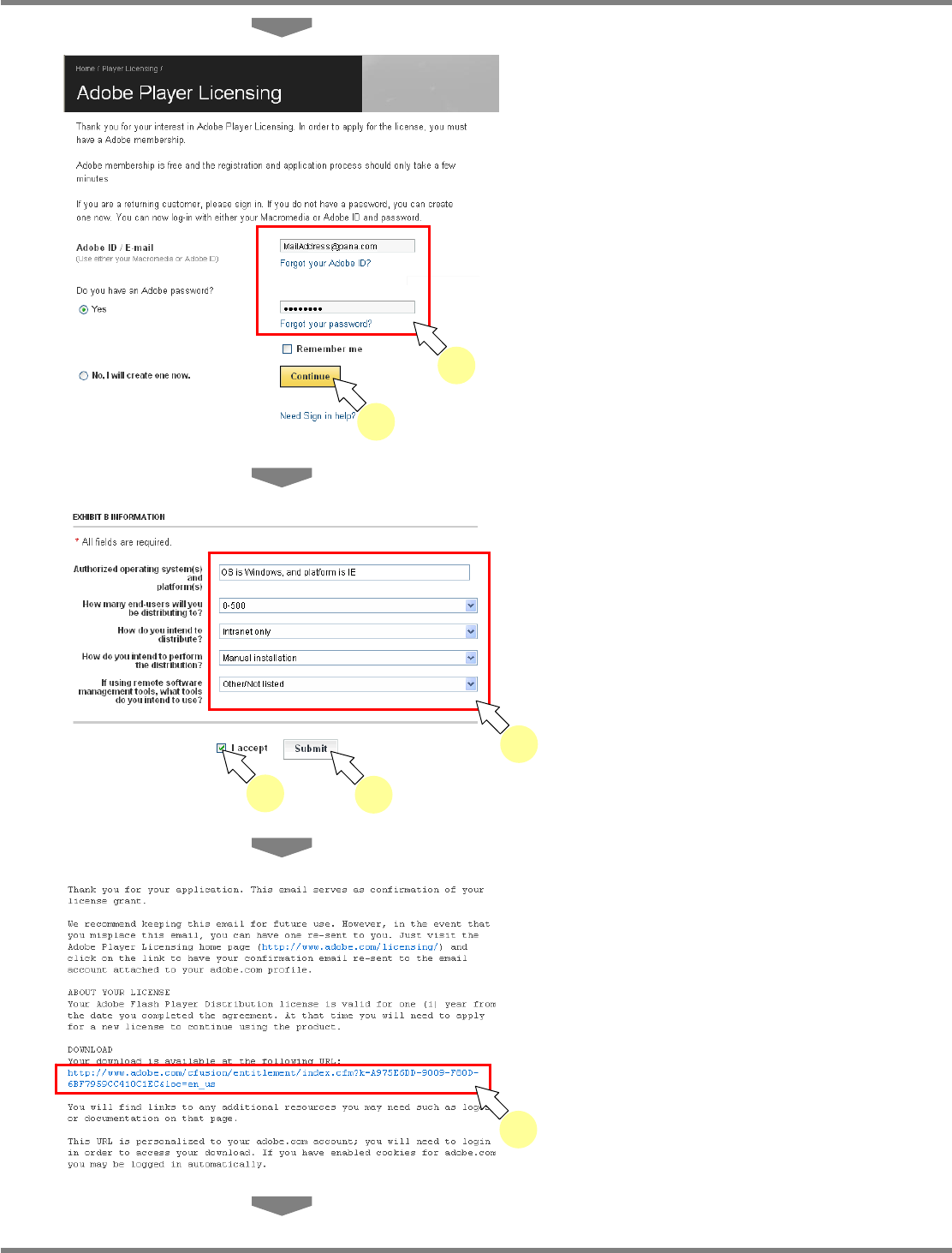
6
Access the Adobe Flash Player
license application site.
•
Enter the following URL in the address bar of
browser.
“https://www.adobe.com/cfusion/entitlement/in
dex.cfm?e=flash”
7
Enter your ID and password, and click
[Continue].
•
The <EXHIBIT B INFORMATION> screen is
displayed.
8
Enter the necessary information,
check off “I accept,” and click
[Submit].
9
Click the download URL for the install
file of Flash Player to be sent from
Adobe by mail.
•
The mail is sent to the mail address in the
application form.
•
The <Adobe Player Licensing> screen is
displayed.
lnb2-4014_e
7
7
lnb2-4015_e
8
8
8
lnb2-4016_e
9
NPM
LNB
2.5 Initial Setting
Page 2-18 EJM9BE-MB-02L-20
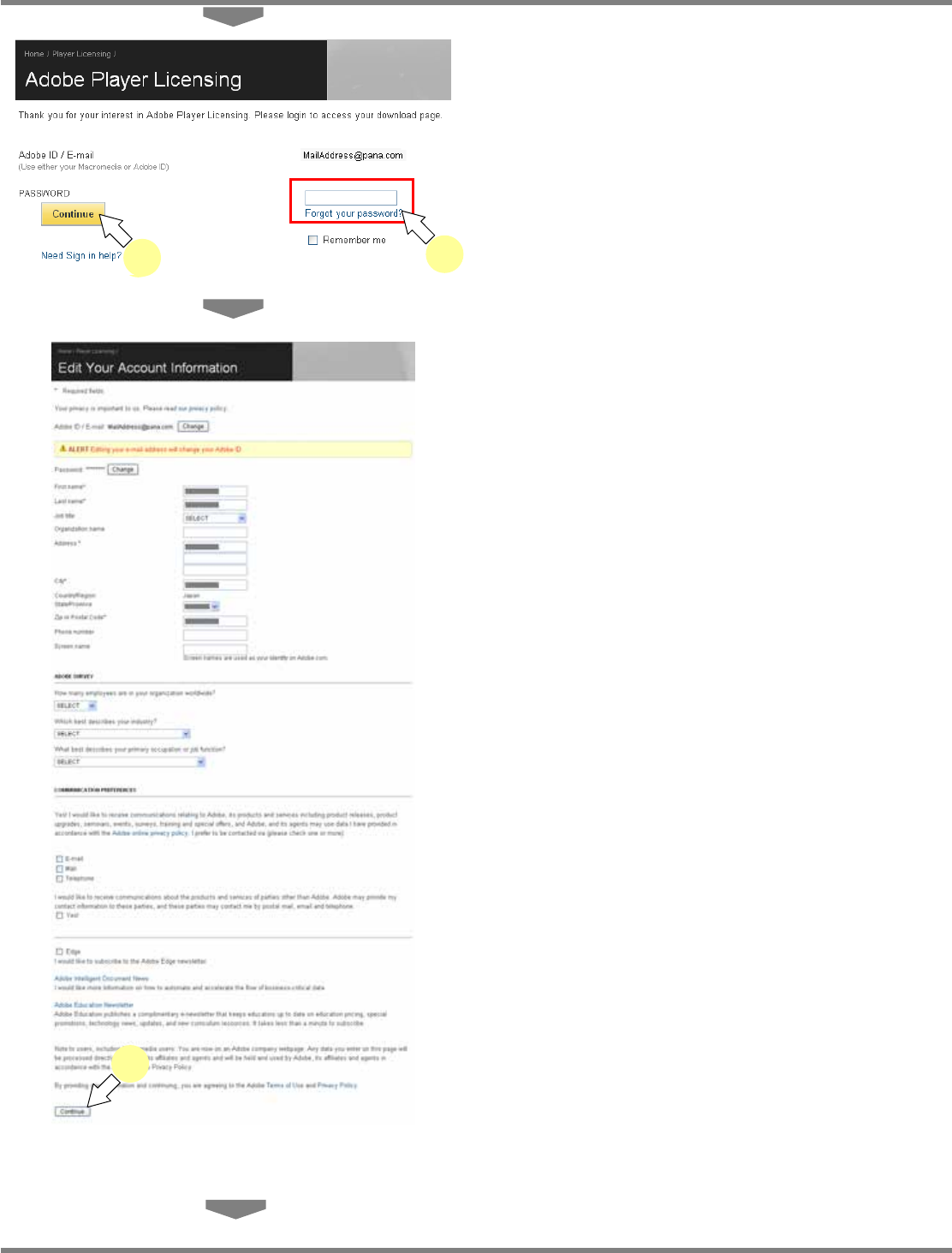
10
Enter the password, and click
[Continue].
•
The <Edit Your Account Information> screen
is displayed.
11
Enter the necessary information, and
click [Continue].
∗
If there is no need to change, just click
[Continue].
•
The Flash Player download link screen is
displayed.
lnb2-4018_e
11
10
lnb2-4017_e
10
10