N7201A304E05(1)_0.pdf - 第115页
NPM LNB 3.4 Result Information Display EJM9BE-MB-03L-20 Page 3-23 A) Dispatching section The following information is displayed in the dispat ching section. Information Explanation Period The start time and end time of e…
NPM
LNB
3.4 Result Information Display
Page 3-22 EJM9BE-MB-03L-20
3.4 Result Information Display
You can browse the production result information.
3.4.1 Production Status Monitor
1
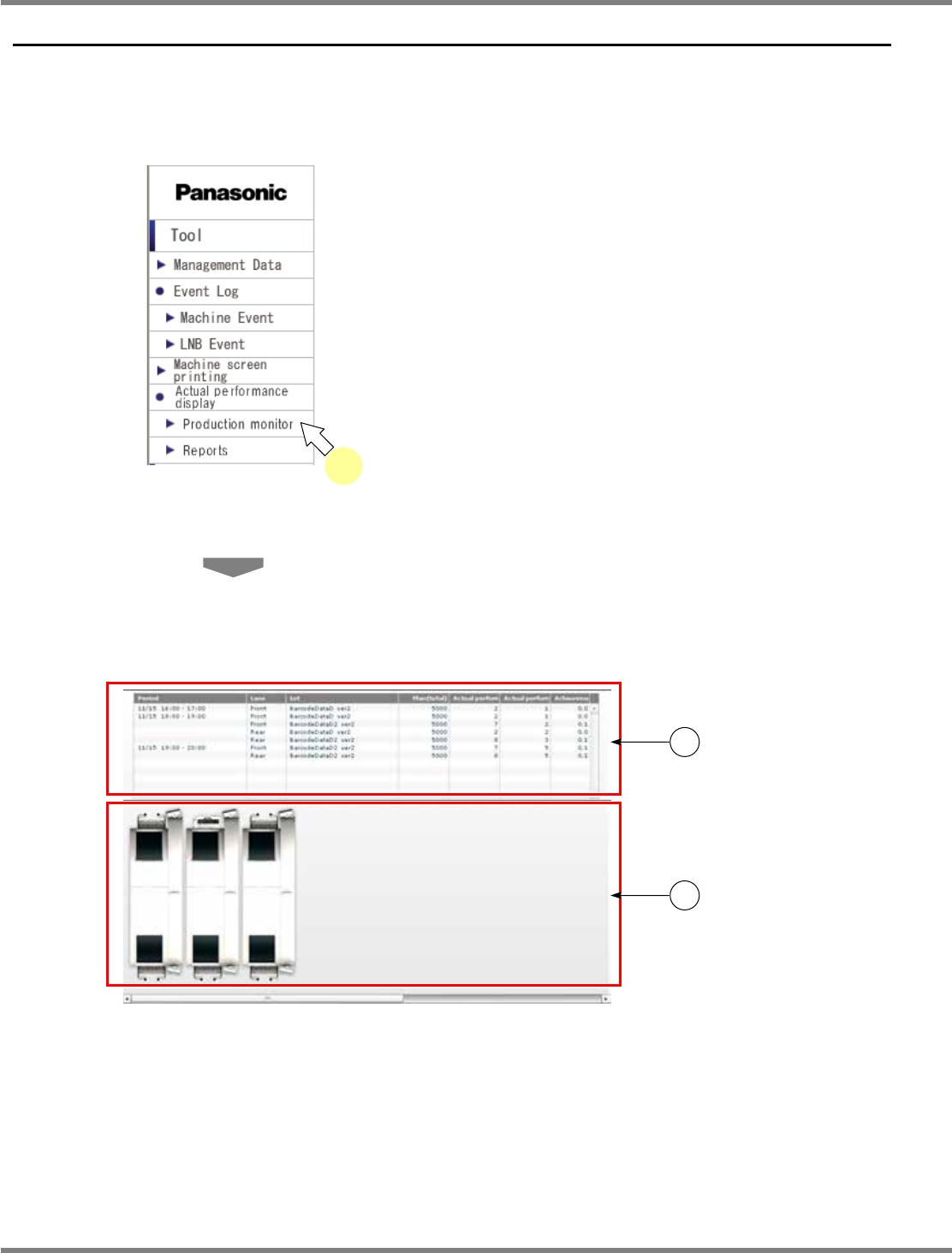
Choose [Production monitor] in
[Actual performance display] from the
menu.
•
The production status monitor is displayed.
The production status monitor consists of c
“dispatching section” and d “line status monitor
section.”
For information about the displayed contents
and operations, see the explanation on the
following pages.
lnb3-1001_e
1
lnb3-4001_e
1
2
NPM
LNB
3.4 Result Information Display
EJM9BE-MB-03L-20 Page 3-23
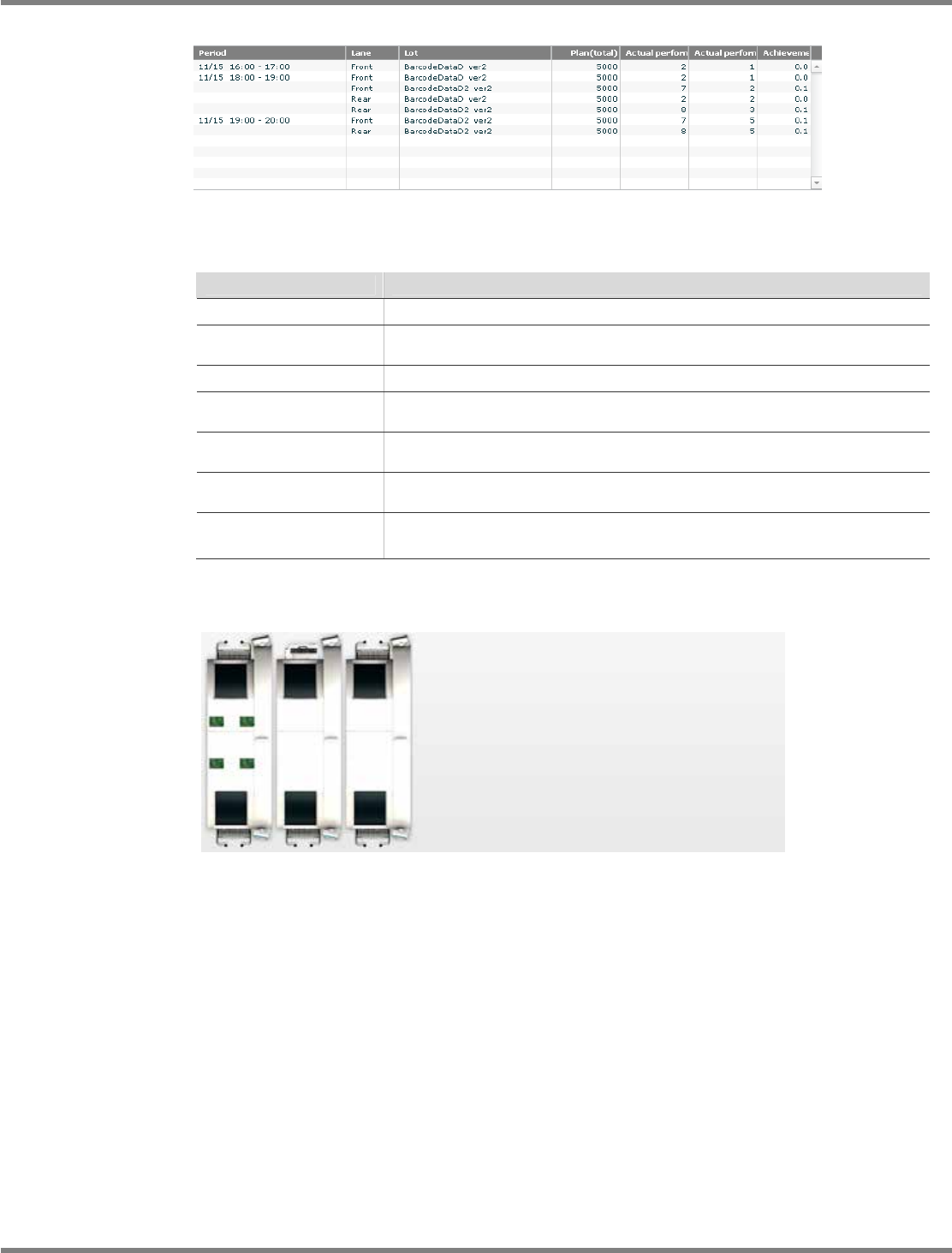
A) Dispatching section
The following information is displayed in the dispatching section.
Information
Explanation
Period
The start time and end time of each unit time are displayed.
Lane
The lane where production was carried out during the corresponding
period is displayed.
Lot
The lot produced during the corresponding period is displayed.
Plan (Accumulation)
The cumulative number of PCBs to be produced during the
corresponding period is displayed.
Result (Accumulation)
The cumulative number of PCBs produced during the corresponding
period is displayed.
Result (Unit time)
The per-unit-time number of PCBs produced during the corresponding
period is displayed.
Achievement rate
The achievement rate (resulting production count/planned production
count) during the corresponding period is displayed in percentage (%).
B) Line status monitor section
The PCB transfer state is displayed in the line status monitor section in real time.
lnb3-4002_e
lnb3-4003_e
NPM
LNB
3.4 Result Information Display
Page 3-24 EJM9BE-MB-03L-20
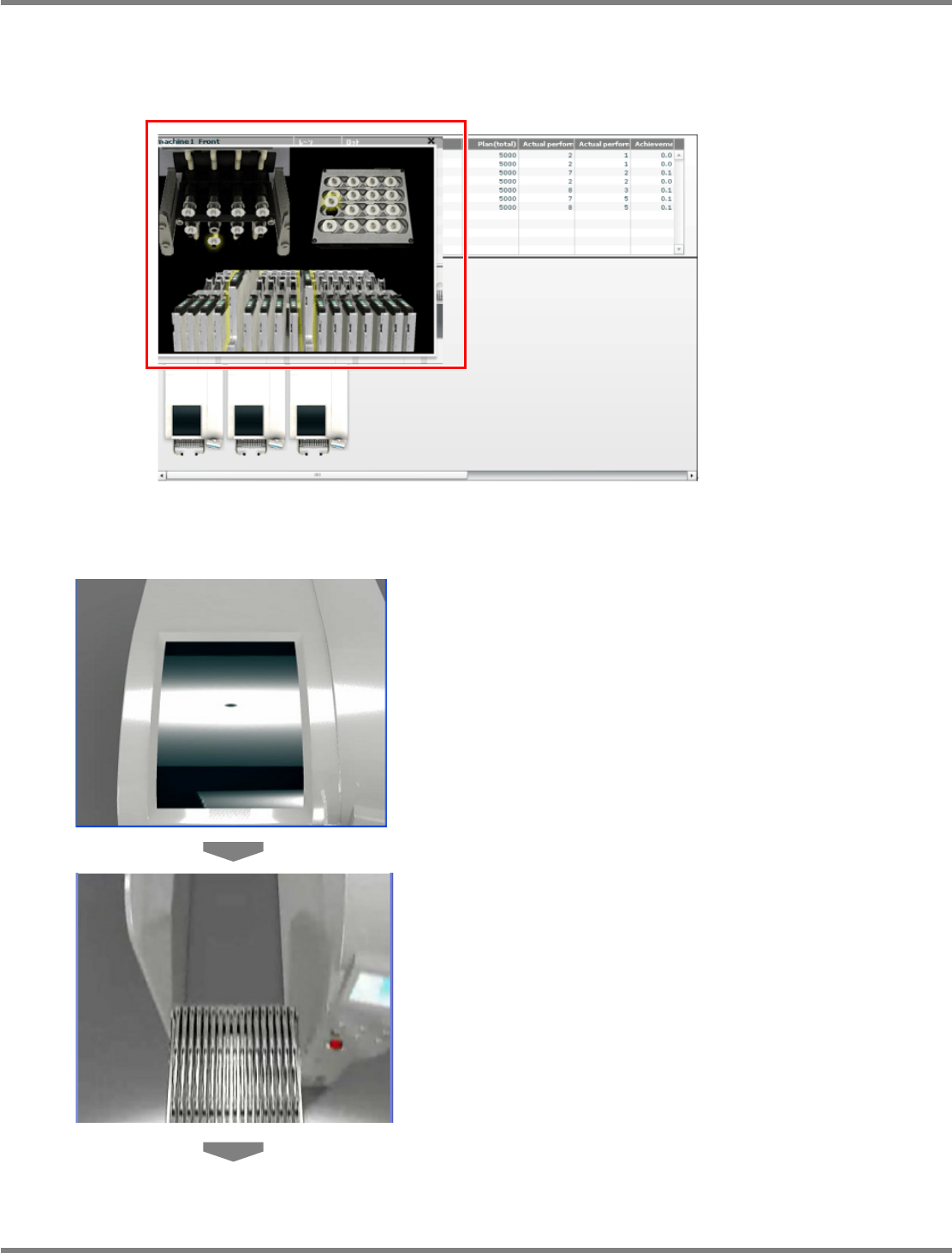
Zoom-in function
If some error or warning occurs in the production line, the target part (feeder, nozzle, nozzle
changer) of the target machine zooms in.
For the transition of zoom-in screens, see the following explanation.
①
When the target for error or warning is a feeder cart
1
The cover opens.
2
The feeder cart moves backward.
lnb3-4004_e