N7201A304E05(1)_0.pdf - 第153页
NPM LNB 4.5 Setting Information Restore EJM9BE-MB-04L-20 Page 4-23 4.5 Setting Information Restore You can load the LNB setting informatio n. The setting can be applied by specifying the backup L NB setting information. …
NPM
LNB
4.4 Setting Information Backup
Page 4-22 EJM9BE-MB-04L-20
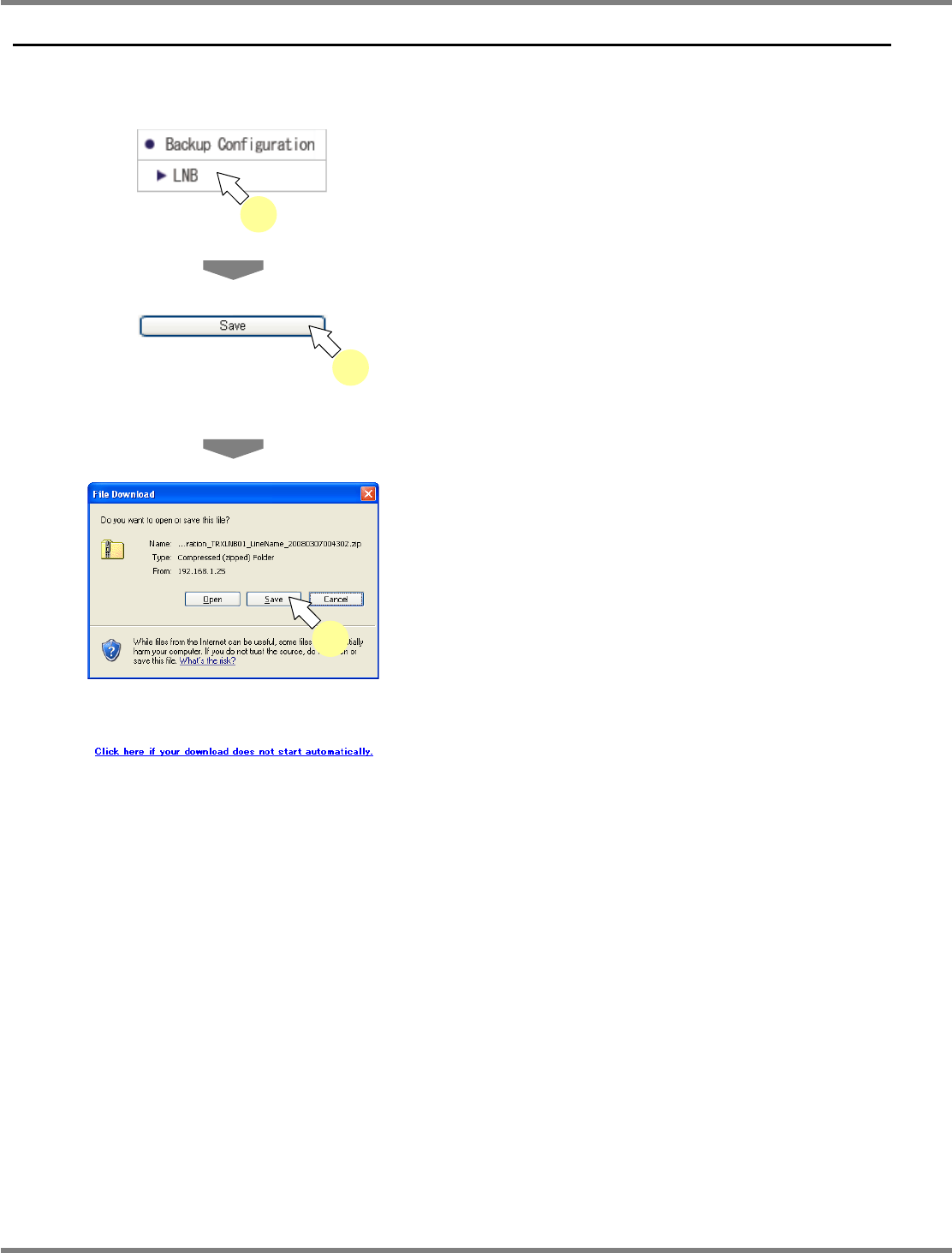
4.4 Setting Information Backup
You can back up the setting information of LNB.
The setting information backed up here can be loaded by ‘setting information restore.’
1
Choose [LNB] in [Backup
Configuration] from the menu.
•
The <Backup LNB configuration> screen is
displayed.
2
Click [Save].
•
The file download dialog opens.
3
Click [Save].
•
A dialog prompts for the destination to save.
Specify the destination, and download it.
•
If the file download dialog does not open, click
the link shown left that appears on the <Save
LNB setting information> screen.
lnb4-4001_e
1
lnb4-4002_e
2
lnb4-4003_e
3
lnb4-4004_e
NPM
LNB
4.5 Setting Information Restore
EJM9BE-MB-04L-20 Page 4-23
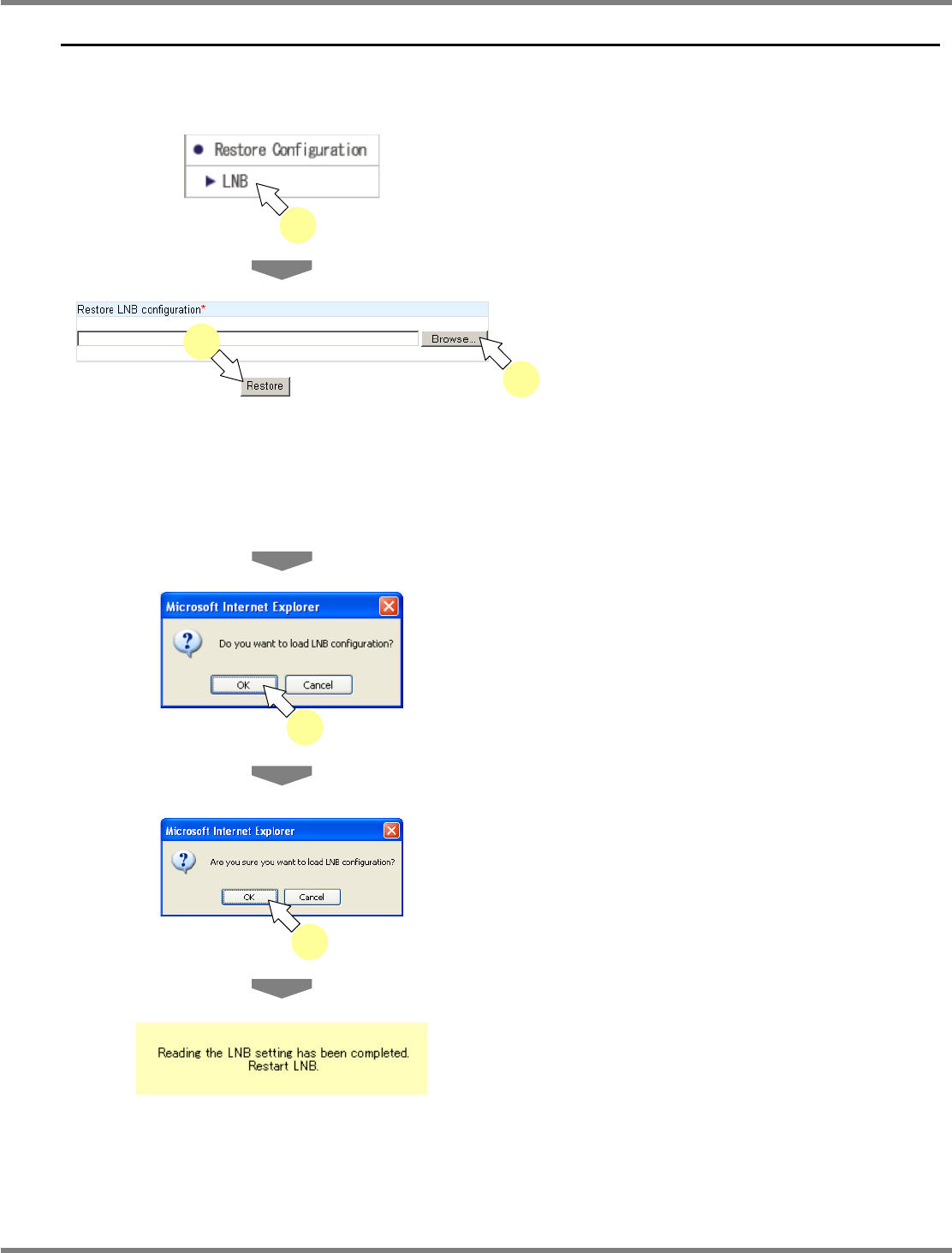
4.5 Setting Information Restore
You can load the LNB setting information.
The setting can be applied by specifying the backup LNB setting information.
1
Choose [LNB] in [Restore
Configuration] from the menu.
•
The <Restore LNB configuration> screen is
displayed.
2
Click [Browse] to specify the location
of the LNB setting information.
•
A dialog prompts for the setting information
file. Specify the setting information file.
3
Click [Restore].
•
The confirmation dialog opens.
4
Click [OK].
•
The reconfirmation dialog opens.
5
Click [OK].
•
When the restore is complete, the message of
load completion appears.
∗
After this, LNB is restarted automatically.
Because the screen will not be refreshed after
LNB is restarted, wait for about one minute
and then log in again.
lnb4-5001_e
1
lnb4-5002_e
2
3
lnb4-5005_e
lnb4-5003_e
4
lnb4-5004_e
5
NPM
LNB
4.6 Update
Page 4-24 EJM9BE-MB-04L-20
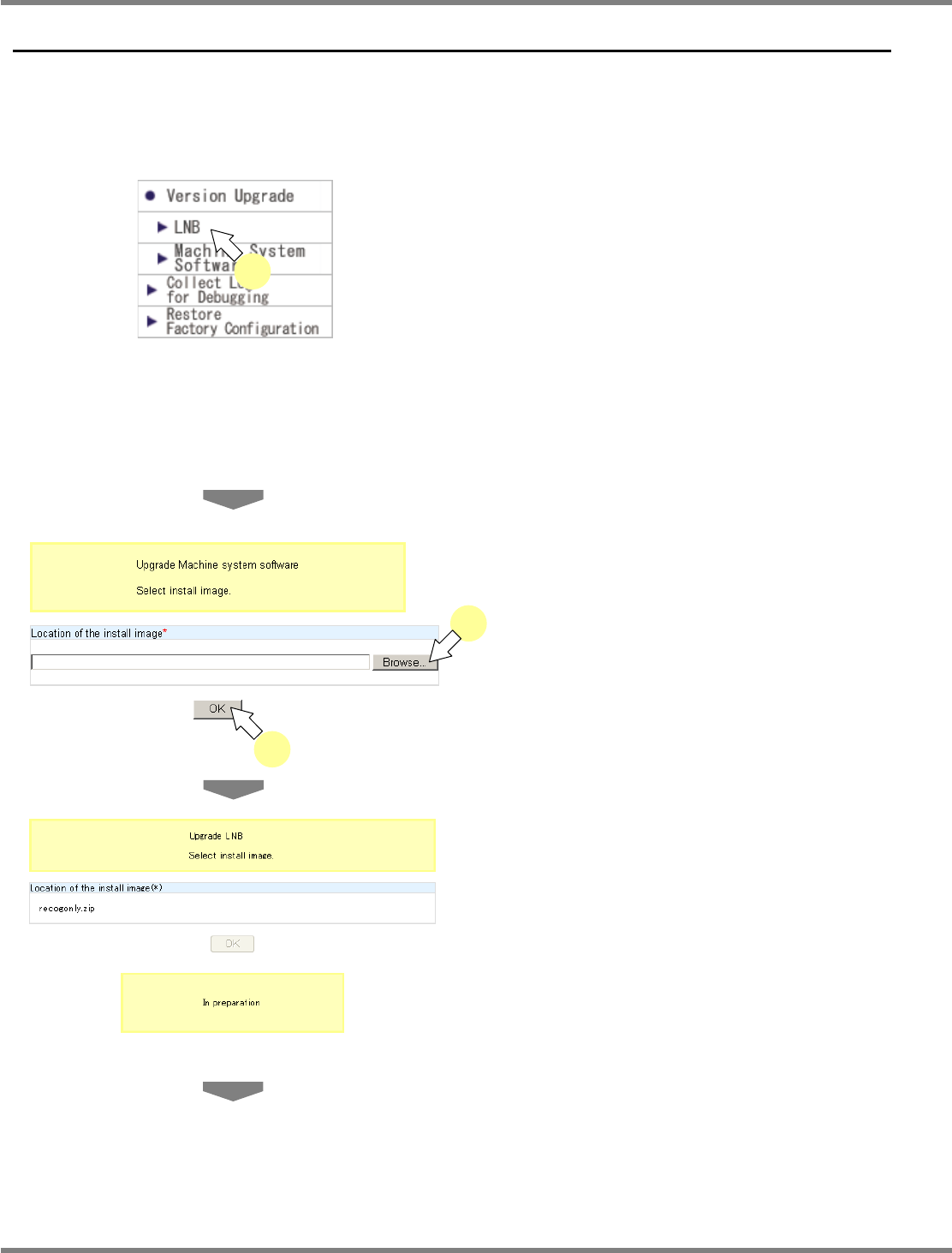
4.6 Update
4.6.1 LNB
You can update LNB.
Be aware that once it is updated, it is not possible to recover the current version.
1
Choose [LNB] in [Version Upgrade]
from the menu.
•
The <LNB Version Upgrade> screen is
displayed.
∗
The installation image of LNB is compressed
in zip format and stored in the following
location on the installation CD-ROM supplied
with NPM.
(CD drive)\LNB\lnbxxxxx.zip
∗
Five alphanumeric characters of ‘xxxxx’
indicate the version.
2
Click [Browse] to specify the location
of the LNB version system (CD drive
etc.).
•
A dialog prompts for the install image. Specify
the install image.
3
Click [OK].
•
The message “In preparation” appears.
lnb4-6001_e
1
lnb4-6002_e
3
2
lnb4-6003_e