N7201A304E05(1)_0.pdf - 第112页
NPM LNB 3.3 Production Machine Screen Print Page 3-20 EJM9BE-MB-03L-20 3.3 Production Machine Screen Print You can browse the production machi ne screen. 1 Choose [Machine screen printing] from the menu. • The list of th…
NPM
LNB
3.2 Event Information
EJM9BE-MB-03L-20 Page 3-19
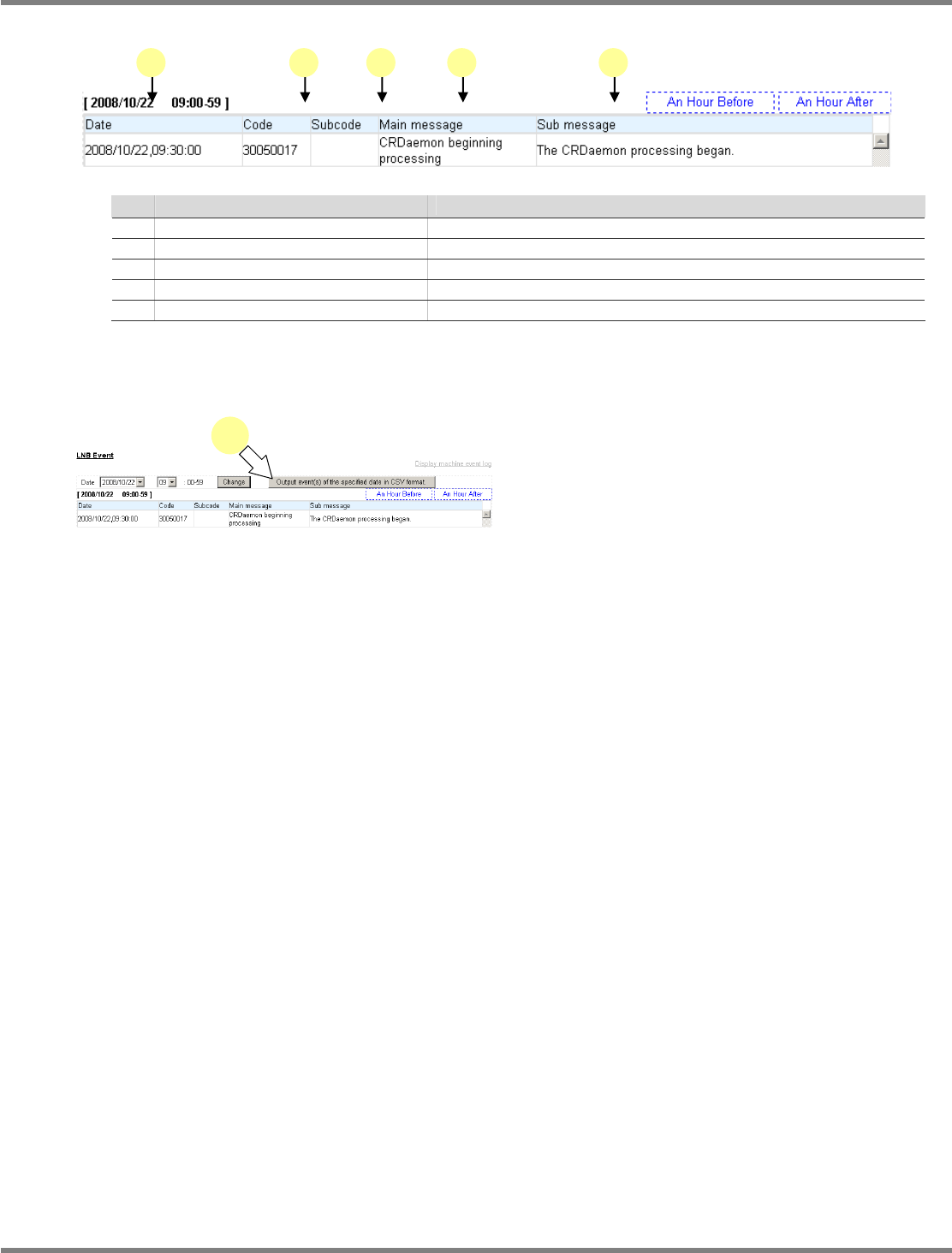
Explanation of LNB event items
Name
Explanation
a Date
The date of event occurrence
b Code
The main code to categorize events
c Sub-code
The code to show event details
d Main message
Displays the event name.
e Sub-message
Displays the event detail information.
Exporting the event
You can output the events of the specified date as a CSV format file.
1
Click [Output event(s) of the specified
date in CSV format.].
•
A dialog prompts for the destination to save.
Specify the destination, and export it.
lnb3-2002_e
1
3-2006
a b c d e
NPM
LNB
3.3 Production Machine Screen Print
Page 3-20 EJM9BE-MB-03L-20
3.3 Production Machine Screen Print
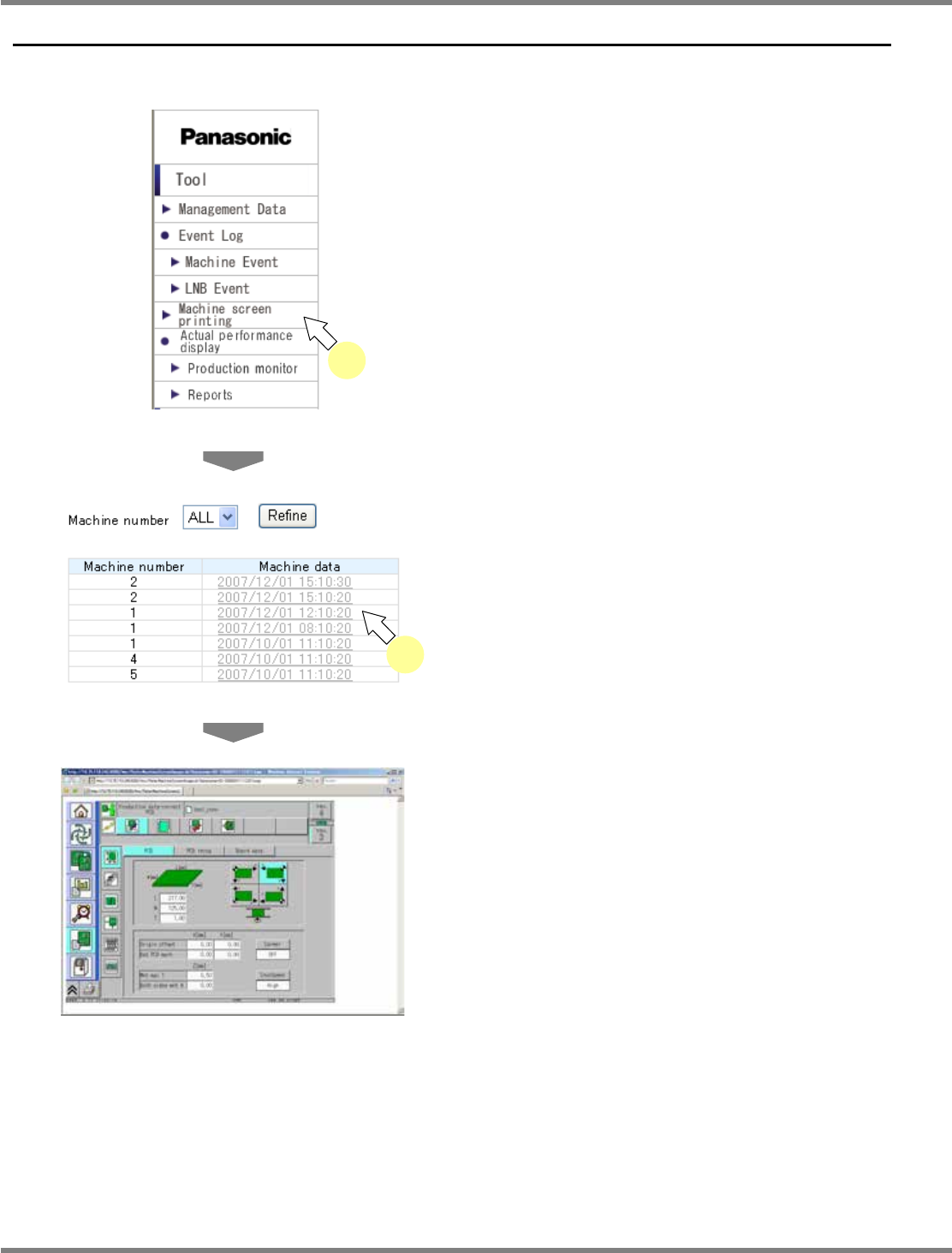
You can browse the production machine screen.
1
Choose [Machine screen printing]
from the menu.
•
The list of the production machine data of all
the registered machines is displayed.
2
Select the desired production
machine data from the production
machine data list.
•
The selected production machine screen data
is displayed.
lnb3-3001
_
e
2
lnb3-3002_e
lnb3-1001_e
1
NPM
LNB
3.3 Production Machine Screen Print
EJM9BE-MB-03L-20 Page 3-21
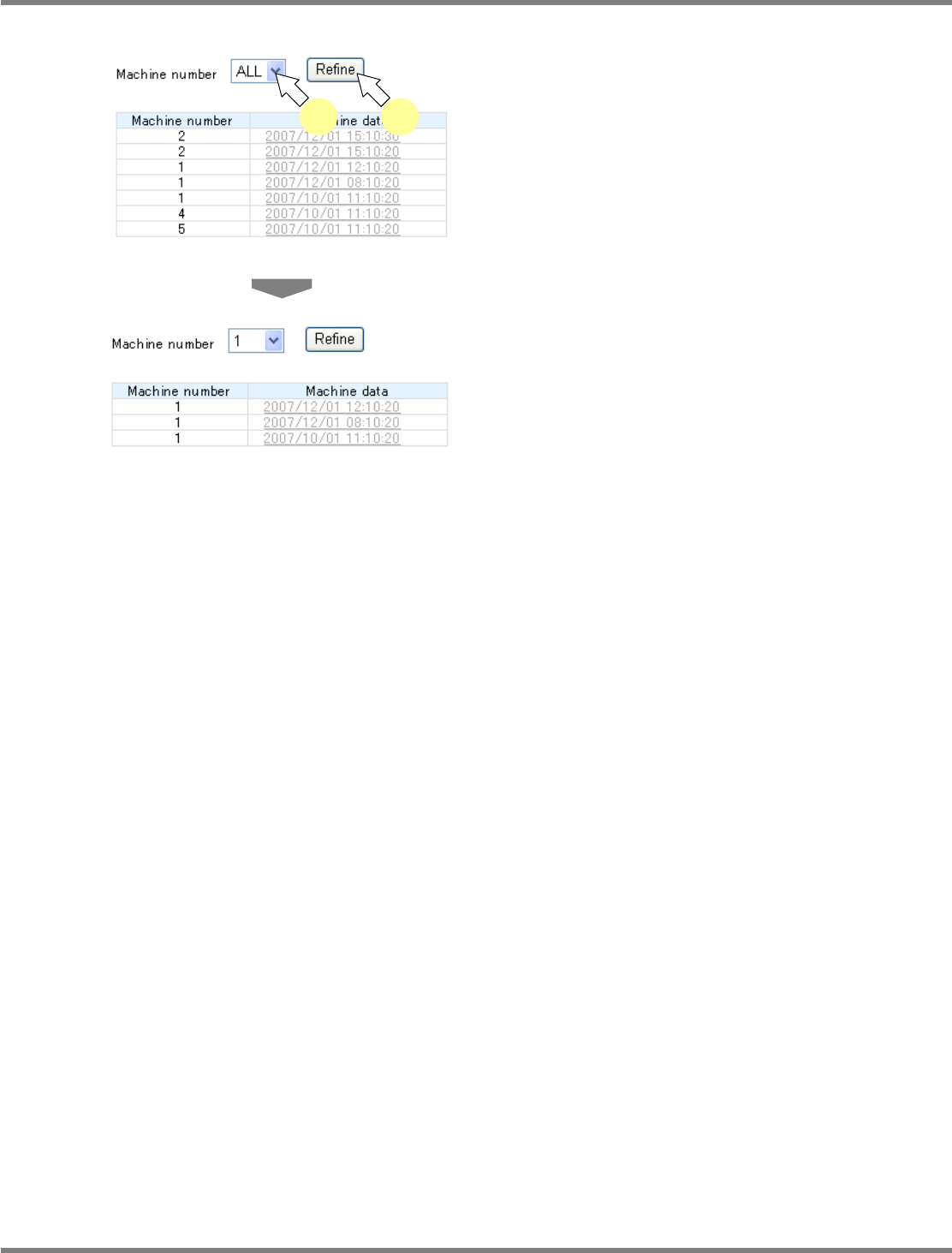
Changing the list information
1
Select the desired machine number
from the “Machine Number” combo
box, and click [Refine].
•
All the registered machine numbers and “ALL”
are set in the “Machine Number” combo box.
•
The list of the production machine data of the
specified machine is displayed.
lnb3-3001_e
1 1
lnb3-3003_e