N7201A304E05(1)_0.pdf - 第149页
NPM LNB 4.3 Advanced Setting EJM9BE-MB-04L-20 Page 4-19 4.3.7 Reloaded PCB ID Setting You can set the barcode of reload ed PCB ID. 1 Click [PCB ID setting] in [Advanced] from the menu. • The <PCB ID setting> screen…
NPM
LNB
4.3 Advanced Setting
Page 4-18 EJM9BE-MB-04L-20
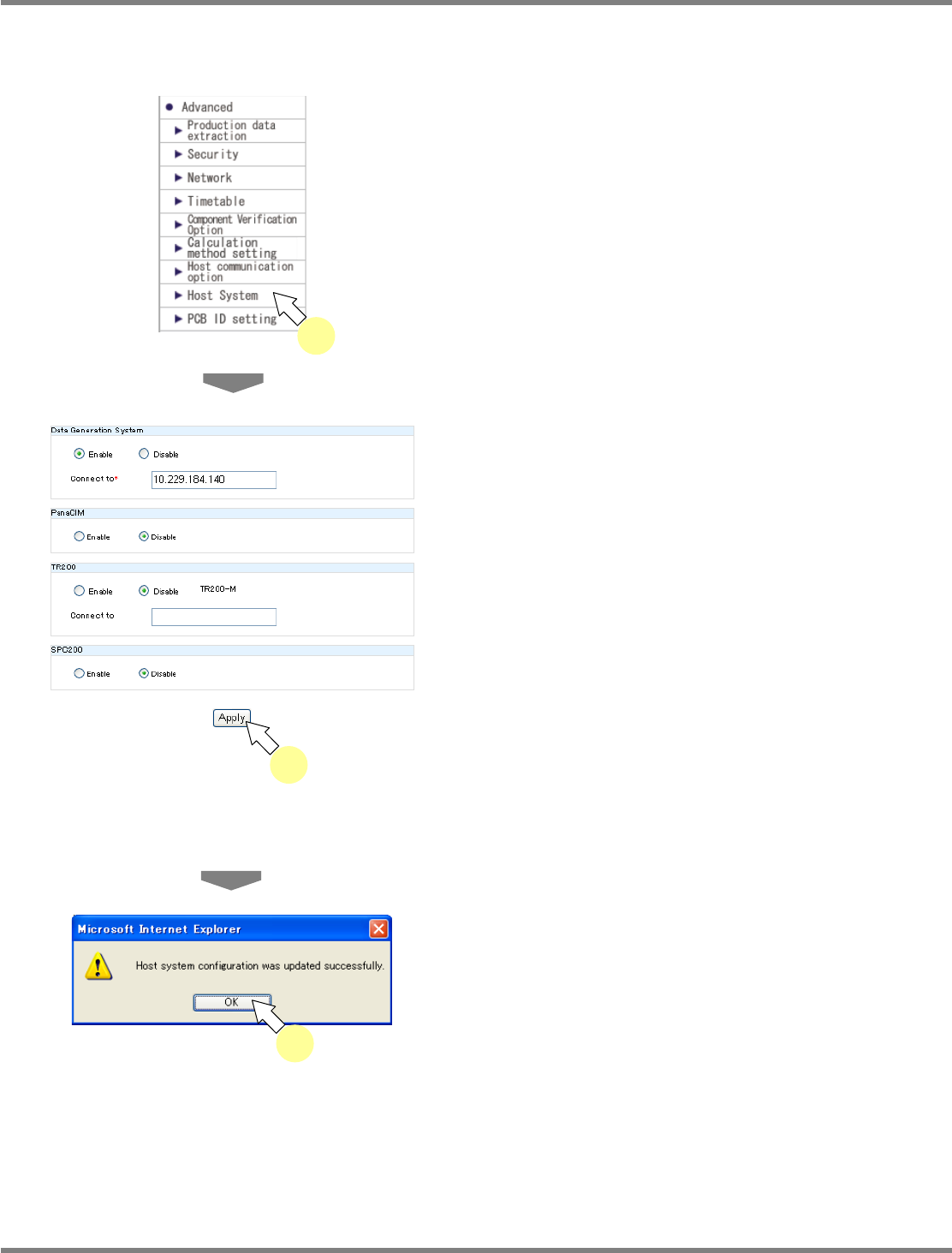
4.3.6 Host System Setting
You can set the host system.
1
Choose [Host System] in [Advanced]
from the menu.
•
The <Host System> screen is displayed.
2
Enter the data creating system, the
PanaCIM setting, the TR200 setting
and the SPC200 setting, and click
[Apply].
•
The data creating system, TR200, PanaCIM,
and SPC200 are product names of Panasonic
Factory Solutions Co., Ltd.
∗
To use each host system, you need to register
the license. If the license is not registered, the
message “The license is not registered.”
appears, and you cannot configure the
connection settings.
•
The message of host system
configuration-update completion appears.
3
Click [OK].
lnb4-3024_e
2
lnb4-3001_e
1
lnb4-3025_e
3
NPM
LNB
4.3 Advanced Setting
EJM9BE-MB-04L-20 Page 4-19
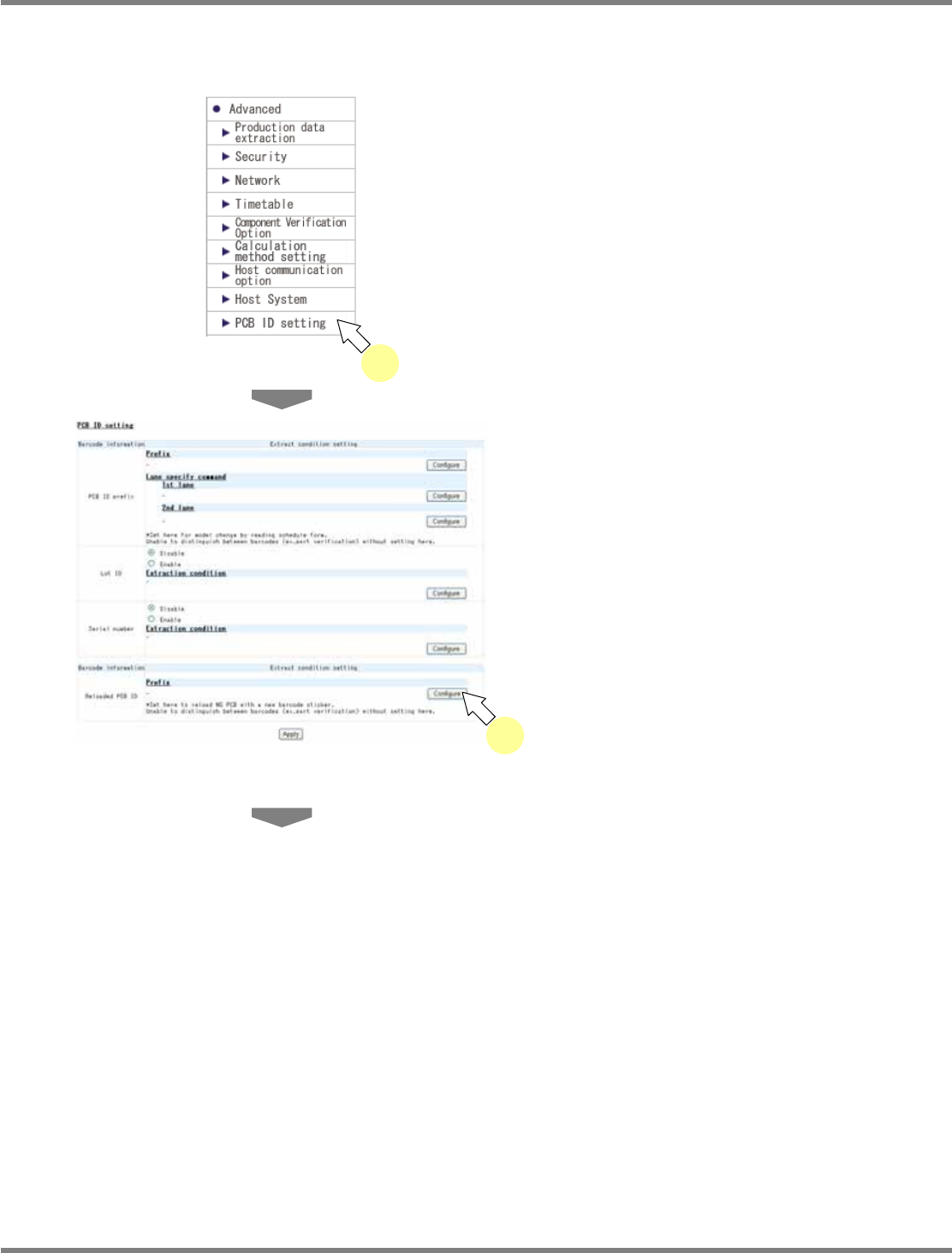
4.3.7 Reloaded PCB ID Setting
You can set the barcode of reloaded PCB ID.
1
Click [PCB ID setting] in [Advanced]
from the menu.
•
The <PCB ID setting> screen is displayed.
2
Click [Configure] of Prefix in the
‘
Reloaded PCB ID
’
field.
•
The <Barcode setting> screen is displayed.
lnb4-3001_e
1
lnb4-3026_e
2
NPM
LNB
4.3 Advanced Setting
Page 4-20 EJM9BE-MB-04L-20
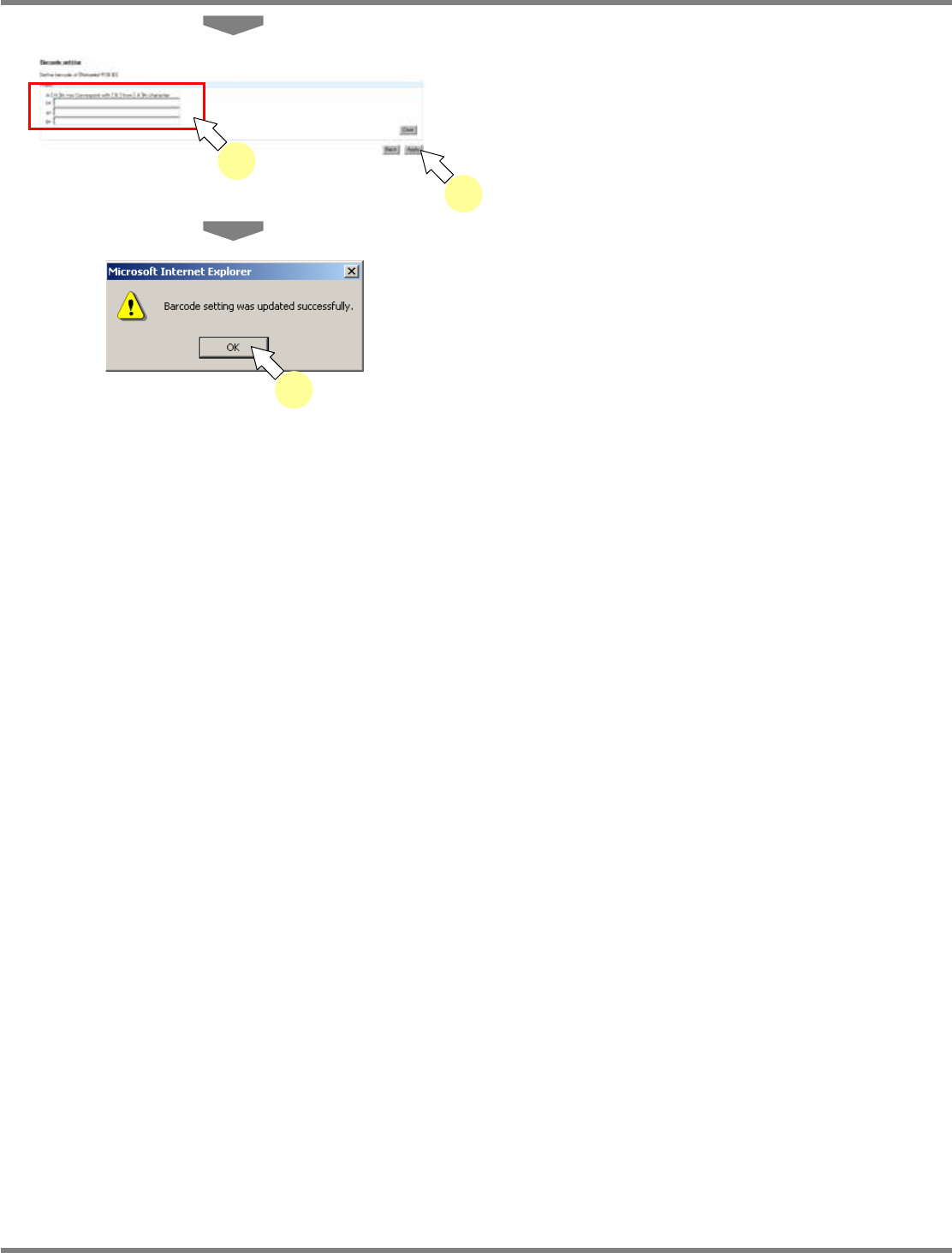
3
Enter the conditions in N, A, and B,
and click [Apply].
•
The update completion dialog opens, and the
changes take effect.
4
Click [OK].
lnb4-3027_e
3
3
lnb4-3028_e
4