N7201A304E05(1)_0.pdf - 第132页
NPM LNB 4.1 LNB Configuration Information Page 4-2 EJM9BE-MB-04L-20 4.1 LNB Configuration Information You can browse the LNB configuration information. 1 Choose [LNB Configuration] from the menu. • The line ID, the line …

NPM
LNB
EJM9BE-MB-04L-20 Page 4-1
4. MAINTENANCE
This chapter explains the maintenance functions of Line Network Box (browsing the
machines composing the line, setting, managing the software version, etc.). For
information about maintenance of LNB, refer to the Maintenance Manual.
NPM
LNB
4.1 LNB Configuration Information
Page 4-2 EJM9BE-MB-04L-20
4.1 LNB Configuration Information
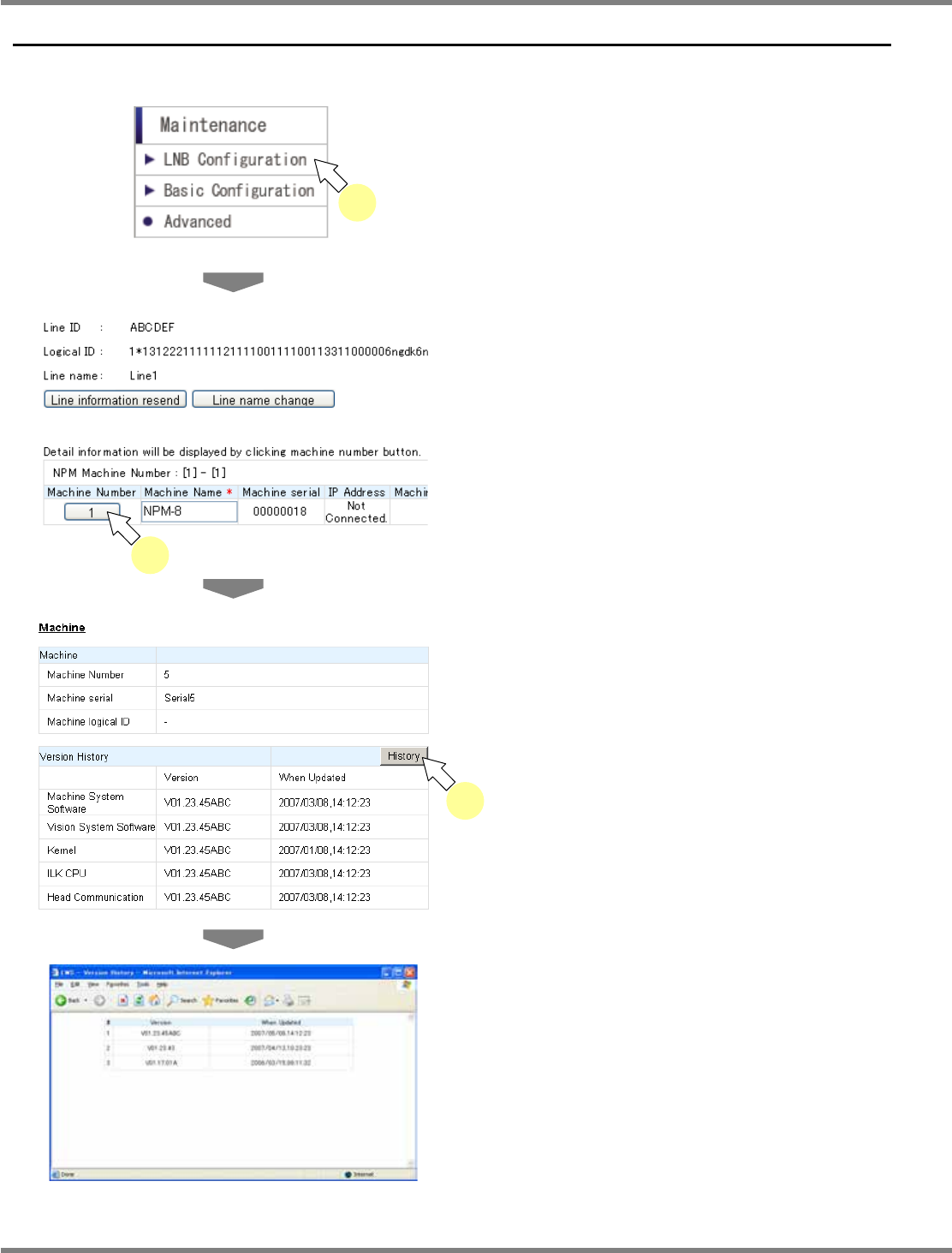
You can browse the LNB configuration information.
1
Choose [LNB Configuration] from the
menu.
•
The line ID, the line name, and the line
configuration information are displayed.
2
Click the desired machine number.
•
The detailed information of the specified
machine is displayed.
3
Click [History].
•
The version update history of the machine
system is displayed in the new window.
lnb4-1001_e
1
lnb4-1002_e
2
lnb4-1004_e
lnb4-1003_e
3
NPM
LNB
4.1 LNB Configuration Information
EJM9BE-MB-04L-20 Page 4-3
Changing the line name
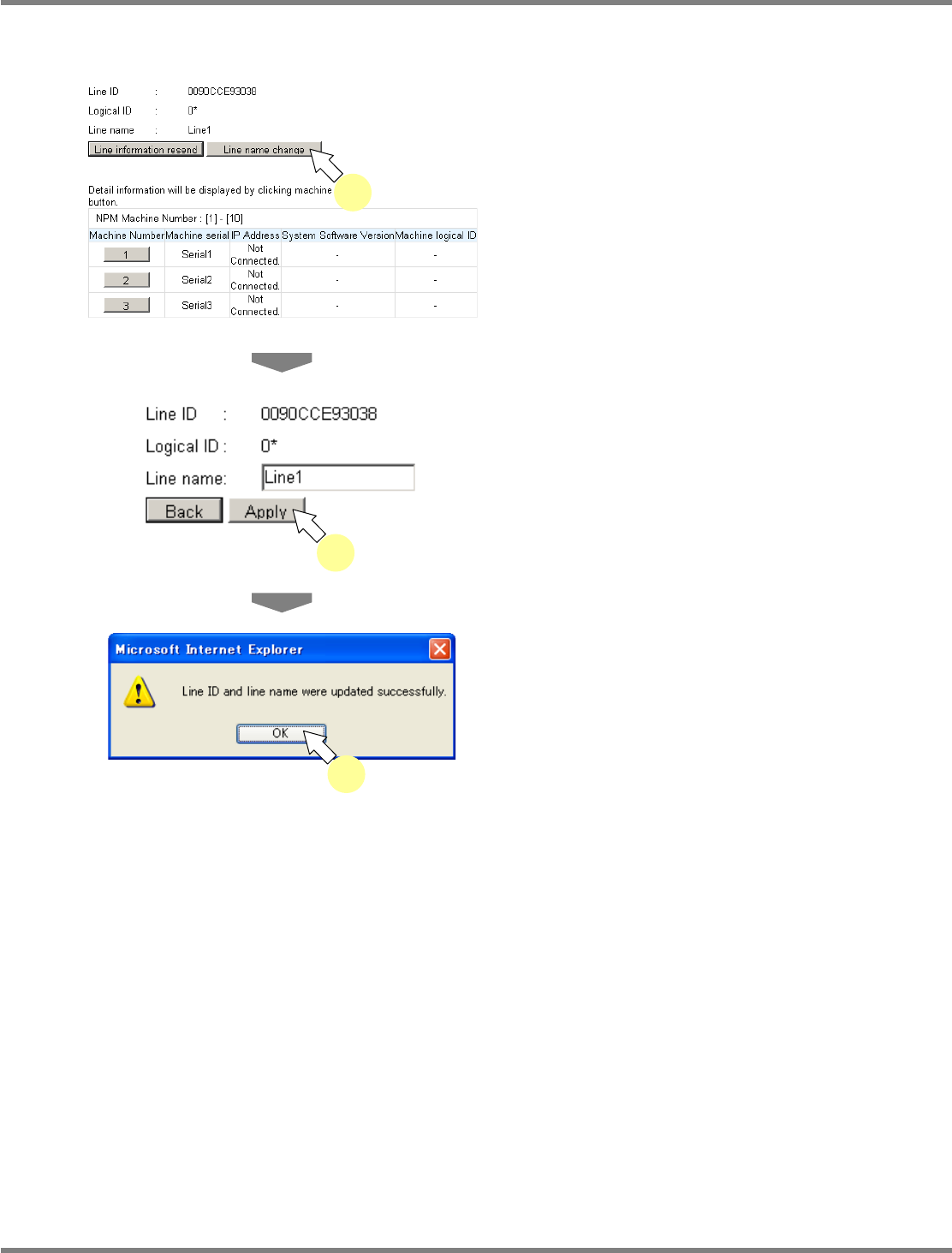
You can change the line name at the <LNB Configuration> screen.
1
Click [Line name change] on the
<LNB Configuration> screen.
•
Now the line name can be changed.
2
Enter the changed information and
click [Apply].
•
The update completion dialog opens, and the
change takes effect.
3
Click [OK].
lnb4-1005_e
2
lnb4-1002_e
1
lnb4-1006_e
3