N7201A304E05(1)_0.pdf - 第83页
NPM LNB 2.5 Initial Setting EJM9BE-MB-02L-20 Page 2-13 • An information bar message appears. 4 Click [OK]. 5 Choose [Install ActiveX Control] from the pop-up menu that appears by clicking the information bar. • The secur…
NPM
LNB
2.5 Initial Setting
Page 2-12 EJM9BE-MB-02L-20
2.5.2 Installing Flash Player
To use the result information display function, the self-diagnosis function, or the parameter edit
function, Adobe Flash Player is required.
This part explains the procedure for installing Adobe Flash Player.
A) When the Internet access is available
When the Internet access is available, you can install Flash Player from the Adobe site. If it is not
installed in advance, LNB prompts for installation of Flash Player when you first use the function
that needs Flash Player.
①
Installing Flash Player in advance
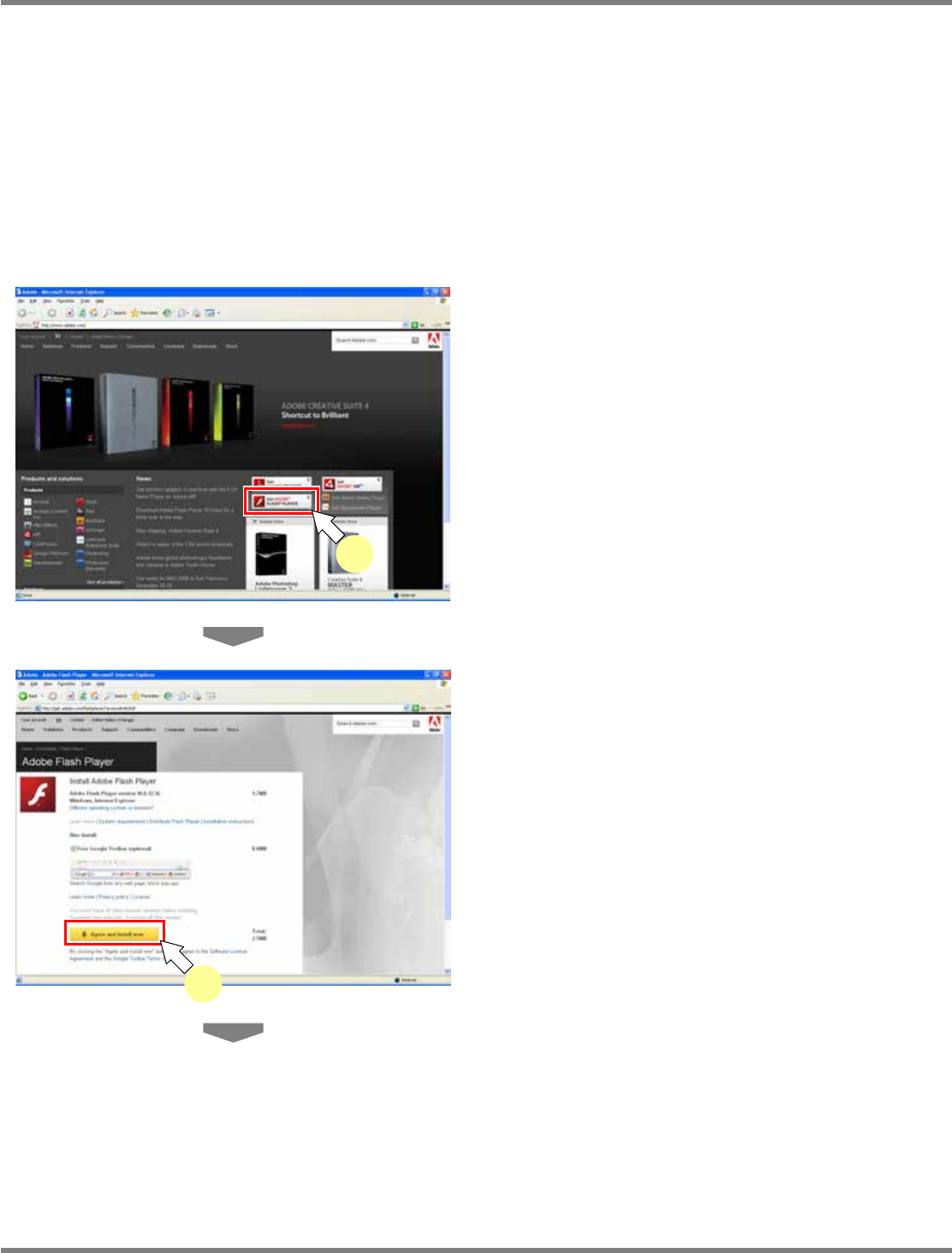
1
Access the Adobe site.
•
Type “http://www.adobe.com” in the address
bar of browser.
2
Click [Get ADOBE FLASH PLAYER].
•
The Flash Player download site is displayed.
3
Check the displayed conditions, and
click [Agree and install now].
•
Check the version to be installed, and the
OS/browser to be used.
lnb2-4002_e
3
lnb2-4001_e
2
NPM
LNB
2.5 Initial Setting
EJM9BE-MB-02L-20 Page 2-13
•
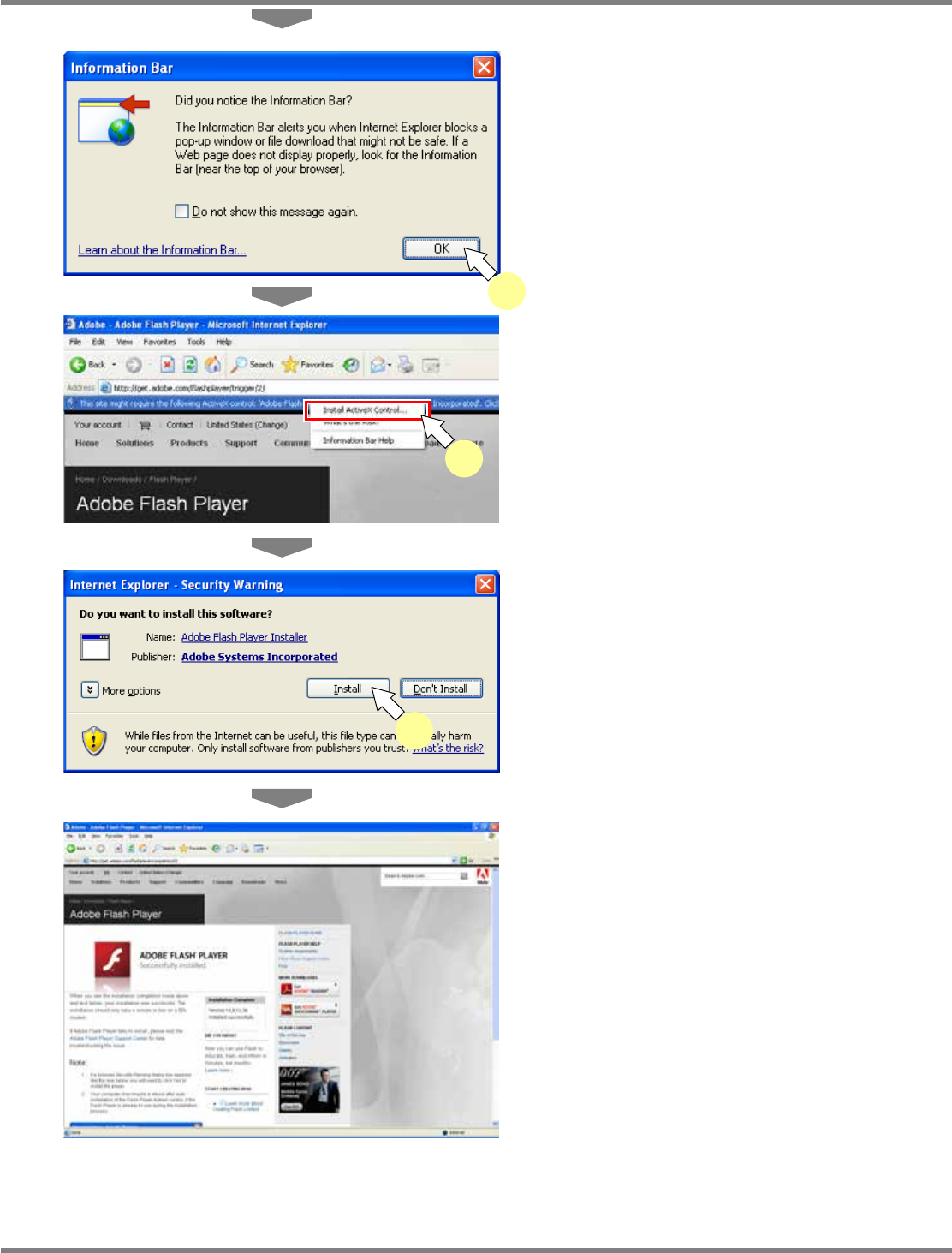
An information bar message appears.
4
Click [OK].
5
Choose [Install ActiveX Control] from
the pop-up menu that appears by
clicking the information bar.
•
The security alert screen is displayed.
6
Click [Install].
•
Installation begins.
7
Confirm the completion of installation,
and then close the site.
•
When the installation is complete, the
message “ADOBE FLASH PLAYER
Successfully installed.” appears on the site.
∗
Depending on your security setting, <step 4>,
<step 5>, and <step 6> may not be required.
lnb2-4003_e
4
lnb2-4004_e
5
lnb2-4005_e
6
lnb2-4006_e
NPM
LNB
2.5 Initial Setting
Page 2-14 EJM9BE-MB-02L-20
②
When first using the function that needs Flash Player
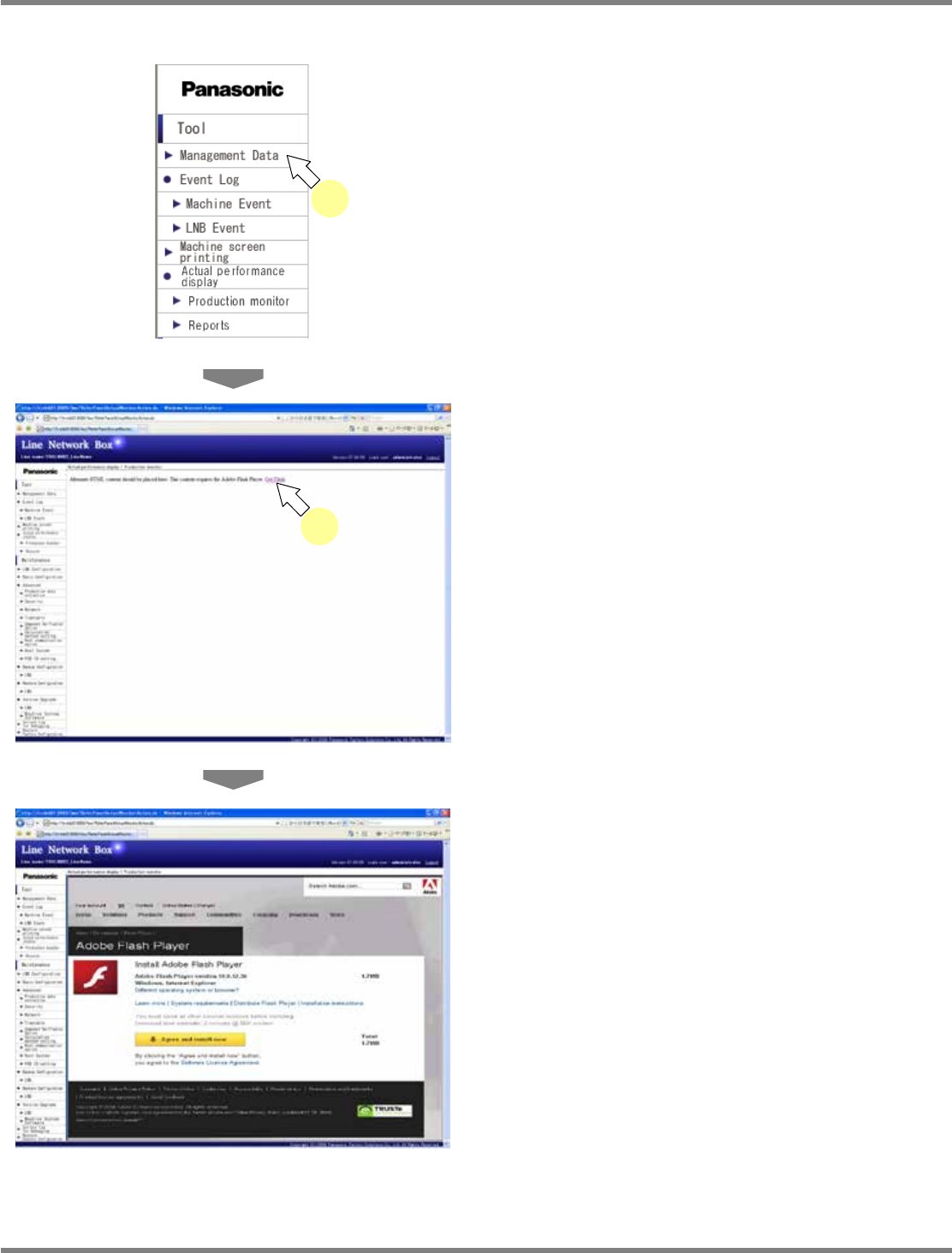
1
Select an applicable menu.
•
The functions that need Flash Player include
the “result information display function
(production status monitor, reports),” the
“self-diagnosis function (connection check,
setting check),” and the “parameter edit
function (line parameter).”
•
The screen of the corresponding function is
displayed.
2
Click [Get Flash] in the displayed
message.
•
The message saying Flash Player is required
to display the page appears.
•
The “Flash Player” download site is displayed.
∗
For the subsequent steps, see <step 3> or
later in the above “Installing Flash Player in
advance.”
lnb2-4007_e
1
lnb2-4009_e
lnb2-4008_e
2