N7201A304E05(1)_0.pdf - 第119页
NPM LNB 3.4 Result Information Display EJM9BE-MB-03L-20 Page 3-27 4 The target pallet, nozzle, and nozzle changer are enlarged. 5 The whole of trays, head, and nozzle changer are displayed. Display of target part Explana…
NPM
LNB
3.4 Result Information Display
Page 3-26 EJM9BE-MB-03L-20
②
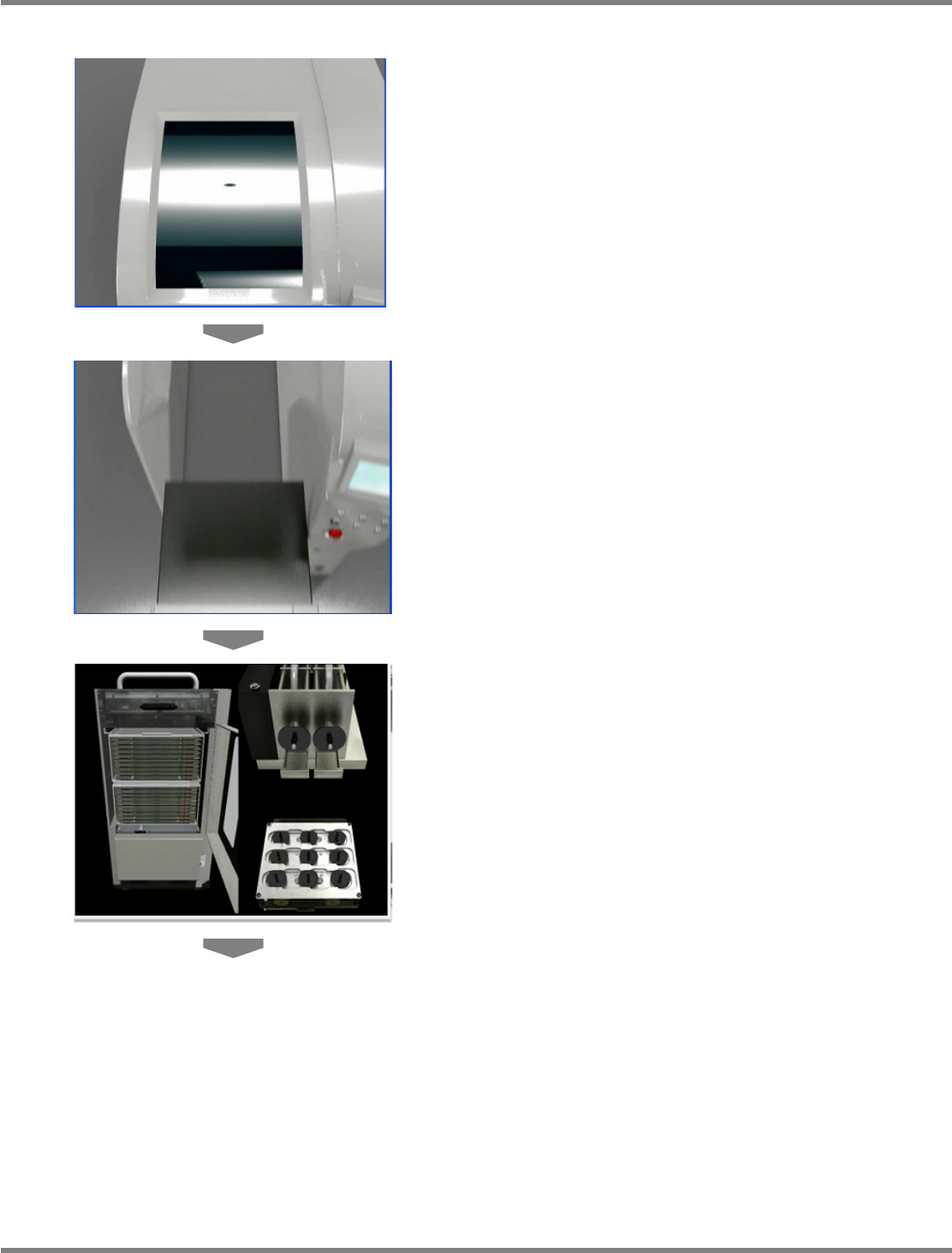
When the target for error or warning is a tray cart
1
The cover opens.
2
The tray cart moves backward.
3
Trays, head, and nozzle changer are
displayed.
NPM
LNB
3.4 Result Information Display
EJM9BE-MB-03L-20 Page 3-27
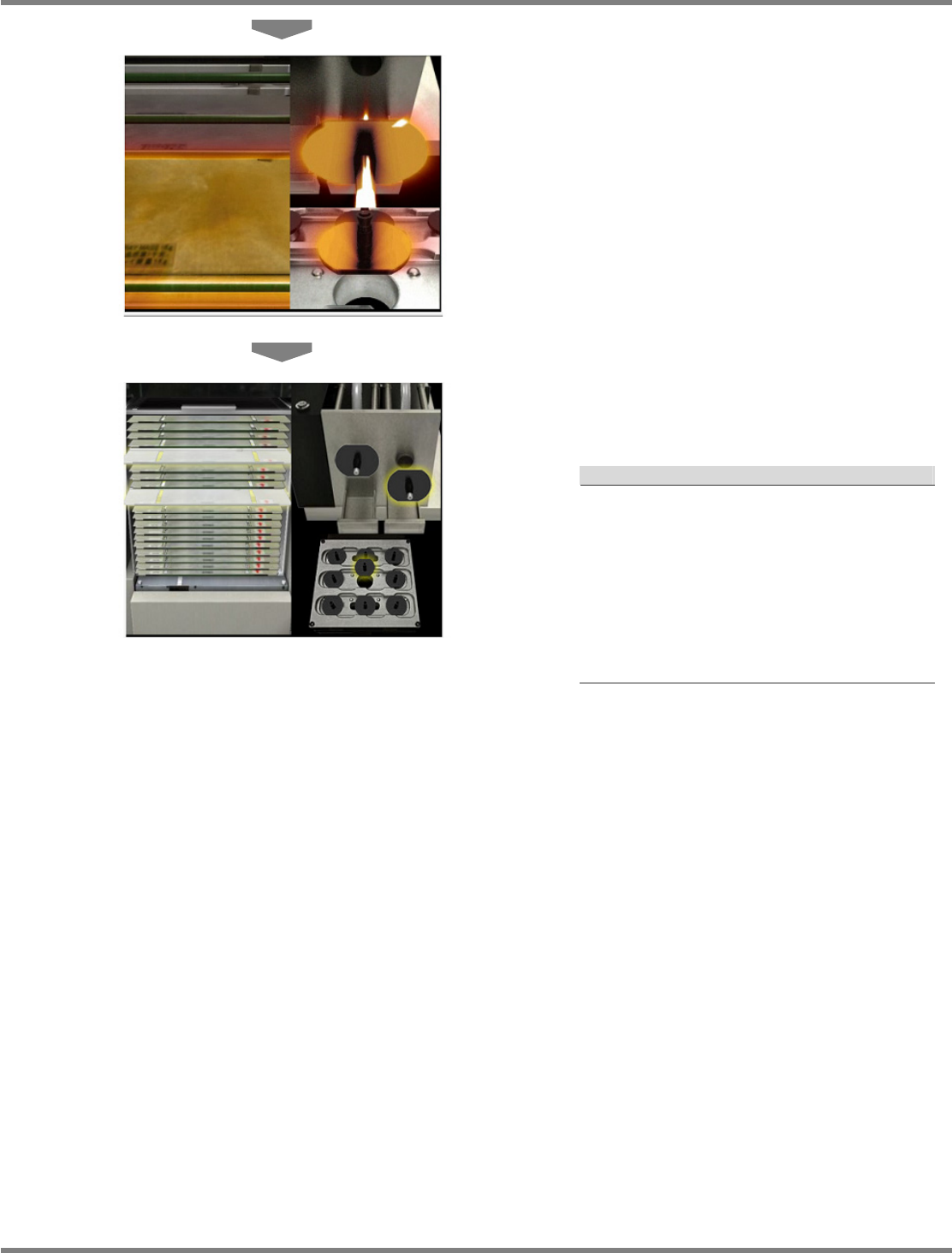
4
The target pallet, nozzle, and nozzle
changer are enlarged.
5
The whole of trays, head, and nozzle
changer are displayed.
Display of target part
Explanation
a) For tray
The color of the target pallet changes, and it
moves forward.
b) For nozzle
The head zooms in, the color of the target
nozzle changes, and it moves forward.
c) For nozzle changer
The nozzle changer zooms in, the color of
the target nozzle changes, and it moves
forward.
NPM
LNB
3.4 Result Information Display
Page 3-28 EJM9BE-MB-03L-20
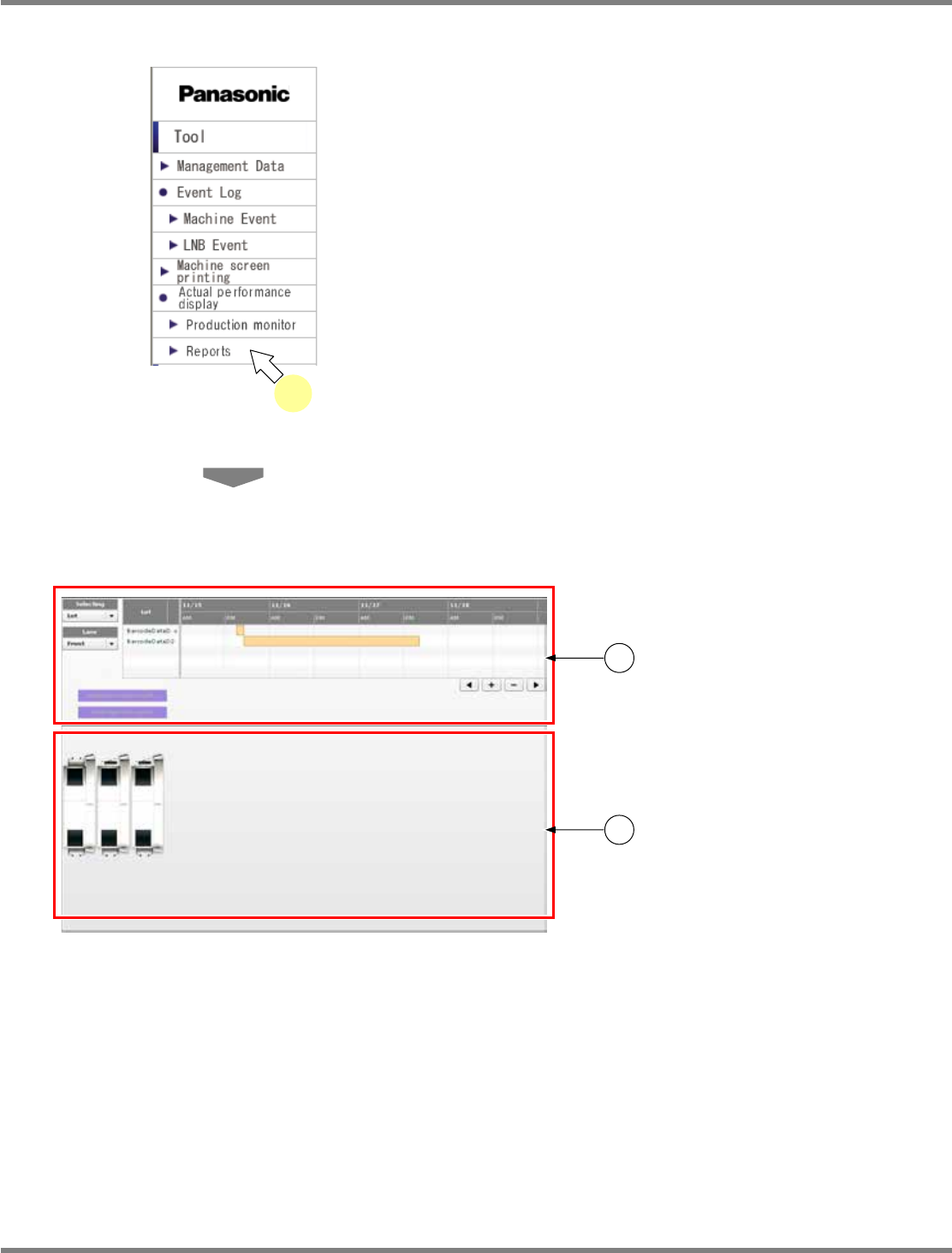
3.4.2 Reports
1
Choose [Reports] in [Actual
performance display] from the menu.
•
The report screen is displayed.
The report screen consists of c “time
selection section” and d “line status monitor
section.”
For information about the displayed contents
and operations, see the explanation on the
following pages.
lnb3-1001_e
1
lnb3-4005_e
1
2