N7201A304E05(1)_0.pdf - 第92页
NPM LNB 2.5 Initial Setting Page 2-22 EJM9BE-MB-02L-20 ∗ For the subsequent steps, see <step 3> or later in the above “A) When the Internet access is available, c Installing Fla s h Player in advance.” lnb2-4002_ e
NPM
LNB
2.5 Initial Setting
EJM9BE-MB-02L-20 Page 2-21
Version of Flash Player
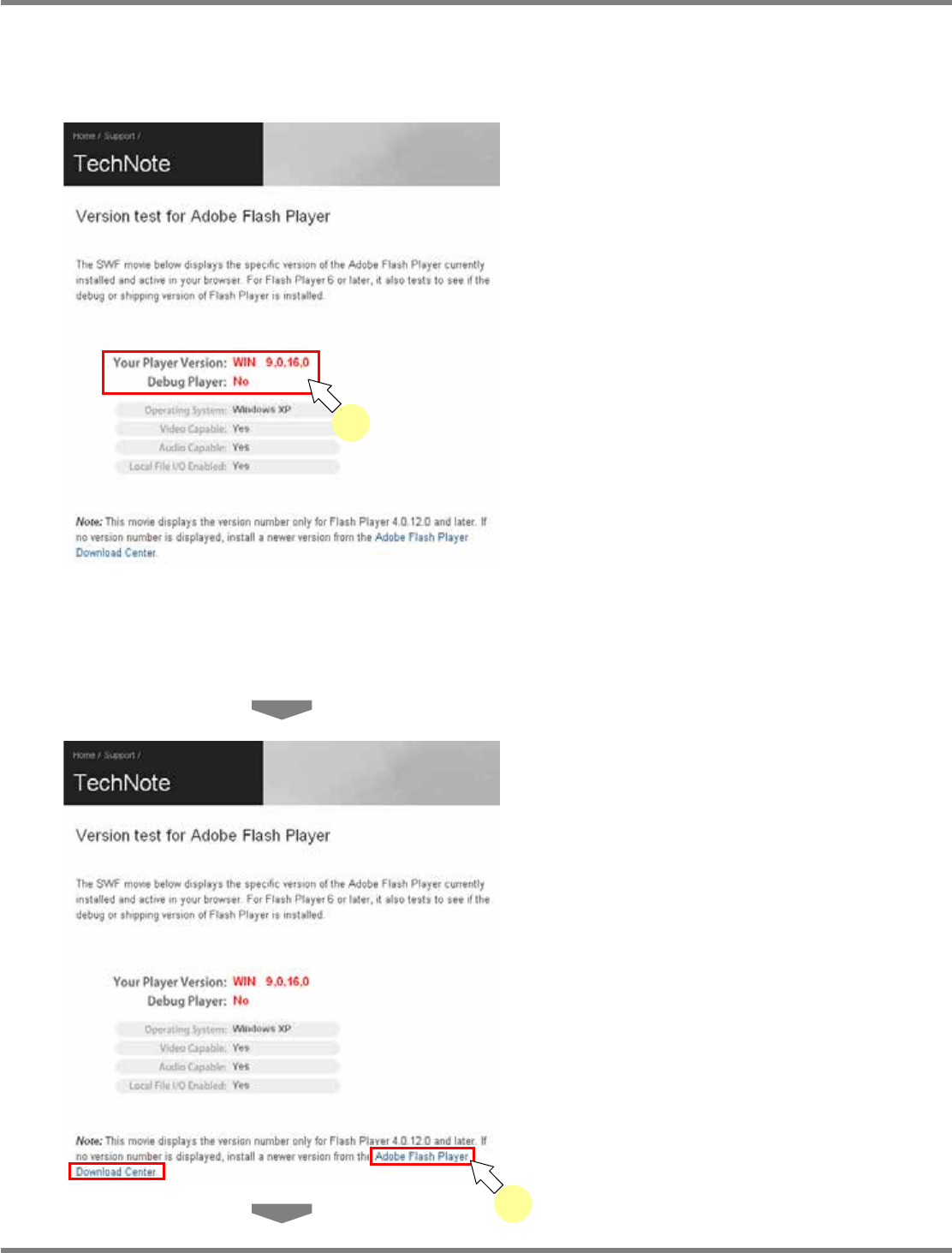
To function LNB properly, Flash Player version 9,0,28,0 or later is required.
This part explains the procedure for updating the existing Flash Player if it does not meet the
above conditions.
1
Access the Adobe Flash Player
version check site.
•
The version of the currently installed Flash
Player appears.
∗
Enter the following URL in the address bar of browser.
Japanese URL: http://www.adobe.com/jp/support/flashplayer/ts/documents/tn_15507.htm
English URL: http://kb.adobe.com/selfservice/viewContent.do?externalId=tn_15507&sliceId=2
Chinese URL: http://www.adobe.com/cn/support/flashplayer/ts/documents/tn_15507.htm
2
Click [Adobe Flash Player Download
Center].
•
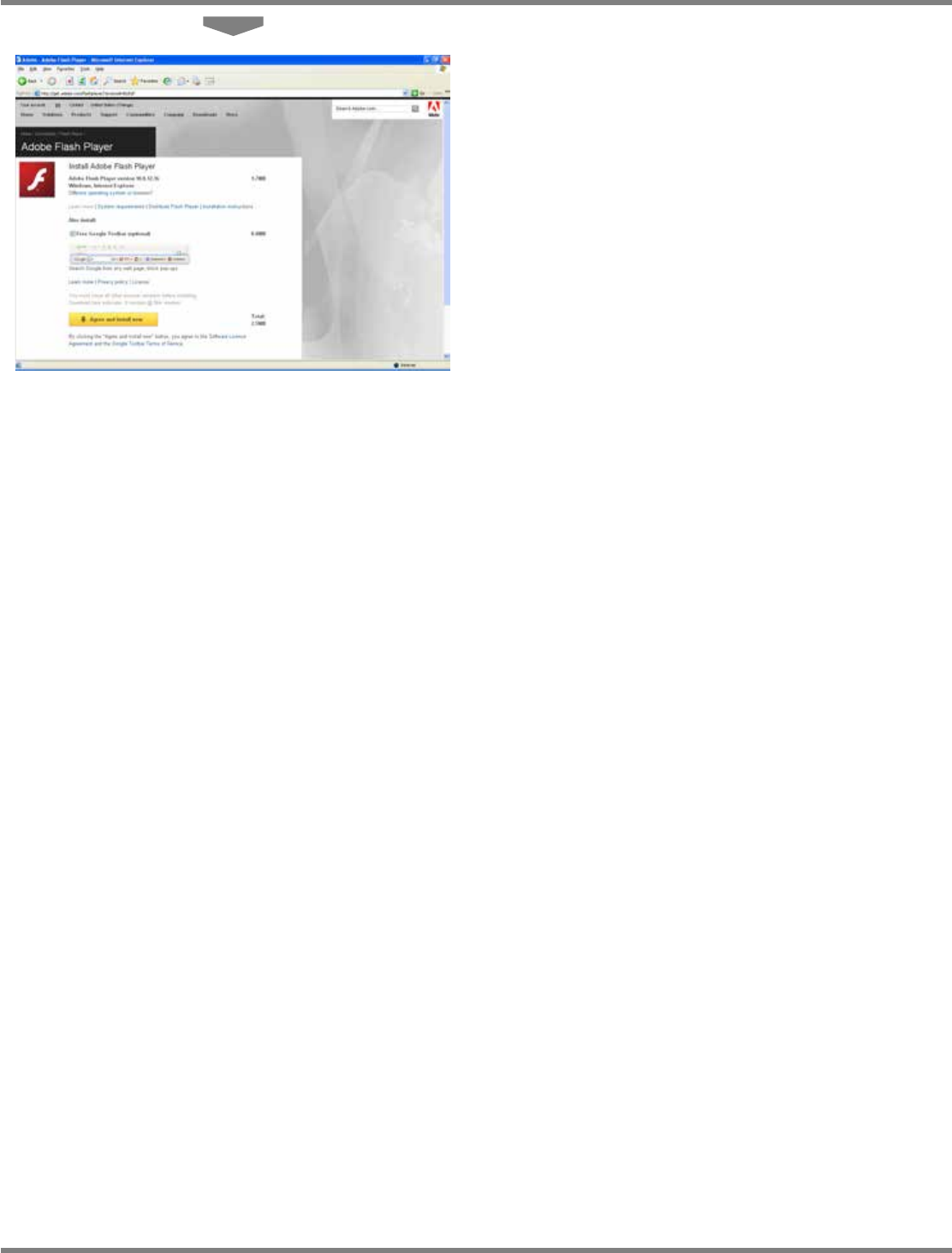
The “Flash Player” download site is displayed.
lnb2-4026_e
2
lnb2-4026_e
1
NPM
LNB
2.5 Initial Setting
Page 2-22 EJM9BE-MB-02L-20
∗
For the subsequent steps, see <step 3> or
later in the above “A) When the Internet
access is available, c Installing Flash Player
in advance.”
lnb2-4002_e

NPM
LNB
EJM9BE-MB-03L-20 Page 3-1
3. TOOL
This chapter explains the tool functions of Line Network Box (browsing the production
management information or the event information, printing the production machine
screen, and displaying the result information).