N7201A304E05(1)_0.pdf - 第133页
NPM LNB 4.1 LNB Configuration Information EJM9BE-MB-04L-20 Page 4-3 Changing the line name You can change the line name at the <L NB Configuration> screen. 1 Click [Line name change] on the <LNB Configuration&…
NPM
LNB
4.1 LNB Configuration Information
Page 4-2 EJM9BE-MB-04L-20
4.1 LNB Configuration Information
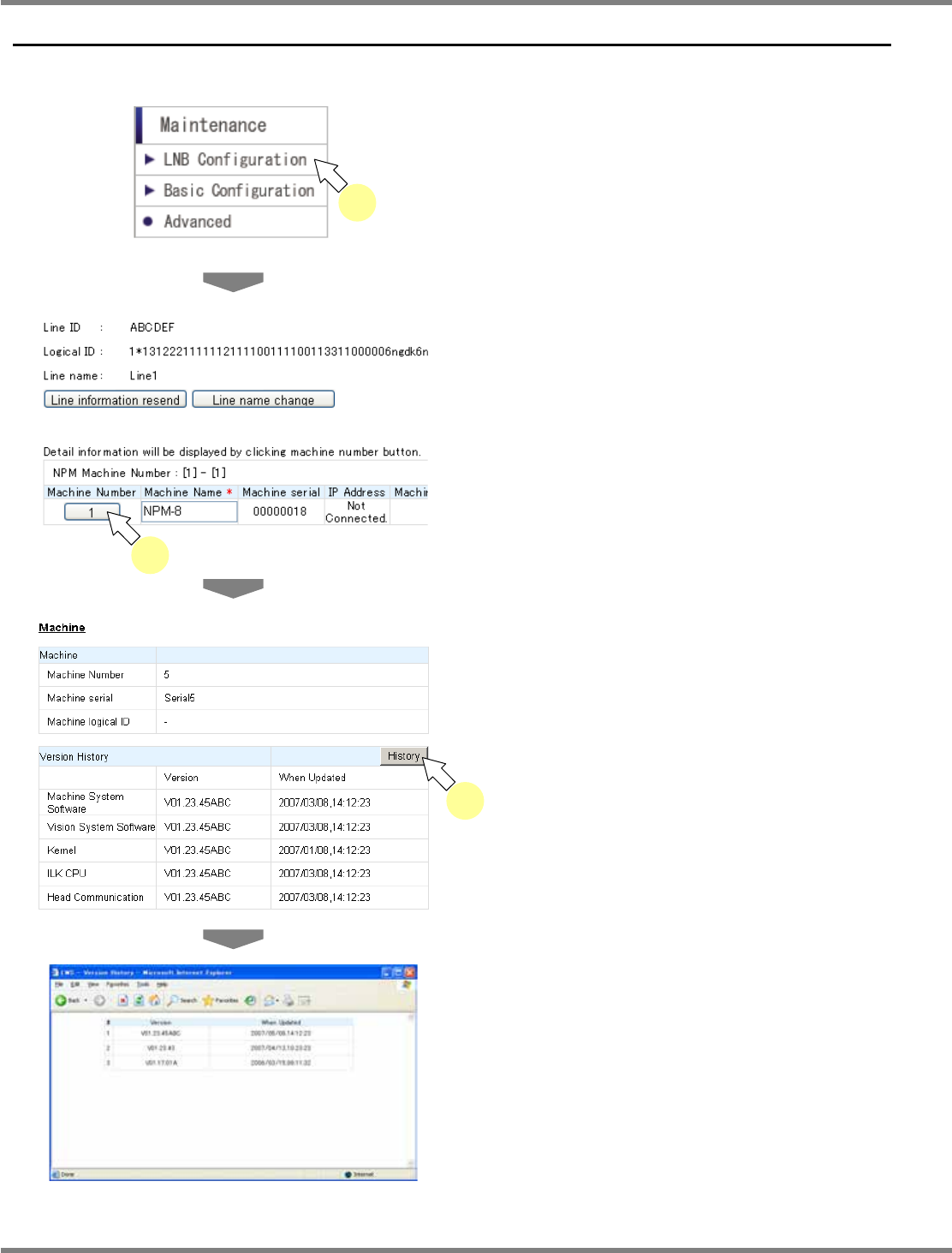
You can browse the LNB configuration information.
1
Choose [LNB Configuration] from the
menu.
•
The line ID, the line name, and the line
configuration information are displayed.
2
Click the desired machine number.
•
The detailed information of the specified
machine is displayed.
3
Click [History].
•
The version update history of the machine
system is displayed in the new window.
lnb4-1001_e
1
lnb4-1002_e
2
lnb4-1004_e
lnb4-1003_e
3
NPM
LNB
4.1 LNB Configuration Information
EJM9BE-MB-04L-20 Page 4-3
Changing the line name
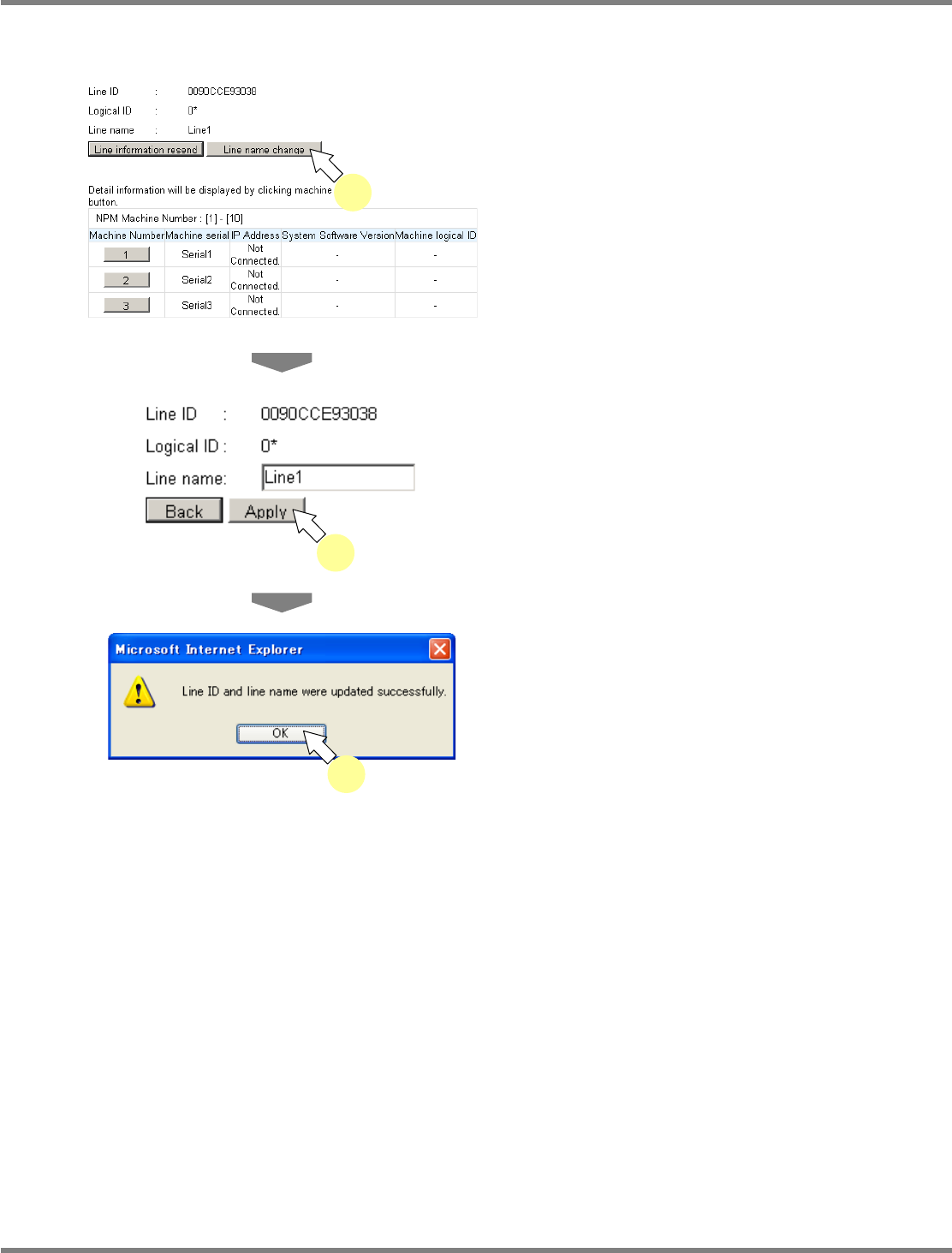
You can change the line name at the <LNB Configuration> screen.
1
Click [Line name change] on the
<LNB Configuration> screen.
•
Now the line name can be changed.
2
Enter the changed information and
click [Apply].
•
The update completion dialog opens, and the
change takes effect.
3
Click [OK].
lnb4-1005_e
2
lnb4-1002_e
1
lnb4-1006_e
3
NPM
LNB
4.2 Easy Setting
Page 4-4 EJM9BE-MB-04L-20
4.2 Easy Setting
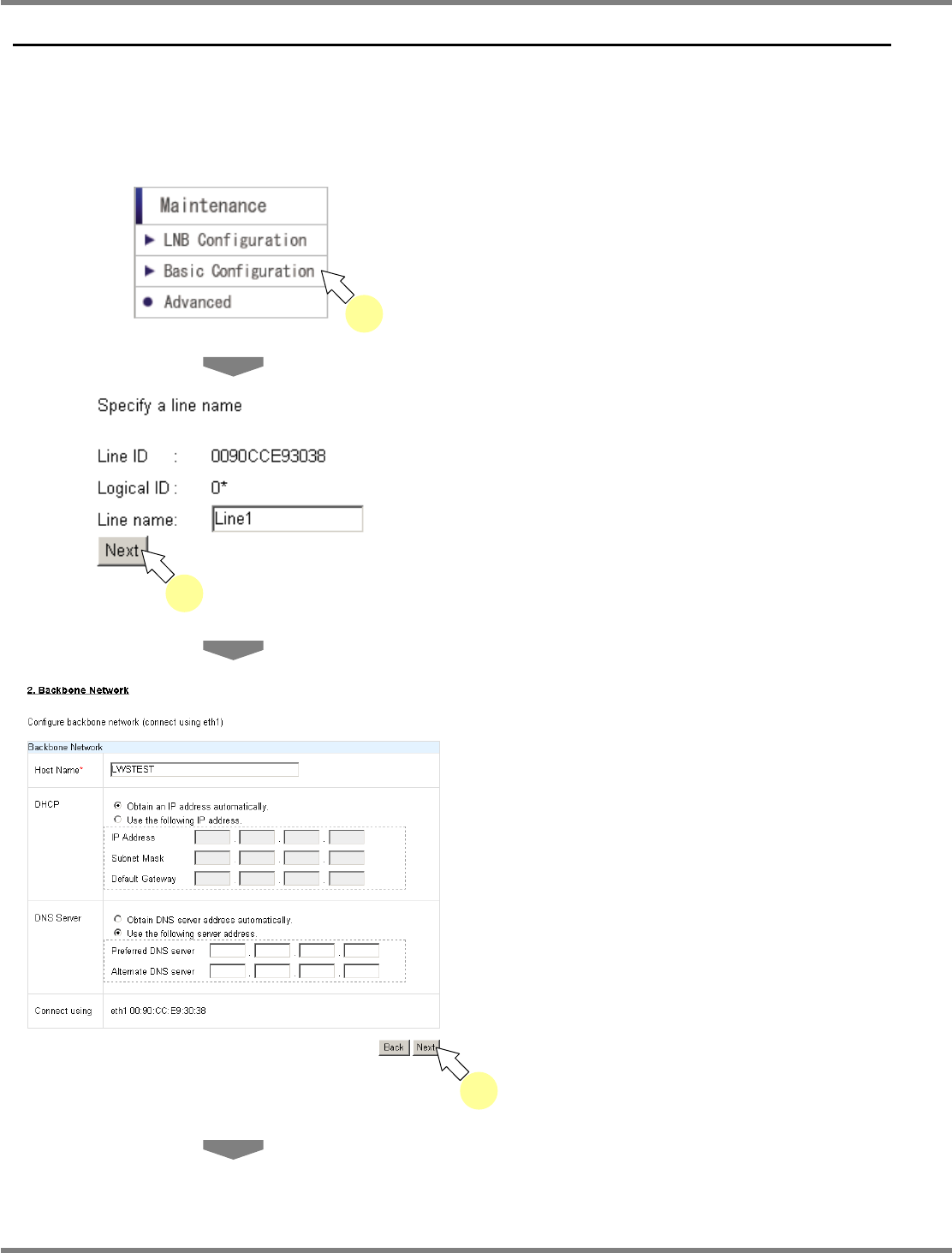
You can configure the basic settings for production.
Easy setting is displayed in order: “Line Name”
→
“Backbone Network”
→
“Host
System”
→
“Timetable”
Shown below is the procedure for easy setting.
1
Choose [Basic Configuration] from
the menu.
•
The <Line ID> screen is displayed.
2
Enter the line name, and click [Next].
•
The <Backbone Network> screen is
displayed.
3
Enter the host name, DHCP, and
DNS server information, and click
[Next].
lnb4-2002_e
3
lnb4-1001_e
1
lnb4-2001_e
2