N7201A304E05(1)_0.pdf - 第164页
NPM LNB 4.9 Self-diagnosis Page 4-34 EJM9BE-MB-04L-20 On-screen contents of setting check This part explains the information displayed on the setting che ck screen. ① Indication lamp The lamp color indicat es the conne…
NPM
LNB
4.9 Self-diagnosis
EJM9BE-MB-04L-20 Page 4-33
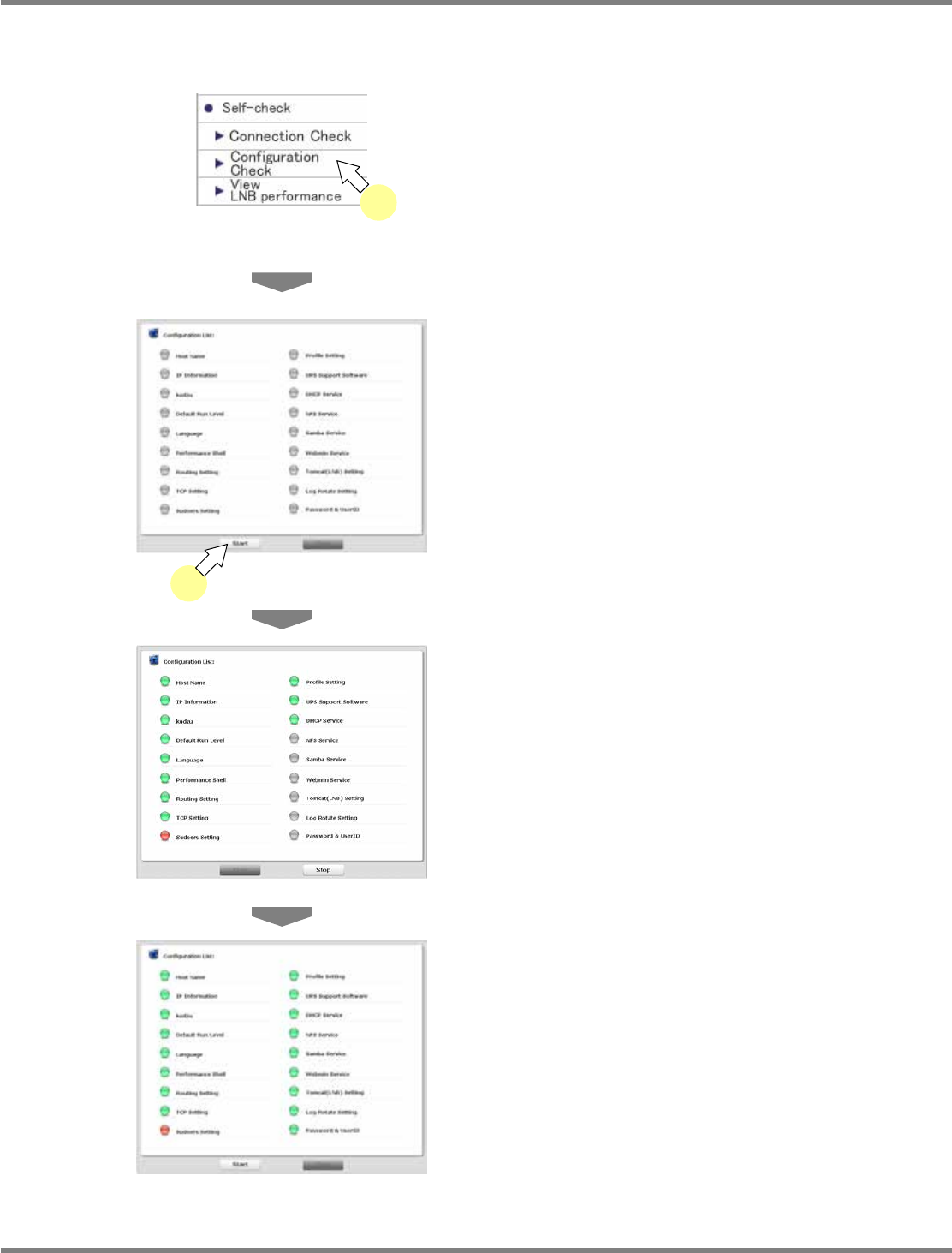
4.9.2 Setting Check
Setting check verifies whether the settings of LNB are correct or not.
1
Choose [Configuration Check] in
[Self-check] from the menu.
•
The <Configuration Check> screen is
displayed.
2
Click [Start].
•
Setting check starts.
•
Setting check is complete.
•
The check result is displayed.
For information about the displayed contents,
see ‘On-screen contents of setting check’ on
the next page.
lnb4-9007_e
lnb4-9008_e
lnb4-9006_e
2
lnb4-9001_e
1
NPM
LNB
4.9 Self-diagnosis
Page 4-34 EJM9BE-MB-04L-20
On-screen contents of setting check
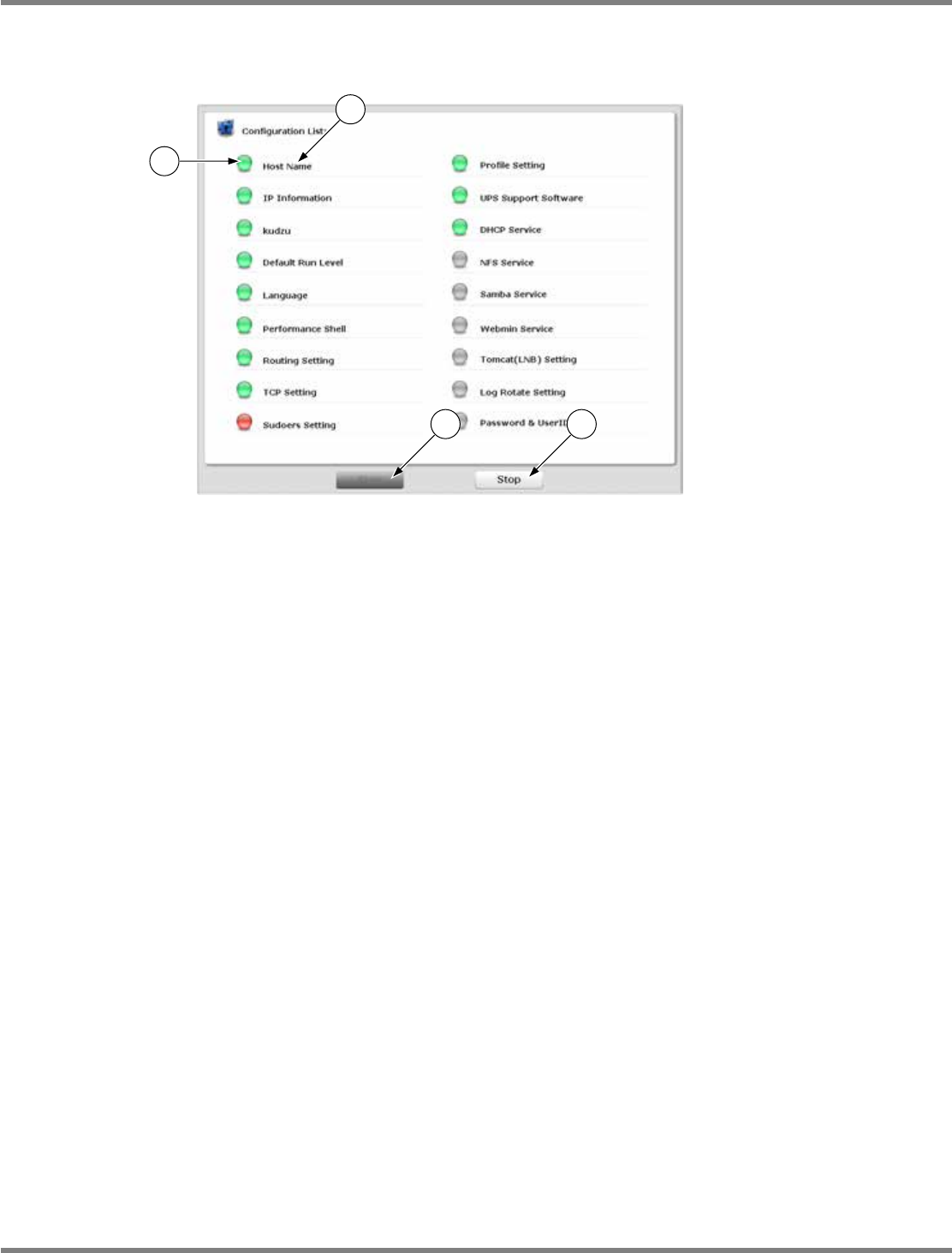
This part explains the information displayed on the setting check screen.
①
Indication lamp
The lamp color indicates the connection check result.
Gray: During connection check / Green: Connection check OK / Red: Connection check NG
②
Check item
The target setting items for check are displayed. There are 18 items.
③
[Start]
When this is clicked on, setting check starts.
During setting check, the indication lamp is displayed in gray and cannot be clicked on.
You can recheck the setting when setting check is complete or the check is aborted by clicking
[Stop].
④
[Stop]
When this is clicked on, setting check aborts.
It is active and can be clicked on only during setting check.
At startup or when setting check is complete, it is displayed in gray and cannot be clicked on.
lnb4-9007_e
1
3 4
2
NPM
LNB
4.9 Self-diagnosis
EJM9BE-MB-04L-20 Page 4-35
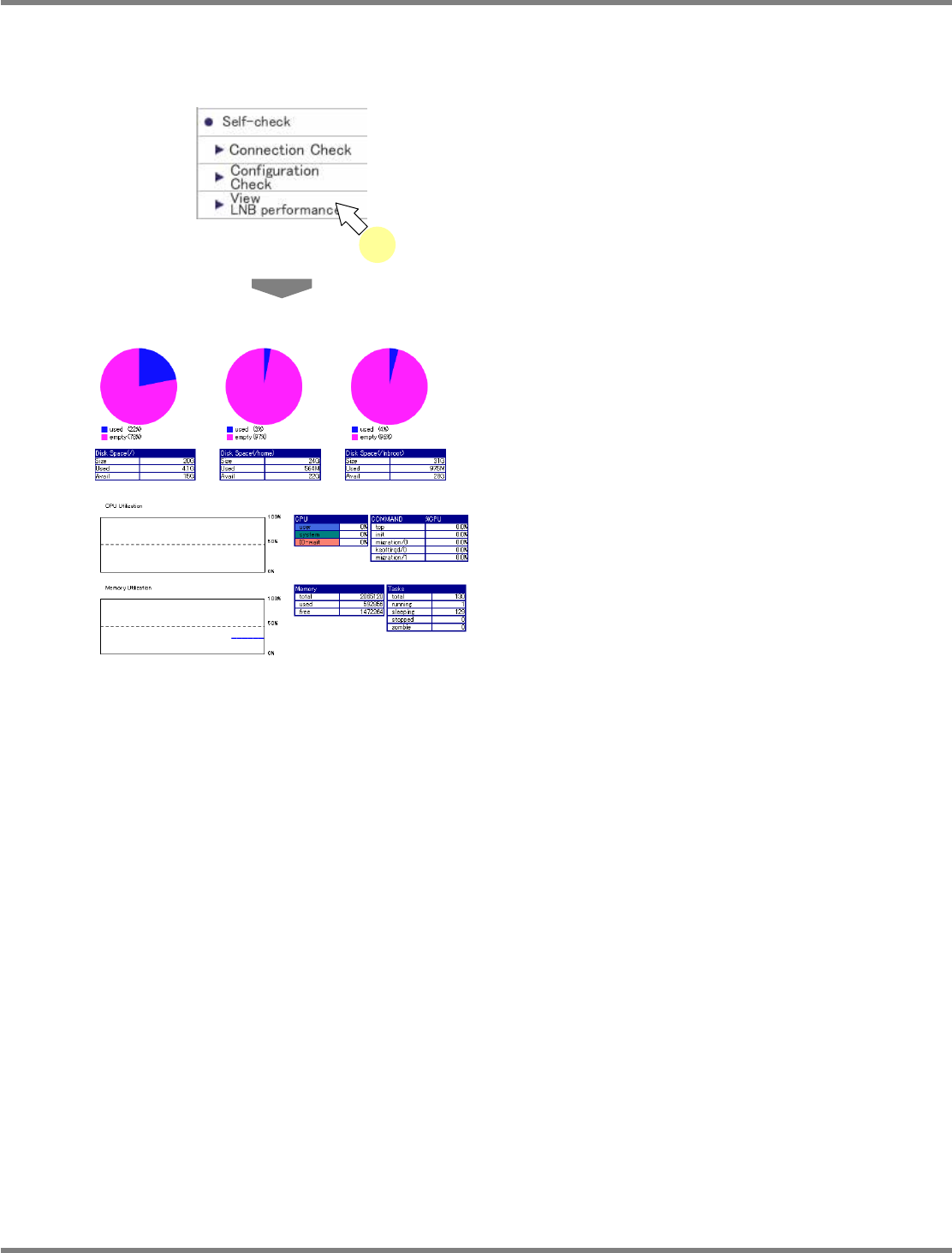
4.9.3 Performance
The performance screen displays the performance of LNB.
1
Choose [LNB Performance] in
[Self-check] from the menu.
•
<Performance> screen is displayed.
4-9009
4-9001
1