N7201A304E05(1)_0.pdf - 第122页
NPM LNB 3.4 Result Information Display Page 3-30 EJM9BE-MB-03L-20 ② Operating the list screen ・ When you double-click the dat e, every-four-hou r cells for 24 hours appear. ・ When you double-click the time, ever y-hour c…
NPM
LNB
3.4 Result Information Display
EJM9BE-MB-03L-20 Page 3-29
A) Time selection section
①
Changing the list information
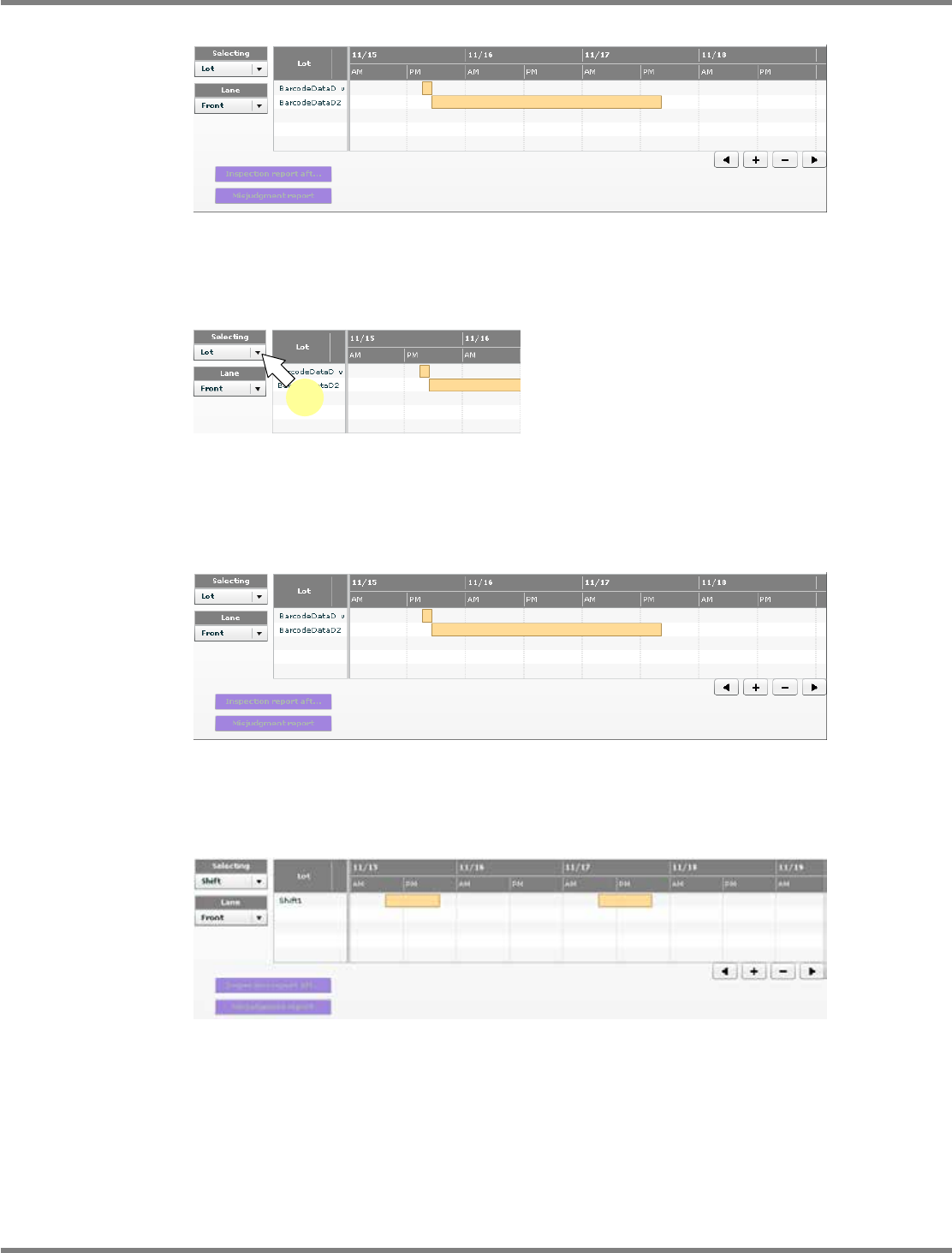
In the first startup, the lot list is displayed.
1
Select the information to display.
•
Select the information to display from the
combo box.
When “Lot” is selected
The lot list is displayed.
When “Shift” is selected
The shift list is displayed.
lnb3-4006_e
lnb3-4007_e
1
lnb3-4008_e
lnb3-4006_e
NPM
LNB
3.4 Result Information Display
Page 3-30 EJM9BE-MB-03L-20
②
Operating the list screen
・
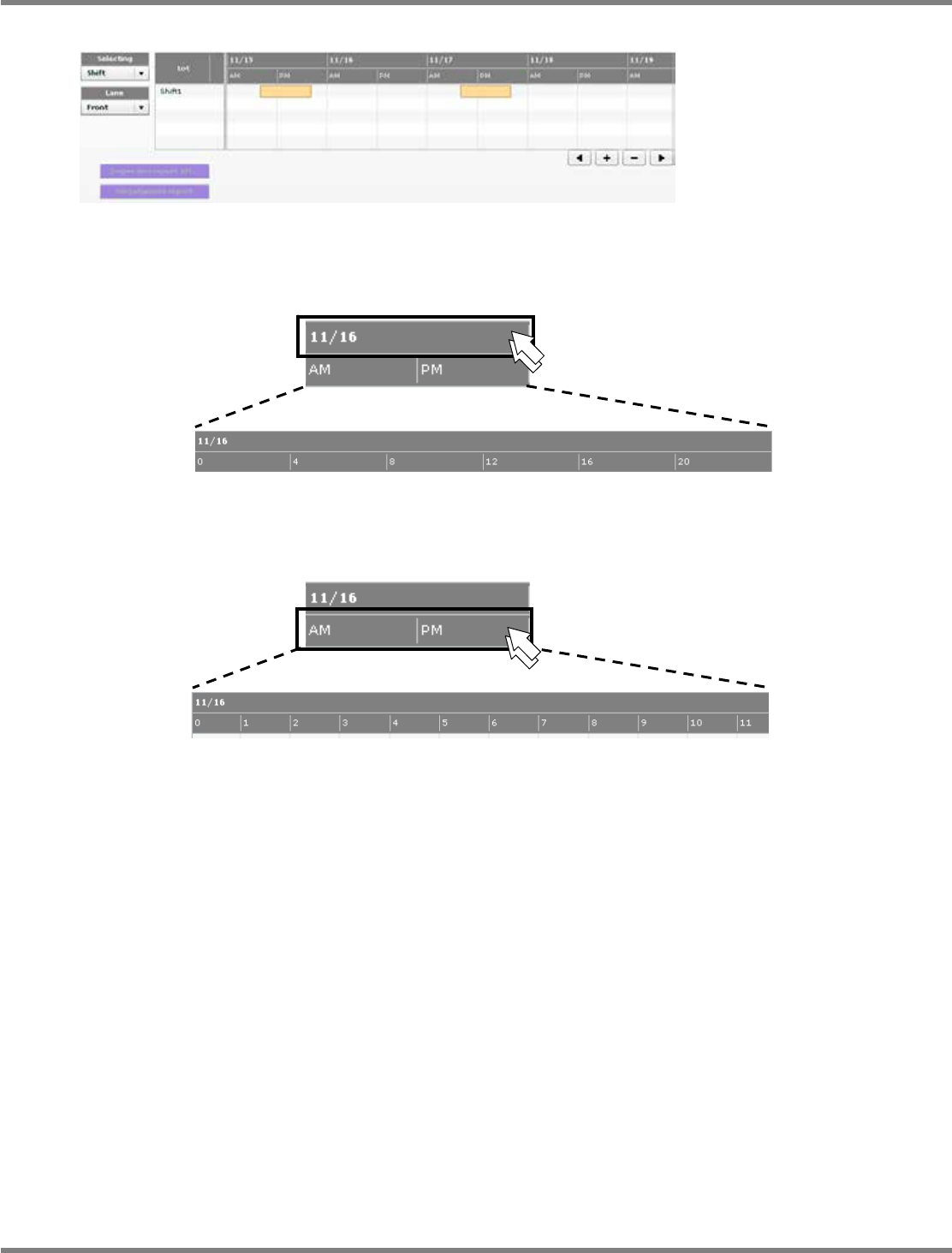
When you double-click the date, every-four-hour cells for 24 hours appear.
・
When you double-click the time, every-hour cells for 24 hours appear.
lnb3-4009_e
lnb3-4010_e
lnb3-4011
_
e
lnb3-4010_e
lnb3-4012_e
NPM
LNB
3.4 Result Information Display
EJM9BE-MB-03L-20 Page 3-31
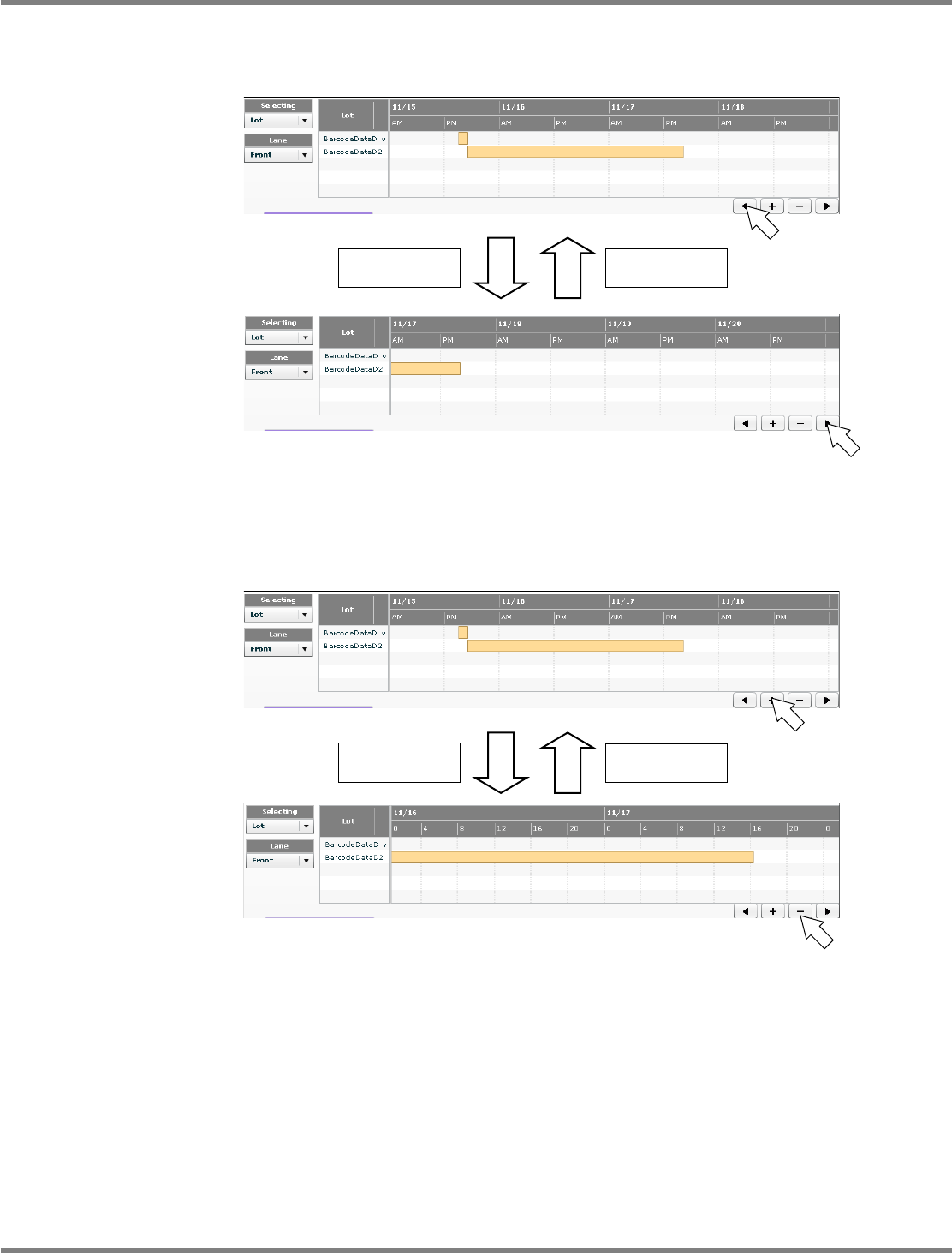
When you click [<], the lot list display period moves to the future.
When you click [>], the lot list display period moves to the past.
The travel depends on the selected display type.
When you click [
+
], the lot list display period zooms in.
When you click [
−
], the lot list display period zooms out.
The scale depends on the selected display type.
To the future
To the past
Zoom in
Zoom out
lnb3-4009_e
lnb3-4013_e
lnb3-4009_e
lnb3-4014_e