N7201A304E05(1)_0.pdf - 第126页
NPM LNB 3.4 Result Information Display Page 3-34 EJM9BE-MB-03L-20 lnb3-4019_e lnb3-4020_e
NPM
LNB
3.4 Result Information Display
EJM9BE-MB-03L-20 Page 3-33
④
Displaying the reports
Post-placement inspection result report
1
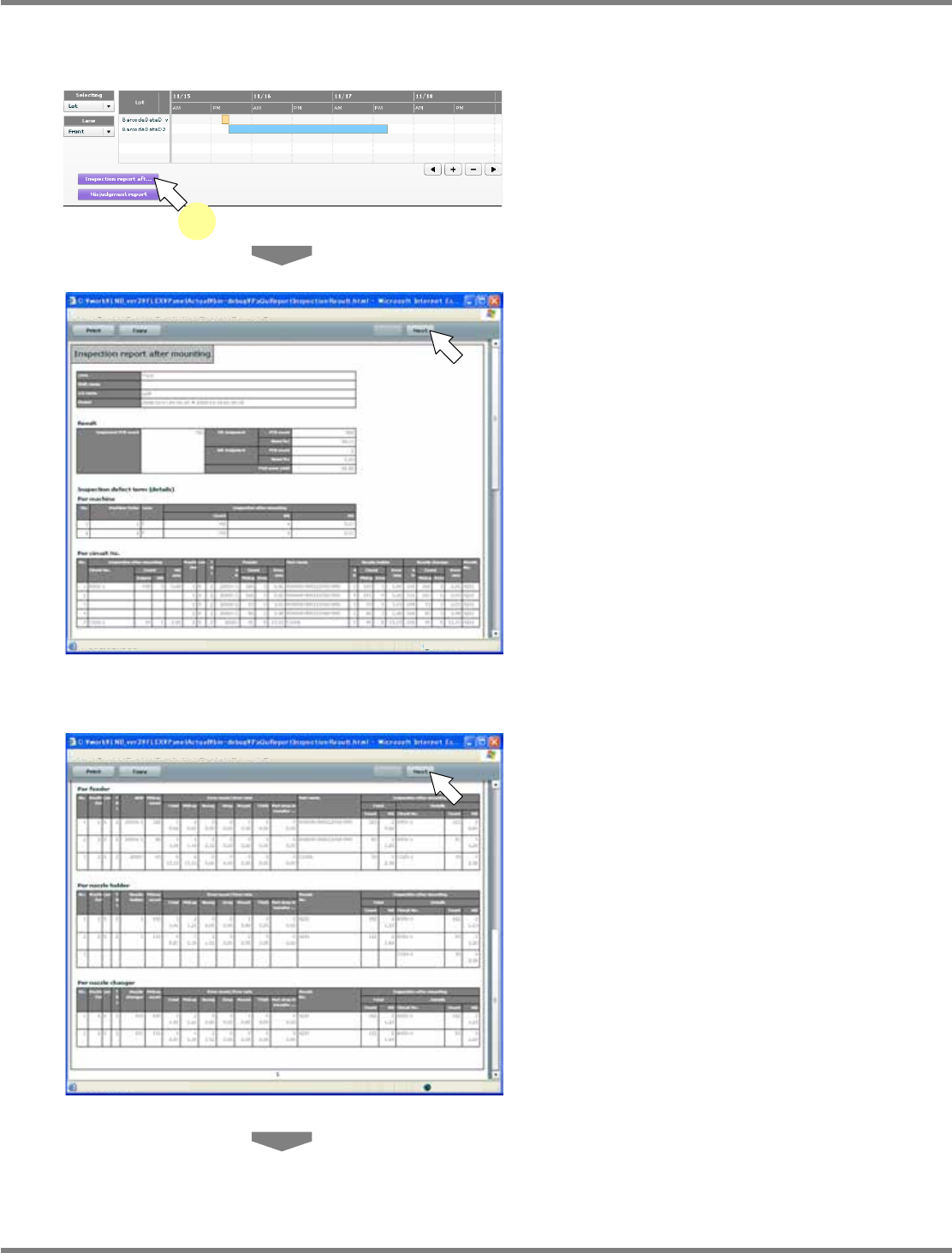
Click [Inspection report aft...]
∗
In advance, select the target data following
the above “Selecting the target data for report”
procedure.
•
The post-placement inspection result report is
displayed in the new window.
•
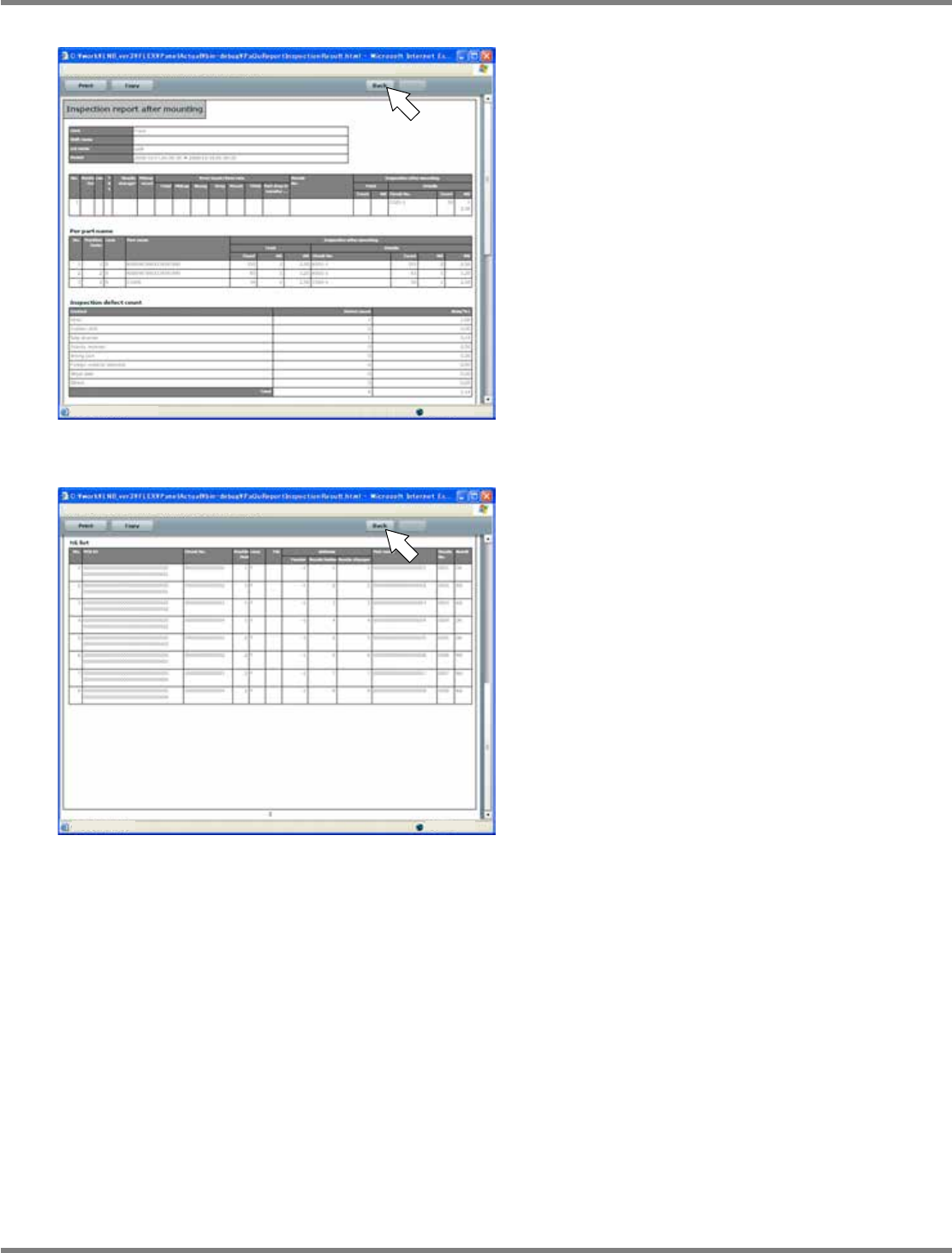
The inspection result, the inspection defect
items (details) by machine/circuit
number/feeder/nozzle holder/nozzle
changer/parts name, the inspection defect
count, and the NG result list are displayed in
tabular form.
•
When the results are spread over two or more
pages, you can use the [Back] and the [Next]
button to turn the pages.
lnb3-4016_e
1
lnb3-4017_e
lnb3-4018_e
NPM
LNB
3.4 Result Information Display
Page 3-34 EJM9BE-MB-03L-20
lnb3-4019_e
lnb3-4020_e
NPM
LNB
3.4 Result Information Display
EJM9BE-MB-03L-20 Page 3-35
Misjudgment report
1
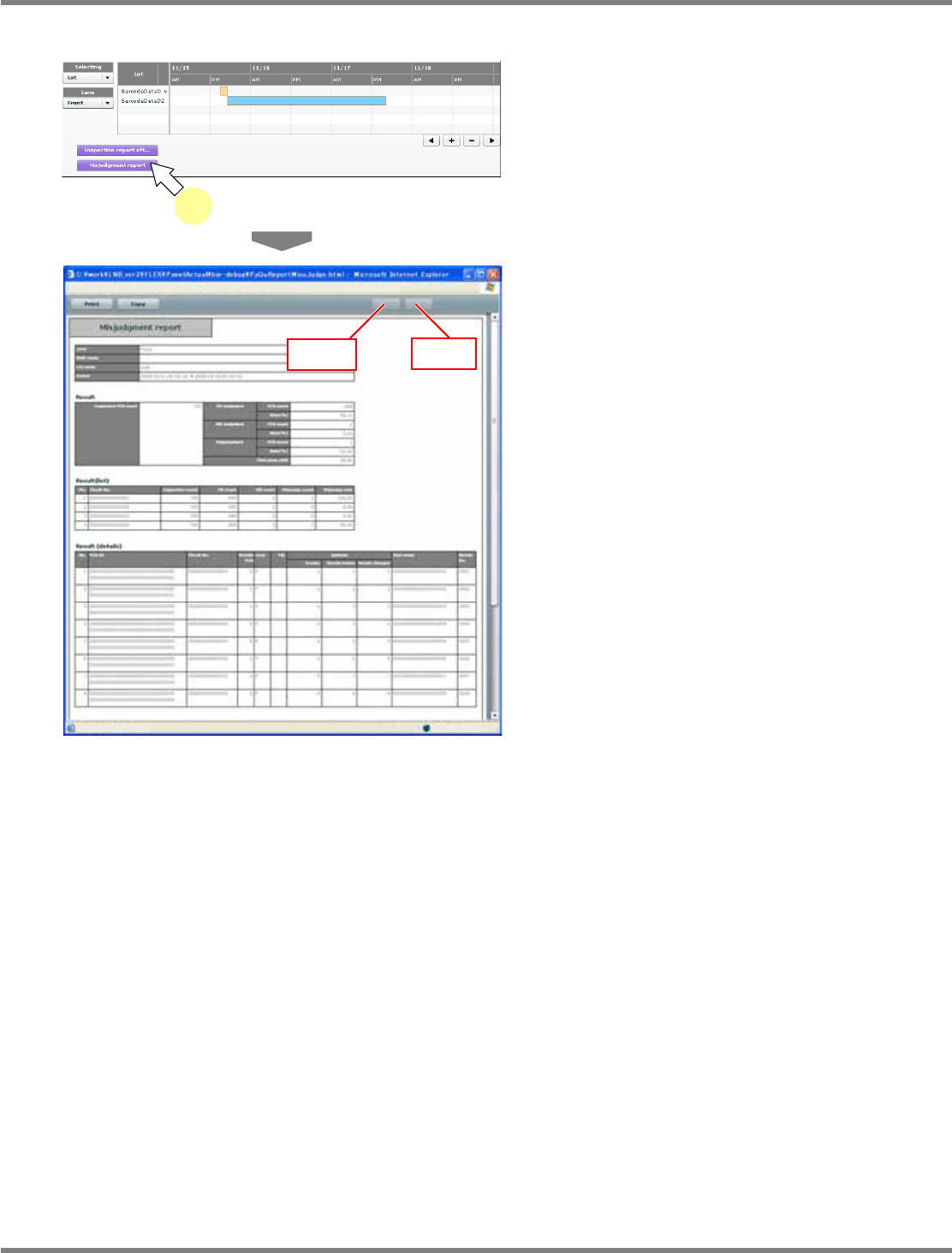
Click [Misjudgment report].
∗
In advance, select the target data following
the above “Selecting the target data for report”
procedure.
•
The report by misjudgment is displayed in the
new window.
•
The inspection result, the inspection result
(list), and the inspection result (details) are
displayed in tabular form.
When the results are spread over two or more
pages, you can use [Back] and [Next] to turn
the pages.
lnb3-4016_e
1
lnb3-4021_e
[Back]
[Next]