N7201A304E05(1)_0.pdf - 第55页
NPM Safety Precautions EJM9BE-SF-02N-24 Page S-45 Handling of the wireless scanner The handy scanner complies with IEC6 0825-1 Class 2 laser product. Follow the rules below when using it. 1. The alignment beam (laser lig…
NPM
Safety Precautions
Page S-44 EJM9BE-SF-02N-24
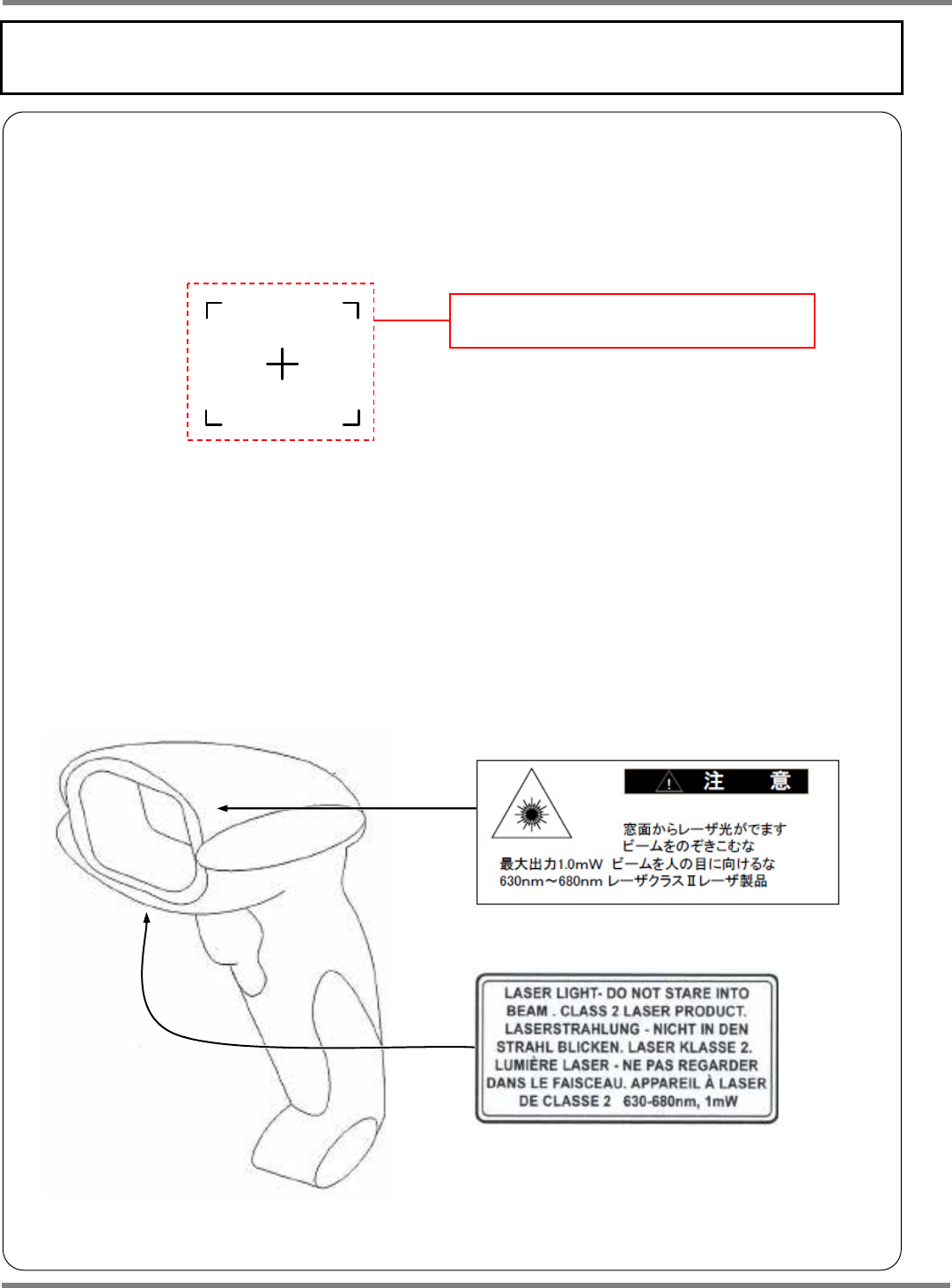
Handling of the wired scanner
The handy scanner complies with IEC60825-1 Class 2 laser product.
Follow the rules below when using it.
1. The alignment beam (laser light) is emitted from the front window automatically.
Do not peer into the alignment beam. The eyes can be damaged.
∗
When there are changes in subject,
the alignment beam is emitted automatically.
And then, when there are no change in it for
two seconds, the alignment beam stop
emission
2. Do not emit the alignment beam toward other peoples’ eyes.
The eyes can be damaged.
3. The alignment beam is emitted when it is disassembled. Do not disassemble it.
4. If you frequently mate/unmate the connector on the NPM main body,
communication trouble may occur. Keep the connector on the NPM main body
connected as far as possible.
The alignment beam
(Shape of irradiated subject)
NPM
Safety Precautions
EJM9BE-SF-02N-24 Page S-45
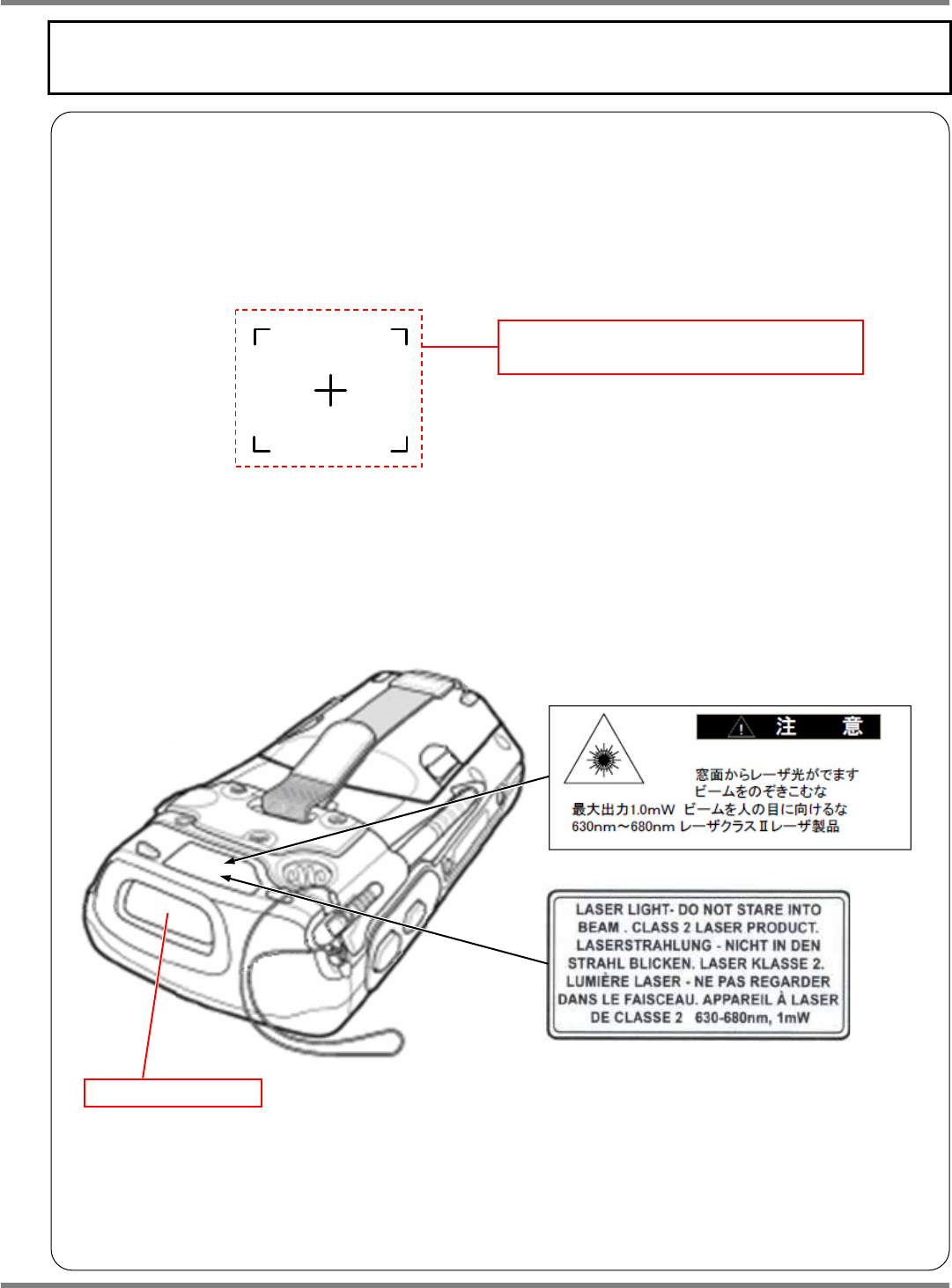
Handling of the wireless scanner
The handy scanner complies with IEC60825-1 Class 2 laser product.
Follow the rules below when using it.
1. The alignment beam (laser light) is emitted from the upper scan window when you
push the scan button.
Do not peer into the alignment beam. The eyes can be damaged.
2. Do not emit the alignment beam toward other peoples’ eyes.
The eyes can be damaged.
3. The alignment beam is emitted when it is disassembled. Do not disassemble it.
The alignment beam
(Shape of irradiated subject)
Scan window
NPM
Safety Precautions
Page S-46 EJM9BE-SF-03N-20
Handling of SD card
The data for this machine, which are managed in the machine’s memory basically, can also be saved to
and loaded from SD card if necessary.
In order to protect important data, this section describes the
instructions for protection and handling of SD card.
NOTICE
SD cards available to this machine
RP-SD064BL1A
(64MB)
RP-SD128BL1A (128MB)
RP-SDR256BJ1A (256MB)
RP-SDR512J1A (512MB) Manufactured by Panasonic Corporation
RP-SDH256N1A (256MB)
RP-SDK512J1A (512MB)
<Note>
SDHC memory cards are not supported.
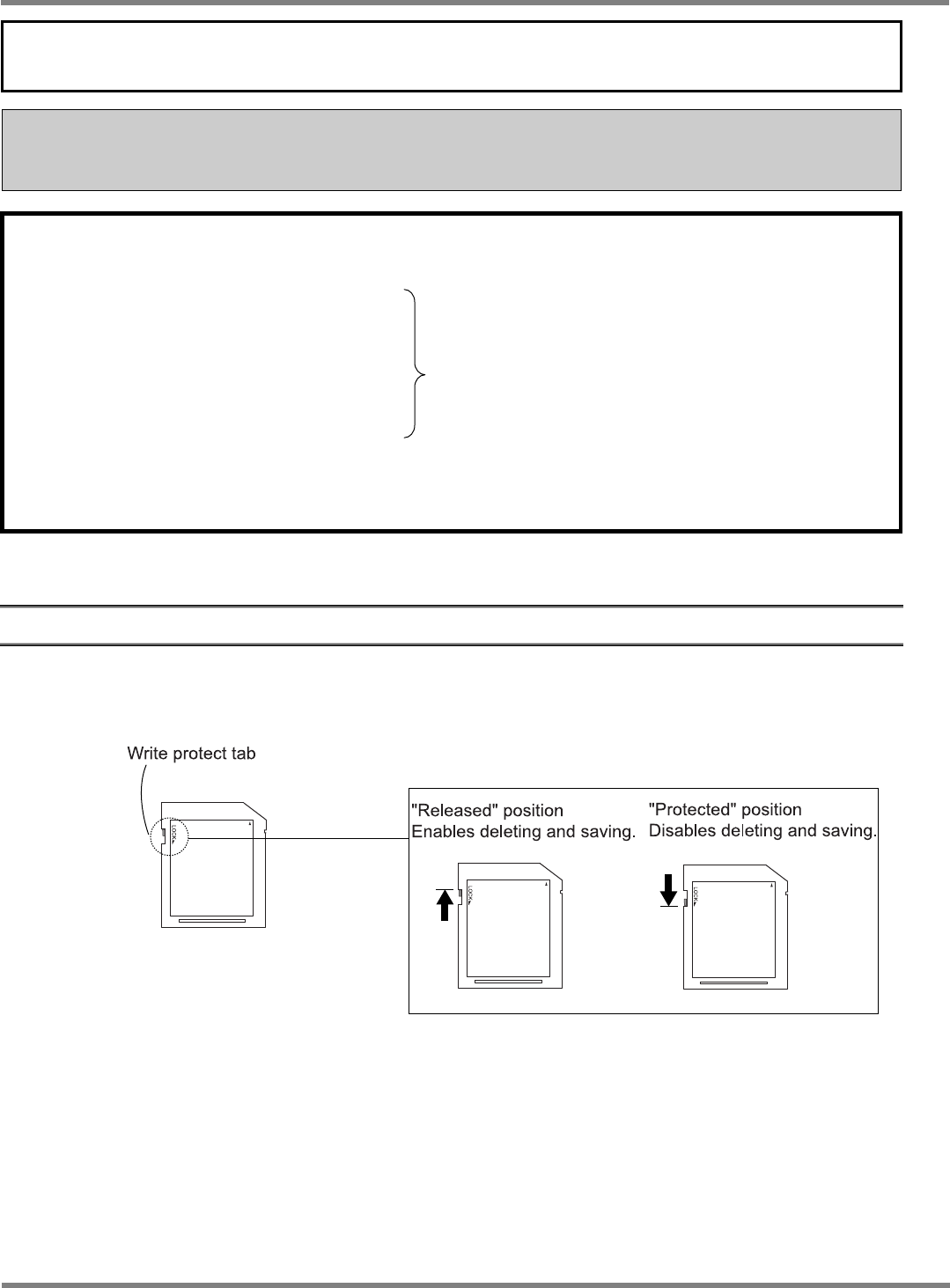
Write protection
It is possible to mechanically protect the stored data from an accidental erasure or rewrite.
∗
Write protection is implemented by sliding the write protect tab of SD card as follows.
EJP1A-001E