N7201A304E05(1)_0.pdf - 第144页
NPM LNB 4.3 Advanced Setting Page 4-14 EJM9BE-MB-04L-20 4.3.4 Timetable Setting You can set the timetable (shift, break). 1 Choose [Timetable] in [Advanced] from the menu. • The <Timetable> screen is displayed. 2 S…
NPM
LNB
4.3 Advanced Setting
EJM9BE-MB-04L-20 Page 4-13
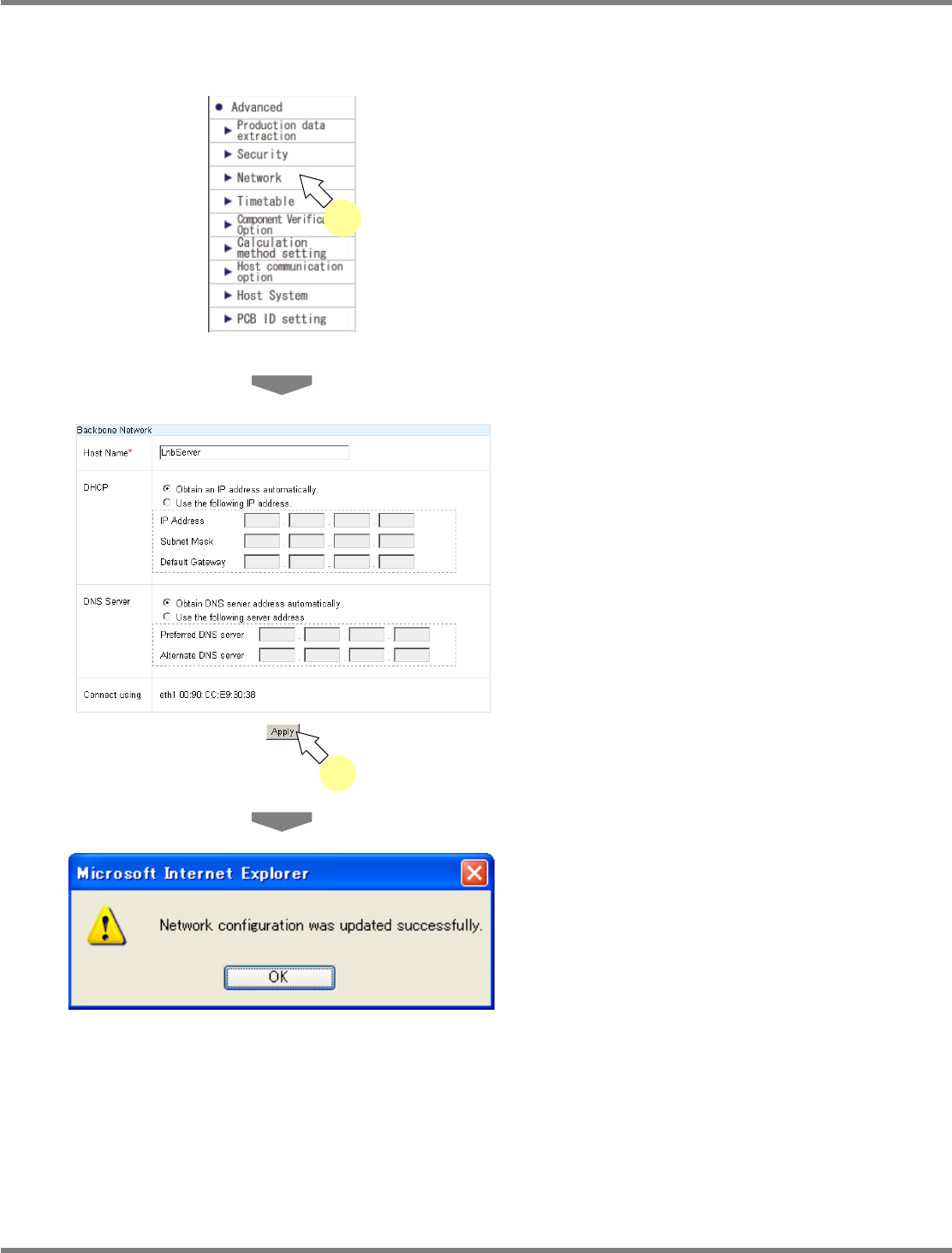
4.3.3 Network Setting
You can configure the LNB settings necessary for network connection.
1
Choose [Network] in [Advanced] from
the menu.
•
The <Backbone Network> screen is
displayed.
2
Enter the new data in the desired
items (host name, DHCP, DNS server
information), and click [Apply].
•
The message of network setting update
completion appears.
lnb4-3018_e
2
lnb4-3019_e
lnb4-3001_e
1
NPM
LNB
4.3 Advanced Setting
Page 4-14 EJM9BE-MB-04L-20
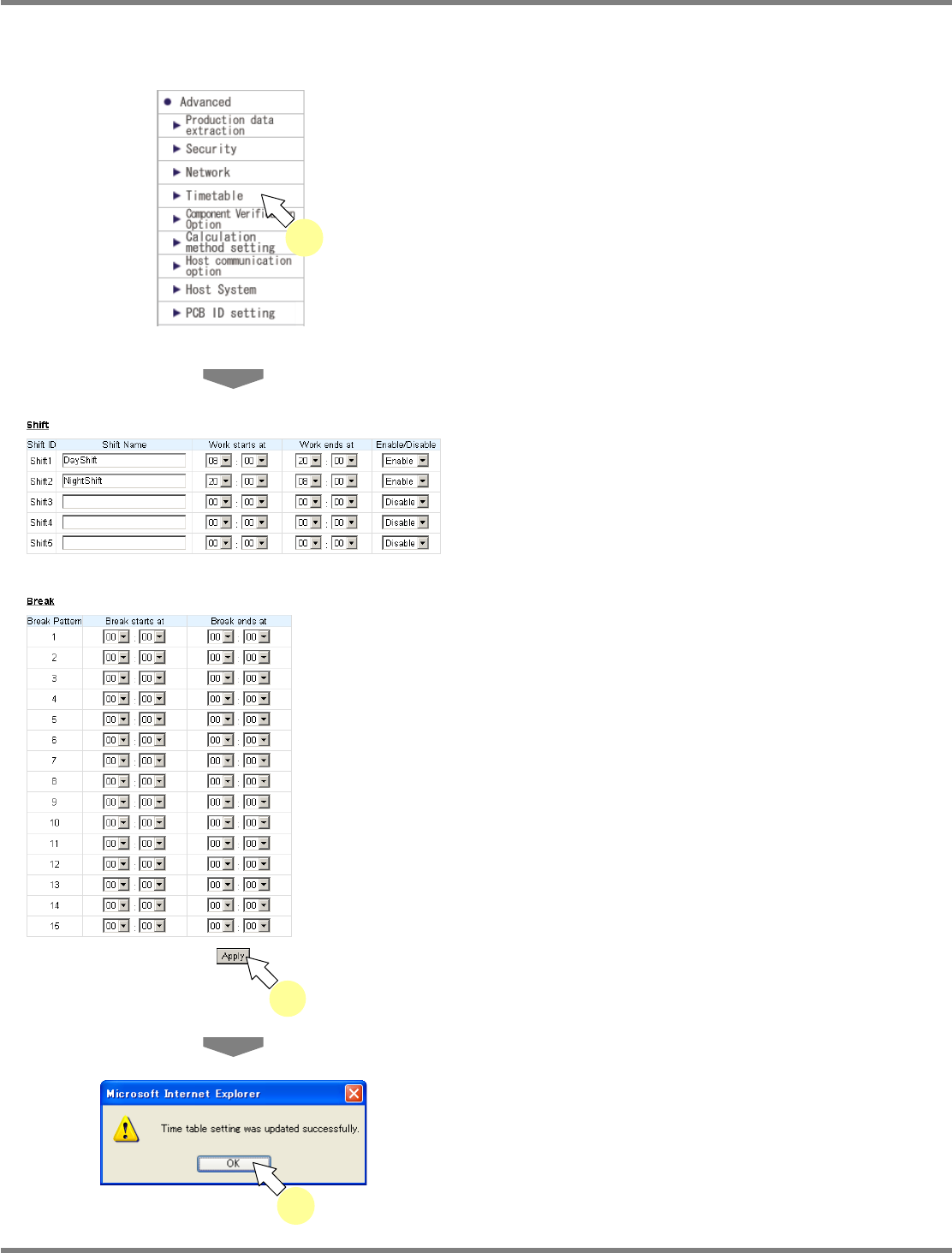
4.3.4 Timetable Setting
You can set the timetable (shift, break).
1
Choose [Timetable] in [Advanced]
from the menu.
•
The <Timetable> screen is displayed.
2
Set the desired shift and break, and
click [Apply].
•
The message of timetable setting update
completion appears.
3
Click [OK].
lnb4-3020_e
2
lnb4-3021_e
3
lnb4-3001_e
1
NPM
LNB
4.3 Advanced Setting
EJM9BE-MB-04L-20 Page 4-15
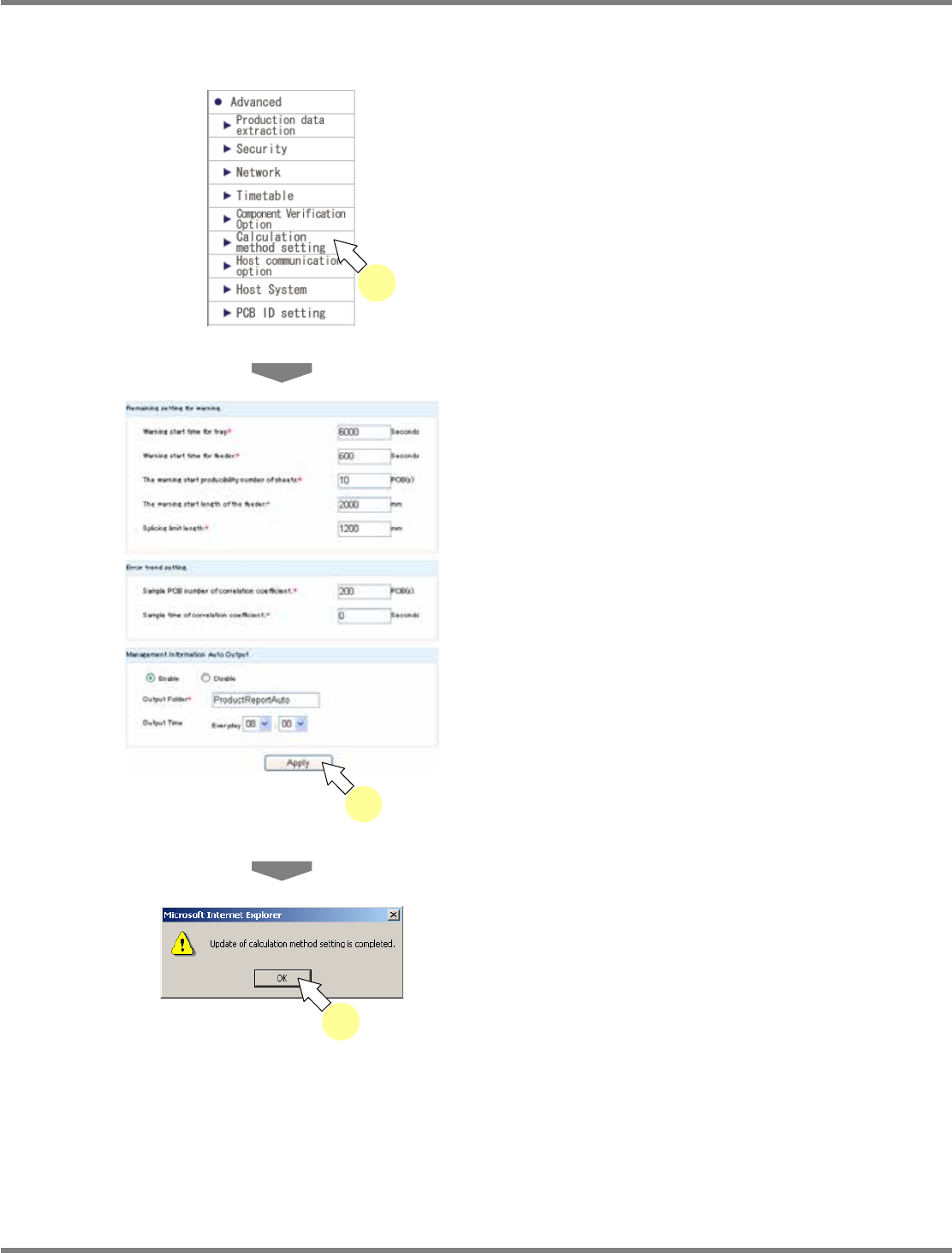
4.3.5 Calculation Method Setting
You can set the calculation method.
1
Choose [Calculation method setting]
in [Advanced] from the menu.
•
The <Calculation method setting> screen is
displayed.
2
Enter the information in the desired
items, and click [Apply].
•
The default values are set at startup. For
details about the setting items, see
“Calculation method setting items” on the next
page.
∗
Items with (*) are compulsory input items.
•
The message of calculation method setting
update completion appears.
3
Click [OK].
lnb4-3022_e
2
lnb4-3023_e
3
lnb4-3001_e
1