N7201A304E05(1)_0.pdf - 第90页
NPM LNB 2.5 Initial Setting Page 2-20 EJM9BE-MB-02L-20 Transfer the downloaded install file to the tar get PC terminal via a USB flash memory etc. For the subsequent steps, use the PC term inal where you will install Fla…
NPM
LNB
2.5 Initial Setting
EJM9BE-MB-02L-20 Page 2-19
12
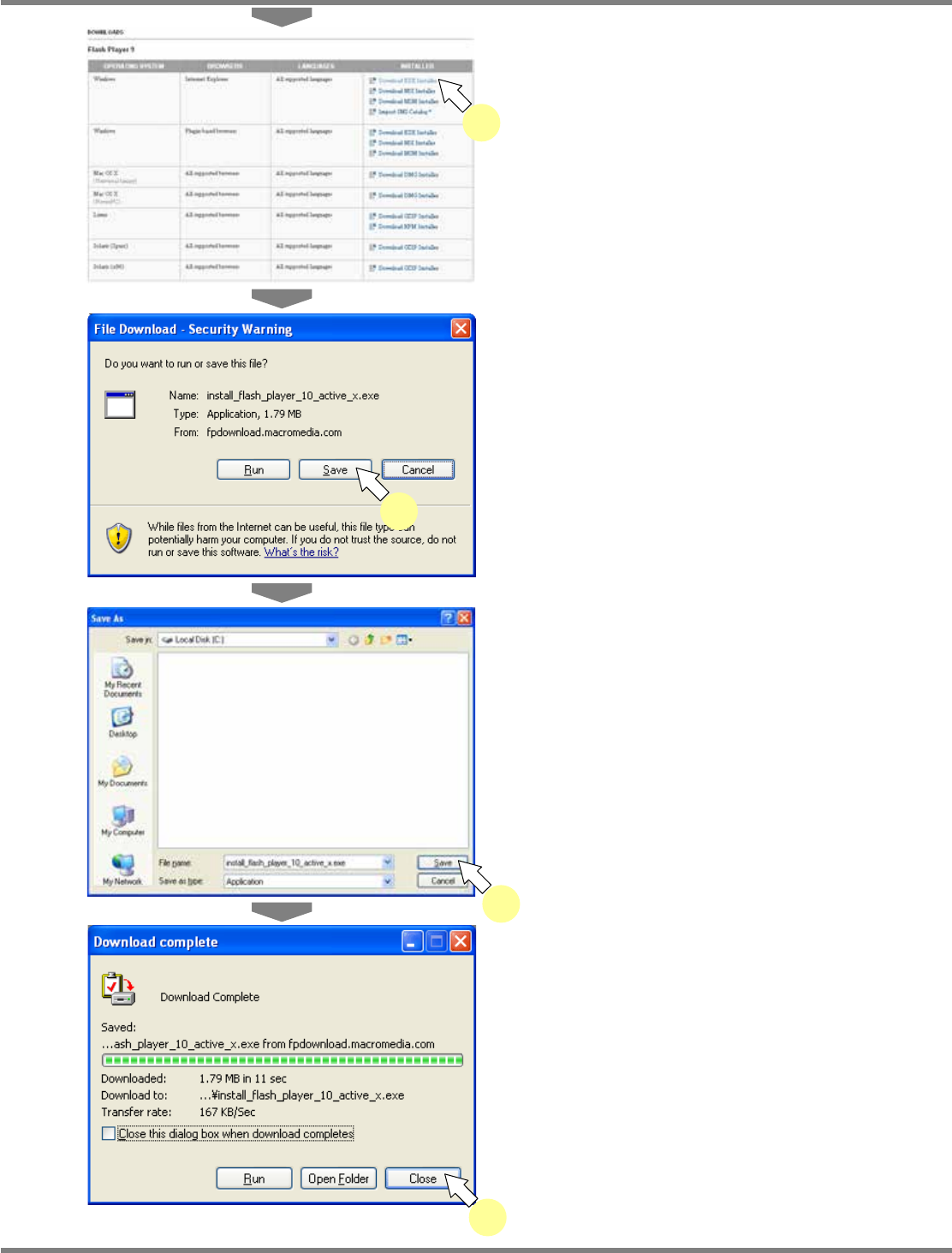
Click the link suited to your
environment.
•
Select the combination of “OPERATING
SYSTEM,” “BROWSERS,” “LANGUAGES,”
and “INSTALLER” suited to your environment.
•
The security alert screen is displayed.
13
Click [Save].
•
The save destination selection screen is
displayed.
14
Select the save destination, and click
[Save].
•
Download of the install file begins. When the
download is complete, the message of
download completion appears.
15
Click [Close].
lnb2-4019_e
12
lnb2-4020_e
13
lnb2-4021_e
14
lnb2-4022_e
15
NPM
LNB
2.5 Initial Setting
Page 2-20 EJM9BE-MB-02L-20
Transfer the downloaded install file to the target PC terminal via a USB flash memory etc.
For the subsequent steps, use the PC terminal where you will install Flash Player.
1
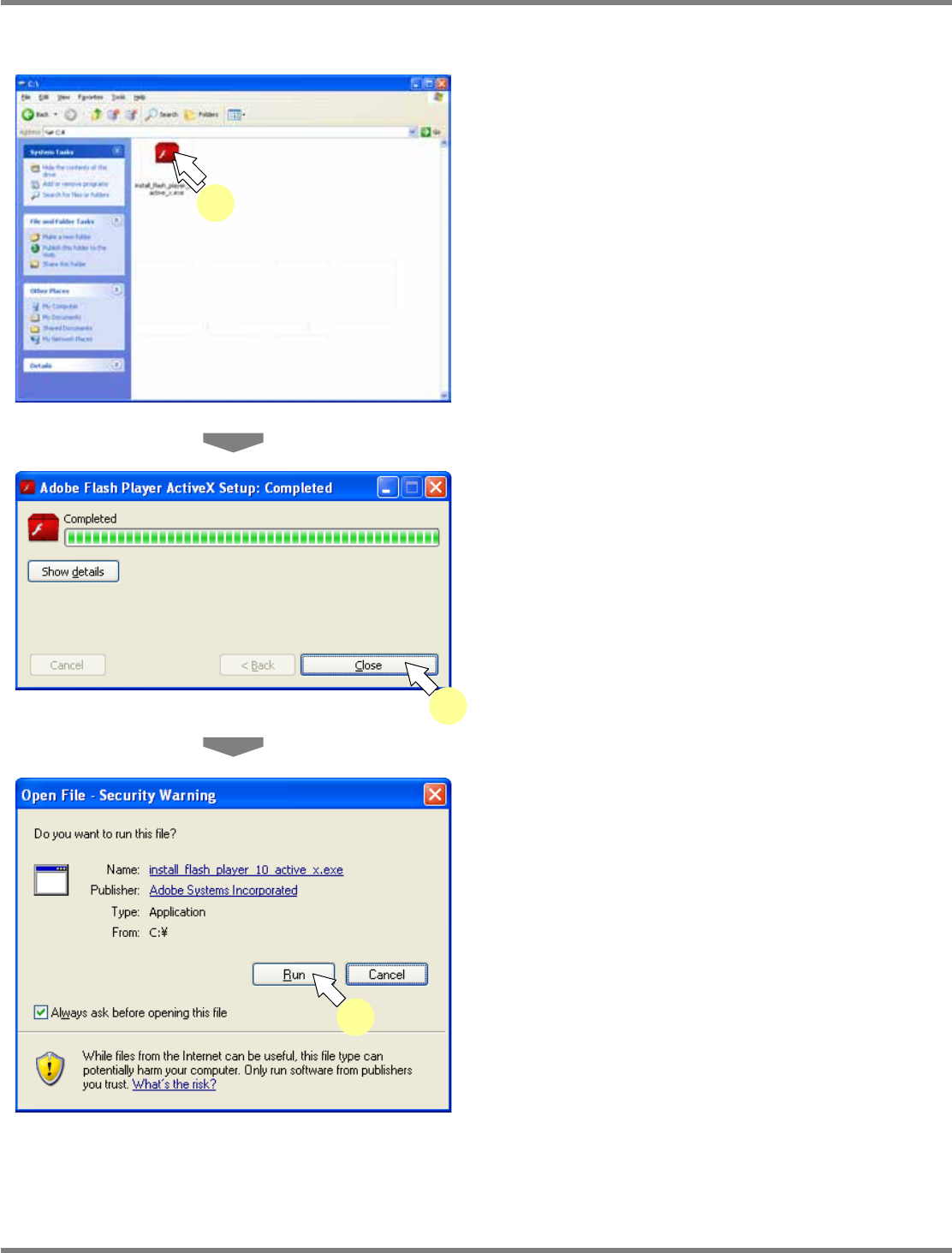
Double-click the install file.
•
Run the acquired install file.
•
Installation of Flash Player begins. When the
installation is complete, the message of
installation completion appears.
2
Click [Close].
3
Cick [Run].
∗
Depending on your security setting, the
following <Security Warning> screen may be
displayed. Just click [Run].
lnb2-4023_e
1
lnb2-4024_e
2
lnb2-4025_e
3
NPM
LNB
2.5 Initial Setting
EJM9BE-MB-02L-20 Page 2-21
Version of Flash Player
To function LNB properly, Flash Player version 9,0,28,0 or later is required.
This part explains the procedure for updating the existing Flash Player if it does not meet the
above conditions.
1
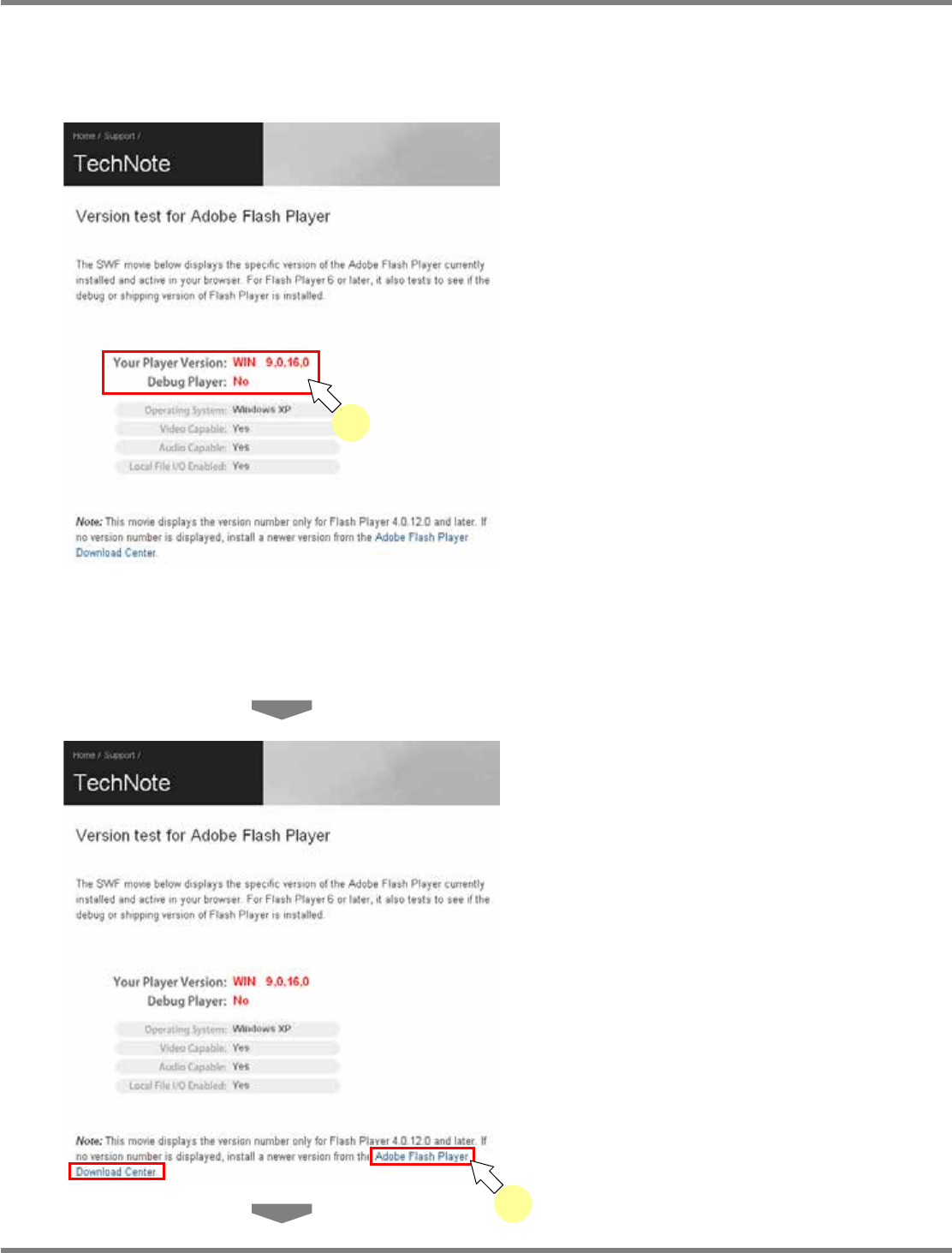
Access the Adobe Flash Player
version check site.
•
The version of the currently installed Flash
Player appears.
∗
Enter the following URL in the address bar of browser.
Japanese URL: http://www.adobe.com/jp/support/flashplayer/ts/documents/tn_15507.htm
English URL: http://kb.adobe.com/selfservice/viewContent.do?externalId=tn_15507&sliceId=2
Chinese URL: http://www.adobe.com/cn/support/flashplayer/ts/documents/tn_15507.htm
2
Click [Adobe Flash Player Download
Center].
•
The “Flash Player” download site is displayed.
lnb2-4026_e
2
lnb2-4026_e
1