N7201A304E05(1)_0.pdf - 第43页
NPM Safety Precautions EJM9BE-SF-02N-24 Page S-33 Safety switches Safety switch on the safety cover Before starting regular automatic prod uction on the machine, close all safety covers. Since a screen displays the mes…
NPM
Safety Precautions
Page S-32 EJM9BE-SF-02N-24
EJM9B-AA01
Labels pasted on product for safety
Safety cover (Optional)
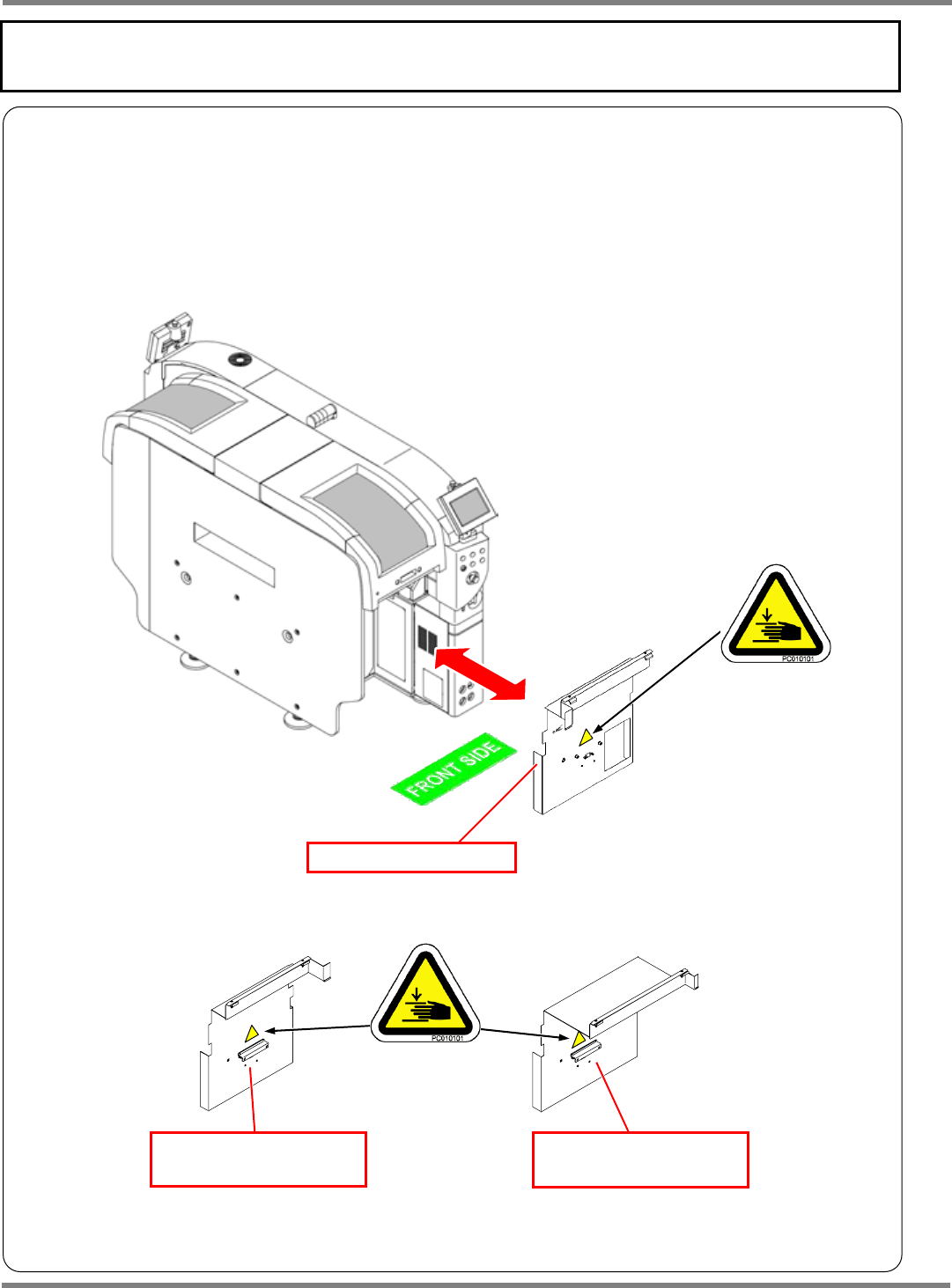
Warning labels
The warning labels are pasted on this machine as follows.
Follow the instructions on each label.
If it has come off, place an order with us for it, referring to its label No. in the Parts List; then, put the new
one on the proper location.
Warning label locations on the safety cover
∗
Same warning label is pasted on the rear side of the safety cover.
Safety cover (Front side)
Safety cover (Rear side)
(Tray feeder specification)
Safety cover (Rear side)
(Feeder cart specification)
NPM
Safety Precautions
EJM9BE-SF-02N-24 Page S-33
Safety switches
Safety switch on the safety cover
Before starting regular automatic production on the machine, close all safety covers.
Since a screen displays the message prompting you to supply a material when necessary, open the
corresponding cover according to the target material and then conduct the work.
If you accidentally open a safety cover during automatic production, the machine comes to an
emergency stop to ensure the safety of operators.
(
“Safety Precautions”)
Servo switch
Since an operator needs to put the hands or part of body into the machine for changeover or
maintenance, the operating panel is equipped with the servo switch in order to ensure on-the-job
safety.
When the servo switch is turned OFF, all of the drive shafts of the machine will be inactive.
When starting production (operation), turn ON both the servo switches on the front and the rear
operating panel.
Lock out tagout procedure
Lock out tag out for each maintenance is required. It is described as “Turn OFF the main power supply
switch and stop the air supply.” in each manual. We recommend that the key be under control of the
trained engineer in accordance with your control standards.
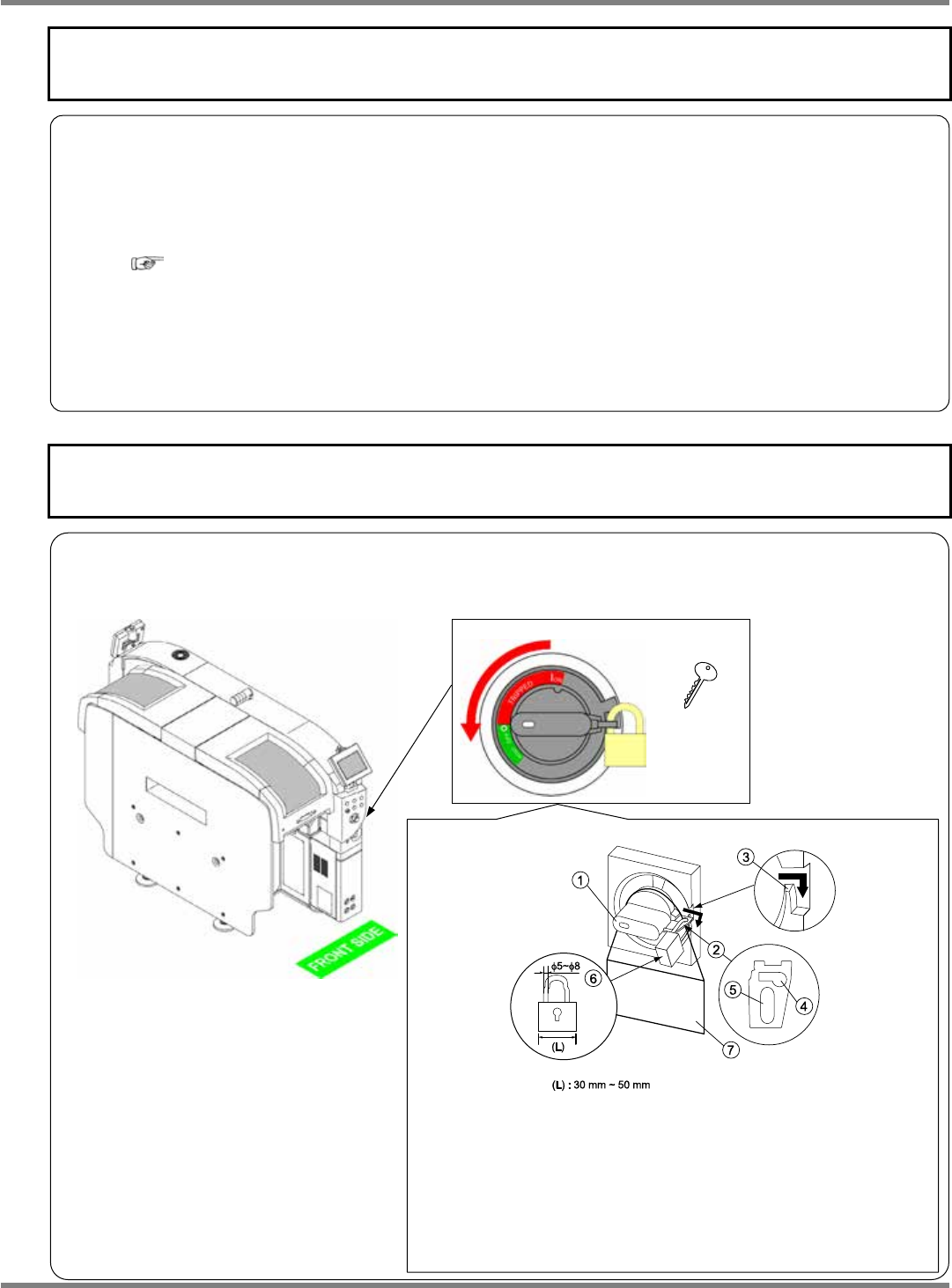
Main power supply switch
Key
4Z4C-824E
How to keep the main power supply switch under lock and key
EJM9B-AB01
4Z4C-027E
1 Turning the handle of the main power supply switch to
RESET, pull out the lock plate in the direction of the arrow,
and then hook it on the rib .
∗
The handle can be locked only when it is located in the OFF
position.
2
Put a lock (
φ
5 to
φ
8) into the lock plate hole , and put up
a tag
7
indicating that the switch is locked.
∗
Avoid putting a lock into the lock plate hole .
4Z4C-J-XXB00-A04-01
NPM
Safety Precautions
Page S-34 EJM9BE-SF-02N-24
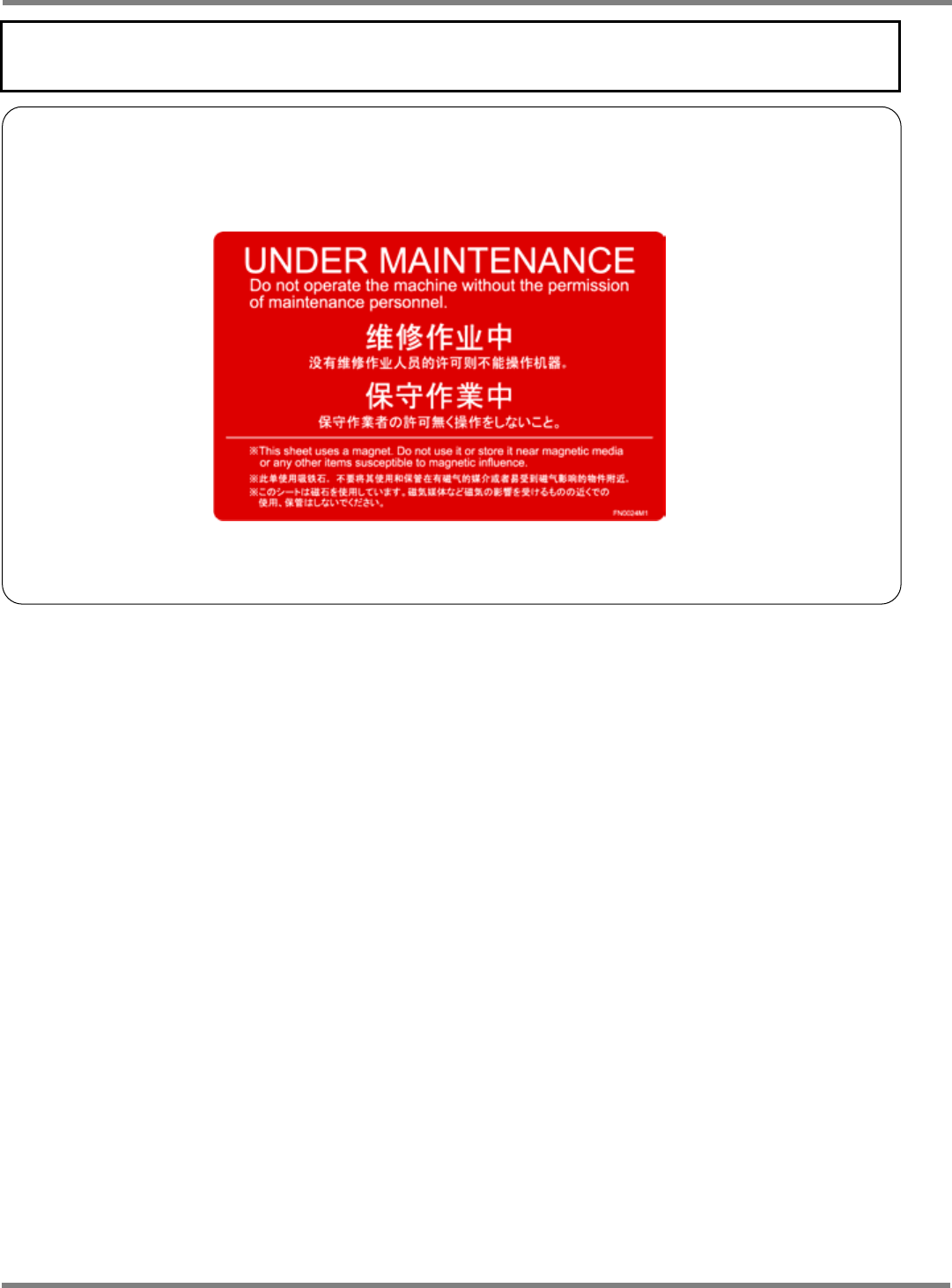
Usage of warning sheets in maintenance
Before performing maintenance, affix the included warning sheets (see below) to prominent positions in
the vicinity of the operating panel, for safety.
During the maintenance by two or more persons in particular, as well as using these warning sheets to
ensure safety, be sure to send signals.
This warning sheet uses a magnet.
Do not use it or store it near magnetic media or any other items
susceptible to magnetic influence.