N7201A304E05(1)_0.pdf - 第166页
NPM LNB 4.9 Self-diagnosis Page 4-36 EJM9BE-MB-04L-20 Details about the performance screen display This part describes inform ation displayed on the performance screen. ① Hard disk utilization Three types of disk space…
NPM
LNB
4.9 Self-diagnosis
EJM9BE-MB-04L-20 Page 4-35
4.9.3 Performance
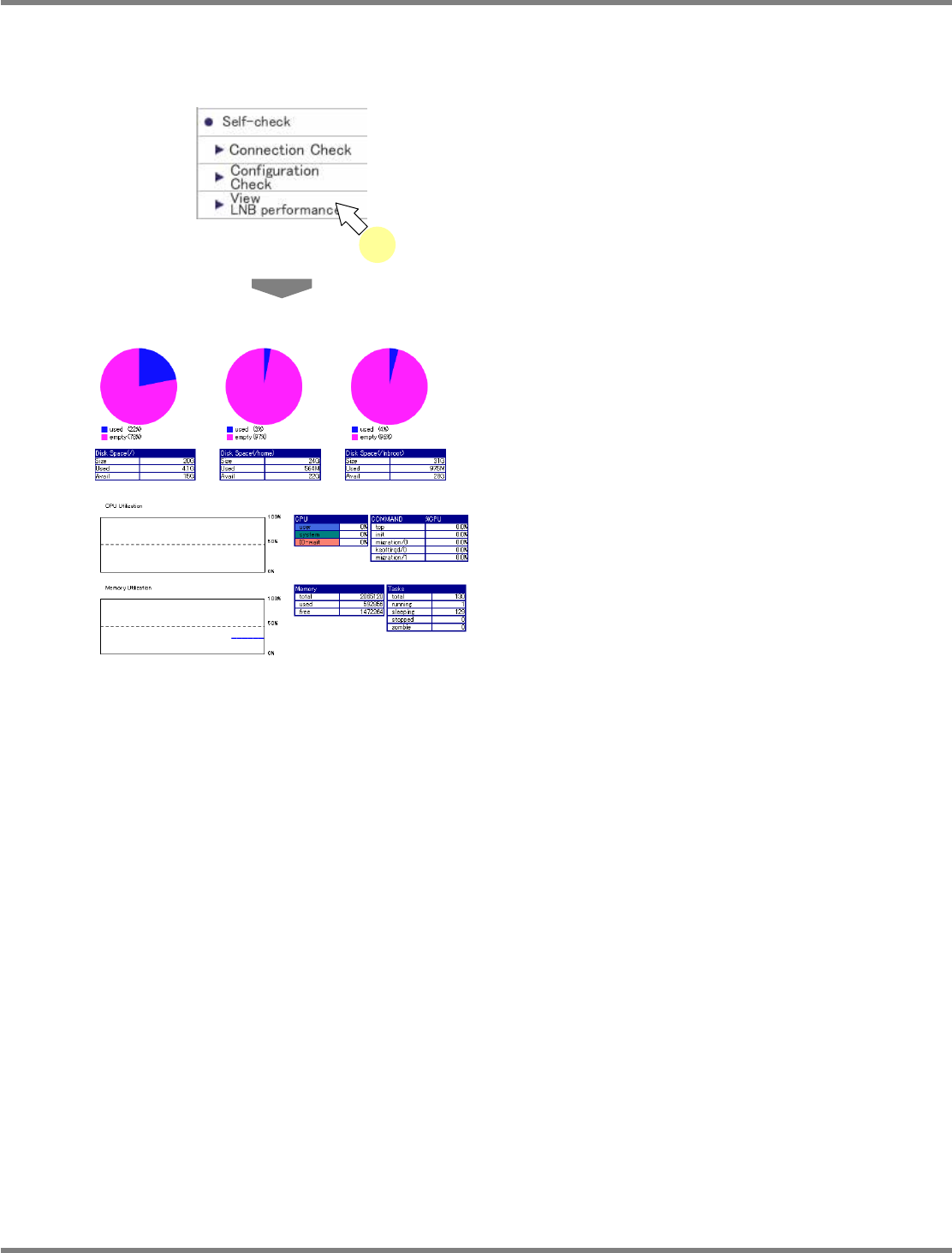
The performance screen displays the performance of LNB.
1
Choose [LNB Performance] in
[Self-check] from the menu.
•
<Performance> screen is displayed.
4-9009
4-9001
1
NPM
LNB
4.9 Self-diagnosis
Page 4-36 EJM9BE-MB-04L-20
Details about the performance screen display
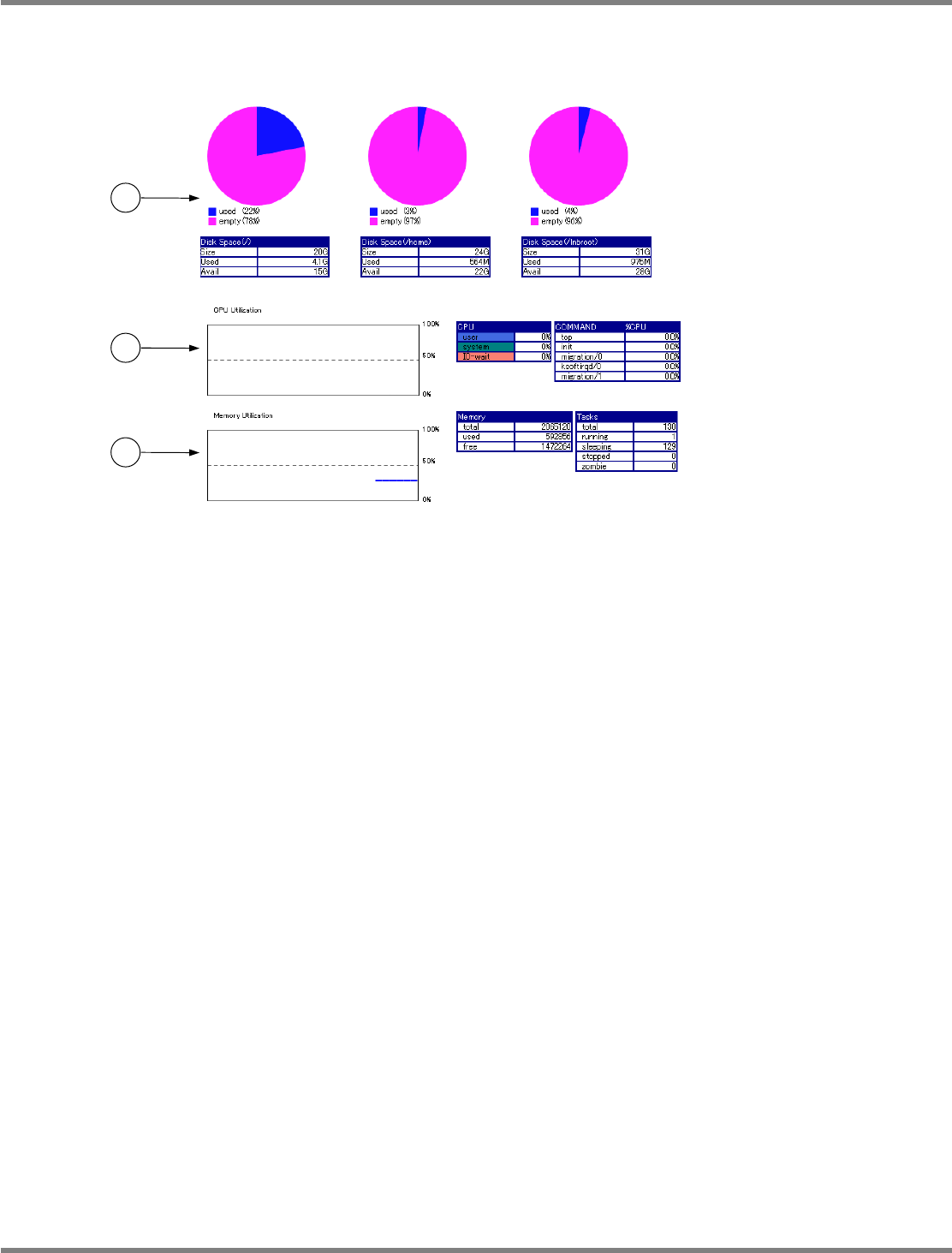
This part describes information displayed on the performance screen.
①
Hard disk utilization
Three types of disk space (/, home and Inbroot) represent the hard disk space and each displays
the hard disk usage on its own.
②
CPU Usage
CPU usage is displayed by a graph and tables.
③
Memory utilization
Memory utilization is displayed by a graph and tables.
4-9009
1
2
3
NPM
LNB
4.10 Parameter Edit
EJM9BE-MB-04L-20 Page 4-37
4.10 Parameter Edit
4.10.1 Line Parameter
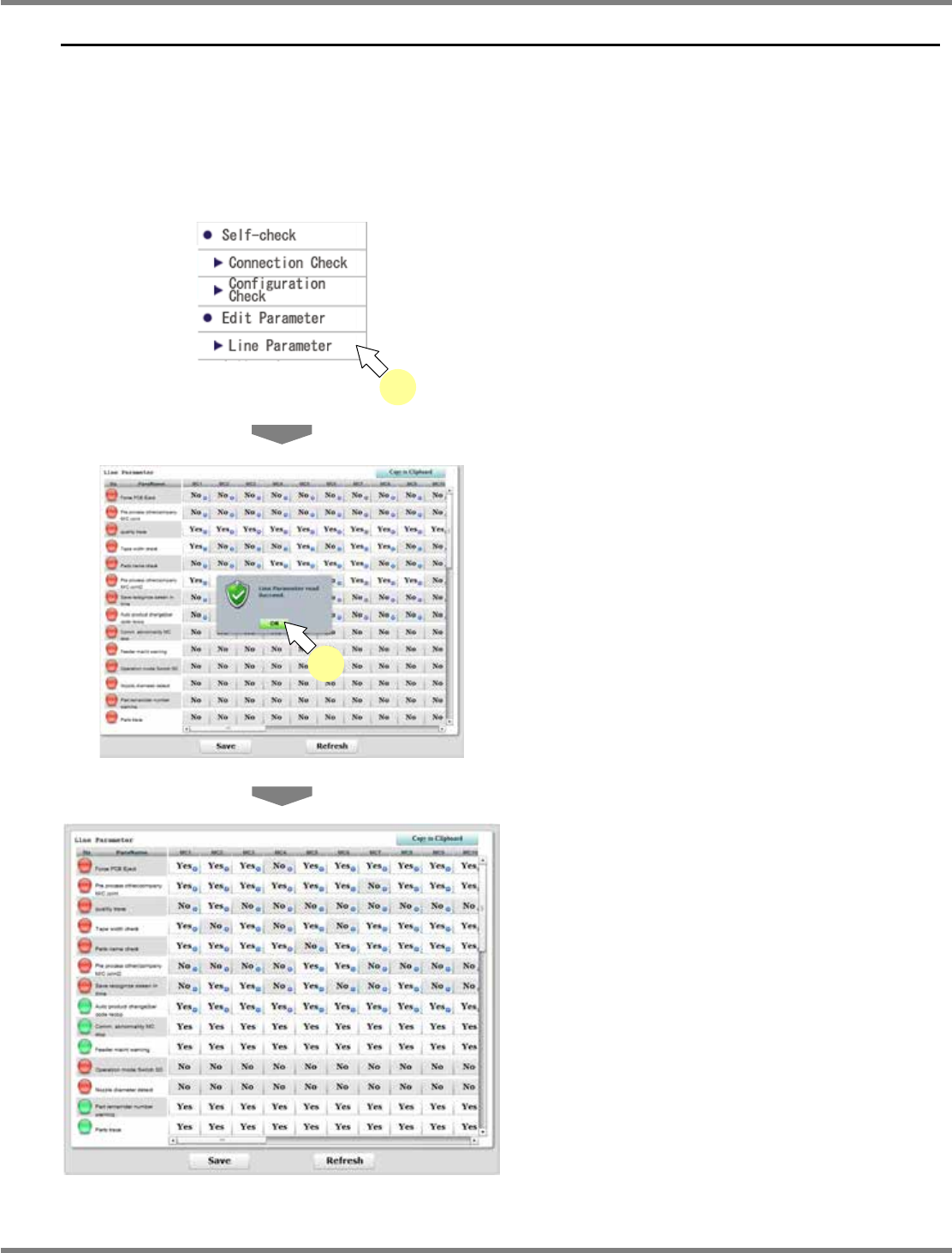
You can display and change the line parameters of all the machines composing the production
line.
A) Displaying the line parameters
1
Choose [Line Parameter] in [Edit
Parameter] from the menu.
•
Line parameters of machines are loaded.
When all of them are loaded, the message
“Line Parameter read Succeed” appears.
2
Click [OK].
•
Line parameters of machines are displayed.
∗
The green indicator at the beginning of each
row shows that settings of the parameter are
the same in all the machines. If there is a
machine with a different setting, the indicator
is displayed in red.
lnb4-9001_e
1
lnb4-10001_e
2
lnb4-10002_e