N7201A304E05(1)_0.pdf - 第111页
NPM LNB 3.2 Event Information EJM9BE-MB-03L-20 Page 3-19 Explanation of LNB event items Name Explanation a Date The date of event occurrence b Code The main code to categorize events c Sub-code The code to show event d…
NPM
LNB
3.2 Event Information
Page 3-18 EJM9BE-MB-03L-20
3.2.2 LNB Event Information
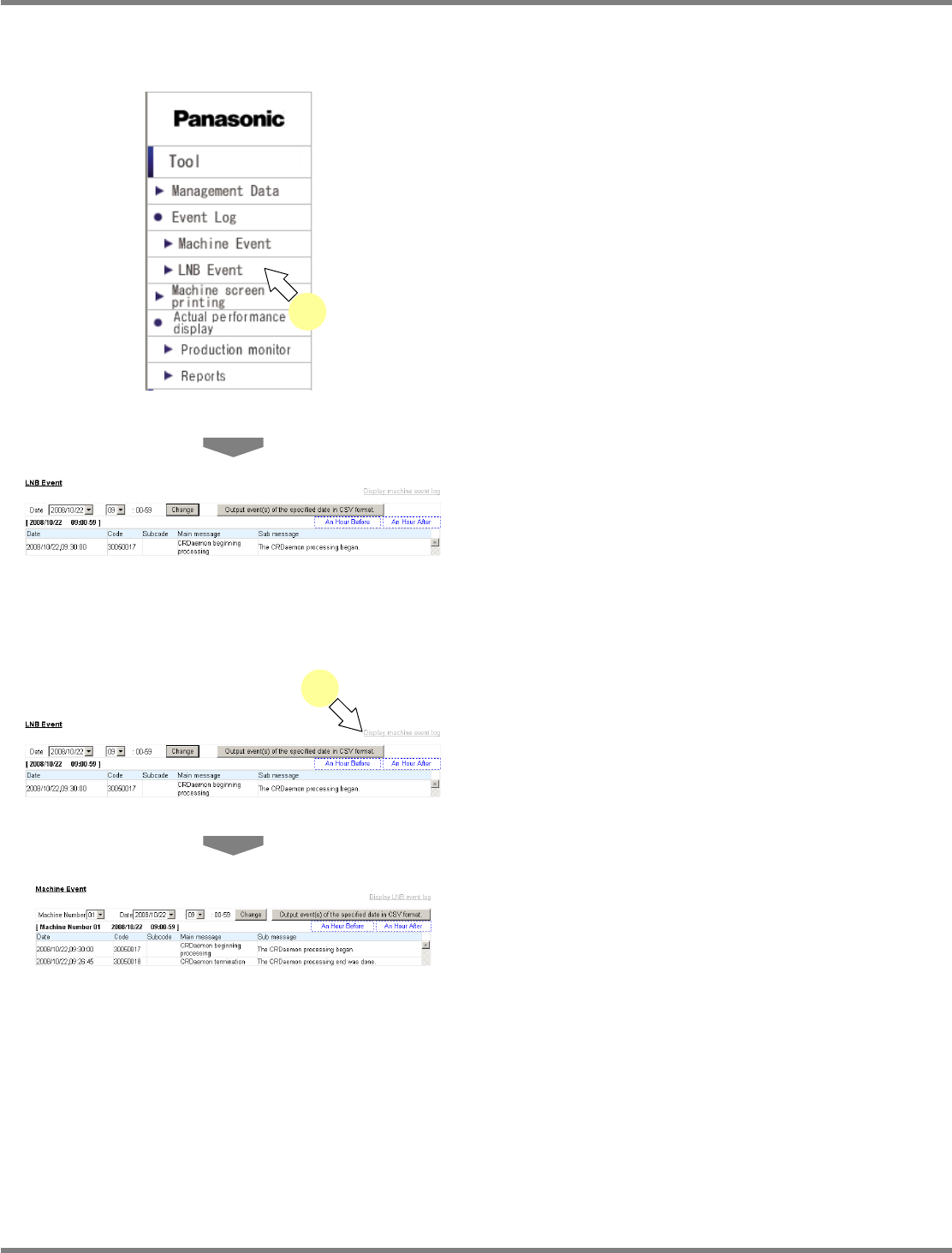
You can browse the LNB event information.
1
Choose [LNB Event] in [Event Log]
from the menu.
•
The 1 hour’s LNB event information is
displayed.
Changing the event information to display
1
Choose [Display machine event log].
•
The machine event information is displayed.
Changing the target time frame
You can change the time frame when events occurred, and display their information.
For details, see “3.2.1 Machine Event Information, Changing the target time frame.”
lnb3-2002_e
lnb3-2002_e
1
lnb3-1001_e
1
lnb3-2001_e
NPM
LNB
3.2 Event Information
EJM9BE-MB-03L-20 Page 3-19
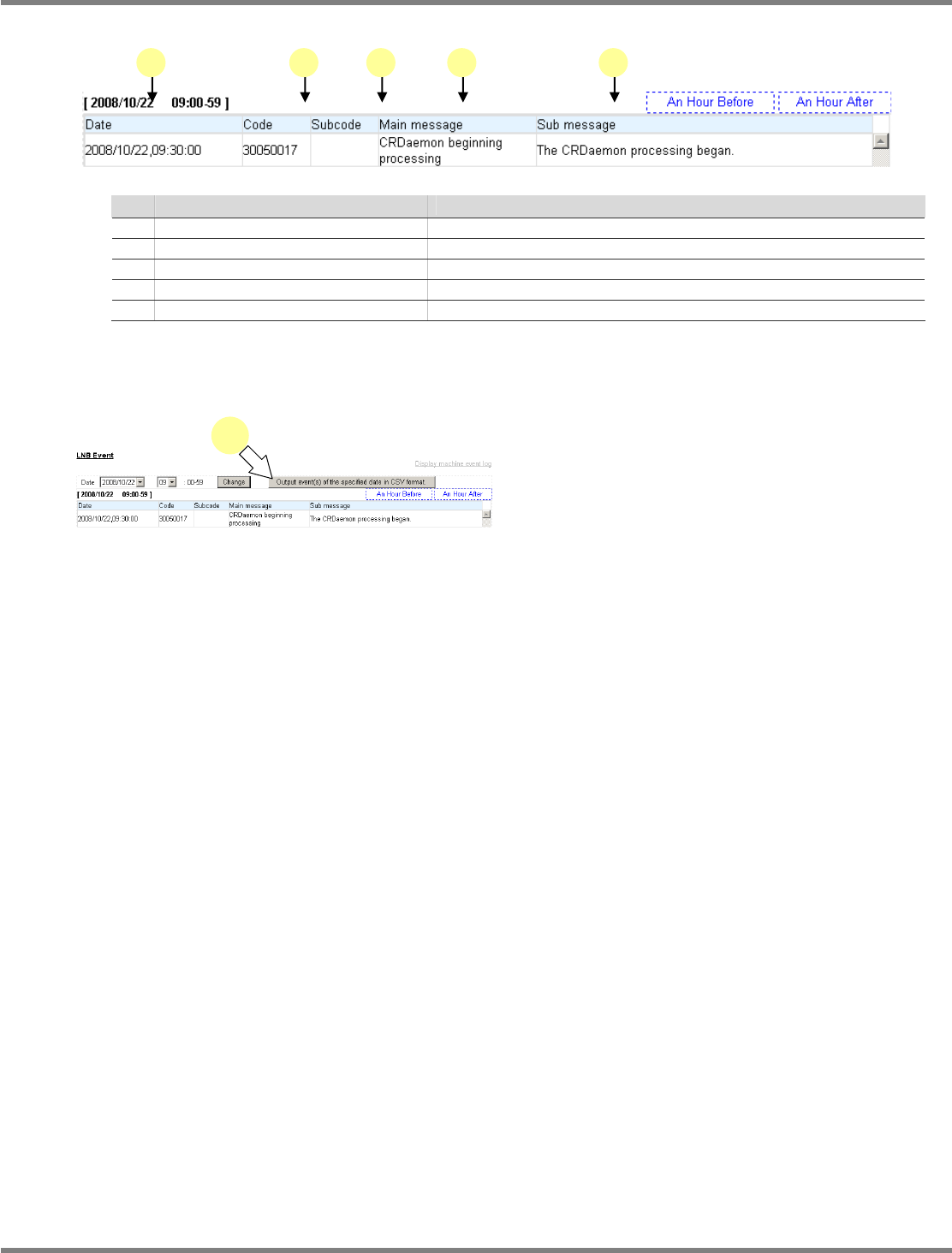
Explanation of LNB event items
Name
Explanation
a Date
The date of event occurrence
b Code
The main code to categorize events
c Sub-code
The code to show event details
d Main message
Displays the event name.
e Sub-message
Displays the event detail information.
Exporting the event
You can output the events of the specified date as a CSV format file.
1
Click [Output event(s) of the specified
date in CSV format.].
•
A dialog prompts for the destination to save.
Specify the destination, and export it.
lnb3-2002_e
1
3-2006
a b c d e
NPM
LNB
3.3 Production Machine Screen Print
Page 3-20 EJM9BE-MB-03L-20
3.3 Production Machine Screen Print
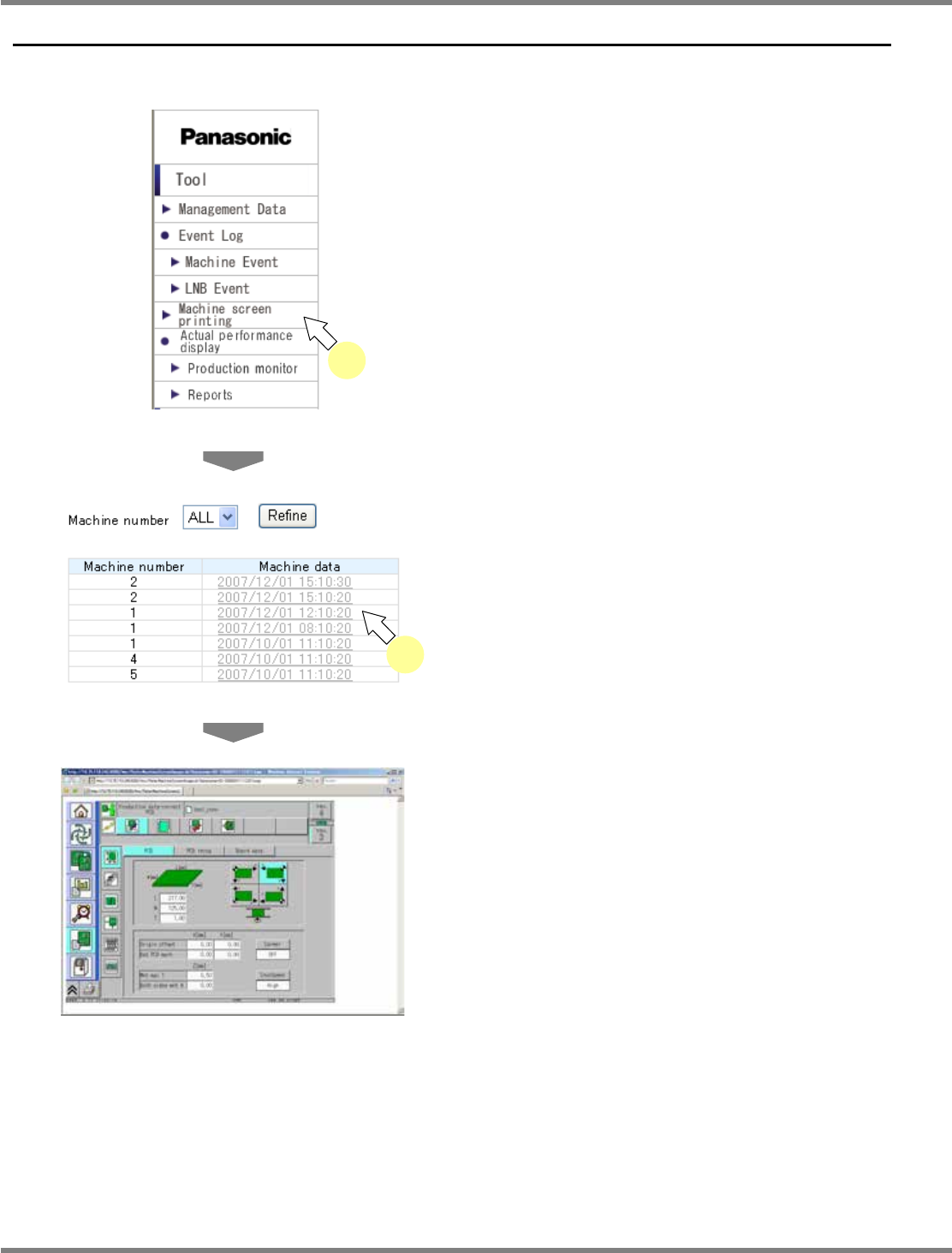
You can browse the production machine screen.
1
Choose [Machine screen printing]
from the menu.
•
The list of the production machine data of all
the registered machines is displayed.
2
Select the desired production
machine data from the production
machine data list.
•
The selected production machine screen data
is displayed.
lnb3-3001
_
e
2
lnb3-3002_e
lnb3-1001_e
1