N7201A304E05(1)_0.pdf - 第120页
NPM LNB 3.4 Result Information Display Page 3-28 EJM9BE-MB-03L-20 3.4.2 Reports 1 Choose [Reports] in [Actual performance display] from the menu. • The report screen is displayed. The report screen consists of c “time se…
NPM
LNB
3.4 Result Information Display
EJM9BE-MB-03L-20 Page 3-27
4
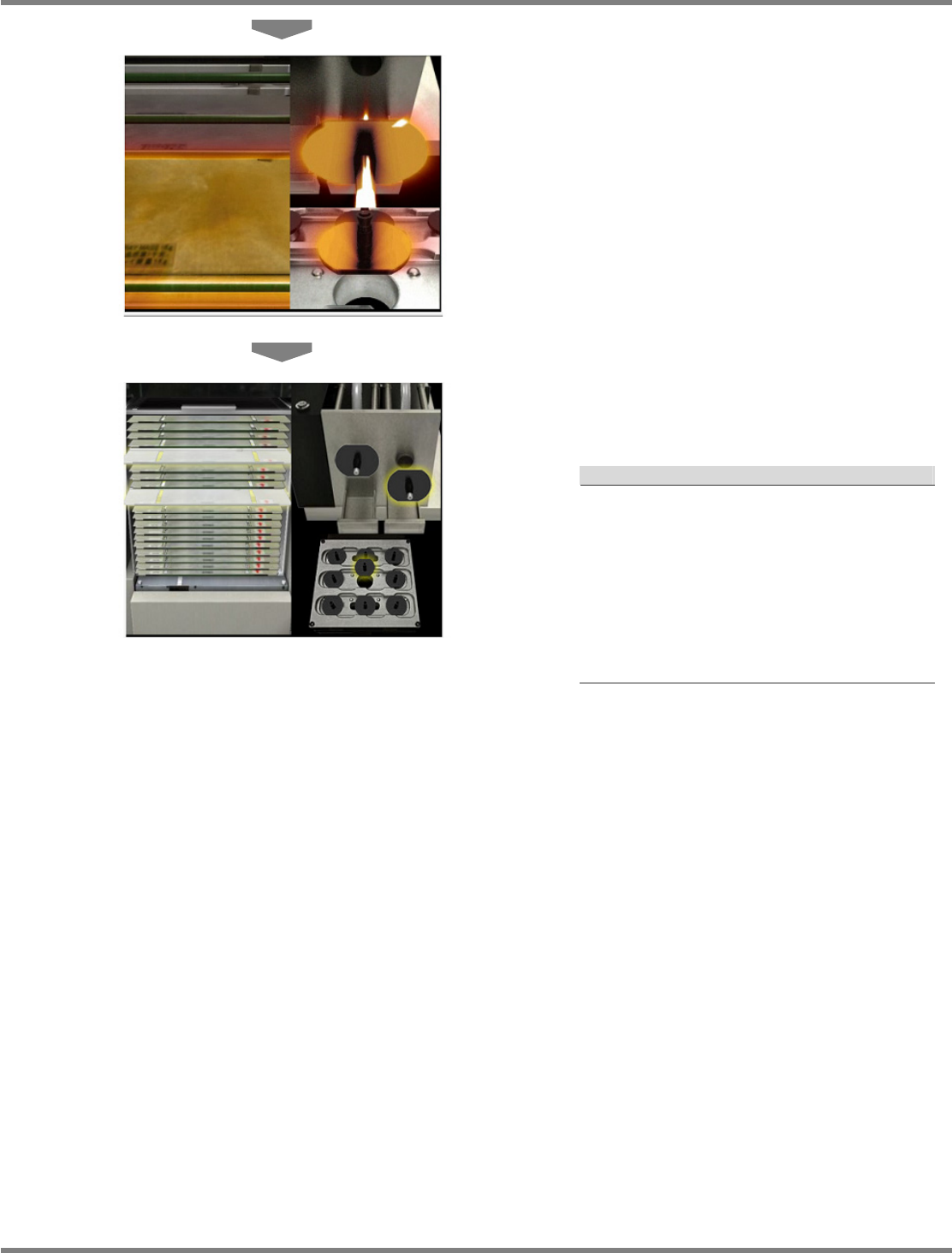
The target pallet, nozzle, and nozzle
changer are enlarged.
5
The whole of trays, head, and nozzle
changer are displayed.
Display of target part
Explanation
a) For tray
The color of the target pallet changes, and it
moves forward.
b) For nozzle
The head zooms in, the color of the target
nozzle changes, and it moves forward.
c) For nozzle changer
The nozzle changer zooms in, the color of
the target nozzle changes, and it moves
forward.
NPM
LNB
3.4 Result Information Display
Page 3-28 EJM9BE-MB-03L-20
3.4.2 Reports
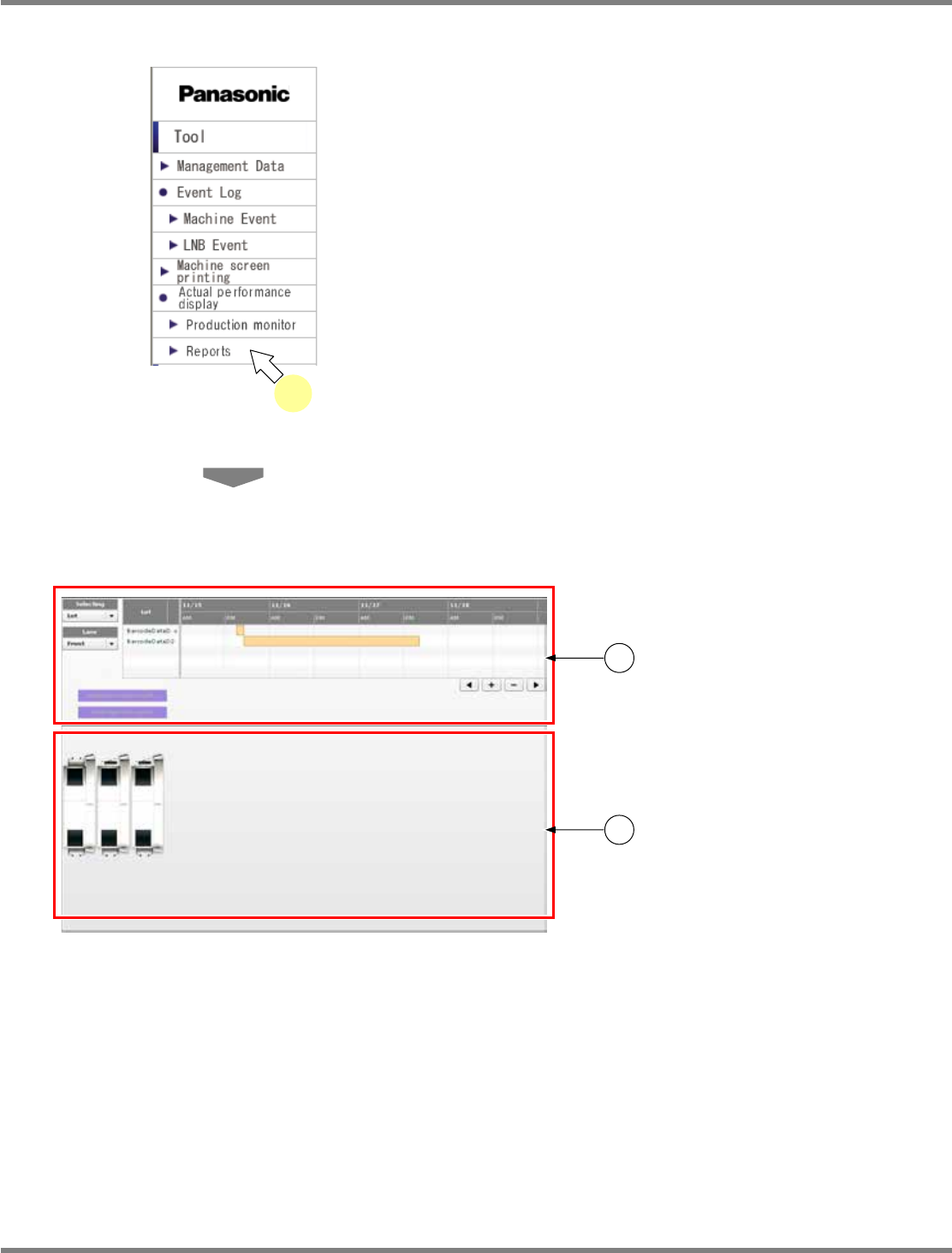
1
Choose [Reports] in [Actual
performance display] from the menu.
•
The report screen is displayed.
The report screen consists of c “time
selection section” and d “line status monitor
section.”
For information about the displayed contents
and operations, see the explanation on the
following pages.
lnb3-1001_e
1
lnb3-4005_e
1
2
NPM
LNB
3.4 Result Information Display
EJM9BE-MB-03L-20 Page 3-29
A) Time selection section
①
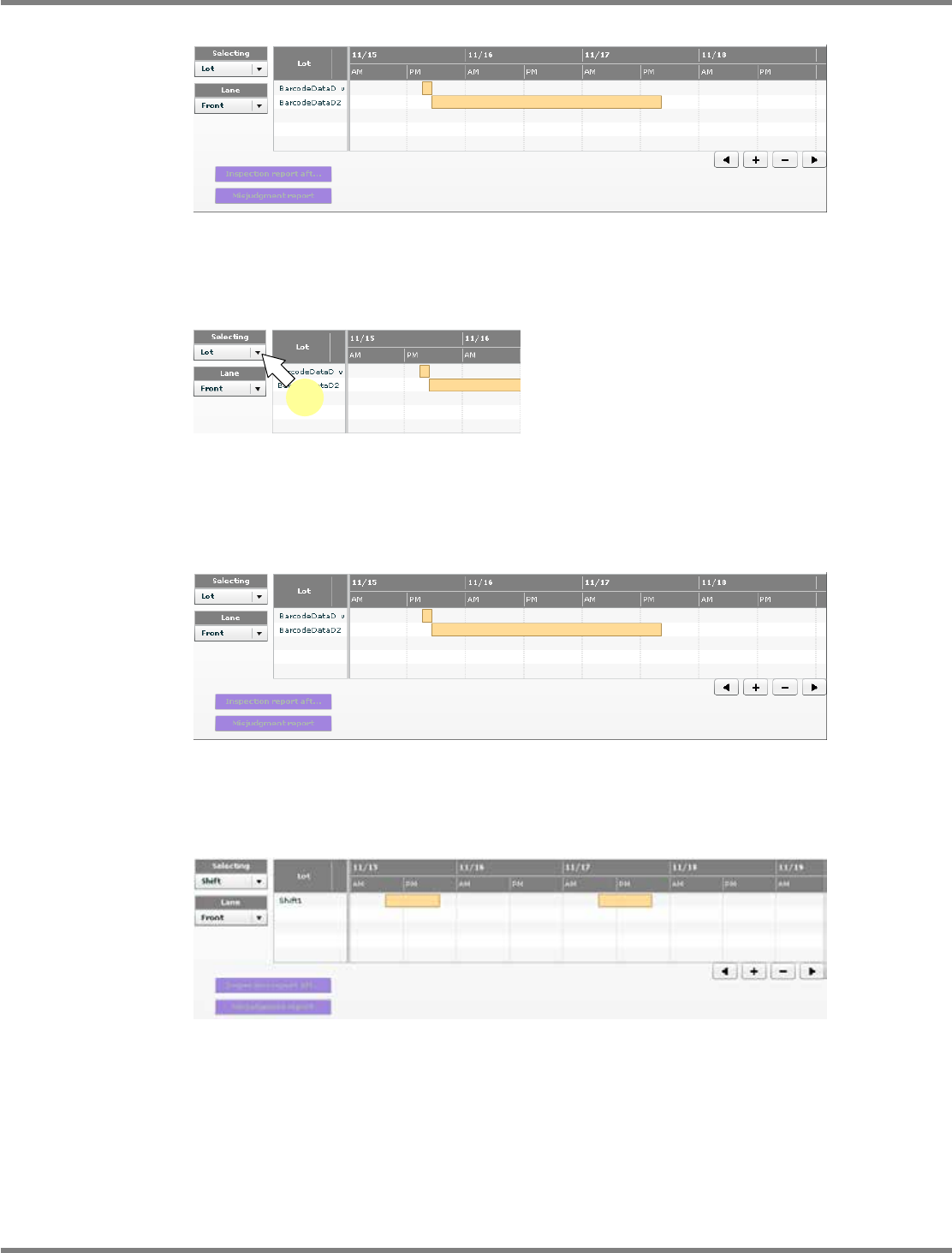
Changing the list information
In the first startup, the lot list is displayed.
1
Select the information to display.
•
Select the information to display from the
combo box.
When “Lot” is selected
The lot list is displayed.
When “Shift” is selected
The shift list is displayed.
lnb3-4006_e
lnb3-4007_e
1
lnb3-4008_e
lnb3-4006_e